pengenalan
The Portronics Dash 5 is a portable wireless lavalier microphone designed for video and audio recording. It features 2.4G Transmission technology for stable signal, anti-interference capabilities, and fast transmission. The microphone includes a 360° omnidirectional pickup chip and noise reduction technology for clear audio capture. It comes with a rechargeable transmitter and a 3-in-1 receiver compatible with various devices.
Kandungan Pakej
- 1 x Portronics Dash 5 Wireless Microphone (Transmitter)
- 1 x 3-in-1 Receiver
- 1 x Kabel Pengecas Jenis-C
- 1 x Foam Windscreen (Plosives Foam Filter)
Persediaan dan Sambungan
The Portronics Dash 5 microphone is designed for plug-and-play operation, requiring no additional apps, Bluetooth, or Wi-Fi for basic functionality.
- Cas Pemancar: Ensure the microphone transmitter is sufficiently charged using the provided Type-C cable.
- Sambungkan Penerima: Plug the 3-in-1 receiver into your recording device (smartphone, camera, laptop). The receiver features Type-C, 8-pin (for iPhone), and 3.5mm ports for broad compatibility.
- Hidupkan Mikrofon: Press the power button on the microphone transmitter. A green indicator light will illuminate, signifying it is powered on and ready to pair.
- Berpasangan automatik: The microphone and receiver will automatically pair. The indicator light on the receiver will also confirm a successful connection.
- Klip Mikrofon: Securely clip the microphone transmitter to your collar or clothing for optimal audio capture.

Rajah 1: Illustration of the plug-and-play connection process. Simply plug the receiver into your device, press the power button on the microphone, and it will pair automatically.
Special Considerations for Android Devices:
- OTG Power Supply: For some Android mobile phones, you may need to enable the OTG power supply in your device settings. Cari untuk "OTG" in your phone's settings and activate it.
- Third-Party Camera App: Certain Android phones may not support audio recording through their native camera application when using external microphones. In such cases, installing a third-party camera application like "Open Camera" may resolve the issue.

Rajah 2: The 3-in-1 universal receiver offers compatibility with Android smartphones, iPhones/iPads/Macs, and cameras/computers, providing versatile connectivity options.
Operasi
Tangkapan Audio
- 360° Omnidirectional Pickup: The microphone features an omnidirectional pickup chip, capturing sound from all directions around the microphone for comprehensive audio recording.
- Teknologi Pengurangan Bunyi: Advanced noise reduction technology is integrated to minimize background noise, ensuring clear and high-quality audio output.
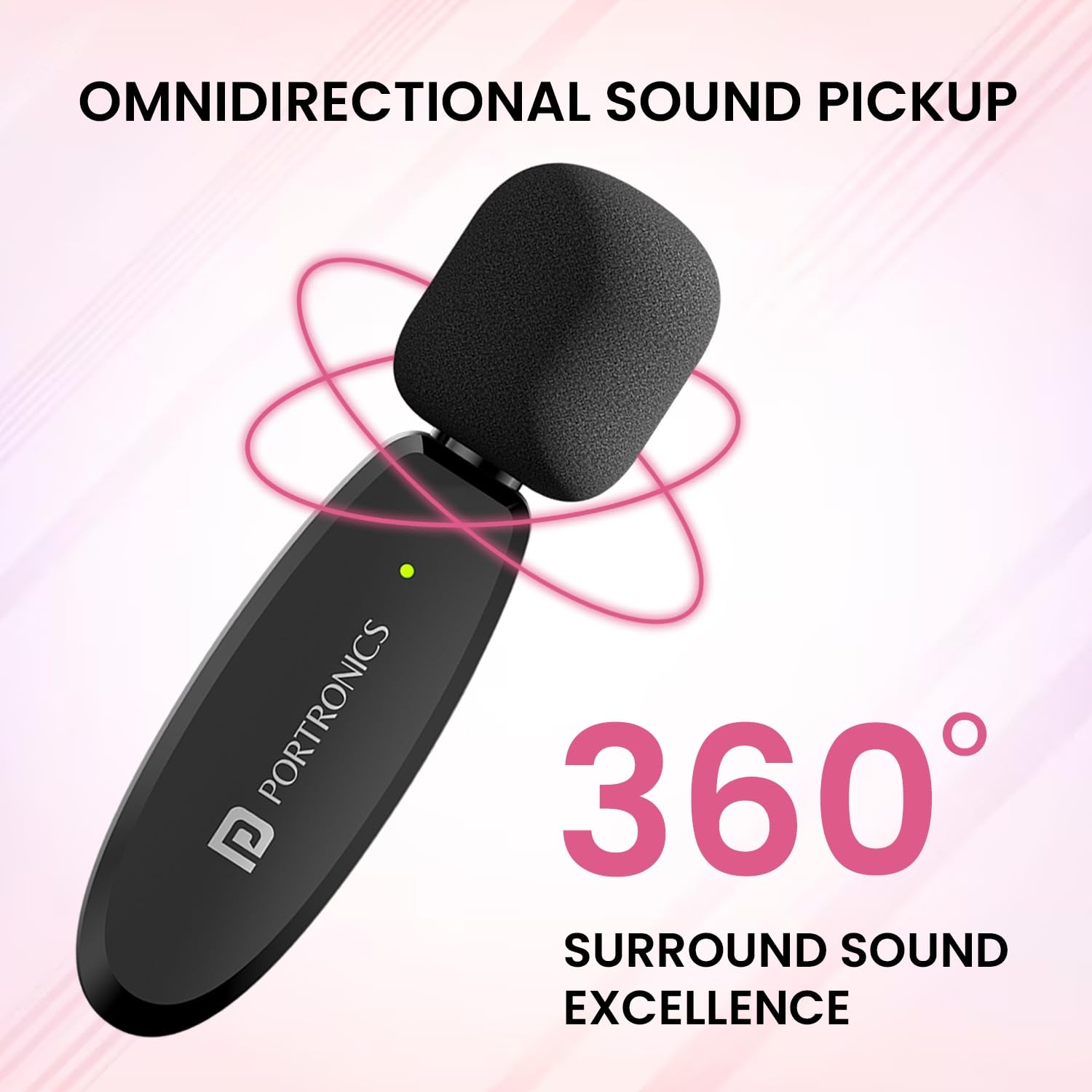
Rajah 3: The microphone's omnidirectional design ensures 360-degree sound pickup, capturing audio from all directions.

Rajah 4: The microphone's superior noise cancellation technology processes audio to deliver clear sound by reducing ambient noise.
Bateri dan Pengecasan
Both the wireless microphone transmitter and the receiver are equipped with rechargeable batteries. They can be charged using the included Type-C cable. The microphone supports charging while recording, allowing for extended usage without interruption.
Julat Penghantaran
The Portronics Dash 5 offers a transmission distance of up to 30 meters (approximately 98 feet) in open environments, providing flexibility for various recording scenarios. It features 15ms ultra-low latency for real-time audio monitoring.
Aplikasi Serbaguna

Rajah 5: The Portronics Dash 5 is suitable for a wide range of applications such as online teaching, video recording, live streaming, and interviews, offering hands-free operation.
Penyelenggaraan
To ensure the longevity and optimal performance of your Portronics Dash 5 microphone, follow these maintenance guidelines:
- Pembersihan: Gunakan kain lembut dan kering untuk membersihkan mikrofon dan penerima. Elakkan menggunakan bahan kimia yang keras atau bahan yang melelas.
- Storan: Simpan peranti di tempat yang sejuk dan kering jauh dari cahaya matahari langsung dan suhu yang melampau.
- Perlindungan: When not in use, consider storing the microphone in a protective pouch to prevent dust and physical damage.
- Cermin Depan Buih: The included foam windscreen (plosives filter) helps reduce popping sounds and wind noise. Ensure it is properly fitted over the microphone head. Replace if damaged.

Rajah 6: The plosives foam filter is essential for maintaining clear audio by preventing popping sounds and filtering disruptive background noise.
Menyelesaikan masalah
Connectivity Issues with Android Phones
If you experience connectivity problems or no audio recording with your Android device:
- Enable OTG: Go to your Android device's settings, search for "OTG," and ensure the OTG power supply is enabled.
- Use Third-Party Camera App: If your phone's default camera app does not record audio with external microphones, install and use a third-party application like "Open Camera" for recording.
- Re-plug and Restart: Try unplugging and re-plugging the receiver. Restarting your device may also resolve temporary connection issues.
Tiada Bunyi atau Kelantangan Rendah
- Ensure the microphone transmitter is powered on and fully charged.
- Verify that the receiver is securely plugged into your device.
- Check the volume settings on your recording device.
- Confirm that the microphone and receiver are paired (indicator lights are solid).
Spesifikasi
| Ciri | Perincian |
|---|---|
| Nama Model | Sempang 5 |
| Nombor Model Item | POR-2044 |
| Jenama | Portronics |
| Teknologi Ketersambungan | Wayarles Digital 2.4G |
| Jenis Penyambung | 3.5 mm Jack, Type-C, 8-pin (for iPhone) |
| Peranti Serasi | Smartphone, Camera, Laptop |
| Corak Kutub | Omnidirectional |
| Respons Kekerapan | 2.4 GHz |
| Nisbah Isyarat-ke-Bunyi | 80 dB |
| Ciri Khas | 15ms Ultra-Low Latency, 360° Omnidirectional Microphone, Long Working Time, Smart Noise Cancellation |
| Sumber Kuasa | Dikuasakan Bateri |
| Berat Barang | 100 Gram |
| Dimensi Produk (L x W x H) | 16.6 x 11 x 2.7 Sentimeter |
| Komponen yang Disertakan | Wireless Microphone 1N |
Waranti dan Sokongan
The Portronics Dash 5 Wireless Microphone comes with a Waranti 1 Tahun dari tarikh pembelian.
For technical support, warranty claims, or any product-related inquiries, please contact Portronics customer service:
- Pengeluar: Portronics Digital Pvt Ltd.
- Alamat: Unit No. 1082-1090, 10th Floor, Block-B, Vegas, Dwarka, Sec-14, New Delhi-110075, India
- telefon: 9555-245-245
Please retain your purchase receipt for warranty validation.


