pengenalan
This manual provides detailed instructions for the installation, operation, and maintenance of your Woibugee Double Din Android Auto Wireless CarPlay Radio. Please read this manual thoroughly before using the product to ensure proper functionality and safety.
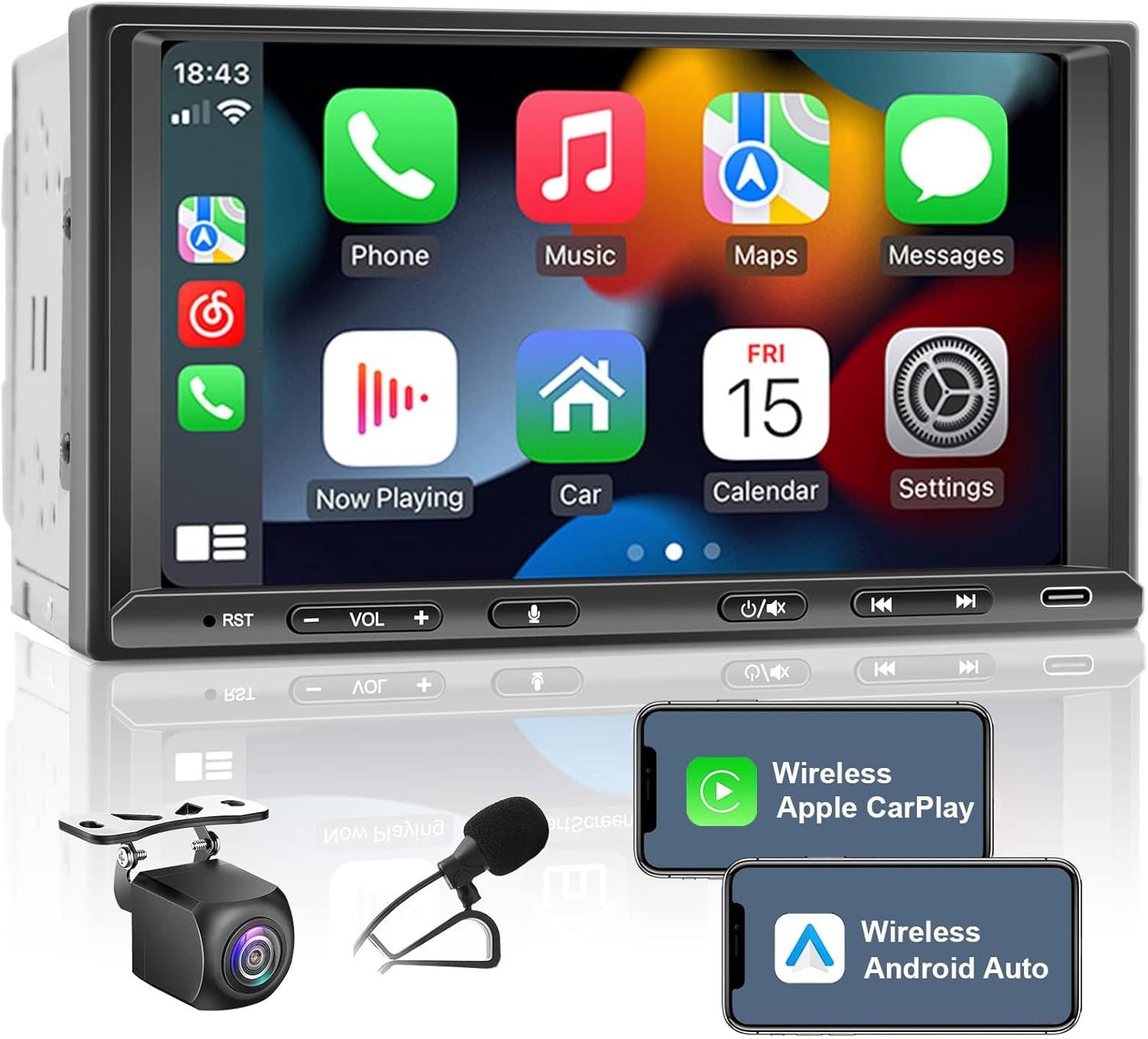
Figure 1: Woibugee Double Din Android Auto Wireless CarPlay Radio
The image shows the main unit of the Woibugee Double Din Car Radio, featuring a 7-inch touchscreen displaying the Apple CarPlay interface with various app icons like Phone, Music, Maps, and Messages. Below the screen are physical buttons for RST, Volume, Voice, Mute/Off Screen, and Type-C port. Also shown are smaller images of a rear view camera and a microphone, along with phone screens illustrating Wireless Apple CarPlay and Wireless Android Auto connectivity.
Persediaan dan Pemasangan
Proper installation is crucial for the optimal performance of your car radio. It is recommended to have this unit installed by a qualified professional.
Kandungan Pakej
- Woibugee Double Din Car Radio Unit
- Kuasa Kuasa
- Kabel USB
- Antena GPS (jika berkenaan)
- belakang View Camera (if included in package)
- Mikrofon Luaran
- Pendakap dan Skru Pemasangan
- Manual Pengguna (dokumen ini)
Langkah Pemasangan
- Penyediaan: Disconnect the vehicle's negative battery terminal before starting installation to prevent electrical shorts.
- Keluarkan Unit Lama: Tanggalkan stereo kereta sedia ada dari papan pemuka dengan berhati-hati.
- Sambungan Pendawaian:
- Connect the power harness to the vehicle's wiring harness, matching colors and functions (e.g., constant power, accessory power, ground, illumination).
- Connect speaker wires to the corresponding outputs on the new radio.
- Sambung bahagian belakang view camera input cable to the radio's "CAM IN" port and the camera's power/ground to the vehicle's reverse light circuit.
- Connect the external microphone to the dedicated microphone input.
- Connect the USB cable for wired CarPlay/Android Auto or media playback.
- Sambungkan antena radio.
- Pemasangan: Secure the new radio into the dashboard opening using the provided mounting brackets. Ensure it is firmly in place.
- Kefungsian Ujian: Before fully reassembling the dashboard, reconnect the battery and test basic functions: power on/off, audio playback, radio, Bluetooth, CarPlay/Android Auto, and rear camera.
- Pasang semula Papan Pemuka: Once all functions are verified, carefully reassemble the dashboard components.
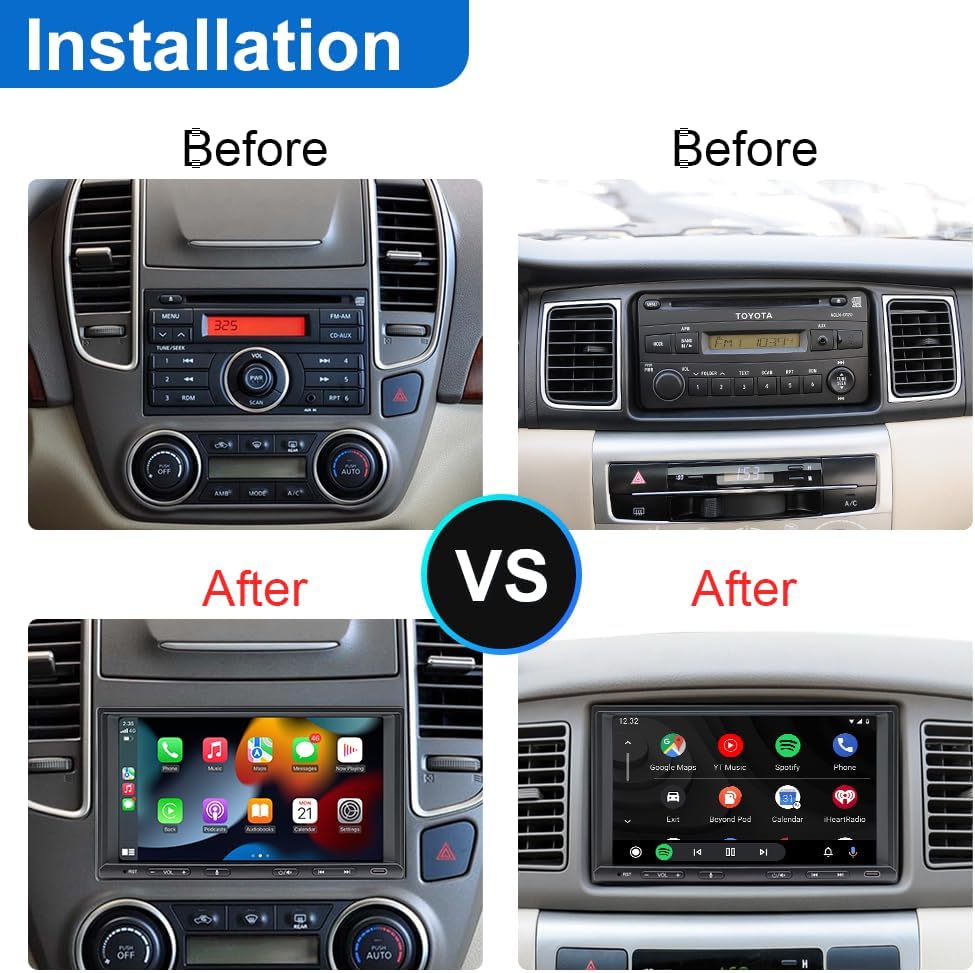
Figure 2: Installation Comparison
This image displays a "Before" and "After" comparison of a car dashboard with the original stereo replaced by the Woibugee Double Din Car Radio. The "Before" images show older, factory-installed car stereos, while the "After" images show the new 7-inch touchscreen unit seamlessly integrated into the dashboard, displaying the CarPlay/Android Auto interface.
Arahan Operasi
This section details the various functions and features of your Woibugee car radio.
Antara Muka Lebihview
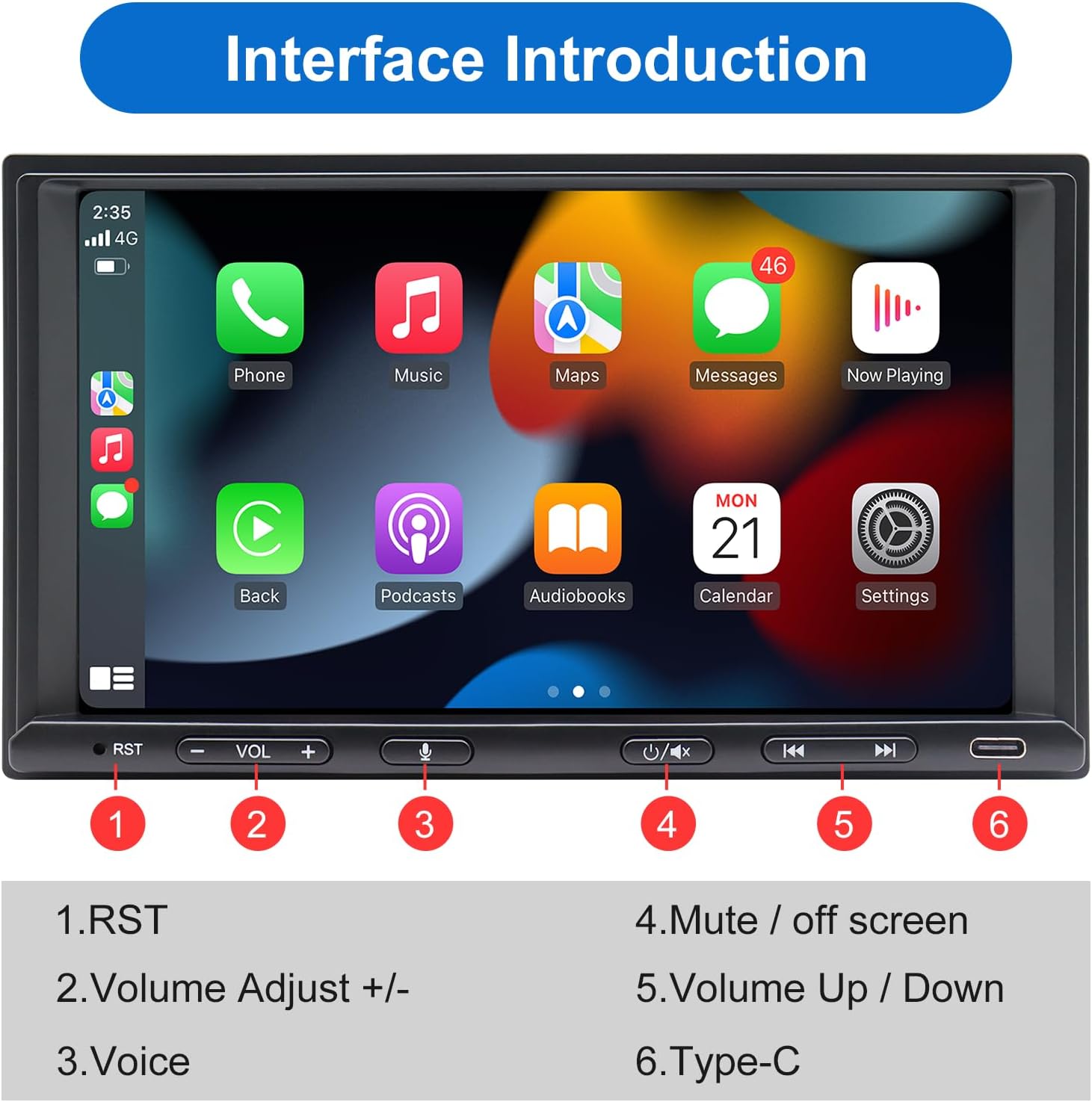
Rajah 3: Kawalan Panel Hadapan
The image highlights the physical controls on the front panel of the car radio. Numbered labels indicate: 1. RST (Reset button), 2. Volume Adjust +/- (physical buttons), 3. Voice (voice assistant activation), 4. Mute / Off Screen, 5. Volume Up / Down (touchscreen controls), and 6. Type-C (USB-C port).
- Hidupkan/Mati Kuasa: Press the power button (often integrated with volume knob or a dedicated button) to turn the unit on or off.
- Kawalan Kelantangan: Use the physical volume buttons or the touchscreen controls to adjust audio output.
- Tetapkan Semula (RST): A small reset button (often recessed) is provided for system reboots if the unit becomes unresponsive. Use a thin object like a paperclip to press it.
Apple CarPlay & Android Auto Tanpa Wayar
The unit supports both wireless and wired Apple CarPlay and Android Auto for seamless smartphone integration.
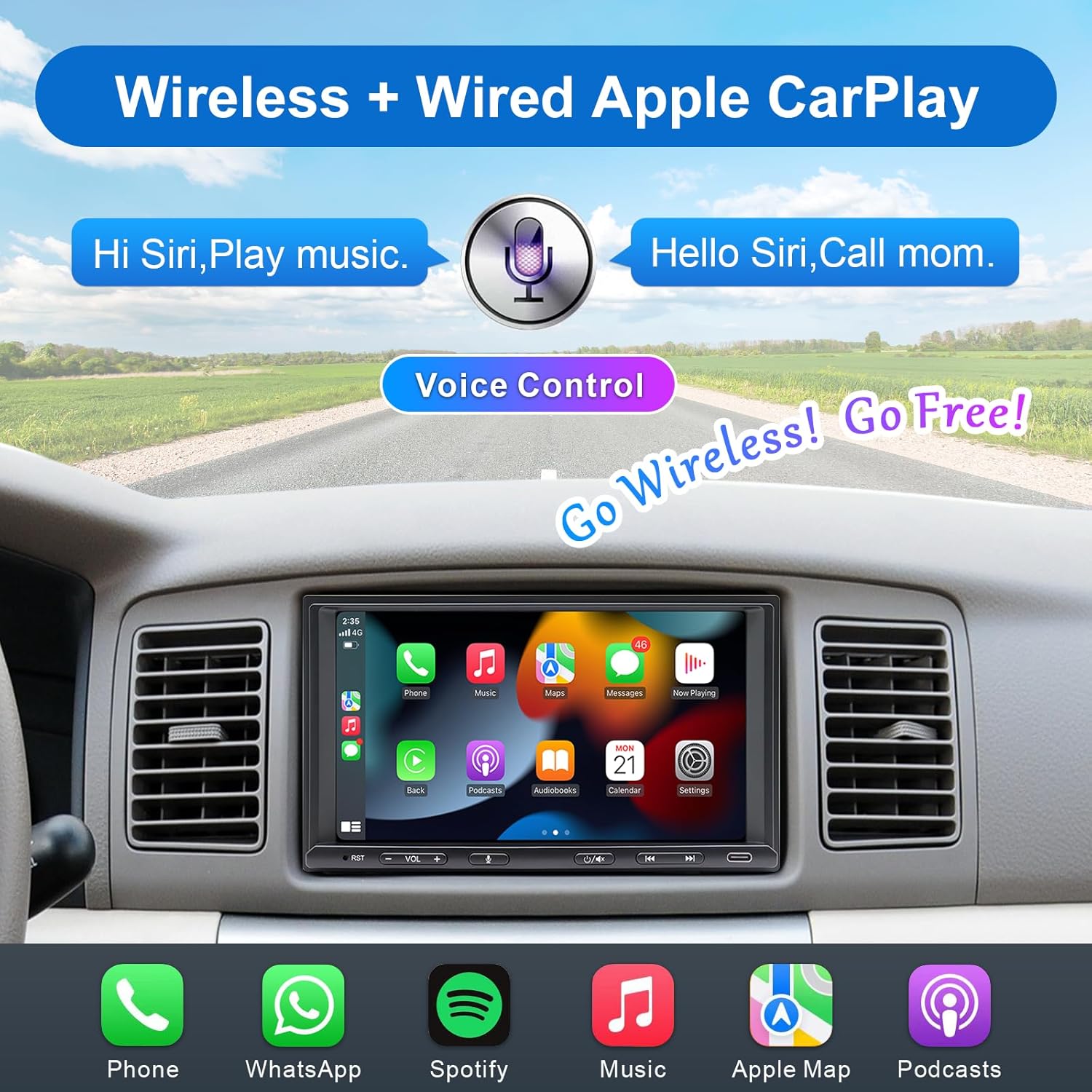
Figure 4: Wireless Apple CarPlay
This image illustrates the Wireless Apple CarPlay feature, showing the car radio screen displaying the CarPlay interface with app icons. It emphasizes voice control with speech bubbles like "Hi Siri, Play music." and "Hello Siri, Call mom.", indicating hands-free operation.

Figure 5: Wireless Android Auto
This image demonstrates the Wireless Android Auto functionality, showing the car radio screen with the Android Auto interface. Voice commands such as "Hello Google", "Navigate Home", "Call Jane", and "Play Music" are highlighted, showcasing the voice assistant capabilities.
- Sambungan Wayarles:
- Pastikan Bluetooth dan Wi-Fi didayakan pada telefon pintar anda.
- On the car radio, navigate to the CarPlay or Android Auto section.
- Pair your phone via Bluetooth with the car radio. Once paired, the system will prompt you to enable wireless CarPlay/Android Auto.
- Sambungan Berwayar:
- Connect your smartphone to the radio's USB port using a high-quality USB cable.
- The system should automatically detect and launch CarPlay or Android Auto.
- Kawalan Suara: Activate Siri (for CarPlay) or Google Assistant (for Android Auto) by pressing the dedicated voice button on the unit or using the voice command "Hey Siri" / "Hey Google" (if enabled on your phone).
Fungsi MirrorLink
The MirrorLink function allows you to mirror your smartphone's screen directly onto the car radio display.

Figure 6: MirrorLink Feature
This image illustrates the MirrorLink function, demonstrating how an iPhone or Android phone screen can be mirrored onto the larger 7-inch display of the car radio. The car radio screen shows the same content as the smartphone, in this case, a scenic landscape.
- Navigate to the "MirrorLink" icon on the radio's main menu.
- Follow the on-screen instructions to connect your iOS or Android device. This typically involves connecting via USB and enabling USB debugging (for Android) or trusting the device (for iOS).
belakang View Camera & Live Rear View (LRV)
Unit ini menyokong belakang HD view camera input with a live rear view function for enhanced safety.

Rajah 7: Belakang View Ciri Kamera
The image details the HD 720P Rear View Camera Input features, including icons for Waterproof, 170° Viewing Angle, Night Vision, and HD Rear View. It shows two car radio screens: one displaying a "Live Rear View" of a car moving forward, and another showing "Reversing Guidelines" with a truck in reverse, indicating parking assistance.
- Paparan Automatik: When the vehicle is shifted into reverse, the rear view camera feed will automatically display on the screen.
- Hidup Belakang View (LRV): Ciri ini membolehkan anda view the rear camera feed even when driving forward. Access this function through the radio's menu.
- Garis panduan: Dynamic or static parking guidelines may be displayed on the screen to assist with parking maneuvers.
AM/FM Radio & Bluetooth 5.0
Enjoy traditional radio broadcasts and wireless audio streaming.
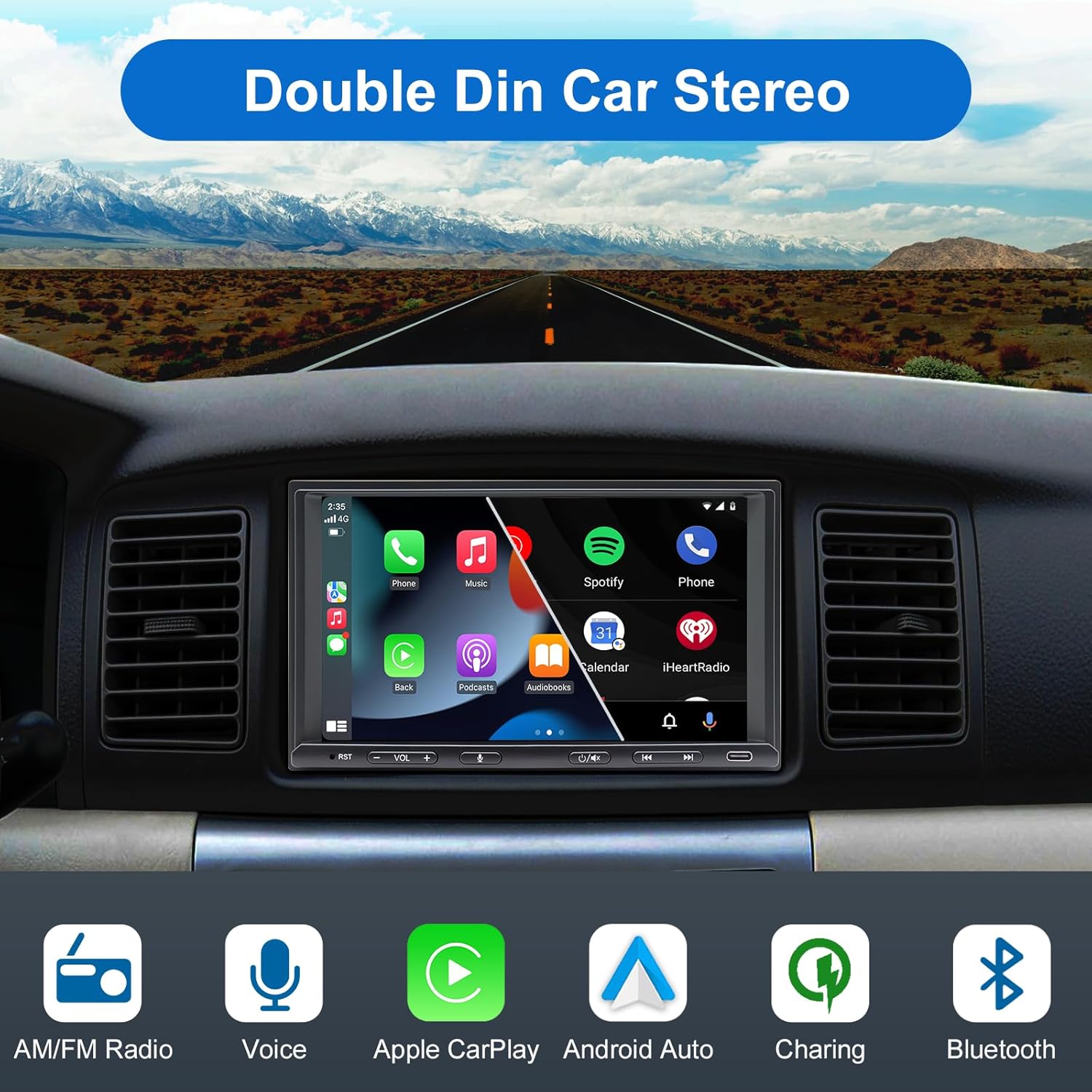
Figure 8: Core Features Overview
Imej ini memberikan overview of the Double Din Car Stereo's core features, represented by icons: AM/FM Radio, Voice control, Apple CarPlay, Android Auto, Charging capability, and Bluetooth connectivity. The main screen shows a typical car radio interface with various app icons.
- Radio AM/FM: Select the "Radio" application. Use the scan or tune functions to find desired stations. Save favorite stations as presets.
- Pairing Bluetooth:
- On your phone, search for Bluetooth devices and select "Woibugee Radio" (or similar name).
- Sahkan kod pasangan jika digesa.
- Once paired, you can stream audio, make/receive calls, and access your phone's contact list.
- Tetapan Audio: Access the "Settings" menu to adjust equalizer (EQ) settings, subwoofer output, and other audio preferences. The unit supports 16-band custom EQ settings.
Penyelenggaraan
Regular maintenance ensures the longevity and optimal performance of your car radio.
- Pembersihan Skrin: Gunakan kain lembut dan tidak berbulu untuk mengelap skrin sentuh dengan lembut. Untuk calitan degil, sedikit dampen kain dengan air atau pembersih selamat skrin. Elakkan bahan yang melelas atau bahan kimia yang keras.
- Kemas Kini Perisian: Periksa pengeluar secara berkala website (if available) for firmware updates. Updates can improve performance, add features, or fix bugs. Follow update instructions carefully.
- Pemeriksaan Sambungan: Ensure all cables (power, speaker, camera, USB) are securely connected and free from damage.
- Penjagaan Alam Sekitar: Elakkan daripada mendedahkan unit kepada suhu yang melampau, cahaya matahari langsung untuk tempoh yang lama, atau kelembapan yang berlebihan.
Menyelesaikan masalah
Bahagian ini membincangkan isu-isu biasa yang mungkin anda hadapi dan penyelesaiannya.
| Masalah | Kemungkinan Punca | Penyelesaian |
|---|---|---|
| Unit tidak dihidupkan. | pendawaian yang salah; Fius yang ditiup; Masalah bateri kenderaan. | Check power and ground connections. Inspect vehicle's fuse box and the radio's inline fuse. Ensure battery is charged. |
| Tiada bunyi dari pembesar suara. | Speaker wires disconnected; Volume too low; Mute activated; Incorrect audio source. | Verify speaker wire connections. Increase volume. Check if mute is on. Select correct audio source (e.g., Radio, Bluetooth, USB). |
| Bluetooth connection unstable or drops. | Interference; Phone too far; Outdated firmware; Bluetooth conflict. | Ensure phone is close to the unit. Restart both phone and radio. Unpair and re-pair the device. Check for firmware updates. |
| CarPlay/Android Auto tidak bersambung. | Incorrect USB cable; Phone settings; App issues; Wireless connection problem. | Use a high-quality, data-enabled USB cable. Check phone settings for CarPlay/Android Auto permissions. Restart phone and radio. For wireless, ensure Wi-Fi is on and Bluetooth is paired. |
| Kamera belakang tidak dipaparkan. | Camera not powered; Incorrect video input; Faulty camera. | Check camera power connection (usually to reverse light). Ensure video cable is securely connected to "CAM IN". Test camera with another display if possible. |
| Touchscreen unresponsive or lags. | System overload; Software glitch. | Perform a system reset using the RST button. If issue persists, check for firmware updates. |
Spesifikasi
Key technical specifications of the Woibugee Double Din Car Radio.
- paparan: 7-inch HD Touchscreen (1024 x 600 resolution), supports 1920 x 1080P video playback
- Sistem pengendalian: OS Linux
- Ketersambungan: Wireless & Wired Apple CarPlay, Wireless & Wired Android Auto, Bluetooth 5.0, Wi-Fi, USB, AUX, SWC (Steering Wheel Control)
- Penala Radio: AM/FM
- Output Audio: 16-band custom EQ settings, Subwoofer audio output
- Input Kamera Belakang: HD 720P, supports Live Rear View (LRV), 170° ultra-wide viewing angle, waterproof, HD night vision design
- Pautan Cermin: Supports iOS and Android phones
- Dimensi (Pakej): 22.1 x 20.6 x 15.9 cm
- Berat (Pakej): 1.49 kg
- Pengeluar: Woibugee
- ASIN: B0CLVPZNJY
Sokongan dan Hubungan
For technical assistance, troubleshooting beyond this manual, or any inquiries regarding your Woibugee product, please contact our professional after-sales service team.
We provide necessary solutions and technical support 24 hours a day. Please do not hesitate to contact us via customer service or message through your purchase platform.


