pengenalan
The ZeroKor Portable Power Station G120 is a versatile and compact power solution designed to meet your electricity needs both outdoors and indoors. With multiple charging ports and a robust lithium-ion battery, it provides reliable power for a variety of electronic devices, making it ideal for camping, home use during power outages, van life, and other adventures.
Maklumat Keselamatan
Sila baca dan fahami semua arahan keselamatan sebelum mengendalikan peranti. Kegagalan mematuhi arahan ini boleh mengakibatkan renjatan elektrik, kebakaran atau kecederaan serius.
- Do not use electrical appliances exceeding 120W, as this may damage the portable power station. This includes devices prone to heat or with built-in air compressors like coffee makers, hair dryers, toasters, or water pumps.
- The built-in Battery Management System (BMS) provides protection against short circuits, over-current, over-voltage, beban lampau dan terlalu panas.
- Keep the device dry and do not expose it to high temperatures or direct sunlight for extended periods.
- Do not disassemble, puncture, shock, crash, short circuit, or incinerate the device.
Kandungan Pakej
Sahkan bahawa semua item disertakan dalam pakej anda:
- 1 x 120W Portable Power Station (Model G120)
- 1 x AC Power Adapter (5V USB-C power adapter)
- 1 x Penyesuai Pemetik Rokok
- 1 x Kabel Pengecasan USB-A ke USB-C
- 1 x Manual Pengguna

Image: The ZeroKor Portable Power Station G120, user manual, AC power adapter, cigarette lighter adapter, and USB-A to USB-C charging cable.
Produk Selesaiview
The ZeroKor G120 is designed for convenience and efficiency, featuring multiple output ports and a clear display.

Imej: Atas ke bawah view of the ZeroKor G120, highlighting its various ports and digital display.
Ciri dan Komponen:
- Pelbagai Port Pengecasan:
- 2 x 110V/120W MAX AC Outlets
- 1 x DC Output (12V~16.8V/6A MAX)
- 1 x USB1 (5V/2A)
- 1 x QC USB2 (5V/3A 9V/2A MAX)
- 1 x USB-C Output (5V/3A 9V/2A MAX)
- 1 x USB-C Input (for recharging the power station)
- Skrin Paparan Digital: Shows remaining power, AC out status, and DC out status.
- Lampu suluh LED: Features reading mode, SOS mode for emergencies, and steady light.
- Reka Bentuk Mudah Alih: Lightweight (approx. 2.2 lbs) with integrated carrying handles.
- Kipas Penyejuk Terbina dalam: Automatically activates based on internal temperature to prevent overheating.
- Sistem Pengurusan Bateri (BMS): Provides comprehensive protection against short circuit, over-current, over-voltage, beban lampau dan terlalu panas.

Image: The ZeroKor G120 with clear labels for USB-A, USB-C, DC, and AC output ports, along with input and power buttons.

Image: A visual representation of the ZeroKor G120's multipurpose capabilities, detailing its AC, DC, USB, and LED light outputs.

Imej: Meletup view diagram illustrating the internal components and the Advanced Battery Management System (BMS) with its various protection features.
Persediaan
Pengecasan Awal:
Before first use, it is recommended to fully charge your ZeroKor Portable Power Station. The device can be recharged using several methods:
- USB-C Wall Adapter: Connect the provided USB-A to USB-C cable to the USB-C input port on the power station and plug the AC power adapter into a wall outlet.
- Car USB Port: Use the provided USB-A to USB-C cable to charge the power station via your car's USB port.
- Panel Suria (Tidak Termasuk): For green energy charging, connect a compatible solar panel (not included) to the power station's input port.
The screen display will show the remaining power and charging status. It is recommended to recharge the power station every 3 months, even if not in regular use to maintain battery health.

Image: The ZeroKor G120 positioned next to a portable refrigerator and a solar panel, illustrating two ways to recharge: via solar panel (not included) or USB-C adapter (included).
Arahan Operasi
Menggunakan Output AC:
To activate the AC output, long press the DC button, then press and hold the AC button for 3 seconds. The display will show "AC OUT" and the cooling fan may turn on. Plug your device into one of the 110V AC outlets. Remember, the rated power is 120W (AC Outlet). Using electrical appliances over 120W may damage the unit.
Video: This video demonstrates the ZeroKor Portable Power Station G120 in a camping setting, highlighting its use for powering various devices outdoors. It showcases the compact size and ease of use for portable power needs.
Using DC and USB Outputs:
The DC and USB outputs are active by default. Simply plug your devices into the appropriate USB (USB1, USB2, USB-C) or DC (12V 6A Output) ports. The power station can charge your smartphone, tablet, laptop, camera, drones, and other compatible devices.
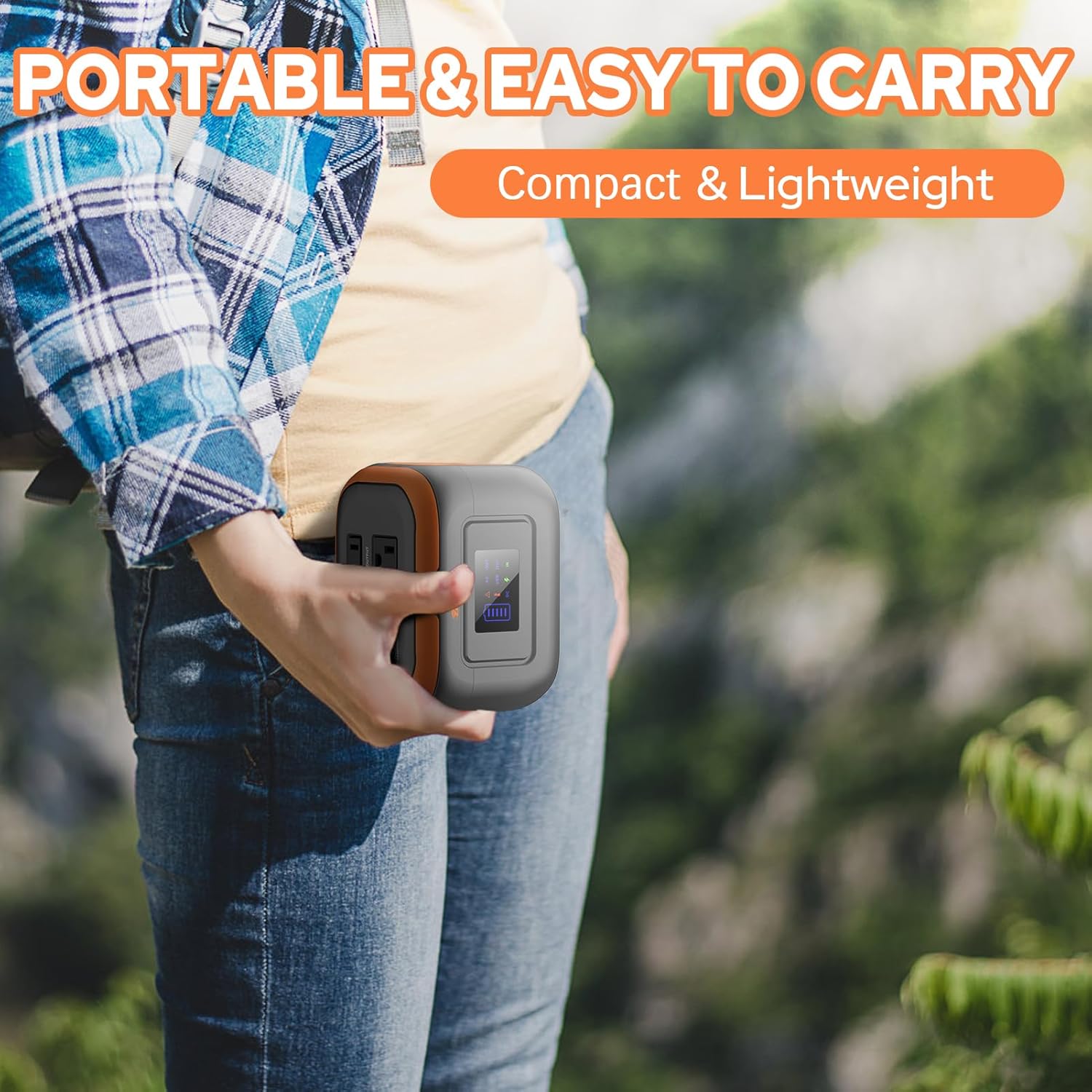
Image: A person is shown carrying the compact and lightweight ZeroKor G120 in their hand, emphasizing its portability for outdoor activities.
Video: This video provides a detailed demonstration of the ZeroKor Portable Power Station G120, showcasing its various ports and how to use them to charge different electronic devices like phones, tablets, and laptops. It highlights the ease of operation and the clear display screen.
Mod Lampu Suluh LED:
The built-in LED flashlight has multiple modes for different situations:
- Cahaya Tetap: Press the flashlight button once for a steady, bright light.
- Mod Strob: Press the flashlight button a second time for a strobing light.
- Mod SOS: Press the flashlight button a third time to activate the SOS signal, useful for emergencies.
Penyelenggaraan
- To ensure optimal battery life, recharge the power station every 3 months, even if not in active use.
- Simpan peranti di tempat yang sejuk dan kering, jauh dari cahaya matahari langsung dan suhu yang melampau.
- Bersihkan bahagian luar dengan kain lembut dan kering. Jangan gunakan bahan kimia yang keras atau bahan yang melelas.
Menyelesaikan masalah
- Device not powering on/charging: Ensure the power station is adequately charged. Check all cable connections.
- AC output not working: Make sure you have correctly activated the AC mode by long pressing the DC button and then holding the AC button for 3 seconds. Verify the connected device's wattage tidak melebihi 120W.
- Terlalu panas: The built-in cooling fan system will automatically start if the internal temperature rises. Ensure the vents are not blocked.
- Incompatible devices: Some devices, especially those with high power consumption or requiring air compressors (e.g., coffee makers, hair dryers), may not be compatible due to the 120W limit. Consider a more powerful station for such needs.
Spesifikasi

Image: The ZeroKor G120 with its dimensions labeled: 5.7 inches (L), 4.4 inches (W), and 4.1 inches (H).
| Ciri | Perincian |
|---|---|
| Jenama | ZeroKor |
| Nama Model | G120 Portable Power Station with AC Outlet |
| Wattage | 120 watt |
| Jenis Bahan Api | Elektrik |
| Sumber Kuasa | AC/DC, Battery-Powered, Solar Powered (Solar panel not included), USB Type C, USB Type A |
| Berat Barang | 2.2 paun |
| Voltage | 110 Volt (AC) |
| Output Wattage | 120 |
| Ciri Khas | 120Watt Max Portable Solar Power Station (Solar panels not included), Portable, Overload Protection, Short Circuit Protection |
| Komponen yang Disertakan | 1*AC power adapter, 1*user manual (Solar panels not included), 1*120W Portable Power Station, 1*Cigarette Lighter Adapter, 1*USB-A to USB-C Charging Cable |
| warna | Oren Kelabu |
| Dimensi Produk | 5.7"L x 4.4"W x 4.1"H |
| bahan | ABS |
| Masa jalan | 5 jam |
| Jumlah Outlet Kuasa | 6 |
| Kekerapan | 60 Hz |
| Memulakan Wattage | 2 Watt |
| Lari Wattage | 120 Watt |
| UPC | 764046731570 |
| Pengeluar | Hengke Energy(GuangDong) Co., Ltd |
| ASIN | B0CLVHPGDZ |
| Negara Asal | China |
| Bateri | 1 Bateri Lithium Ion diperlukan. (termasuk) |
Waranti & Sokongan
ZeroKor offers professional customer assistance and 12 months of customer support for your portable power station. For any inquiries or assistance, please refer to the contact information provided in your product packaging or visit the official ZeroKor webtapak.


