1. Pengenalan
Thank you for choosing the NOHON 100W GaN USB-C Fast Charger Adapter. This device is designed to provide efficient and rapid charging for a wide range of electronic devices, including laptops, smartphones, and tablets. Utilizing advanced GaN (Gallium Nitride) technology, this charger offers high power output in a compact, portable design. Please read this manual thoroughly to ensure proper use and to maximize the performance and lifespan of your charger.

Image 1.1: NOHON 100W GaN USB-C Fast Charger Adapter with included 140W USB-C cable.
2. Produk Lebihview
Ciri-ciri Utama:
- Penghantaran Kuasa 100W: Delivers up to 100 watts of power with QC 3.0 support for rapid charging.
- Teknologi GaN: Enables a smaller, more efficient design compared to traditional chargers.
- Reka Bentuk Berbilang Port 4-dalam-1: Features three USB-C ports and one USB-A port for simultaneous charging of multiple devices.
- Keserasian Universal: Supports a wide range of devices including laptops, smartphones, tablets, and other gadgets.
- Ciri Keselamatan Lanjutan: Built-in protections against over-current, over-voltage, short-circuit, and high temperature.
- Padat dan Mudah Alih: Features a 90° foldable plug for easy storage and travel.
- Bonus 140W USB-C Cable: Includes a 1.2m 140W USB-C to USB-C cable for optimal charging performance.
Apa yang ada di dalam Kotak:
- NOHON 100W GaN USB-C Fast Charger Adapter (Model NX-CD015)
- 1.2m 140W USB-C to USB-C Cable
- Manual Pengguna
3. Persediaan
Setting up your NOHON charger is straightforward. Follow these steps to begin charging your devices.
- Buka Palam: Buka penutup pengudaraan (AC) dari badan pengecas dengan lembut.
- Sambung ke Alur Kuasa: Insert the charger into a standard wall power outlet (100-240V~50/60Hz).
- Sambungkan Kabel Pengecasan: Plug one end of your USB-C or USB-A charging cable into the appropriate port on the NOHON charger.
- Sambung ke Peranti: Plug the other end of the charging cable into your electronic device (e.g., laptop, smartphone, tablet).
- Sahkan Pengecasan: Confirm that your device indicates it is charging.

Image 3.1: Charger connected to a laptop, demonstrating single-device charging.
4. Arahan Operasi
Pengecasan Peranti Tunggal:
When charging a single device, the charger will automatically detect the device's power requirements and deliver the maximum supported output up to 100W for USB-C ports or 60W for the USB-A port.
- USB-C1/C2/C3: Sehingga 100W Maks.
- USB-A: Sehingga 60W Maks.
Pengecasan Berbilang Peranti:
The NOHON charger can charge up to four devices simultaneously. The total power output is dynamically distributed among the connected devices, with a maximum combined output of 100W. When multiple devices are connected, the charger briefly cuts power to re-assign optimal power to each device.

Image 4.1: Charger simultaneously charging a laptop, tablet, smartphone, and earbuds.
Pengagihan Kuasa Examples:
| Pelabuhan yang Digunakan | Pengagihan Kuasa |
|---|---|
| USB-C1 + USB-C2 | 65W + 30W |
| USB-C3 + USB-A | 12W + 12W |
| USB-C1/C2 + USB-C3/A | 65W + 30W |
| USB-C1 + USB-C2 + USB-C3 | 45W + 30W + 20W |
| USB-C1 + USB-C2 + USB-A | 45W + 30W + 18W |
| USB-C1/C2 + USB-C3 + USB-A | 65W + 12W + 12W |
| USB-C1 + USB-C2 + USB-C3 + USB-A | 45W + 30W + 7.5W + 7.5W |
Note: The charger intelligently adjusts power output based on connected devices and their charging protocols. Total output will not exceed 100W.
5. Maklumat Keselamatan
Untuk memastikan operasi yang selamat dan mencegah kerosakan pada pengecas atau peranti anda, sila patuhi garis panduan keselamatan berikut:
- Jangan dedahkan pengecas kepada air, lembapan atau suhu yang melampau.
- Elakkan daripada menjatuhkan atau mengenakan pengecas kepada impak yang teruk.
- Jangan cuba membuka, membaiki atau mengubah suai pengecas.
- Jauhkan daripada kanak-kanak.
- Pastikan pengudaraan yang betul di sekeliling pengecas semasa digunakan.
- Unplug the charger from the power outlet when not in use for extended periods.
- Use only compatible charging cables.

Image 5.1: Multi-protection safety technology including short circuit, high temperature, over-voltage, dan perlindungan lebihan semasa.
6. Penyelenggaraan
Proper maintenance helps prolong the life of your NOHON charger:
- Pembersihan: Putuskan sambungan pengecas daripada salur keluar kuasa dan semua peranti sebelum membersihkan. Gunakan kain lembut dan kering untuk mengelap permukaan. Jangan gunakan pembersih cecair atau aerosol.
- Storan: When not in use, store the charger in a cool, dry place. The foldable plug design allows for compact storage.
- Penjagaan Kabel: Avoid bending or twisting the charging cables excessively, especially near the connectors, to prevent internal damage.
7. Penyelesaian masalah
If you encounter issues with your NOHON charger, refer to the following common problems and solutions:
- Problem: Device is not charging.
- Pastikan pengecas dipasang dengan selamat ke dalam salur keluar kuasa hidup.
- Check that the charging cable is firmly connected to both the charger and your device.
- Cuba gunakan kabel pengecasan yang berbeza untuk mengetepikan kabel yang rosak.
- Uji pengecas dengan peranti lain untuk mengesahkan kefungsian pengecas.
- Sahkan bahawa peranti anda serasi dengan spesifikasi output pengecas.
- Problem: Charging is slow.
- Ensure you are using a fast-charging compatible cable (e.g., the included 140W USB-C cable).
- Semak sama ada peranti anda menyokong pengecasan pantas.
- If multiple devices are connected, the power is distributed. Disconnect less critical devices to allocate more power to the primary device.
- Verify that the port you are using supports the desired power output (refer to Specifications).
- Problem: Charger feels warm during use.
- It is normal for the charger to become warm during operation, especially during high-power charging or when charging multiple devices.
- If the charger becomes excessively hot to touch, disconnect it immediately and allow it to cool down. Ensure adequate ventilation.
8. Spesifikasi
| Ciri | Perincian |
|---|---|
| Nombor Model | NX-CD015 |
| Input | 100-240V~50/60Hz 1.5A |
| USB-C1/C2/C3 Output | 5.0V=3.0A (15.0W), 9.0V=3.0A (27.0W), 12.0V=3.0A (36.0W), 15.0V=3.0A (45.0W), 20.0V=5.0A (100.0W Max.) |
| Keluaran USB-A | 5.0V=3.0A (15.0W), 9.0V=3.0A (27.0W), 12.0V=3.0A (36.0W), 20.0V=3.0A (60.0W Max.) |
| Jumlah Output | Maksimum 100W |
| Dimensi Produk | 2.86 x 1.18 x 2.54 inci (72.7 x 30.0 x 64.5 mm) |
| Berat Produk | 10.6 auns (lebih kurang 300g) |
| Teknologi | GaN (Gallium Nitride) |
| Jenis Palam | Foldable US Plug |

Image 8.1: Visual representation of the charger's ports and key electrical specifications.
9. Waranti dan Sokongan
NOHON is committed to providing high-quality products and customer satisfaction.
- Waranti: This product comes with 12 months of warranty support from the date of purchase.
- Sokongan Pelanggan: For any inquiries, technical assistance, or warranty claims, please contact our professional customer support team. We offer 24/7 support to assist you.
- Maklumat Hubungan: Please refer to the contact details provided on the product packaging or our official webtapak untuk saluran sokongan yang paling terkini.
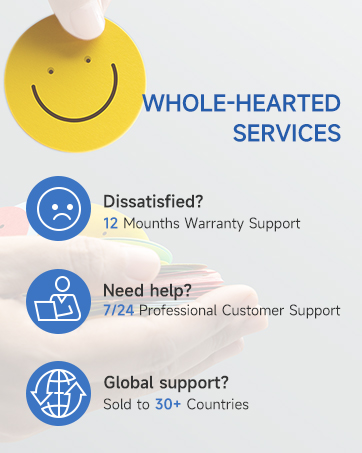

Image 9.1: NOHON customer support and product certifications.


