1. Produk Lebihview
The Baseus Qpow 2 Dual Cable Power Bank is a versatile and portable charging solution designed to keep your devices powered on the go. With a high capacity of 10,000 mAh and 22.5W fast charging capabilities, it can charge multiple devices simultaneously using its integrated Lightning and USB-C cables, as well as additional USB-A and USB-C ports.
This power bank features advanced multi-layer protection against overcurrent, overvoltage, overcharge, high temperatures, and electromagnetic interference, ensuring safe and reliable charging for your devices. Its compact and lightweight design, coupled with an easy-to-read battery status display, makes it an ideal companion for daily use and travel.
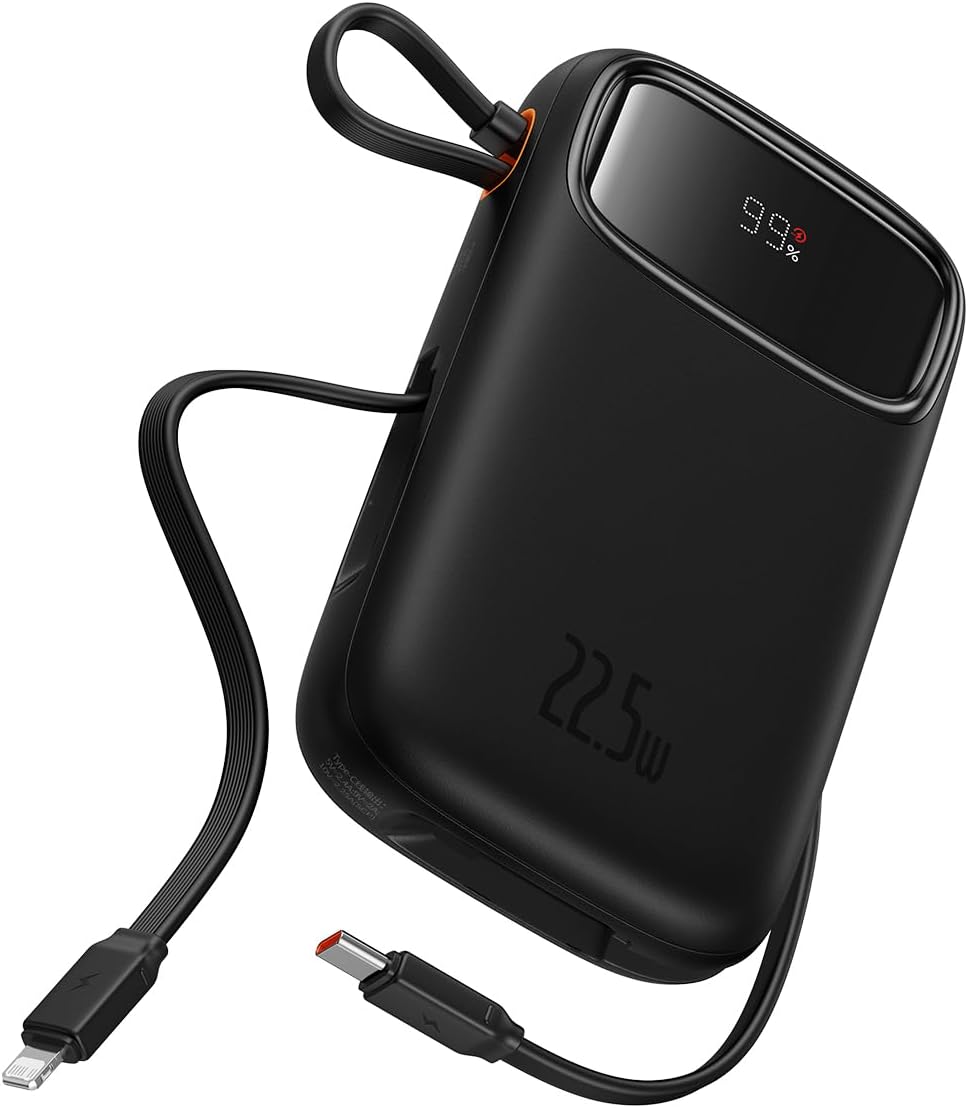
Figure 1: The Baseus Qpow 2 Dual Cable Power Bank, showcasing its compact design, integrated cables, and digital battery percentagpaparan e.

Figure 2: The power bank's slim and pocket-friendly dimensions (4.52*2.83*0.78 inches, 8.5 oz) compared to a standard soda can.

Figure 3: The portable lanyard-cable design, allowing users to pull out the cable for charging and pull it back for easy carrying.
2. Panduan Persediaan
2.1 Pengecasan Awal Bank Kuasa
Before first use, it is recommended to fully charge your Baseus Qpow 2 Power Bank.
- Connect the integrated USB-C cable or an external USB-C cable to the power bank's USB-C input port.
- Sambungkan hujung kabel yang satu lagi ke pengecas dinding USB yang serasi (tidak disertakan).
- The digital display on the power bank will show the charging progress. Charge until the display shows "100%".

Figure 4: The power bank supports two-way USB-C charging, with 20W output and 18W input capabilities.
3. Arahan Operasi
3.1 Mengecas Peranti Anda
The Baseus Qpow 2 Power Bank offers multiple ways to charge your devices:
- Using Integrated Cables:
- For Apple devices: Pull out the integrated Lightning cable and connect it to your iPhone, iPad, or AirPods.
- For USB-C devices: Pull out the integrated USB-C cable and connect it to your Android phone, tablet, or other USB-C compatible device.
- Menggunakan Port Luar:
- Connect your device's charging cable to the USB-A output port or the USB-C output port on the power bank.
The power bank can charge up to four devices simultaneously. Charging will begin automatically once a device is connected.

Figure 5: The power bank's capability to charge four devices at once using its integrated USB-C and Lightning cables, and external USB-C and USB-A ports.
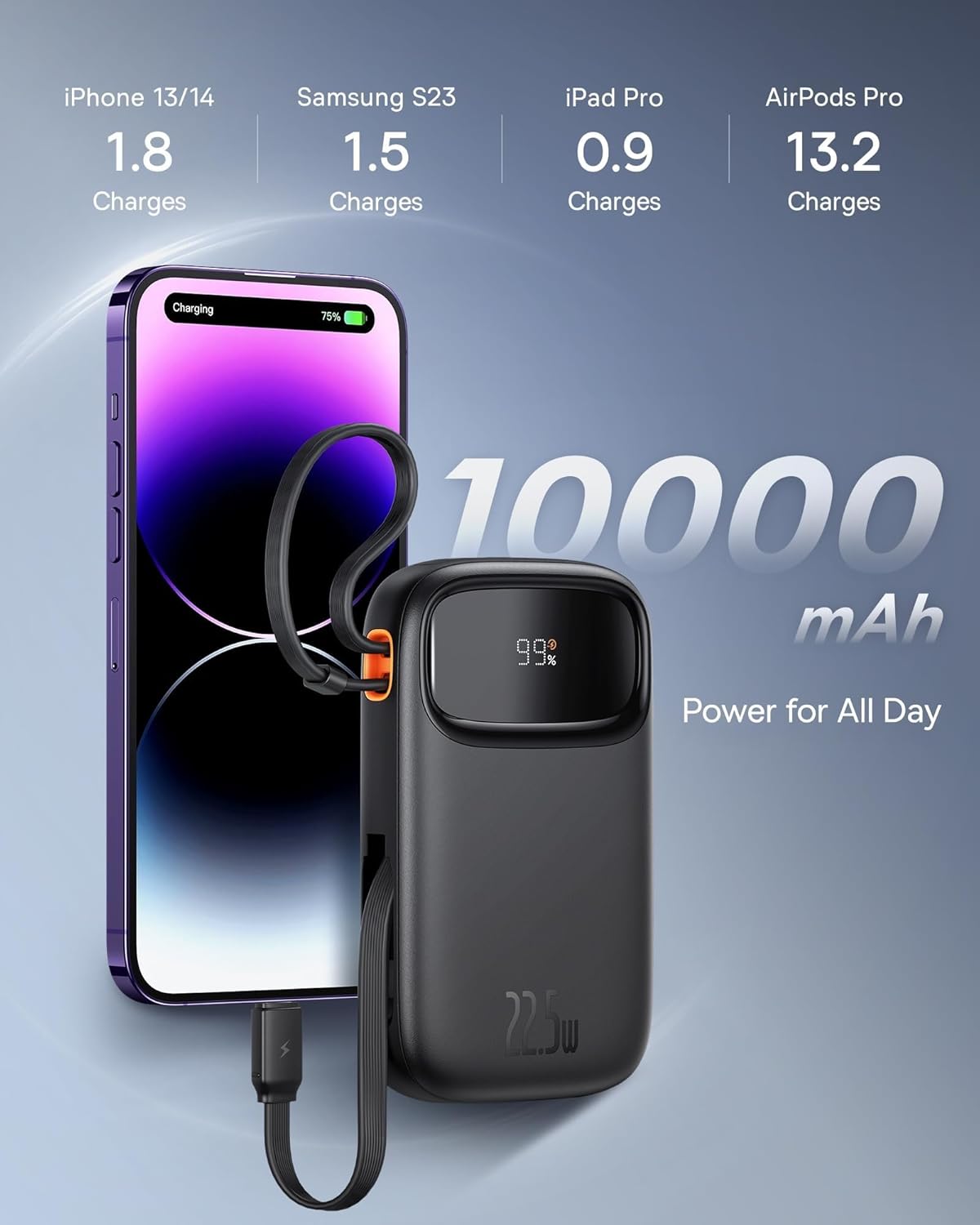
Figure 6: Illustrates the 10,000 mAh capacity, capable of charging an iPhone 13/14 approximately 1.8 times, Samsung S23 1.5 times, iPad Pro 0.9 times, and AirPods Pro 13.2 times.

Figure 7: The power bank features two built-in fast charging cables: one Lightning and one USB-C, supporting PD 22.5W fast charging.
3.2 Menyemak Status Bateri
The digital display on the power bank shows the remaining battery percentage, allowing you to easily monitor its charge level.
4. Penyelenggaraan
- Jauhkan bank kuasa daripada suhu yang melampau, cahaya matahari langsung dan persekitaran lembap.
- Elakkan daripada menjatuhkan atau meletakkan bank kuasa kepada kesan yang kuat.
- Bersihkan permukaan dengan kain lembut dan kering. Jangan gunakan bahan kimia yang keras atau bahan yang melelas.
- Store the power bank in a cool, dry place when not in use for extended periods. It is recommended to charge it to about 50% before long-term storage.
5. Penyelesaian masalah
| Masalah | Kemungkinan Punca | Penyelesaian |
|---|---|---|
| Power bank tidak dicas | Cable not properly connected; Wall charger not working; Power bank faulty. | Ensure cables are securely connected. Try a different wall charger or cable. If issue persists, contact support. |
| Peranti tidak mengecas daripada bank kuasa | Power bank battery low; Device cable faulty; Device not compatible; Power bank in protection mode. | Check power bank battery level. Try a different charging cable. Ensure device is compatible. Disconnect and reconnect the device. |
| Pengecasan perlahan | Using a non-fast charging cable/port; Device not supporting fast charging; High ambient temperature. | Ensure you are using the integrated fast charging cables or a compatible fast charging port. Check device's charging specifications. Charge in a cooler environment. |
| Paparan digital tidak berfungsi | Power bank is off; Display malfunction. | Press the power button (if any) to activate the display. If it remains off, contact support. |
6. Spesifikasi
| Jenama | Baseus |
| Model | Qpow 2 |
| Kapasiti Bateri | 10,000 mAh |
| Kuasa Keluaran | 22.5W (Maks) |
| Kuasa Input (USB-C) | 18W |
| warna | Hitam |
| Ciri Khas | Lightweight, Integrated Dual Cables (Lightning & USB-C) |
| Voltage | 5 Volt |
| Komposisi Bateri | Litium-ion |
| Penggunaan yang Disyorkan | Charging mobile phones, tablets, and other portable electronic devices. |
| Sumber Kuasa | Dikuasakan Bateri |
| Berat Barang | 320 Gram |
| Amppemadam | 3 A |
7. Waranti dan Sokongan
7.1 Maklumat Waranti
Baseus products typically come with a limited warranty. Please refer to the warranty card included with your product or visit the official Baseus weblaman web untuk terma dan syarat jaminan terperinci khusus untuk rantau dan tarikh pembelian anda. Simpan bukti pembelian anda untuk tuntutan jaminan.
7.2 Sokongan Pelanggan
For technical assistance, troubleshooting, or any inquiries regarding your Baseus Qpow 2 Power Bank, please contact Baseus customer support through their official website or the contact information provided in your product packaging. When contacting support, please have your product model and purchase details ready.


