1. Pengenalan
The Nonstop NSO2-BK is a versatile hotel alarm clock designed for convenience and functionality. It features a clear digital display, multiple charging options including USB-C, and an intuitive interface for setting time and alarms. This manual provides detailed instructions for setting up and operating your alarm clock.
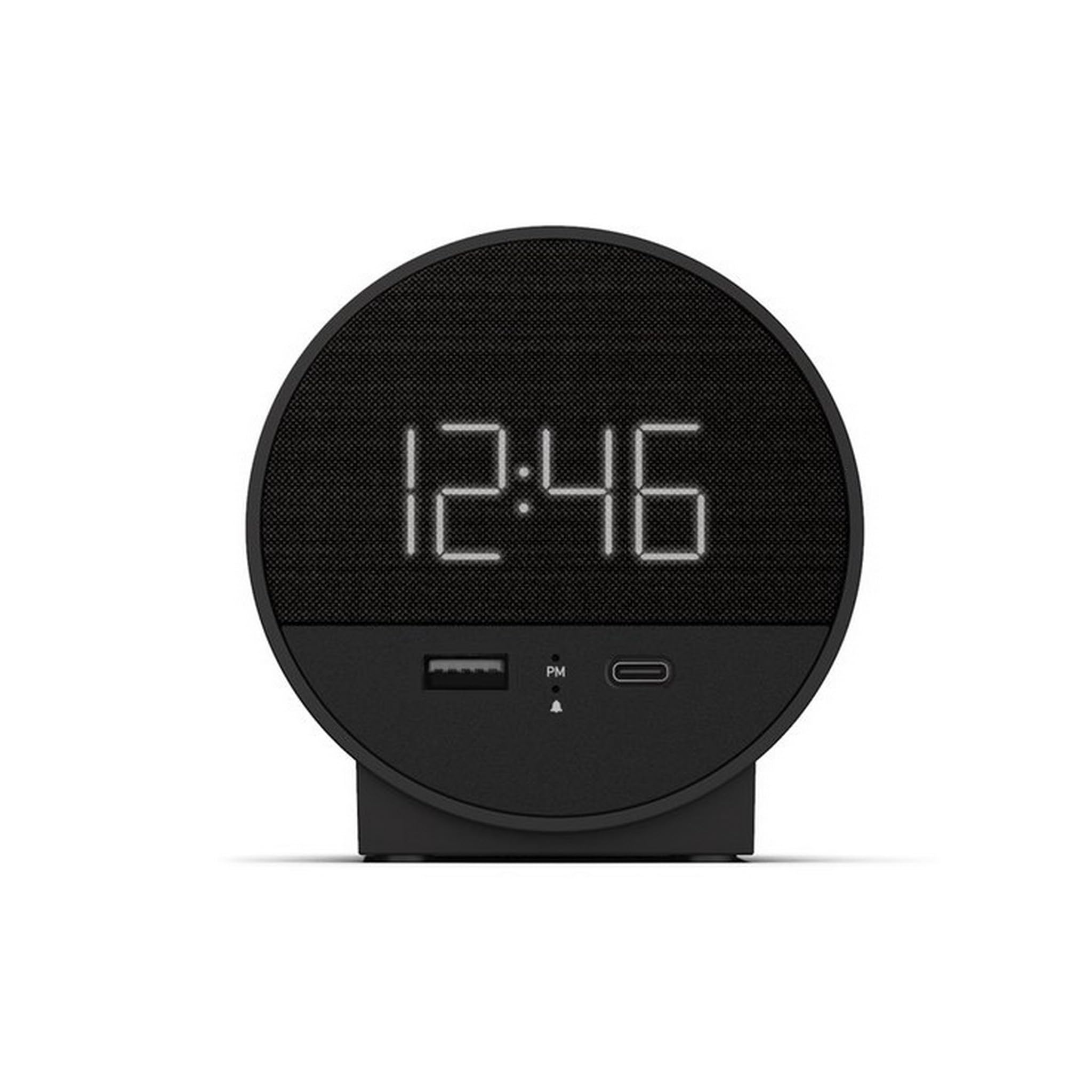
Rajah 1: Depan view of the Nonstop NSO2-BK USB-C Hotel Alarm Clock.
2. Ciri-ciri Produk
- Digital Time Display: Clear and easy-to-read time.
- Dual Alarm Function: Set two independent alarms.
- Snooze Function: Temporarily silence the alarm.
- Display Dimmer: Adjust screen brightness for comfort.
- USB-C Charging Port: Modern charging for compatible devices.
- USB-A Charging Port: Standard USB charging for various devices.
- Bluetooth Speaker: Connect your smartphone or other devices to play audio.
- Relaxation Sounds: Built-in sound machine for sleep or relaxation.

Figure 2: Close-up of the USB-A and USB-C charging ports on the alarm clock.
3. Persediaan
3.1 Sambungan Kuasa
- Buka bungkusan jam loceng dan semua aksesori.
- Sambungkan penyesuai kuasa ke port input DC di bahagian belakang jam loceng.
- Pasangkan penyesuai kuasa ke soket elektrik standard. Paparan akan menyala.
3.2 Backup Battery (Not included)
Untuk ketepatan masa berterusan semasa kuasa outages, insert 2 AAA batteries (not included) into the battery compartment on the bottom of the unit. The backup battery maintains time settings but does not power the display or alarm functions.
4. Arahan Operasi
4.1 Menetapkan Masa
- Tekan dan tahan butang MASA DITETAPKAN button (often labeled 'M' or a clock icon) for 3 seconds until the hour digits flash.
- Gunakan HR (Jam) dan MIN Butang (Minit) untuk melaraskan masa.
- Tekan MASA DITETAPKAN sekali lagi untuk mengesahkan dan keluar dari mod tetapan masa.
4.2 Menetapkan Penggera
The NSO2-BK supports two independent alarms (Alarm 1 and Alarm 2).
- Tekan dan tahan butang PENGGERA 1 or PENGGERA 2 button (bell icon) for 3 seconds until the hour digits flash.
- Gunakan HR dan MIN butang untuk menetapkan masa penggera yang diingini.
- Tekan masing-masing PENGGERA butang sekali lagi untuk mengesahkan masa penggera.
- To activate/deactivate an alarm, short press the corresponding PENGGERA button. An indicator light will appear/disappear on the display.
4.3 Fungsi Tunda
Apabila penggera berbunyi, tekan besar MENGEJUTKAN button on top of the unit to temporarily silence the alarm for 9 minutes. The alarm will sound again after the snooze period.
4.4 Display Brightness Control
Tekan ke SNOOZE / DIMMER button (or a dedicated dimmer button if available) repeatedly to cycle through different brightness levels for the display. Select the level that is most comfortable for you.
4.5 Mengecas Peranti
The NSO2-BK provides convenient charging for your electronic devices:
- Port USB-C: Located on the front, plug in your USB-C compatible device for fast charging.
- Port USB-A: Located on the front, plug in your standard USB-A compatible device for charging.
4.6 Pembesar Suara Bluetooth
To use the alarm clock as a Bluetooth speaker:
- Tekan ke MODE button (labeled 'M') until 'BT' appears on the display.
- Pada peranti mudah alih anda, dayakan Bluetooth dan cari peranti yang tersedia.
- Select 'A21-B' (or similar model name) from the list to pair.
- Once paired, you can play audio from your device through the alarm clock's speaker.
Video 1: Demonstrates various functions including time setting, alarm setting, snooze, brightness, and charging on a similar multifunctional alarm clock. Note: Specific button labels may vary slightly from your model.
5. Penyelenggaraan
- Bersihkan unit dengan kain lembut dan kering. Jangan gunakan pembersih cecair atau bahan kasar.
- Jauhkan unit daripada cahaya matahari langsung, sumber haba dan kelembapan.
- Jangan cuba membuka atau membaiki unit sendiri. Hubungi sokongan pelanggan untuk mendapatkan bantuan.
6. Penyelesaian masalah
- Tiada Kuasa/Paparan Mati: Ensure the power adapter is securely plugged into both the alarm clock and a working electrical outlet. Check if the power outlet is functional.
- Penggera Tidak Berbunyi: Verify that the alarm is activated (indicator light on) and the alarm time is correctly set. Check the alarm volume settings.
- Pengecasan Tidak Berfungsi: Ensure your device is compatible with USB-C or USB-A charging. Check the charging cable for damage.
- Isu Berpasangan Bluetooth: Ensure the alarm clock is in Bluetooth pairing mode ('BT' displayed). Turn off and on Bluetooth on your mobile device and try pairing again.
7. Spesifikasi
| Spesifikasi | Perincian |
|---|---|
| Model | NSO2-BK |
| Berat Barang | 2 paun |
| ASIN | B0CKCNX688 |
| Tarikh Mula-mula Tersedia | 29 Julai 2024 |
8. Waranti dan Sokongan
This Nonstop NSO2-BK USB-C Hotel Alarm Clock comes with a 365-Day Warranty from the date of purchase. For any product-related inquiries, technical support, or warranty claims, please contact our customer service team.
- Polisi Pemulangan: 30-day refund/replacement period.
- Tempoh Waranti: 365 hari dari pembelian.
- E-mel Sokongan: Andoservice@outlook.com


