1. Pengenalan
This manual provides essential information for the safe and efficient operation of your Sharp Roku TV 4K Ultra HD with HDR10 (55"). Please read this manual thoroughly before using the television and retain it for future reference. Your new Sharp Roku TV offers a stunning 4K Ultra HD resolution, integrated Roku streaming experience, and immersive Dolby Audio.

Rajah 1.1: Depan view of the Sharp Roku TV 4K Ultra HD (55 inch). This image shows the television from the front, highlighting its slim bezels and the display with a colorful image.
2. Maklumat Keselamatan
Always observe the following safety precautions to prevent fire, electric shock, or injury.
- Jangan dedahkan TV kepada hujan atau lembapan.
- Jangan sekat bukaan pengudaraan. Pastikan ruang yang mencukupi di sekeliling TV untuk aliran udara yang betul.
- Gunakan hanya lampiran/aksesori yang ditentukan oleh pengilang.
- Cabut palam TV semasa ribut petir atau apabila tidak digunakan untuk tempoh yang lama.
- Rujuk semua servis kepada kakitangan perkhidmatan yang berkelayakan.
- Jauhkan bateri daripada kanak-kanak.
3. Apa yang ada di dalam Kotak
Sahkan bahawa semua komponen hadir sebelum meneruskan persediaan.
- Sharp Roku TV (55")
- Stand TV (2 keping)
- Kawalan Jauh (memerlukan 2 bateri AAA, tidak termasuk)
- Kord Kuasa
- Panduan Mula Pantas (rujuk manual ini untuk arahan terperinci)
4. Persediaan
4.1 Memasang Stand TV
To ensure stability, attach the included stand to the television. Place the TV face down on a soft, clean surface to prevent screen damage.
- Kenal pasti bahagian penyangga kiri dan kanan.
- Jajarkan setiap bahagian dirian dengan lubang skru yang sepadan di bahagian bawah TV.
- Selamatkan dirian menggunakan skru yang disediakan. Jangan terlalu ketat.

Rajah 4.1: Sisi view of the Sharp Roku TV with the stand attached. This image illustrates the profile of the television with its support base.

Rajah 4.2: Bersudut view of the Sharp Roku TV with the stand attached. This image provides a perspective view of the television, showing the stand's design and how it supports the unit.
4.2 Kuasa Penyambungan dan Persediaan Awal
Once the stand is securely attached, place the TV in its desired location and proceed with power connection and initial setup.
- Sambungkan kord kuasa ke input kuasa TV dan kemudian ke saluran keluar dinding.
- Insert 2 AAA batteries into the remote control, observing polarity.
- Press the Power button on the remote to turn on the TV.
- Follow the on-screen instructions to complete the Roku TV guided setup, including network connection (Wi-Fi), channel scanning (if using an antenna), and Roku account activation.

Rajah 4.3: Belakang view of the Sharp Roku TV. This image displays the back panel of the television, showing the arrangement of various input and output ports for connectivity.
5. Mengendalikan TV
5.1 Fungsi Asas
- Hidupkan/Mati Kuasa: Tekan ke kuasa butang pada alat kawalan jauh.
- Kawalan Kelantangan: Gunakan Kelantangan Naik/Turun butang.
- Pemilihan Input: Tekan ke Input button to cycle through connected devices (HDMI, AV, etc.) or select from the Roku Home screen.
- Navigasi: Use the directional pad (Atas bawah kiri kanan) dan OK butang untuk menavigasi menu dan memilih pilihan.
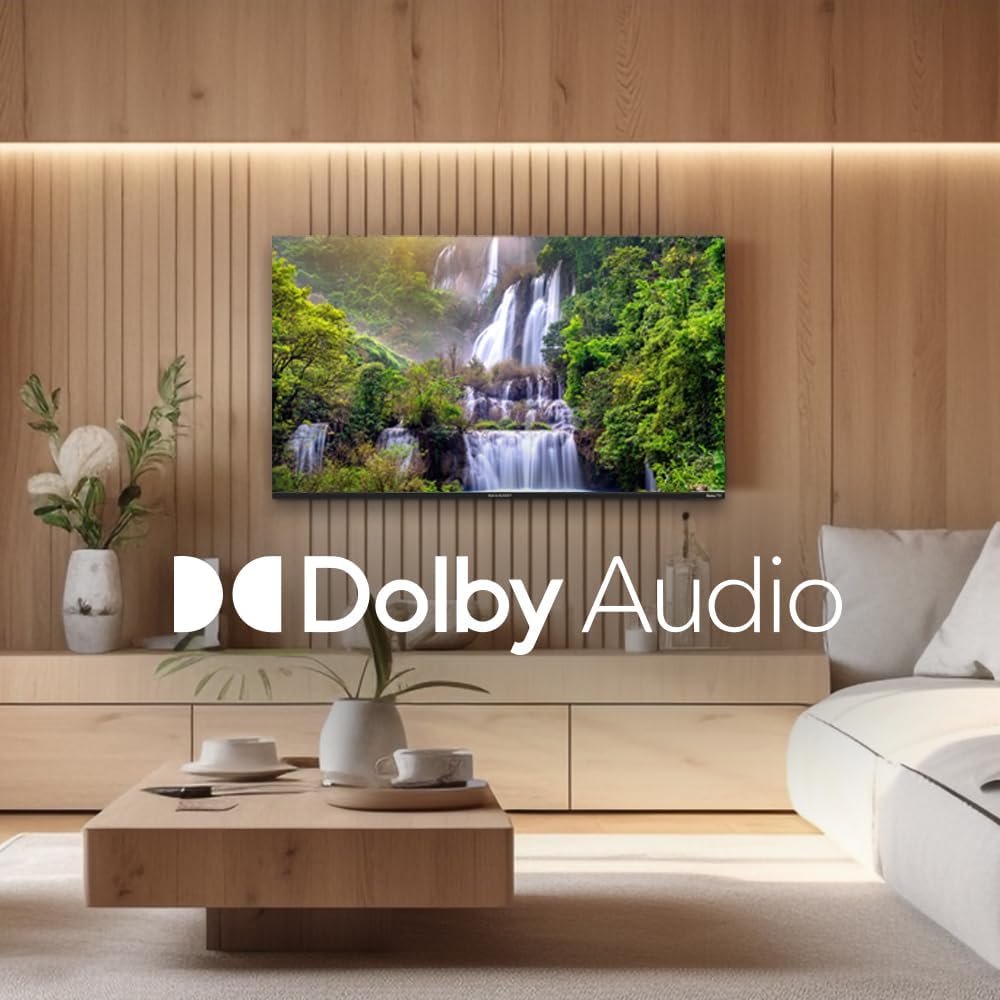
Figure 5.1: Sharp Roku TV showcasing Dolby Audio. This image highlights the television's audio capabilities, with the Dolby Audio logo prominently displayed over a vibrant nature scene.
5.2 Navigasi Sistem Operasi Roku
The Roku Home screen provides access to all your streaming channels, inputs, and settings.
- Skrin Utama: Tekan ke Rumah button on the remote to return to the main menu.
- Saluran penstriman: Select a channel icon to launch the app.
- TV langsung: Access live broadcast channels (if an antenna is connected) or The Roku Channel's live TV guide.
- tetapan: Navigasi ke tetapan menu for network configuration, display options, audio settings, and system updates.
6. Penyelenggaraan
6.1 Membersihkan TV
Untuk mengekalkan penampilan dan prestasi TV anda, ikut garis panduan pembersihan ini:
- Sentiasa cabut plag TV sebelum membersihkan.
- Gunakan kain lembut dan tidak berbulu untuk mengelap skrin dengan lembut. Untuk kesan degil, sedikitampen kain dengan air atau pembersih skrin khusus. Jangan sekali-kali menyembur pembersih terus ke skrin.
- Lap kabinet dan berdiri dengan kain lembut dan kering.
- Elakkan daripada menggunakan pembersih yang melelas, lilin atau pelarut.
7. Penyelesaian masalah
Rujuk bahagian ini untuk penyelesaian kepada isu biasa yang mungkin anda hadapi.
| Masalah | Kemungkinan Punca | Penyelesaian |
|---|---|---|
| Tiada Kuasa | Power cord not securely connected; outlet not working. | Periksa sambungan kord kuasa. Uji soket dengan peranti lain. |
| Tiada Gambar, tetapi Bunyi Hadir | Incorrect input selected; external device issues. | Tekan ke Input butang untuk memilih sumber yang betul. Periksa sambungan ke peranti luaran. |
| Tiada Bunyi, tetapi Gambar Hadir | Volume muted or too low; audio settings incorrect. | Unmute volume or increase level. Check audio output settings in the TV menu. |
| Isu Sambungan Wi-Fi | Kata laluan salah; isu penghala; TV terlalu jauh dari penghala. | Re-enter Wi-Fi password. Restart router and TV. Move TV closer to router or use a Wi-Fi extender. |
| Alat Kawalan Jauh Tidak Berfungsi | Bateri mati; halangan antara alat kawalan jauh dan TV. | Replace batteries. Remove any obstructions. Ensure remote is pointed at the TV. |
8. Spesifikasi
Key technical specifications for the Sharp Roku TV 4K Ultra HD (55").
| Ciri | Perincian |
|---|---|
| Nombor Model | 4TC55EL8UR |
| Saiz Skrin | 55 Inci (140 cm pepenjuru) |
| Teknologi Paparan | LED |
| Resolusi | 4K Ultra HD (3840 x 2160p) |
| Kadar Segar Semula | 60 Hz |
| Nisbah Aspek | 16:9, 4:3 |
| Output Audio | 16 Watts (8W+8W) Speaker System, Dolby Audio |
| Ketersambungan | Wi-Fi, HDMI, USB (specific port count not detailed in input, general) |
| Dimensi Produk (dengan pendirian) | Approx. 11.22 x 48.35 x 29.41 inches (D x W x H) |
| Berat Barang | Approx. 29 pounds (13.2 Kilograms) |
| Penggunaan Kuasa | 130 watts (operating) |
| Bateri Diperlukan (Jauh) | 2 bateri AAA |

Figure 8.1: Dimensional diagram of the Sharp Roku TV (55 inch). This diagram provides precise measurements of the television, including width and height with and without the stand.
9. Waranti dan Sokongan
For warranty information and technical support, please refer to the official Sharp webtapak atau hubungi perkhidmatan pelanggan mereka secara langsung. Terma dan syarat waranti mungkin berbeza mengikut wilayah dan tarikh pembelian.
Anda boleh mendapatkan lebih banyak maklumat dan sumber sokongan dengan melayari laman rasmi Kedai Sharp di Amazon.


