1. Pengenalan
This manual provides detailed instructions for the installation, operation, and maintenance of your Agunto AGU-OC1 & AGU-IC1 Security Camera Set. Please read this manual thoroughly before using the product to ensure proper functionality and safety.
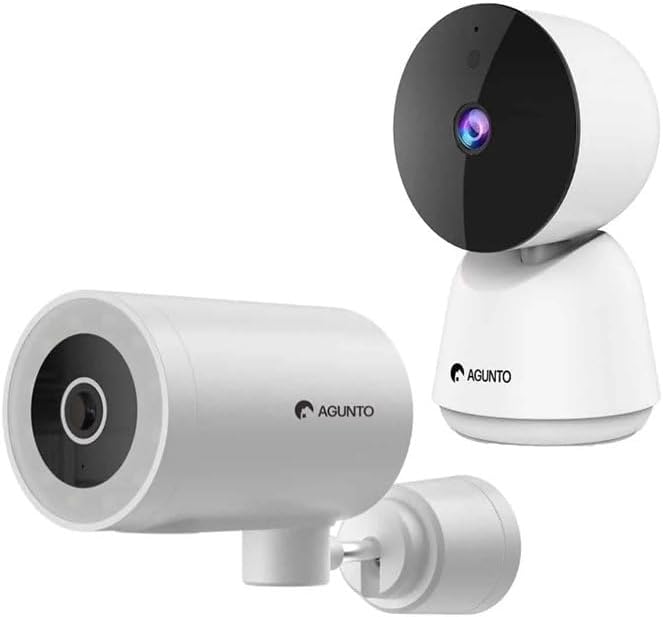
Image: The Agunto AGU-OC1 outdoor camera (left) and AGU-IC1 indoor camera (right), forming the complete security camera set.
2. Produk Lebihview
The Agunto Security Camera Set includes two primary components: the AGU-OC1 outdoor camera and the AGU-IC1 indoor camera. This system is designed to provide comprehensive surveillance for both indoor and outdoor environments.
2.1. AGU-OC1 Outdoor Camera
- Resolusi: 1080P
- Kanta: 180-degree rotatable lens
- Rintangan Cuaca: IP66 kalis air dan habuk
- Penglihatan Malam: Infrared night vision and color night vision (due to built-in lamp)
- Pengesanan: Pengesanan gerakan dan bunyi
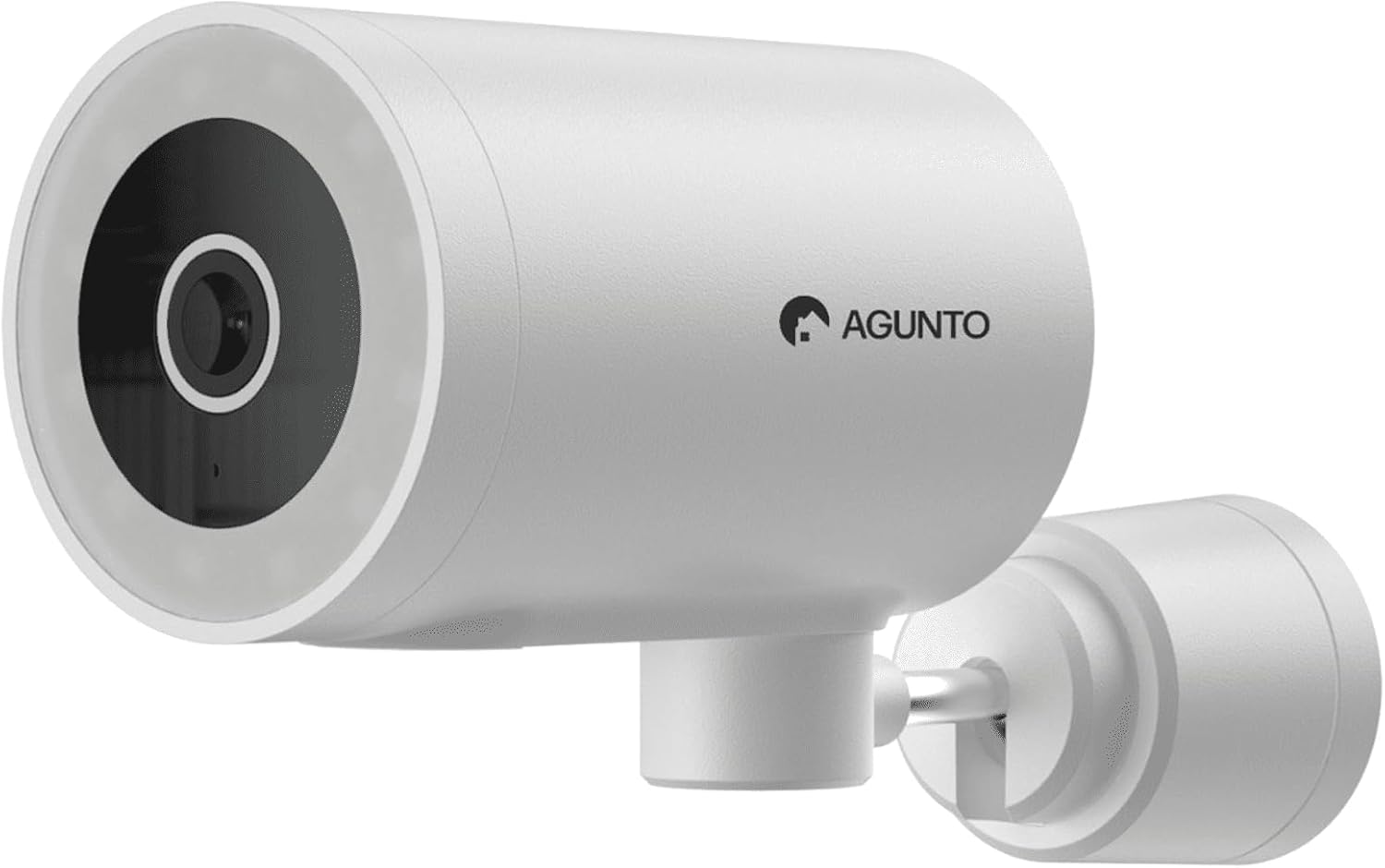
Imej: A terperinci view of the Agunto AGU-OC1 outdoor camera, highlighting its robust design and lens.
2.2. AGU-IC1 Indoor Camera
- Resolusi: 1080P
- Kanta: 359-degree rotatable lens
- Penglihatan Malam: Penglihatan malam inframerah
- Pengesanan: Pengesanan gerakan dan bunyi

Image: The Agunto AGU-IC1 indoor camera, shown with its product packaging, indicating Wi-Fi connectivity and Google Assistant compatibility.
3. Persediaan dan Pemasangan
3.1. Sebelum Anda Bermula
- Ensure you have a stable Wi-Fi connection.
- Download the free Agunto app from the App Store (iOS) or Google Play Store (Android).
- Unpack all components and verify contents against the packing list.

Image: A screenshot of the Agunto mobile application interface, demonstrating remote control capabilities and links to download the app from the App Store and Google Play.
3.2. Pemasangan Aplikasi dan Penciptaan Akaun
- Cari untuk "Agunto" in your device's app store and install the application.
- Open the Agunto app and follow the on-screen prompts to create a new account or log in if you already have one.
3.3. Penempatan dan Pemasangan Kamera
AGU-OC1 Outdoor Camera:
- Pilih lokasi yang jelas view kawasan yang anda ingin pantau.
- Pastikan kamera berada dalam julat rangkaian Wi-Fi anda.
- Mount the camera securely to a wall using the provided mounting hardware. The camera supports wall mounting.
AGU-IC1 Indoor Camera:
- Place the camera on a flat surface or mount it to a wall/ceiling in a central location for optimal coverage.
- Ensure it is within Wi-Fi range.
3.4. Connecting Cameras to the App
- Open the Agunto app.
- Ketik ikon "+" untuk menambah peranti baharu.
- Select the appropriate camera model (AGU-OC1 or AGU-IC1).
- Follow the in-app instructions to connect each camera to your Wi-Fi network. This typically involves scanning a QR code displayed on your phone with the camera's lens or entering Wi-Fi credentials.
- Setelah disambungkan, anda boleh menamakan setiap kamera untuk pengenalpastian mudah.
4. Arahan Operasi
4.1. Hidup View dan Alat Kawalan Jauh
- Open the Agunto app.
- Select the desired camera from the device list to view siaran langsungnya.
- For AGU-OC1, use the app to rotate the 180-degree lens.
- For AGU-IC1, use the app to control the 359-degree pan/tilt function.
4.2. Rakaman dan Penyimpanan
The camera set supports two storage options:
- Kad SD mikro: Insert a Micro SD card (not included) into the designated slot on each camera for local storage of recordings.
- Storan Awan: Utilize the cloud storage options provided through the Agunto app (subscription may be required).
4.3. Penglihatan Malam
- Both cameras feature infrared night vision for clear images in low-light conditions.
- The AGU-OC1 outdoor camera also has a built-in lamp for color night vision, providing enhanced visibility at night.
4.4. Pengesanan Gerakan dan Bunyi
- Enable motion and sound detection in the Agunto app settings for each camera.
- Receive real-time alerts on your smartphone when motion or sound is detected.
- Adjust sensitivity settings to minimize false alarms.
5. Penyelenggaraan
- Pembersihan: Gently wipe the camera lenses and body with a soft, dry cloth. Do not use harsh chemicals or abrasive cleaners.
- Kemas kini Firmware: Regularly check the Agunto app for available firmware updates to ensure optimal performance and security.
- Kestabilan Rangkaian: Ensure your Wi-Fi network remains stable for uninterrupted camera operation.
6. Penyelesaian masalah
6.1. Kamera Tidak Bersambung ke Wi-Fi
- Pastikan kata laluan Wi-Fi anda dimasukkan dengan betul.
- Gerakkan kamera lebih dekat ke penghala Wi-Fi anda.
- Mulakan semula penghala anda dan kamera.
- Verify that your Wi-Fi network is 2.4GHz, as these cameras may not support 5GHz networks.
6.2. No Live View / Offline Camera
- Semak sambungan internet anda.
- Pastikan kamera dihidupkan.
- Restart the camera from its power source.
- If the issue persists, try re-pairing the camera with the app.
6.3. Motion Detection Not Working
- Sahkan bahawa pengesanan gerakan diaktifkan dalam tetapan aplikasi.
- Adjust the sensitivity level.
- Pastikan tiada halangan yang menghalang kamera view.
6.4. Kualiti Imej Lemah
- Bersihkan lensa kamera.
- Pastikan pencahayaan yang mencukupi di kawasan yang dipantau.
- Check your internet speed, as low bandwidth can affect streaming quality.
7. Spesifikasi
| Ciri | Perincian |
|---|---|
| Jenama | Agunto |
| Nama Model | AGU-OC1IC1 |
| Protokol Ketersambungan | Wi-Fi |
| Peranti Serasi | Telefon pintar |
| Jenis Pemasangan | Lekap di dinding |
| bahan | plastik |
| Product Dimensions (L x B x H) | 10 x 4.4 x 7.3 cm |
| Berat Barang | 78 Gram |
| Bateri Diperlukan | Tidak |
| Outdoor Camera (AGU-OC1) Features | 1080P, 180-degree rotatable lens, IP66 waterproof/dustproof, Infrared & Color Night Vision |
| Indoor Camera (AGU-IC1) Features | 1080P, 359-degree rotatable lens, Infrared Night Vision |
| Pilihan Storan | Micro SD card (local), Cloud storage |
8. Waranti dan Sokongan
For warranty information and technical support, please refer to the official Agunto website or contact their customer service. The product is designed for long-term use with proper care and maintenance.
Polisi Pemulangan: The buybox winner indicates a 30-day return policy for refund/replacement.
Pengeluar: Agunto
Penjual: Homevitaal (via Amazon.nl)
Untuk bantuan lanjut, anda boleh melawati Agunto Store on Amazon.


