1. Pengenalan
Terima kasih kerana membeliasing the Fashionit U Hydro Portable Bluetooth Speaker. This manual provides essential information for setting up, operating, and maintaining your speaker. Please read it carefully before use to ensure optimal performance and longevity of your device.
2. Maklumat Keselamatan
- Jangan cuba membuka atau mengubah suai pembesar suara. Ini boleh membatalkan jaminan dan menyebabkan kerosakan.
- Jauhkan pembesar suara daripada suhu ekstrem, cahaya matahari langsung dan nyalaan api terbuka.
- Ensure the charging port cover is securely closed when using the speaker near water to maintain its IPX6 water resistance.
- Avoid prolonged exposure to loud volumes to prevent hearing damage.
- Gunakan hanya kabel pengecasan yang disediakan atau diperakui.
3. Kandungan Pakej
Sila semak pakej untuk item berikut:
- U Hydro Portable Bluetooth Speaker
- Kabel Pengecas USB
- Manual Pengguna
4. Produk Lebihview
Biasakan diri anda dengan komponen pembesar suara:

Imej 1: Depan view of the U Hydro Portable Bluetooth Speaker, showing the speaker grille, LED light band, and attached strap.
Butang dan Penunjuk:
- Butang Kuasa: Tekan dan tahan untuk menghidupkan/mematikan.
- Butang Main/Jeda: Tekan untuk memainkan atau menjeda muzik.
- Butang Naik Kelantangan/Trek Seterusnya: Tekan untuk meningkatkan kelantangan, tahan untuk trek seterusnya.
- Kelantangan Turun/Butang Trek Sebelumnya: Tekan untuk mengurangkan kelantangan, tahan untuk trek sebelumnya.
- Multi-function Button (M): Double-click for selfie remote function.
- Penunjuk LED: Menunjukkan status kuasa, status pengecasan dan status berpasangan Bluetooth.
Pelabuhan:
- Port Pengecasan USB: For charging the speaker's internal battery. Ensure the protective cover is sealed when not charging.
5. Persediaan
5.1 Mengecas Speaker
- Open the protective cover of the USB charging port.
- Connect the USB charging cable to the speaker's charging port and the other end to a USB power adapter (not included) or a computer's USB port.
- Penunjuk LED akan menunjukkan status pengecasan (contohnya, merah semasa mengecas, mati apabila dicas penuh).
- Pengecasan penuh mengambil masa kira-kira 5 jam.
- Once charging is complete, securely close the protective cover to maintain water resistance.
5.2 Menghidupkan/Mematikan
- Untuk Menghidupkan: Tekan dan tahan Butang Kuasa sehingga penunjuk LED menyala dan anda mendengar gesaan yang boleh didengar.
- Untuk Mematikan: Tekan dan tahan Butang Kuasa sehingga penunjuk LED padam dan anda mendengar gesaan yang boleh didengar.
6. Arahan Operasi
6.1 Berpasangan Bluetooth
- Ensure the speaker is powered on and in pairing mode (LED indicator will flash, usually blue).
- Pada peranti anda (telefon pintar, tablet, dll.), dayakan Bluetooth dan cari peranti yang tersedia.
- Select "U Hydro" from the list of devices.
- Once paired, the LED indicator will stop flashing and remain solid, and you will hear a confirmation sound.
- Pembesar suara akan bersambung secara automatik ke peranti terakhir yang dipasangkan apabila dihidupkan, jika dalam julat.
6.2 Memainkan Muzik
- After successful Bluetooth pairing, start playing music on your connected device.
- Main/Jeda: Tekan Butang Main/Jeda.
- Kawalan Kelantangan: Tekan butang Kelantangan Naik atau Kurangkan Kelantangan.
- Lagu Seterusnya: Hold the Volume Up button.
- Trek Sebelumnya: Hold the Volume Down button.
6.3 Selfie Remote Function
The U Hydro speaker features a remote shutter function for your smartphone camera.
- Ensure the speaker is paired with your smartphone.
- Buka aplikasi kamera telefon pintar anda.
- Double-click the Multi-function Button (M) on the speaker to trigger the camera shutter.
6.4 Gandingan True Wireless Stereo (TWS) (Pilihan)
For an immersive stereo experience, you can pair two U Hydro speakers together.
- Ensure both U Hydro speakers are powered on and not connected to any Bluetooth device.
- On one speaker, press and hold the Multi-function Button (M) until you hear a pairing tone, indicating it's searching for another speaker.
- Kedua-dua pembesar suara akan bersambung secara automatik antara satu sama lain. Setelah disambungkan, anda akan mendengar bunyi pengesahan.
- Now, connect your device to one of the paired speakers via Bluetooth as described in section 6.1. The device will recognize them as a single stereo unit.

Image 2: Multiple U Hydro speakers by a pool, illustrating the possibility of True Wireless Stereo pairing for enhanced sound.

Image 3: A U Hydro speaker being held inside a tent, demonstrating its compact size and portability for outdoor adventures like camping.
7. Penyelenggaraan
- Pembersihan: Lap pembesar suara dengan lembut, damp kain. Jangan gunakan pembersih atau pelarut yang melelas.
- Tahan Air: Always ensure the charging port cover is tightly sealed when using the speaker in wet environments. While IPX6 rated, it is water resistant, not fully submersible.
- Storan: Simpan pembesar suara di tempat yang sejuk dan kering apabila tidak digunakan untuk tempoh yang lama.
- Penjagaan Bateri: To prolong battery life, avoid fully discharging the speaker frequently. Charge it regularly.

Image 4: The U Hydro speaker in a shower environment, highlighting its IPX6 water resistance for use in wet conditions.
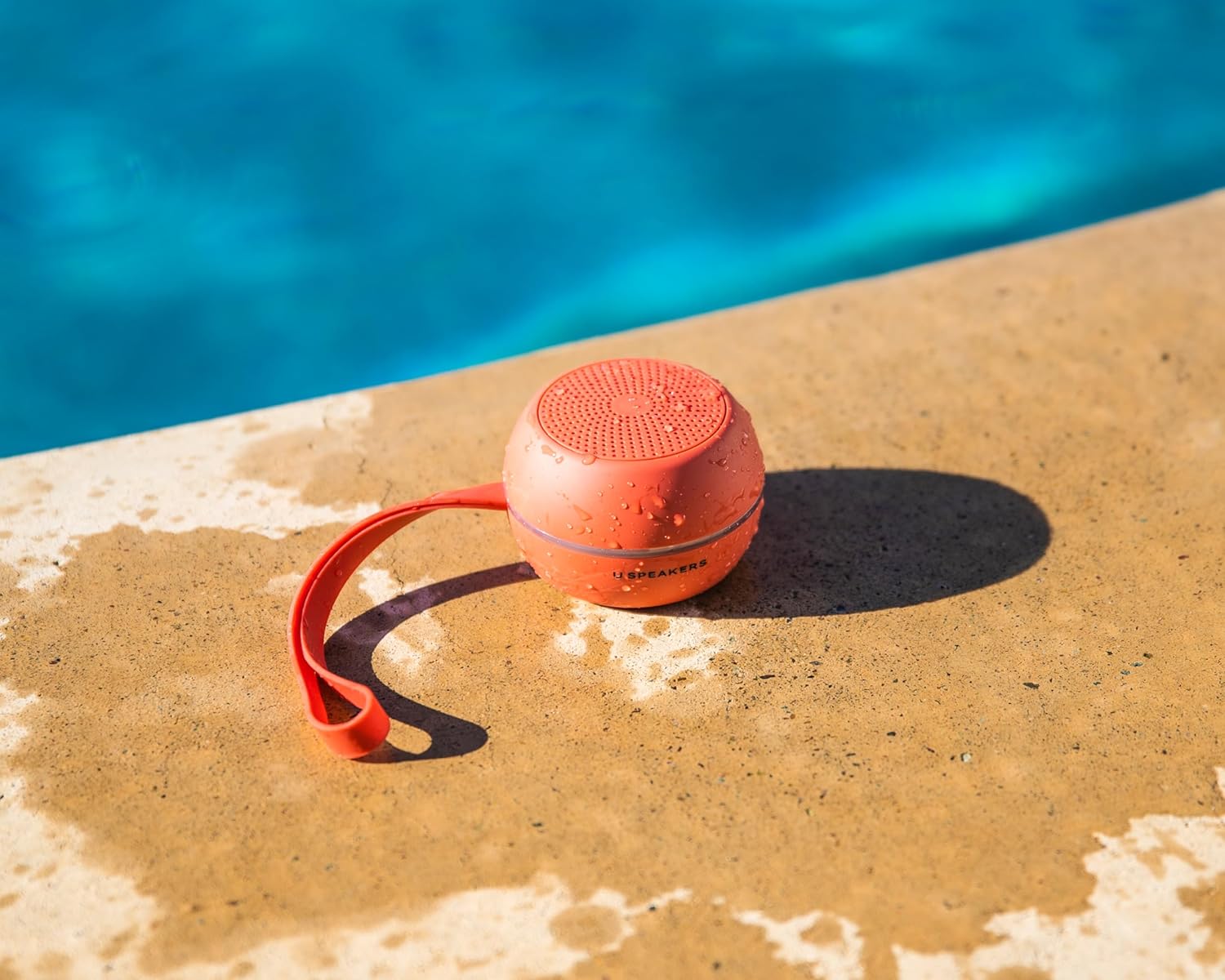
Image 5: A U Hydro speaker placed by a swimming pool, wet from splashes, emphasizing its suitability for outdoor and water-related activities.
8. Penyelesaian masalah
| Masalah | Kemungkinan Punca | Penyelesaian |
|---|---|---|
| Speaker tidak dihidupkan. | Bateri lemah. | Cas pembesar suara sepenuhnya. |
| Tidak boleh berpasangan dengan peranti Bluetooth. | Pembesar suara tidak dalam mod berpasangan; peranti Bluetooth dimatikan; terlalu jauh dari pembesar suara. | Ensure speaker is in pairing mode. Turn device Bluetooth off/on. Move device closer to speaker (within 10 meters). |
| Tiada bunyi atau kelantangan rendah. | Kelantangan terlalu rendah pada pembesar suara atau peranti; pembesar suara tidak disambungkan. | Tingkatkan kelantangan pada pembesar suara dan peranti. Pasangkan semula pembesar suara. |
| Penyelewengan bunyi. | Volume too high; low battery. | Reduce volume. Charge the speaker. |
| Selfie remote not working. | Speaker not paired; camera app not open. | Ensure speaker is paired. Open your smartphone's camera app. |
9. Spesifikasi
- Nama Model: U Hydro
- Jenama: Fesyenit
- Ketersambungan: Bluetooth 5.0
- Julat Tanpa Wayar: Sehingga 10 meter (33 kaki)
- Tahan Air: IPX6 (Tahan Air)
- Hayat Bateri: Sehingga 5 jam
- Masa Pengecasan: Lebih kurang 5 jam
- Sumber Kuasa: Dikuasakan Bateri
- Berat Barang: 7.8 auns (0.22 kg)
- Bahan: aluminium
- Peranti Serasi: Komputer riba, Telefon Pintar, Tablet, Televisyen
- Ciri Khas: True Wireless Stereo (TWS) Pairing, Selfie Remote Function
10. Waranti dan Sokongan
Fashionit products are designed for reliability and performance. For specific warranty details, please refer to the warranty card included with your purchase or visit the official Fashionit website. If you encounter any issues or have questions regarding your U Hydro speaker, please contact Fashionit customer support through their official channels.
Untuk maklumat lanjut, layari: Fashionit Store on Amazon


