pengenalan
Thank you for choosing the JALL Digital Alarm Clock with FM Radio. This device is designed to enhance your bedroom experience with its versatile features, including a large LED display, customizable night light, dual alarms, sleep sound options, and convenient charging ports. Please read this manual carefully to ensure proper setup and operation.

Image: The JALL Digital Alarm Clock, black with white font display and a warm glow from the base, sitting on a bedside table.
Persediaan
1. Sambungan Kuasa
Connect the provided power adapter to the DC IN port on the back of the alarm clock and plug it into a standard wall outlet. The display will light up, indicating the device is powered on.

Image: The alarm clock plugged into a wall outlet, highlighting its USB-only power requirement.
2. Penetapan Masa Awal
Upon first power-on, the clock may display a default time. To set the correct time:
- Tekan dan tahan butang MASA DITETAPKAN button located on the top panel until the hour digits begin to flash.
- Gunakan VOL +/- butang untuk melaraskan jam.
- Tekan MASA DITETAPKAN again to switch to minute adjustment. Use VOL +/- untuk menetapkan minit.
- Tekan MASA DITETAPKAN sekali lagi untuk mengesahkan dan keluar dari mod tetapan masa.
Panduan Video Persediaan
Video: An official product video demonstrating the setup and key features of the JALL Digital Alarm Clock Radio.
Arahan Operasi
1. Display and Dimmer
The clock features a large 5-inch LED display for clear visibility. The brightness can be adjusted to your preference.
- To adjust display brightness, press the DIMMER button repeatedly to cycle through brightness levels (0-100%).

Image: The alarm clock display showing different brightness levels, from 100% to 0%, illustrating the adjustable dimmer feature.
2. Tetapan Penggera
The clock supports dual alarms with customizable settings.
- Tekan ke PENGGERA 1 or PENGGERA 2 button to activate or deactivate the respective alarm. The alarm icon will appear/disappear on the display.
- To set an alarm, press and hold the PENGGERA 1 or PENGGERA 2 button until the hour flashes. Adjust with VOL +/-.
- Press the alarm button again to set minutes, then alarm sound (7 built-in tones or FM radio), and finally alarm volume.
- Select alarm mode: Weekend (SAT-SUN), Weekday (MON-FRI), or All 7 Days (MON-SUN).
- To snooze, press the large SNOOZE/NIGHT LIGHT button when the alarm sounds. This provides an extra 9 minutes of sleep.

Image: The top panel of the alarm clock showing the dual alarm buttons and settings for different days of the week.
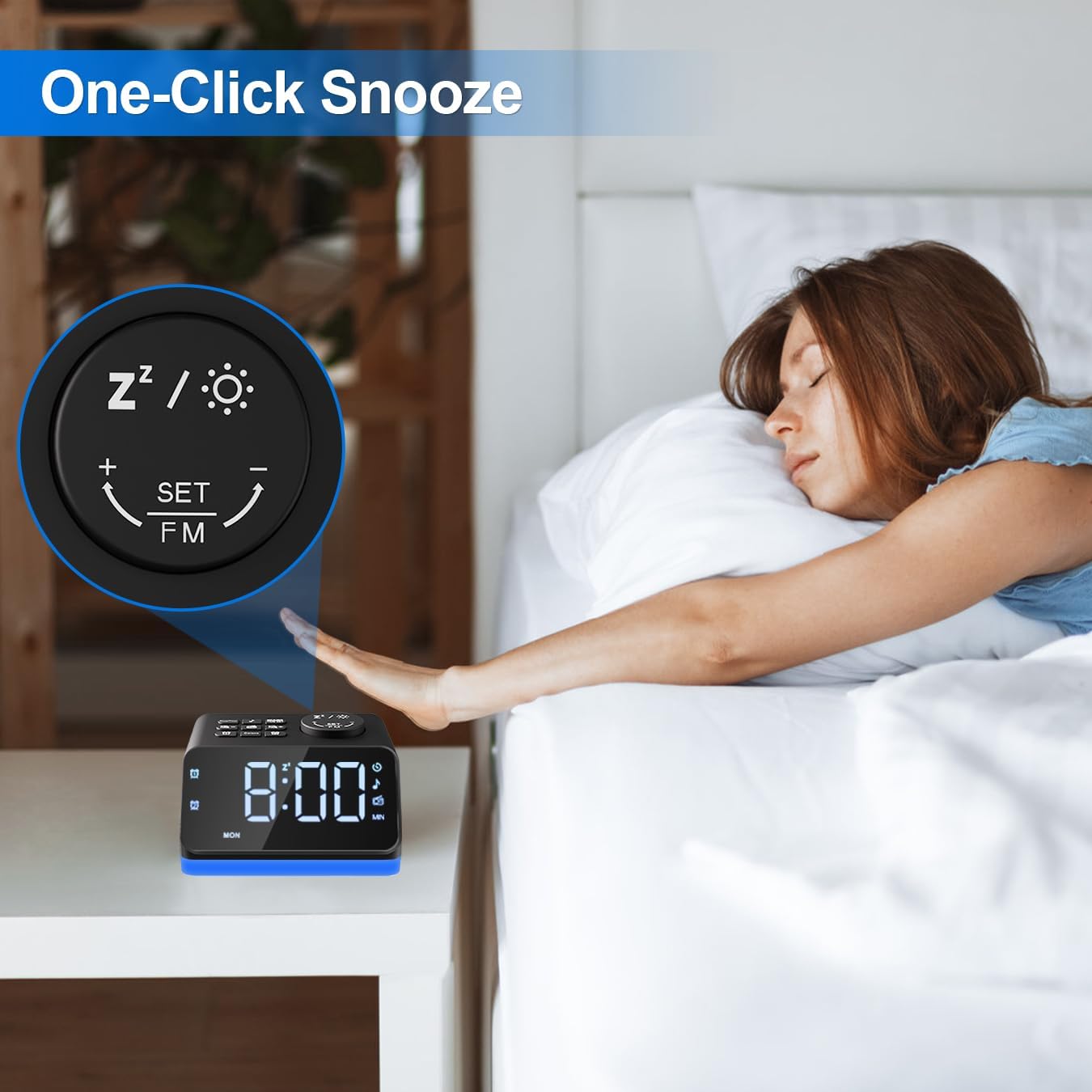
Image: A hand pressing the large snooze button on the alarm clock, demonstrating the one-click snooze function.
3. Radio FM
Enjoy your favorite FM radio stations with this alarm clock.
- Tekan ke Radio FM button to turn the radio on/off.
- Tekan dan tahan butang Radio FM button for 2 seconds to automatically scan and save all available stations (76.0-108.0 MHz).
- To manually tune, turn the large SNOOZE/NIGHT LIGHT knob to adjust the frequency.
- Adjust radio volume using the VOL +/- butang.
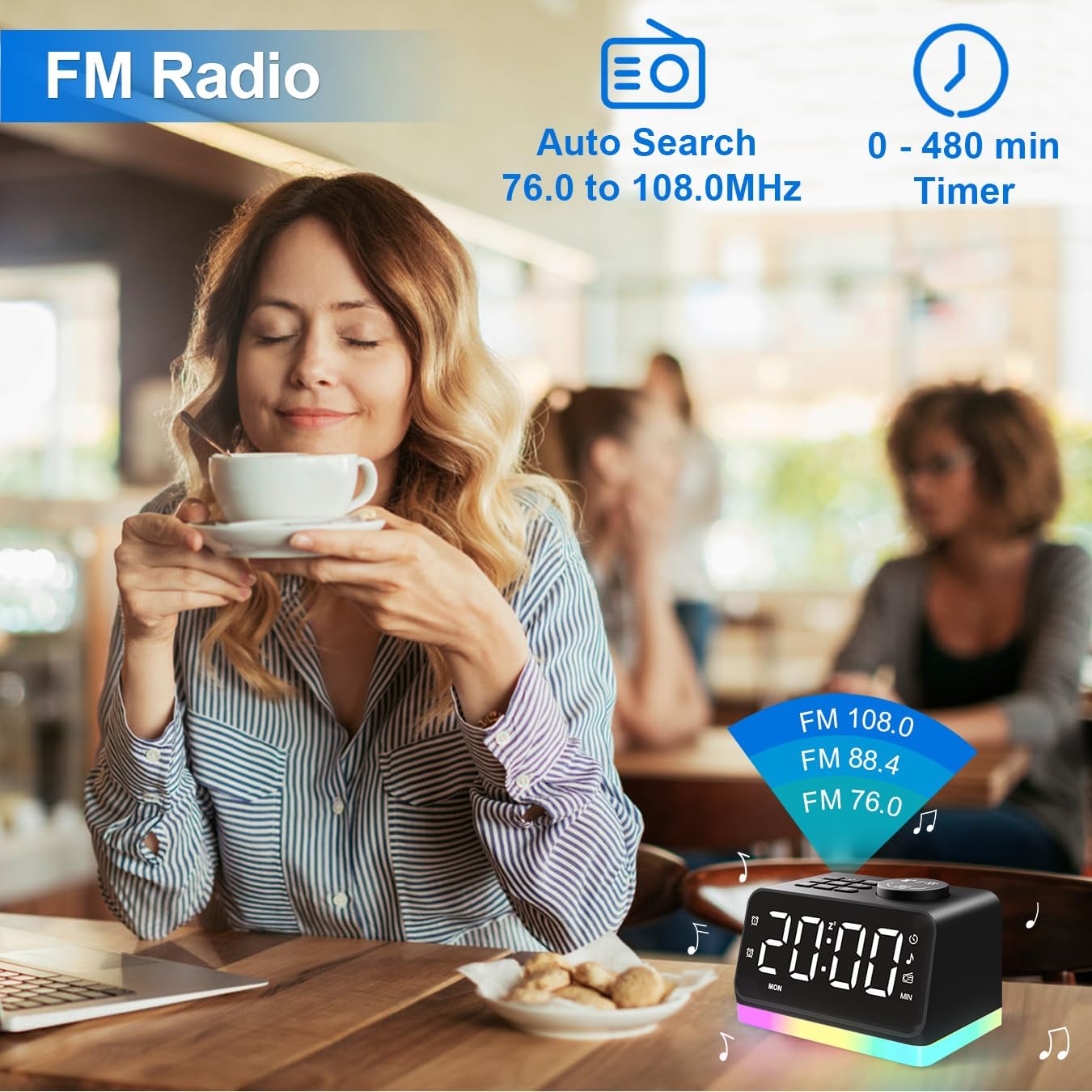
Image: A person enjoying the FM radio feature of the alarm clock, with frequency range and timer options displayed.
4. Night Light / Mood Light
The clock base features an 8-color night light.
- Tekan ke WARNA button to cycle through the 8 different light colors.
- Turn the wheel at the back of the clock to adjust the brightness level of the night light.
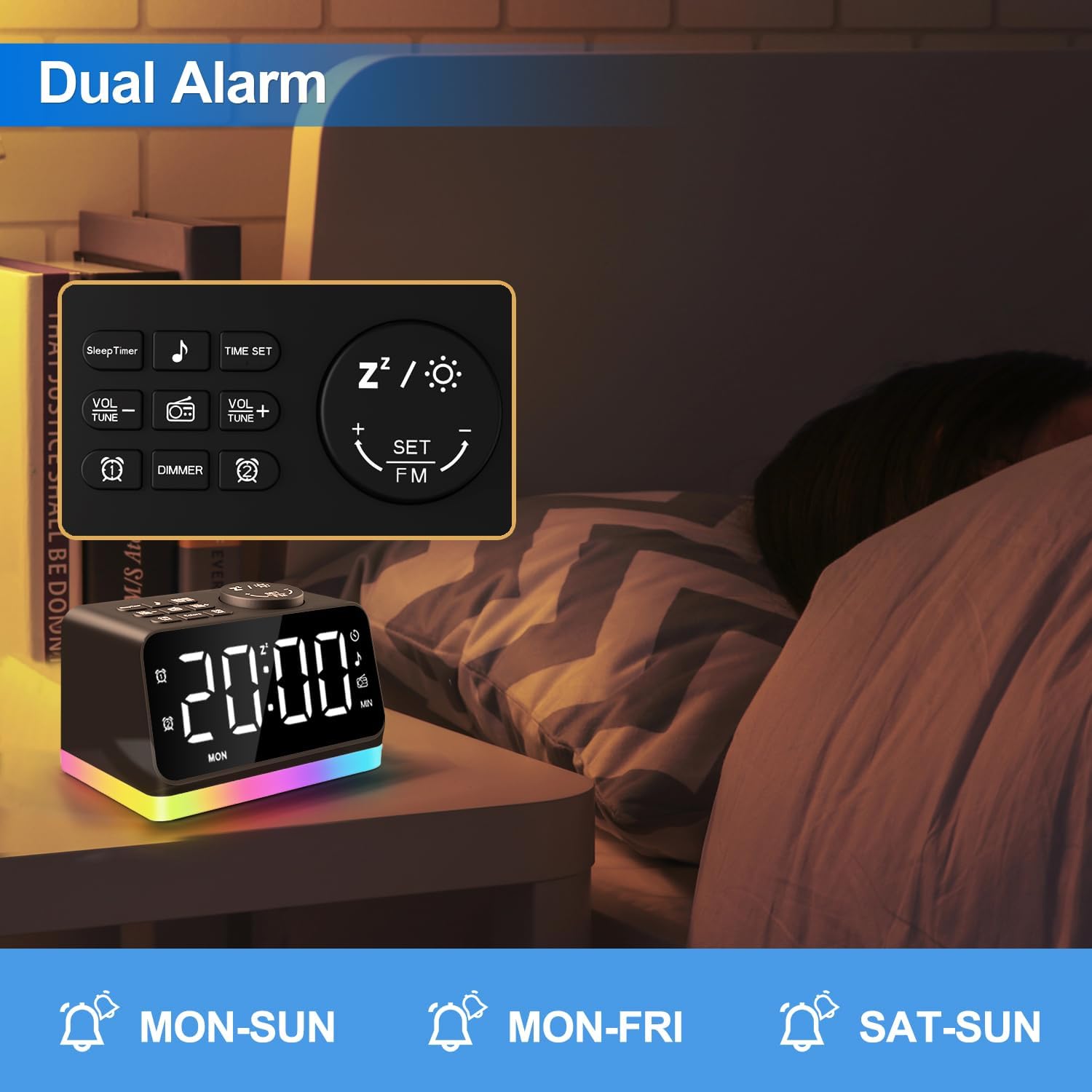
Image: The alarm clock displaying various multi-color night light options, showcasing its versatility as a mood light.
5. Sleep Timer and USB Charging
The alarm clock offers a sleep timer and convenient charging ports.
- Tekan ke Pemasa Tidur button to set a countdown for the radio or sleep sounds (10-480 minutes). The device will automatically turn off after the set time.
- The clock is equipped with two USB charging ports on the back to charge your mobile devices.

Image: The back of the alarm clock showing two USB charging ports, with cables connected to charge smartphones.
Penyelenggaraan
To ensure the longevity and optimal performance of your JALL Digital Alarm Clock, follow these maintenance guidelines:
- Pembersihan: Use a soft, dry cloth to wipe the surface of the clock. Avoid using abrasive cleaners, solvents, or strong chemicals, as they may damage the finish.
- penempatan: Place the clock on a stable, flat surface away from direct sunlight, heat sources, and excessive moisture. Ensure proper ventilation around the device.
- Kuasa: Always use the original power adapter provided with the device. Disconnect the power cord during electrical storms or when the device will be unused for extended periods.
- Pengendalian: Handle the clock with care. Avoid dropping it or subjecting it to strong impacts, which could damage internal components.
Menyelesaikan masalah
If you encounter any issues with your JALL Digital Alarm Clock, please refer to the following common problems and solutions:
| Masalah | Kemungkinan Punca | Penyelesaian |
|---|---|---|
| Paparan jam dimatikan | Tiada sambungan kuasa atau kuasa keluartage. | Ensure the power adapter is securely plugged into the clock and a working outlet. Check the power source. |
| Penggera tidak berbunyi | Penggera tidak diaktifkan atau kelantangan terlalu rendah. | Verify that Alarm 1/2 is turned on (icon visible). Increase the alarm volume. Check alarm mode (weekday/weekend). |
| FM Radio static or poor reception | Isyarat atau gangguan yang lemah. | Extend and adjust the antenna for better reception. Try auto-scanning for stations again. Move the clock away from other electronic devices. |
| Pengecasan USB tidak berfungsi | Isu kabel atau ketidakserasian peranti. | Ensure the USB cable is properly connected. Try a different USB cable or device. The ports are for charging only, not data transfer. |
| Night light not changing colors | Tekan butang yang salah. | Tekan ke WARNA button to cycle through colors. Ensure the brightness wheel is not set to minimum. |
Spesifikasi
| Ciri | Perincian |
|---|---|
| Jenama | JALL |
| Nombor Model | CH09 |
| Jenis Paparan | LED digital |
| Saiz Paparan | 5 inci |
| Sumber Kuasa | Corded Electric (USB Only) |
| Dimensi Produk | 4.7"W x 2.7"H |
| Berat Barang | 11.99 auns |
| Kekerapan Radio FM | 76.0-108.0 MHz |
| Warna Cahaya Malam | 8 Colors (Adjustable Brightness) |
| Port Pengecasan USB | 2 Pelabuhan |
| Pemasa Tidur | 10-480 minit |
Waranti dan Sokongan
JALL offers a lifetime warranty for this product. For any support needs, troubleshooting assistance, or warranty claims, please contact JALL customer service or visit the official JALL Store:


