1. Pengenalan
This manual provides essential instructions for the safe and efficient use of your GOBOULT Z40 Pro Truly Wireless Stereo (TWS) Earbuds. Please read this manual thoroughly before using the product and retain it for future reference.
Kandungan Pakej:
- GOBOULT Z40 Pro TWS Earbuds
- Kes Pengecasan
- Kabel Pengecas Cepat Jenis-C
- Telinga (pelbagai saiz)
- Manual Pengguna
- Kad Waranti
2. Persediaan
2.1 Pengecasan Awal
Before first use, ensure the earbuds and charging case are fully charged. Remove any protective film from the charging contacts on the earbuds.
- Letakkan fon telinga ke dalam bekas pengecasan.
- Sambungkan kabel pengecas Jenis-C ke port pengecasan pada kes dan ke sumber kuasa.
- The indicator light on the case will show charging status. A full charge takes approximately 90 minutes.

2.2 Berpasangan dengan Peranti
The GOBOULT Z40 Pro earbuds utilize Bluetooth 5.3 for a stable and efficient connection.
- Open the charging case lid. The earbuds will automatically enter pairing mode (indicated by flashing lights).
- Pada peranti anda (telefon pintar, tablet, komputer riba), dayakan Bluetooth.
- Cari untuk available devices and select "GOBOULT Z40 Pro" from the list.
- Once connected, the earbuds will indicate successful pairing, and the indicator lights will turn off or show a steady light.

3. Arahan Operasi
3.1 Kawalan Sentuhan
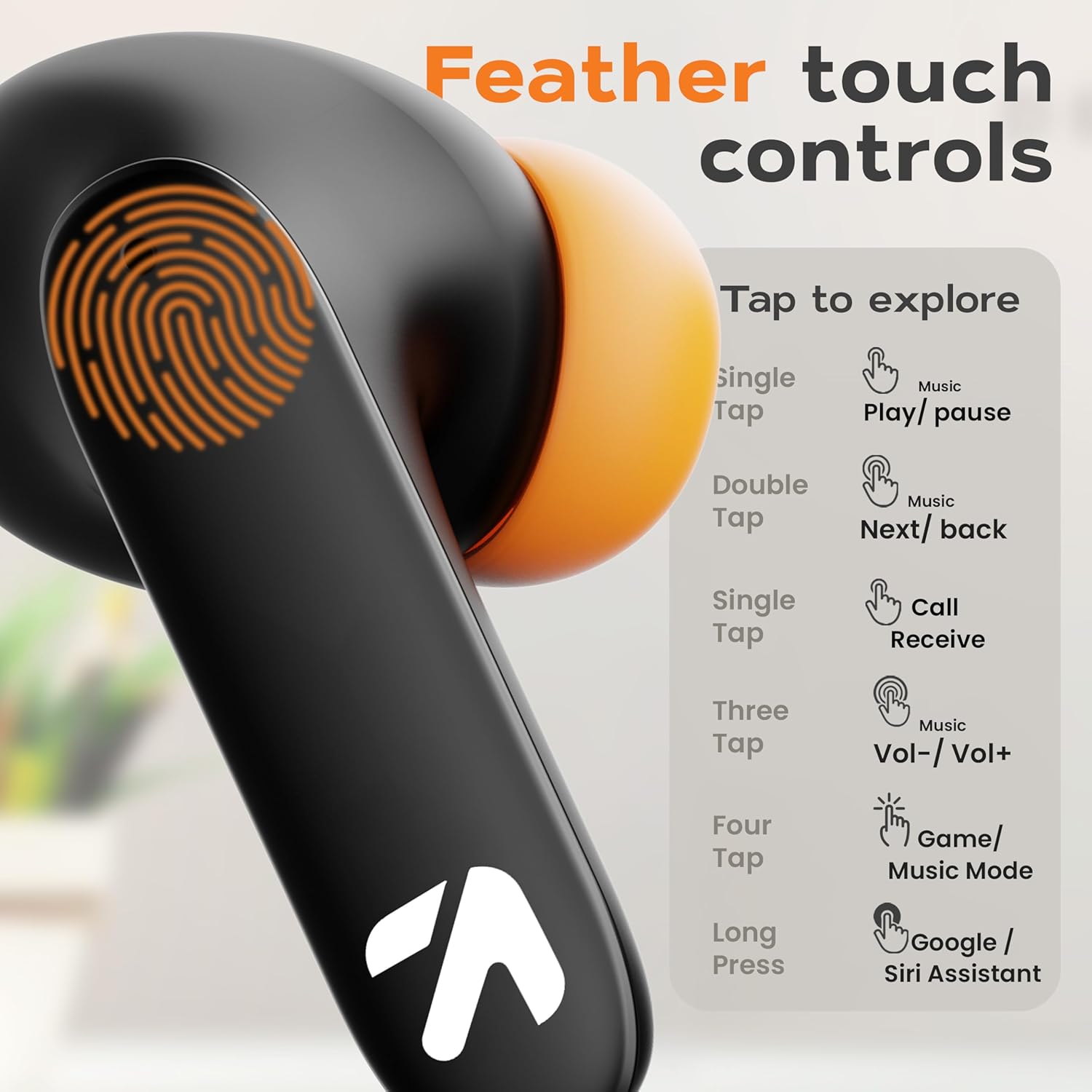
The GOBOULT Z40 Pro earbuds feature intuitive feather-touch controls on each earbud.
| Tindakan | Earbud Kiri | Earbud Kanan |
|---|---|---|
| Ketik Tunggal | Main/Jeda Muzik, Terima Panggilan | Main/Jeda Muzik, Terima Panggilan |
| Ketik Dua Kali | Lagu Sebelumnya | Lagu Seterusnya |
| Ketik Tiga Kali | Kelantangan Kurang | Kelantangan Naik |
| Four Taps | Activate Combat Mode (Gaming Mode) | |
| Tekan Lama (2s) | Aktifkan Pembantu Suara (Google/Siri) | |
3.2 Gaming Mode (Combat Mode)
Activate Combat Mode for an ultra-low latency experience of 45ms, ideal for gaming. This synchronizes audio with visual action for a competitive edge.
- To activate: Tap either earbud four times.
- To deactivate: Tap either earbud four times again.

3.3 Pembantu Suara
Access your device's voice assistant (Google Assistant or Siri) directly from the earbuds.
- To activate: Long press either earbud for 2 seconds.

3.4 Pengurusan Panggilan
The Zen Quad Mic ENC (Environmental Noise Cancellation) technology ensures clear calls by minimizing background noise.
- Receive Call: Single tap either earbud.
- End Call: Single tap either earbud during a call.
- Reject Call: Long press either earbud for 2 seconds.

4. Penyelenggaraan
4.1 Pembersihan
- Bersihkan fon telinga dan bekas pengecas dengan kerap menggunakan kain yang lembut, kering dan tidak berbulu.
- Jangan gunakan pembersih, pelarut atau semburan aerosol yang kasar.
- Pastikan kanta pengecas pada kedua-dua fon telinga dan sarung bebas daripada habuk dan serpihan.
4.2 Tahan Air
The GOBOULT Z40 Pro earbuds are IPX5 rated, meaning they are resistant to sweat, splashes, and light rain. They are not designed for submersion in water.
- Avoid exposing the earbuds to strong jets of water or prolonged submersion.
- If wet, dry the earbuds thoroughly before placing them back in the charging case to prevent damage.

4.3 Penyimpanan
Apabila tidak digunakan, simpan fon telinga dalam bekas pengecasnya untuk melindunginya dan memastikan ia kekal dicas.
5. Penyelesaian masalah
If you encounter issues with your GOBOULT Z40 Pro earbuds, refer to the following common solutions:
5.1 Isu Berpasangan
- Fon telinga tidak berpasangan dengan peranti: Ensure Bluetooth is enabled on your device. Make sure the earbuds are charged and within range. Try forgetting the device in your phone's Bluetooth settings and re-pairing.
- Hanya satu fon telinga yang disambungkan: Place both earbuds back into the charging case, close the lid for a few seconds, then open it again. This often resets the connection between the earbuds.
5.2 Isu Bunyi
- Tiada bunyi atau kelantangan rendah: Check the volume levels on both your device and the earbuds. Ensure the earbuds are properly seated in your ears. Clean any debris from the earbud grilles.
- Bunyi terputus-putus: Pastikan tiada halangan antara peranti anda dan fon telinga. Bergerak lebih dekat ke peranti anda. Elakkan persekitaran dengan gangguan elektromagnet yang kuat.
5.3 Isu Pengecasan
- Fon telinga tidak dicas: Ensure the charging contacts on the earbuds and inside the case are clean and dry. Verify the charging cable and power adapter are working correctly.
- Sarung tidak dicas: Check the Type-C cable and power source. Ensure the cable is securely connected.
6. Spesifikasi
| Ciri | Perincian |
|---|---|
| Nama Model | AirBass |
| Teknologi Ketersambungan | Wayarles (Bluetooth 5.3) |
| Julat Bluetooth | 10 Meter |
| Saiz Pemacu Audio | Pemacu Dinamik 13mm |
| Respons Kekerapan | 20 Hz - 20,000 Hz |
| Sensitiviti | 115 dB |
| Impedans | 32 Ohm |
| Hayat Bateri (Jumlah) | Sehingga 100 Jam (dengan kes pengecasan) |
| Masa Mengecas | Lebih kurang 90 minit |
| Latensi Audio | 45 Milliseconds (Combat Mode) |
| Kawalan Bunyi | Passive Noise Cancellation, Quad Mic ENC |
| Tahap Ketahanan Air | IPX5 (Sweat and Splashproof) |
| Jenis Kawalan | Sentuh, Suara |
| Berat Barang | 50 Gram |
| Dimensi Produk | 6 x 2.7 x 4.8 cm |
| bahan | Getah |
7. Waranti dan Sokongan
7.1 Maklumat Waranti
Your GOBOULT Z40 Pro earbuds come with a standard warranty. Please refer to the included Warranty Card in your package for detailed terms and conditions, including warranty period and coverage.
7.2 Sokongan Pelanggan
For any product-related queries, technical assistance, or warranty claims, please contact the manufacturer:
- Pengeluar: Exotic Mile Pvt. Ltd.
- Alamat: B67 Kawasan Perindustrian Wazirpur, New Delhi 110052
- Anda juga boleh melawat pejabat GOBOULT Store on Amazon untuk maklumat lanjut.