1. Pengenalan
The Zebronics Astra 30 is a portable Bluetooth speaker designed for a versatile audio experience. It features 14W output, dual 52mm drivers, dual passive radiators for enhanced bass, and multiple connectivity options including Bluetooth v5.3, FM radio, AUX, USB, and mSD card support. This manual provides instructions for setting up, operating, and maintaining your speaker.
2. Kandungan Pakej
Sila semak pakej untuk item berikut:
- Speaker - 1 unit
- Charging cable - 1 unit
- User manual - 1 unit
3. Produk Lebihview
Biasakan diri anda dengan komponen dan kawalan pembesar suara.

Imej 3.1: Depan view of the Zebronics Astra 30 speaker, showcasing its sleek black design and speaker grille.
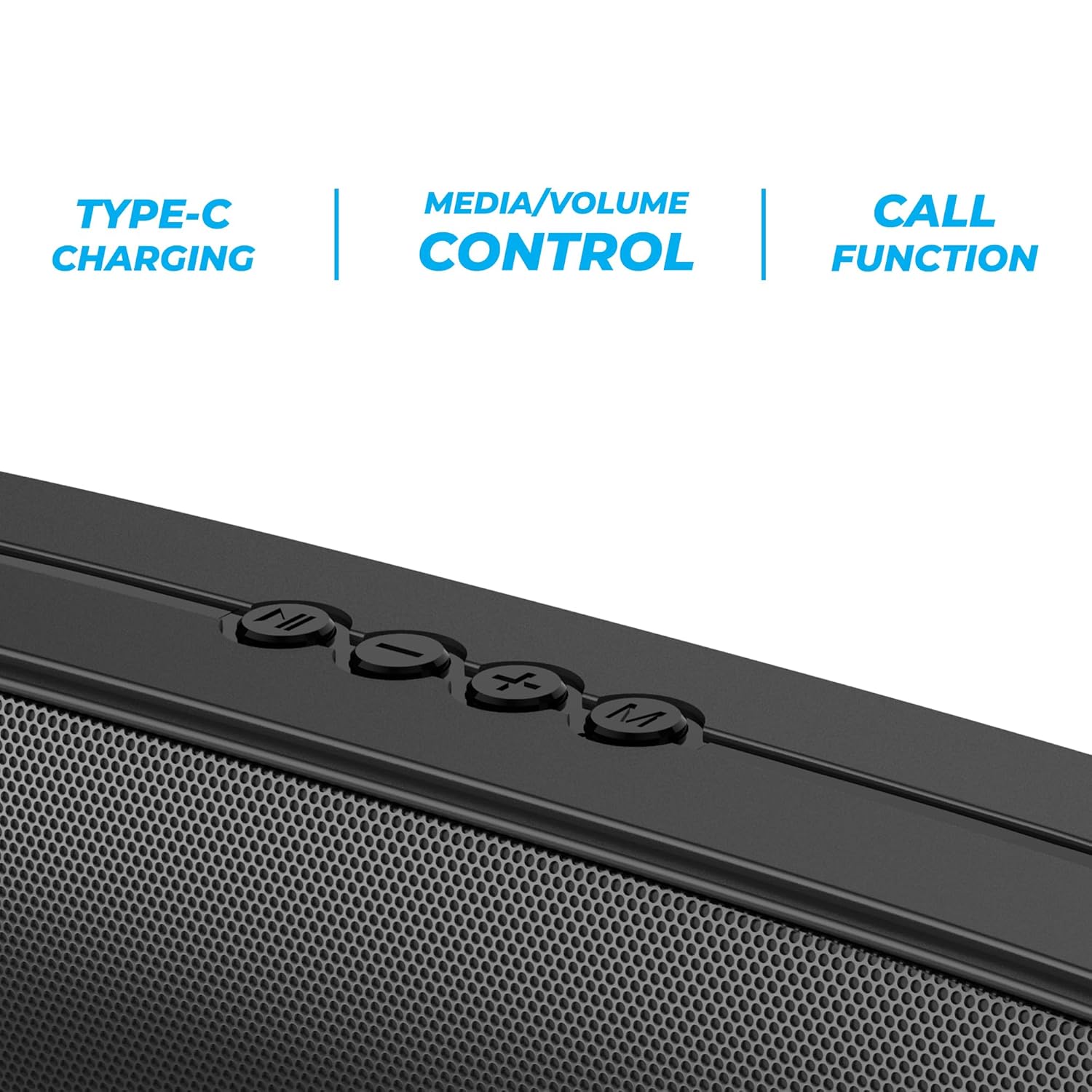
Imej 3.2: Close-up of the control panel buttons on the top of the speaker, including power, volume, and mode controls.

Imej 3.3: belakang view of the speaker showing the multi-connectivity ports: USB, Micro SD slot, AUX input, and Type-C charging port.
4. Persediaan
4.1 Mengecas Speaker
Before initial use, fully charge the speaker. The Zebronics Astra 30 features a built-in rechargeable battery with Type-C charging.
- Sambungkan kabel pengecas Jenis-C yang disediakan ke port pengecasan pada pembesar suara.
- Sambungkan hujung kabel yang satu lagi ke penyesuai kuasa USB (tidak disertakan) atau port USB komputer.
- The charging indicator will illuminate during charging and turn off once fully charged.
A full charge takes approximately 4 hours and provides up to 12 hours of playback time at 50% volume.

Imej 4.1: Illustration indicating the speaker's 12-hour playback capability on a single charge.
4.2 Menghidupkan/Mematikan
To power on or off the speaker, press and hold the power button located on the control panel until you hear an audible prompt or see the indicator light change.
5. Arahan Operasi
5.1 Berpasangan Bluetooth
The Zebronics Astra 30 uses Bluetooth v5.3 for wireless audio streaming.
- Hidupkan pembesar suara. Ia akan memasuki mod gandingan Bluetooth secara automatik, ditunjukkan oleh LED berkelip.
- Dayakan Bluetooth pada telefon pintar, tablet atau peranti lain anda.
- Cari untuk "ZEB-ASTRA 30" in the list of available Bluetooth devices.
- Select "ZEB-ASTRA 30" to connect. Once paired, the speaker will confirm with an audible tone, and the LED will stop flashing.
- Jika digesa untuk kata laluan, masukkan "0000".
5.2 Fungsi Stereo Wayarles Sejati (TWS).
Connect two Zebronics Astra 30 speakers for a true wireless stereo experience.
- Ensure both ZEB-ASTRA 30 speakers are powered on and not connected to any Bluetooth device.
- On one of the speakers (this will be the primary speaker), press and hold the TWS button (often combined with the Mode button) until you hear a pairing tone.
- Kedua-dua pembesar suara akan bersambung secara automatik antara satu sama lain. Sebaik sahaja disambungkan, anda akan mendengar nada pengesahan.
- Now, connect your device to the primary speaker via Bluetooth as described in Section 5.1. Audio will play in stereo through both speakers.

Imej 5.1: Visual representation of two Zebronics Astra 30 speakers connected via TWS for stereo sound.
Mod Radio 5.3 FM
Untuk menggunakan radio FM terbina dalam:
- Hidupkan pembesar suara.
- Press the 'M' (Mode) button to switch to FM radio mode.
- To auto-scan and save available FM stations, press and hold the Play/Pause button. The speaker will scan and store stations automatically.
- Gunakan butang trek Sebelumnya/Seterusnya untuk menavigasi antara stesen yang disimpan.
- For optimal reception, ensure the charging cable is connected as an antenna.
5.4 Mod Input AUX
Connect external audio devices using the AUX input:
- Hidupkan pembesar suara.
- Tekan butang 'M' (Mod) untuk bertukar kepada mod AUX.
- Sambungkan satu hujung kabel audio 3.5mm (tidak disertakan) ke port AUX pada pembesar suara.
- Connect the other end to the audio output of your device (e.g., smartphone, MP3 player).
- Audio kini akan dimainkan melalui pembesar suara daripada peranti anda yang disambungkan.
5.5 USB and Micro SD Card Playback
Mainkan audio files directly from a USB pen drive or Micro SD card:
- Hidupkan pembesar suara.
- Insert a USB pen drive (up to 32GB) or a Micro SD card into the respective slot.
- Pembesar suara akan mengesan peranti storan secara automatik dan mula memainkan audio files. If not, press the 'M' (Mode) button to switch to USB or SD card mode.
- Use the Play/Pause and Previous/Next track buttons to control playback.
5.6 Fungsi Panggilan
Apabila disambungkan melalui Bluetooth ke telefon pintar, pembesar suara boleh digunakan untuk panggilan bebas tangan.
- Jawab/Tamatkan Panggilan: Tekan butang Main/Jeda sekali.
- Tolak Panggilan: Tekan dan tahan butang Main/Jeda.
- Dail Semula Nombor Terakhir: Tekan dua kali butang Main/Jeda.
5.7 Volume and Media Control
The speaker features integrated controls for audio playback:
- Kelantangan: Tekan butang '+'.
- Perlahankan suara: Tekan butang '-'.
- Lagu Seterusnya: Tekan dan tahan butang '+'.
- Trek Sebelumnya: Tekan dan tahan butang '-'.
- Main/Jeda: Tekan butang Main/Jeda.
6. Penyelenggaraan
- Bersihkan pembesar suara dengan kain lembut dan kering. Jangan gunakan bahan kimia yang keras atau pembersih yang kasar.
- Keep the speaker away from extreme temperatures, direct sunlight, and moisture.
- Elakkan daripada menjatuhkan atau menundukkan pembesar suara kepada impak yang kuat.
- Simpan pembesar suara di tempat yang sejuk dan kering apabila tidak digunakan untuk tempoh yang lama.
- The speaker is rated as waterproof. However, avoid submerging it in water for prolonged periods. Ensure the port cover is securely closed to maintain water resistance.
7. Penyelesaian masalah
| Masalah | Penyelesaian yang Mungkin |
|---|---|
| Speaker tidak dihidupkan. | Pastikan bateri dicas. Sambungkan pembesar suara ke sumber kuasa menggunakan kabel Jenis-C. |
| Tidak boleh berpasangan melalui Bluetooth. |
|
| Tiada bunyi atau kelantangan rendah. |
|
| Penerimaan radio FM kurang baik. | Ensure the Type-C charging cable is connected to act as an antenna. Try repositioning the speaker. |
| Gandingan TWS gagal. |
|
8. Spesifikasi
| Ciri | Perincian |
|---|---|
| Nama Model | ZEB-ASTRA 30 |
| Kuasa Keluaran | 14 Watt |
| Saiz Pemandu | Dual 52mm |
| Versi Bluetooth | v5.3 |
| Pilihan Kesambungan | Bluetooth, FM, AUX, USB, Micro SD |
| USB/Micro SD Max Capacity | 32GB |
| Hayat Bateri | Sehingga 12 jam (pada volum 50%) |
| Masa Mengecas | 4 jam |
| Jenis Pengecasan | Jenis-C |
| Tahan Air | Kalis air |
| Dimensi Produk (D x W x H) | 5.7 x 35.4 x 6.5 Sentimeter |
| Berat Barang | 645 Gram |
| Impedans | 3 ohm |
| Nisbah Isyarat-ke-Bunyi | 75 dB |

Imej 8.1: Graphic highlighting the 14W RMS output and dual 52mm drivers of the Zebronics Astra 30 speaker.
9. Waranti dan Sokongan
The Zebronics Astra 30 speaker comes with a Waranti Terhad 1 Tahun dari tarikh pembelian. Sila simpan resit pembelian anda untuk tuntutan waranti.
For technical support, service, or warranty inquiries, please contact Zebronics customer service. Contact details can typically be found on the official Zebronics webtapak atau pada pembungkusan produk anda.
Manufacturer: Zebronics India Private Limited
Address: 13/7, Smith Road, Royapettah, Chennai-600002


