
pengenalan
This manual provides comprehensive instructions for the operation and maintenance of your ATTOP X-PACK 18 Drone with Camera. Please read this manual thoroughly before operating the drone to ensure safe and optimal performance. The ATTOP X-PACK 18 is a foldable drone equipped with a 1080P 120° wide-angle FPV Wi-Fi camera, offering features like one-key take-off/landing, headless mode, 3-speed modes, 360° flip, emergency stop, one-key return, and various APP-controlled functions including gesture, voice, and gravity control, as well as flight path mode.

Image: ATTOP Drone with remote control, batteries, and carrying case.
Apa yang ada dalam Kotak
Sahkan bahawa semua komponen terdapat dalam pakej:
- ATTOP X-PACK 18 Drone
- Alat Kawalan Jauh
- 2 x 3.7V / 1100mAh Rechargeable Batteries
- Membawa Sarung
- Bilah Ganti
- Kabel Pengecas USB
- Pemutar skru
- Pemegang Telefon

Image: Visual representation of the drone, remote, batteries, and accessories included in the package.
Panduan Persediaan
Membuka Drone
Carefully unfold the drone arms until they are fully extended. Ensure all arms click into place securely.

Image: Illustration of the drone's foldable design and dimensions.
Pemasangan Bateri
Insert the fully charged battery into the designated compartment on the drone. Ensure it is securely latched.
Telefon Clamp Installation (for Remote Control)
Pasang cl telefonamp to the remote control. Secure your smartphone into the clamp for FPV viewing and APP control.
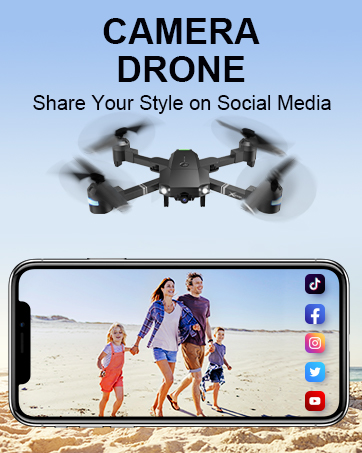
Image: Close-up of the remote control with a smartphone mounted in the clamp.
Hidupkan kuasa
Press and hold the power button on the drone until the indicator lights illuminate. Power on the remote control.
Berpasangan
After powering on both the drone and remote, push the left control stick on the remote fully up and then fully down to pair the devices. The drone lights will stop flashing once paired.
Penentukuran
If playing for the first time, press the calibration button on the remote control. This ensures stable flight.
Muat Turun dan Sambungan APP
Download the "ATTOP CLUB" APP from your device's app store. Connect your phone to the drone's Wi-Fi network (e.g., "X-PACK 18-XXXXXX"). Open the APP and select "X-PACK 18" to connect and access advanced features and FPV view.
Video: Demonstrates the ATTOP CLUB APP download, Wi-Fi connection, and interface display for the X-PACK 18 drone.
Arahan Operasi
Familiarize yourself with the drone's controls and features for an optimal flight experience.
Video: Comprehensive guide demonstrating drone setup, basic flight controls, and advanced features like 360° stunts and headless mode.
Kawalan Penerbangan Asas:
- Berlepas/Mendarat Satu Kunci: Press the dedicated button on the remote or APP for automatic take-off or landing.
- Ascend & Descend: Use the left control stick to adjust the drone's altitude.
- Altitude Holding: The drone maintains a stable hover at a set altitude, ideal for capturing steady photos and videos.
- pemangkasan: Adjust the drone's flight path to correct any drifting.
- Flying Forward/Backward: Use the right control stick to move the drone in the desired direction.
- Memusing Kiri/Kanan: Rotate the drone left or right using the left control stick.
- Penerbangan Sebelah Kiri/Kanan: Move the drone sideways using the right control stick.
Ciri Lanjutan:
- 360° Stunt (Flip): Execute impressive aerial flips with a single button press.
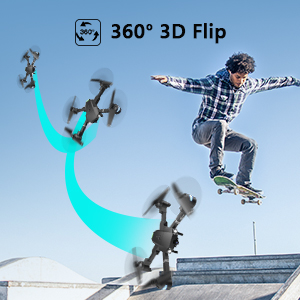
Image: Sequence showing the drone executing a 360-degree flip.
- Mod Kelajuan: Switch between 3 different speeds (30%, 60%, 100%) to match your skill level and environment.
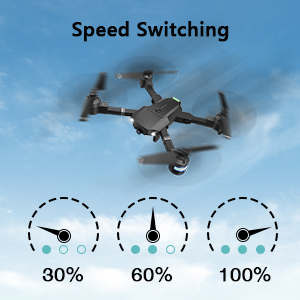
Image: Visual representation of the three-speed modes (30%, 60%, 100%).
- Mod Tanpa Kepala: Simplifies flight by orienting the drone relative to the pilot, regardless of the drone's actual front direction.
- Terbang Bulatan: The drone can perform circular flight patterns.
- Taking Pictures & Videos: Use the dedicated buttons on the remote or APP to capture 1080P HD photos and videos.

Image: Close-up of the drone's 1080P HD camera.
- Hentian kecemasan: Instantly stop the drone in case of an emergency to prevent damage or injury.
- Pulangan Satu Kunci: The drone will automatically return to its take-off point.
APP-Controlled Functions:
- Kawalan Gerak Isyarat: Lakukan gerak isyarat tangan tertentu untuk mencetuskan tangkapan foto atau video.
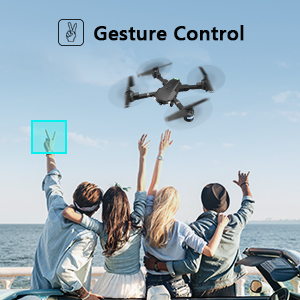
Image: People making a "V" gesture to activate the drone camera.
- Kawalan Suara: Command the drone using voice commands for various flight actions (e.g., "Take off", "Landing", "Forward").

Imej: Cthamples of voice commands like "Take off" and "Right side" for drone control.
- Kawalan Graviti: Control the drone's movement by tilting your smartphone, utilizing its built-in G-sensor.
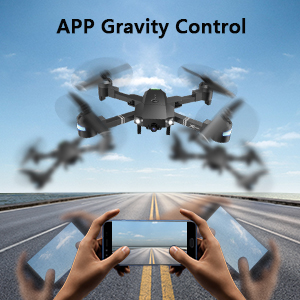
Image: Hands holding a smartphone, demonstrating how tilting controls the drone's direction.
- Flight Path Mode: Draw a desired flight path on your smartphone screen, and the drone will automatically follow it.
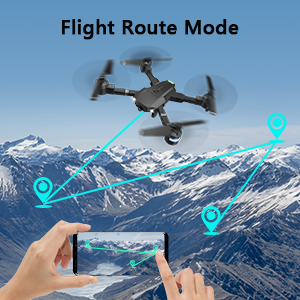
Image: A smartphone screen displaying a drawn flight path for the drone to follow.
- Mod VR: Compatible with VR glasses for an immersive first-person view pengalaman penerbangan.
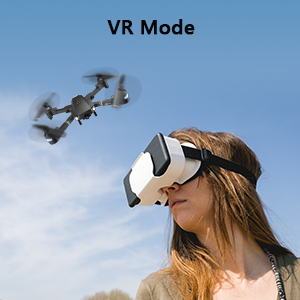
Image: A person wearing VR glasses, experiencing the drone's first-person view.
Penyelenggaraan
Penyelenggaraan tetap memastikan jangka hayat dan prestasi optimum dron anda.
- Pembersihan: Gunakan kain lembut dan kering untuk membersihkan badan dron dan kanta kamera. Elakkan menggunakan bahan kimia yang keras.
- Pemeriksaan baling-baling: Regularly check propellers for any damage (cracks, bends). Replace damaged propellers immediately using the provided spare blades and screwdriver.
- Penjagaan Bateri: Store batteries in a cool, dry place. Do not overcharge or over-discharge. If storing for extended periods, charge them to about 50% capacity.
- Penjagaan Motor: Keep motors free from dust and debris. Avoid operating in sandy or dusty environments.
- Storan: When not in use, fold the drone and store it in its carrying case to protect it from dust and physical damage.
Menyelesaikan masalah
| Masalah | Kemungkinan Punca | Penyelesaian |
|---|---|---|
| Drone tidak bertindak balas kepada alat kawalan jauh. | Tidak berpasangan, bateri lemah, gangguan. | Ensure drone and remote are powered on and paired correctly. Recharge batteries. Move away from sources of interference. |
| Drone hanyut semasa penerbangan. | Not calibrated, uneven surface for take-off, wind. | Perform calibration on a flat surface. Use trimming functions to correct drift. Avoid flying in strong winds. |
| Camera not working or FPV feed is unstable. | Wi-Fi not connected, APP issue, low drone battery. | Ensure phone is connected to drone's Wi-Fi. Restart APP and drone. Charge drone battery. |
| Masa penerbangan yang singkat. | Bateri tidak dicas sepenuhnya, bateri lama. | Fully charge batteries before each flight. Consider replacing old batteries. |
| Drone crashes frequently. | Lack of experience, environmental factors, damaged propellers. | Practice in open areas. Avoid obstacles. Check and replace damaged propellers. |
Spesifikasi
| Ciri | Perincian |
|---|---|
| Jenama | ATTOP |
| Nama Model | X-PACK 18 |
| Ciri Khas | 360 Degree Flip, Speed Adjustment, Foldable, First Person View (FPV), Long Battery Life |
| Julat Umur (Perihalan) | 96 bulan dan ke atas |
| warna | Hitam Jet |
| Resolusi Tangkapan Video | 1080p |
| Teknologi Ketersambungan | Wi-Fi |
| Tahap Kemahiran | Semua |
| Kapasiti Bateri | 1100 mAh (per battery) |
| Masa Penerbangan | Sehingga 20 minit (dengan 2 bateri)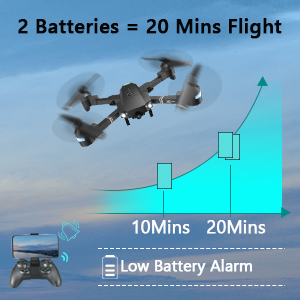 Image: Graph showing flight time with two batteries. |
| Format Tangkapan Video | MP4 |
| Teknologi Kawalan Jauh | Wi-Fi |
| Jenis Kawalan | Alat Kawalan Jauh |
| Julat Maksimum | 80 Meter |
| bahan | Plastic or Reinforced Plastic |
| Dimensi Produk | 13.8"L x 12.6"W x 2.76"H |
| Berat Barang | 1.76 paun |
| Tarikh Tayangan | 12 November 2023 |
Waranti dan Sokongan
ATTOP provides customer support and assistance for your drone. For any questions or to inquire about extended warranty, please refer to the following:
- Sokongan E-mel: support@attoptoys.com
- Sokongan dalam talian: Imbas kod QR di bawah atau layari attop.afterservice.vip untuk bantuan dan maklumat jaminan.

Image: QR code for quick access to ATTOP customer service and extended warranty information.


