pengenalan
The Lumos Remote is an essential accessory designed to enhance your cycling safety and convenience. It seamlessly integrates with Lumos Helmets and Firefly lights, providing intuitive control over turn signals and brake lights directly from your handlebars. This manual provides comprehensive instructions for setting up, operating, and maintaining your Lumos Remote.
Kandungan Pakej
- Lumos Remote
- Kabel Pengecasan USB Jenis-C
- Pelekap Hendal
- Silicon Bands for mounting
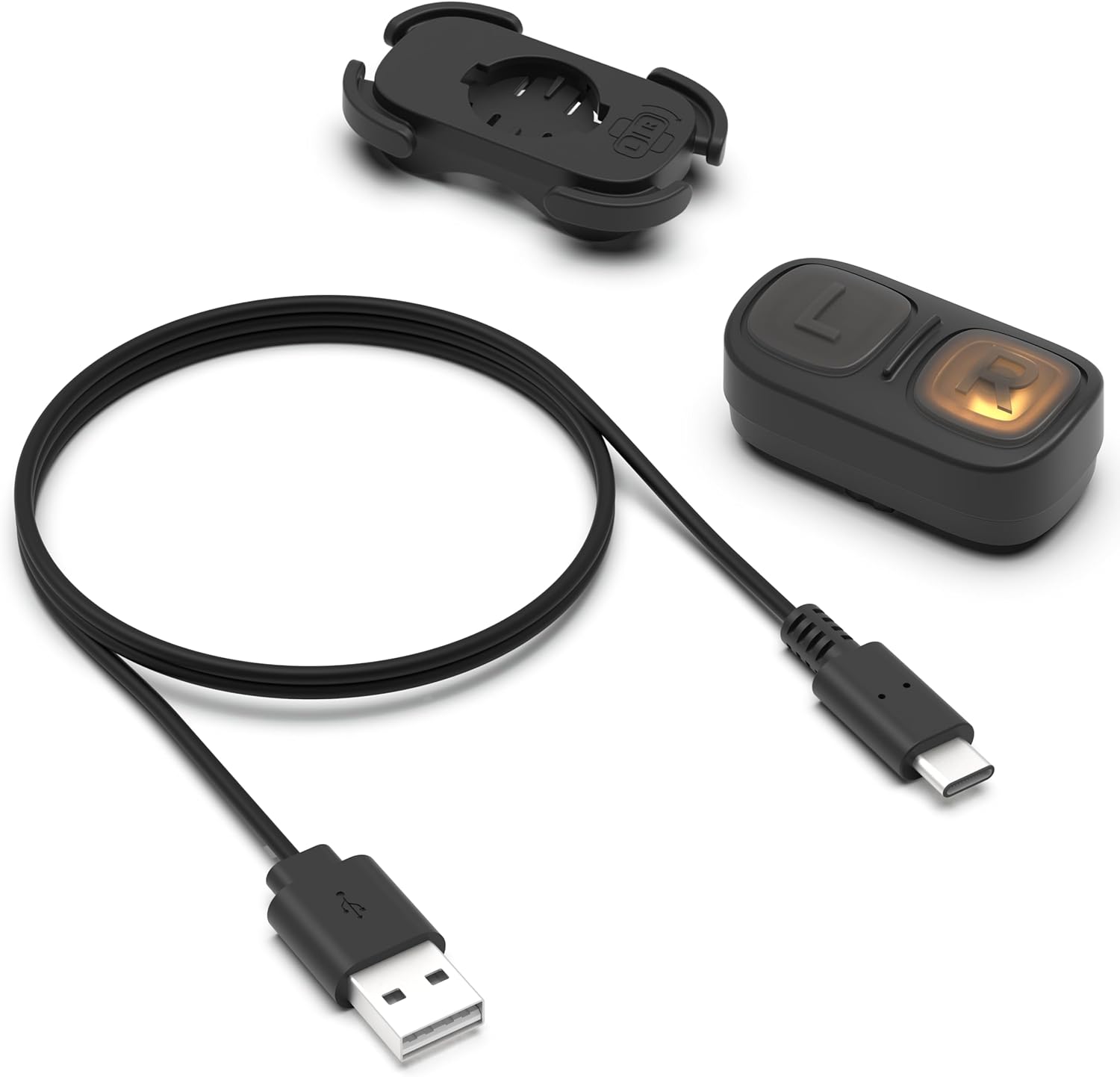
Image: The Lumos Remote, its USB Type-C charging cable, and the included handlebar mount with silicon bands.
Persediaan
1. Mengecas Alat Kawalan Jauh
Before first use, fully charge your Lumos Remote. Connect the provided USB Type-C charging cable to the remote's charging port and a compatible USB power source. The indicator light will be red while charging and turn green when fully charged.
- Battery Capacity: 90mAh built-in Lithium Polymer rechargeable battery.
2. Mounting the Remote
The Lumos Remote features an effortless mounting system for your handlebars.
- Position the handlebar mount on your desired location on the bicycle handlebar.
- Secure the mount using the provided silicon bands, ensuring a snug fit.
- Attach the Lumos Remote to the mount using its quick twist-release mechanism. Ensure it clicks securely into place.
3. Pairing with Lumos Devices
The Lumos Remote connects via Bluetooth to your Lumos Helmet or Firefly lights.
- Ensure your Lumos Helmet or Firefly lights are powered on and in pairing mode (refer to their respective manuals for specific instructions).
- Activate the pairing mode on the Lumos Remote (usually by pressing and holding a button, refer to the Lumos App for detailed instructions).
- Open the Lumos App on your smartphone.
- Follow the in-app instructions to discover and pair your Lumos Remote with your Lumos device.
For optimal performance and to manage settings, download the Lumos App:
 Google Play
 App Store
Image: Icons for Google Play Store and Apple App Store, indicating where to download the Lumos App.
Arahan Operasi
Isyarat Pusing
To activate turn signals on your paired Lumos Helmet or Firefly lights, press the corresponding 'L' (Left) or 'R' (Right) button on the Lumos Remote. The lights on your helmet/Firefly lights will flash to indicate your turning intention.
Automatic Brake Warning Lights
The Lumos Remote can activate automatic brake lights on your Lumos Helmet or Firefly lights. This feature alerts drivers behind you when you are slowing down. The sensitivity of the brake light activation can be adjusted via the Lumos App.
Kawalan Apl
Use the Lumos App to:
- Check the battery level of your Lumos Remote.
- Adjust brake light sensitivity.
- Verify pairing status with your Lumos devices.
Penyelenggaraan
Pembersihan
Wipe the Lumos Remote with a soft, damp kain. Jangan gunakan pembersih atau pelarut yang melelas.
Tahan Air
The Lumos Remote is rated with an IPX6 waterproof level, meaning it is protected against high-pressure water jets from any direction. While it can withstand rain and splashes, it is not designed for submersion.
Penjagaan Bateri
To prolong battery life, avoid fully discharging the remote frequently. Charge it regularly, especially if it will be stored for an extended period.
Menyelesaikan masalah
| Masalah | Kemungkinan Punca | Penyelesaian |
|---|---|---|
| Jauh tidak bertindak balas | Low battery; Not paired; Out of range. | Charge the remote; Re-pair with your Lumos device; Ensure remote is within Bluetooth range of the Lumos device. |
| Turn signals not activating | Pairing issue; Lumos device not powered on. | Verify pairing in the Lumos App; Ensure Lumos Helmet/Firefly lights are on. |
| Brake lights not working or too sensitive | Sensitivity setting incorrect; Firmware outdated. | Adjust brake light sensitivity in the Lumos App; Check for firmware updates via the Lumos App. |
Spesifikasi
- model: Lumos Remote
- Ketersambungan: Bluetooth
- Bateri: Polimer Litium 90mAh (boleh dicas semula)
- Port Pengecasan: USB Jenis-C
- Tahap Kalis Air: IPX6
- Dimensi: 3.23 x 2.87 x 1.18 inci
- Berat: 2.08 auns
- Pengeluar: Lumos
- Negara Asal: China
Waranti dan Sokongan
For warranty information and technical support, please refer to the official Lumos website or contact Lumos customer service directly.
E-mel Sokongan Pelanggan: support@lumoshelmet.co
You can also find more information and updates by following Lumos on social media or through their app.


Imej: Cthamples of Lumos products in use, showcasing the brand's commitment to cycling safety.


