Produk Selesaiview
The Timex TW2V84600 is a robust and versatile analog-digital watch designed for daily wear and various activities. It combines classic analog timekeeping with modern digital functionalities, including a day-date calendar, chronograph, world time, countdown timer, and alarm. The watch features a durable stainless steel case and bracelet, mineral glass, and is water-resistant up to 10 ATM. Its Indiglo backlight ensures readability in low-light conditions.
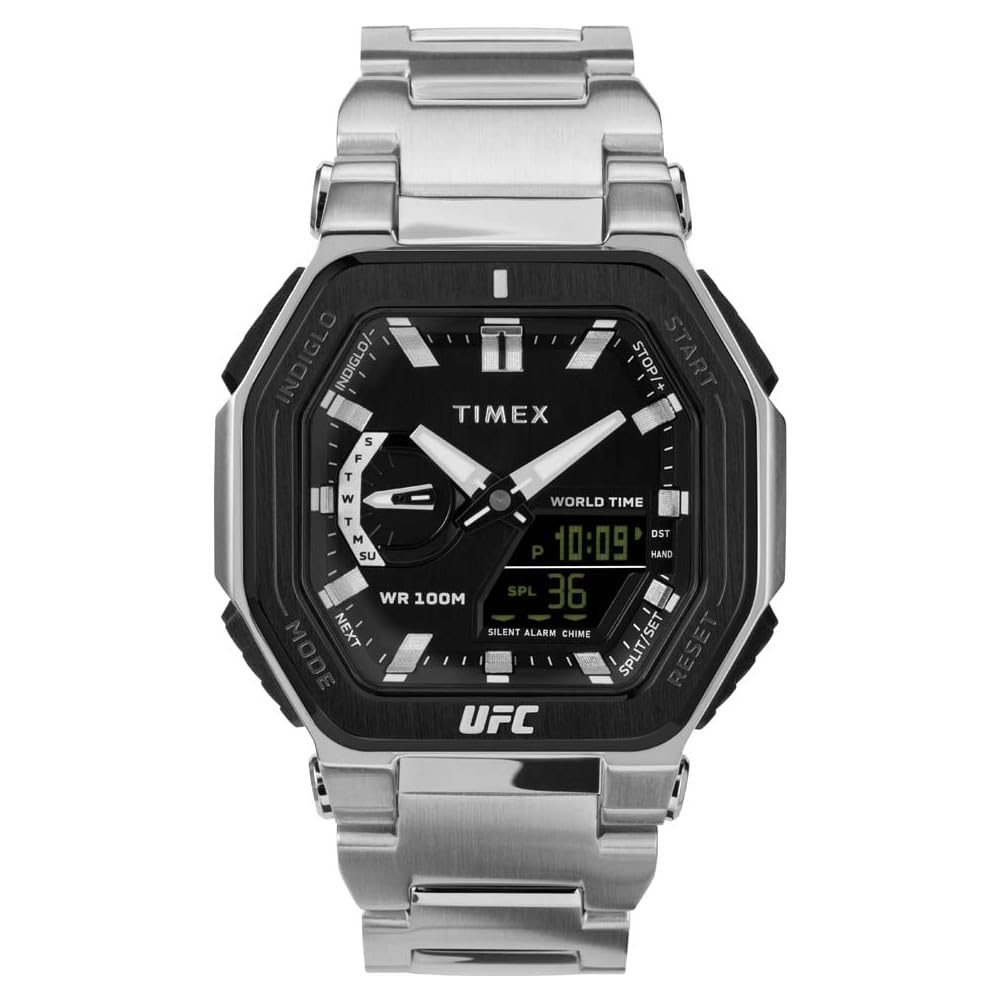
Rajah 1: Depan view of the Timex TW2V84600 watch, showcasing its analog and digital display.
Persediaan Awal
Before using your watch, it is recommended to familiarize yourself with its buttons and crown. The watch is powered by a quartz movement with an included battery.
- Menetapkan Masa Analog: Pull the crown out to the first position. Rotate the crown to set the hour and minute hands. Push the crown back in to synchronize the analog time.
- Menetapkan Masa dan Tarikh Digital: Use the pushers (typically located at 2, 4, 8, and 10 o'clock positions) to navigate through modes (Time, Date, Alarm, Chronograph, Timer, World Time). Refer to the "Operating Your Watch" section for detailed steps on setting each digital function.
- Mengaktifkan Indiglo: Press the Indiglo button (usually a pusher on the side) to illuminate the watch face for a few seconds.
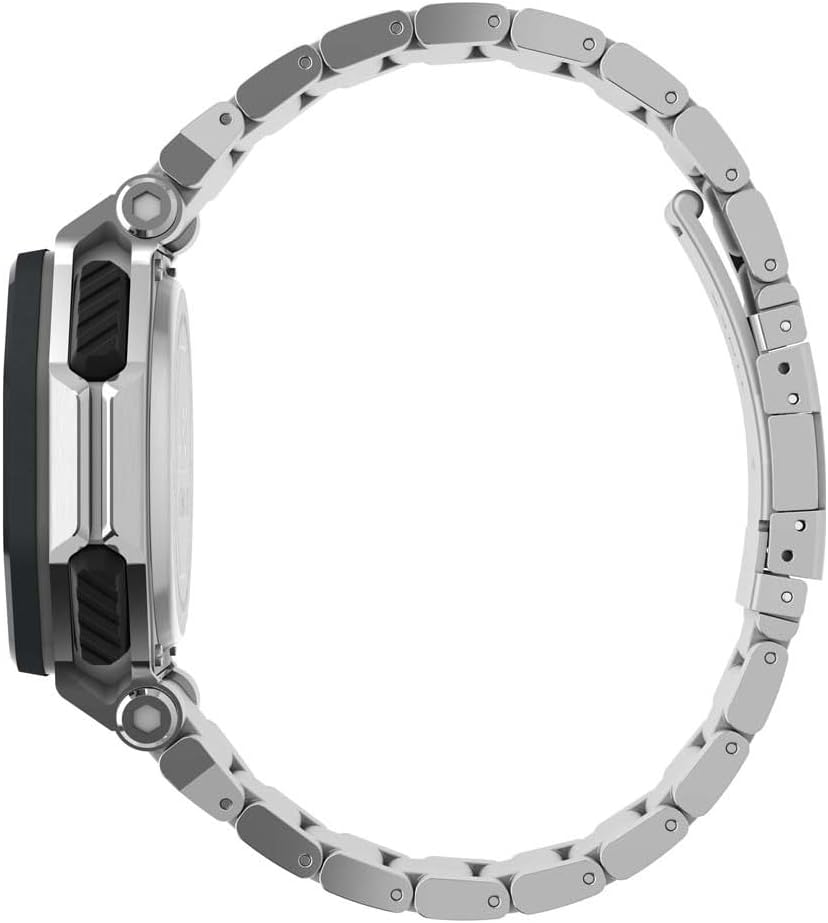
Rajah 2: Sisi view of the watch, highlighting the crown and function pushers.
Mengendalikan Jam Tangan Anda
This section details the operation of the various functions available on your Timex TW2V84600 watch.
1. Digital Time and Date Setting
- Press the MODE button (often at 8 o'clock) repeatedly until the digital display shows the time setting mode (e.g., flashing hours).
- Use the SET/ADJUST button (often at 10 o'clock) to select the digit you wish to change (hours, minutes, 12/24-hour format, year, month, day).
- Use the START/STOP button (often at 2 o'clock) or RESET button (often at 4 o'clock) to increase or decrease the selected value.
- Setelah semua tetapan betul, tekan butang MOD untuk keluar dari mod tetapan.
2. Chronograph (Jam randik)
- Press the MODE button until the chronograph display appears (usually showing "00:00:00").
- Tekan butang MULA/BERHENTI untuk memulakan pemasaan.
- Tekan START/STOP sekali lagi untuk menjeda masa.
- To resume, press START/STOP. To reset, press the RESET button while the chronograph is stopped.
3. Pemasa Undur
- Press the MODE button until the countdown timer display appears.
- Use the SET/ADJUST button to set the desired countdown time (hours, minutes, seconds).
- Tekan butang START/STOP untuk memulakan kira detik.
- An alarm will sound when the timer reaches zero. Press any button to stop the alarm.
4. Penetapan Penggera
- Press the MODE button until the alarm display appears.
- Use the SET/ADJUST button to set the desired alarm time.
- Press the START/STOP button to activate or deactivate the alarm. An alarm icon will typically appear when activated.
- Apabila penggera berbunyi, tekan sebarang butang untuk menyenyapkannya.
5. Waktu Dunia
- Press the MODE button until the World Time display appears.
- Use the SET/ADJUST or START/STOP buttons to cycle through different city codes or time zones.
- The digital display will show the current time in the selected time zone.
Penjagaan dan Penyelenggaraan
- Pembersihan: Lap bekas jam tangan dan gelang dengan lembut, damp cloth. For stainless steel, a mild soap solution can be used, followed by rinsing and drying thoroughly. Avoid harsh chemicals.
- Tahan Air: Your watch is water-resistant up to 10 ATM (100 meters). This means it is suitable for swimming, showering, and snorkeling. Do not operate the pushers or crown while the watch is wet or submerged to prevent water intrusion.
- Suhu: Avoid exposing your watch to extreme temperatures (hot or cold) for extended periods, as this can affect battery life and accuracy.
- Penggantian Bateri: The watch uses a CR2025 battery. When the display dims or functions become erratic, it may be time for a battery replacement. It is recommended to have the battery replaced by a qualified watch technician to ensure proper sealing and water resistance.
- Rintangan Kejutan: While the watch is designed to be shock-resistant, avoid severe impacts to prevent damage to internal components or the crystal.

Rajah 3: Belakang view of the watch, displaying the stainless steel case back with model and water resistance markings.
Menyelesaikan masalah
| Masalah | Kemungkinan Punca | Penyelesaian |
|---|---|---|
| Watch not running / Digital display blank | Bateri habis | Replace the battery (CR2025). Consult a professional watch technician. |
| Incorrect time / Date | Time/date not set correctly or accidentally reset. | Refer to the "Initial Setup" and "Operating Your Watch" sections to reset the time and date. |
| Air di dalam jam tangan | Crown/pushers operated underwater or seals compromised. | Immediately take the watch to a qualified service center. Do not attempt to open it yourself. |
| Indiglo backlight not working | Bateri lemah atau rosak. | Replace the battery. If the issue persists, contact Timex customer support. |
Spesifikasi Teknikal
| Nombor Model | TW2V84600 |
| Pergerakan | Kuarza |
| Bahan Kes | Keluli Tahan Karat |
| Diameter Kes | 45 mm |
| Ketebalan Kes | 14 mm |
| Bahan Band | Keluli Tahan Karat |
| Lebar Jalur | 26 mm |
| Bahan Kristal | Kaca Mineral |
| Tahan Air | 10 ATM (100 meter) |
| Jenis Bateri | CR2025 (termasuk) |
| Berat badan | 208 gram |
| Ciri Khas | Analog-Digital Display, Day-Date Calendar, Chronograph, World Time, Countdown Timer, Alarm, Luminous Hands, Indiglo Backlight, Shock Resistant |

Figure 4: Close-up of the watch's case back, showing detailed engravings including model information and water resistance.
Waranti dan Sokongan
Timex watches are manufactured to high-quality standards and come with a limited warranty. For specific warranty details, please refer to the warranty card included with your purchase or visit the official Timex website. For technical support, service, or replacement parts, please contact Timex customer service directly or visit an authorized service center.
Anda boleh mendapatkan maklumat lanjut dan butiran hubungan di Timex rasmi webtapak: www.timex.com


