1. Pengenalan dan Lebihview
The Akko 3098 mechanical keyboard is a wired gaming keyboard featuring a 98-key layout, also known as a "compact full-size keyboard." This design provides the functionality of a full-sized keyboard in a more space-efficient form factor. It is equipped with Akko V3 Cream Blue switches and durable PBT double-shot keycaps, offering a reliable and responsive typing experience for both Mac and Windows systems.
Ciri-ciri Utama:
- Susun Atur 98-Kekunci: A compact full-size design that saves desk space while retaining essential keys.
- Anti-Ghosting (NKRO): N-key rollover ensures all simultaneous key presses are registered accurately, crucial for gaming.
- PBT Double Shot Keycaps: Highly durable keycaps resistant to wear and fading, with vibrant and sharp legends.
- Kekunci Boleh Aturcara: Most keys can be re-mapped for custom action sequences, excluding Macro mode control keys (Esc/Win).
- Keserasian Mac & Windows: Easily switch between operating systems using a simple key combination.
- Kaki boleh laras: Three levels of height adjustment for personalized typing comfort.

Rajah 1.1: Penuh view of the Akko 3098 Mechanical Keyboard in Neon theme.
2. Persediaan
Kandungan Pakej:
- Akko Mechanical Keyboard 3098
- Kabel USB (USB-C ke USB-A)
- Additional Keycaps (if included with specific model variant)
- Penarik Keycap (jika disertakan)
Menyambung Papan Kekunci:
- Locate the USB-C port on the Akko 3098 keyboard, typically on the top edge.
- Sambungkan satu hujung kabel USB-C yang disediakan ke port USB-C papan kekunci.
- Connect the other end of the USB-A cable to an available USB-A port on your computer (laptop, tablet, or desktop PC).
- The keyboard should be automatically recognized by your operating system (Windows or Mac) and ready for use.

Figure 2.1: The Akko 3098 keyboard on a desk, illustrating its key features including wired Type-C connectivity.
3. Arahan Operasi
Keyboard Layout and Key Functions:
The Akko 3098 features a 98-key layout, which includes a full alphanumeric section, function row, navigation cluster, and a numeric keypad, all arranged to optimize space without sacrificing functionality.
N-Key Rollover (NKRO):
This keyboard supports N-key rollover, meaning that every key press is registered independently, even when multiple keys are pressed simultaneously. This feature is particularly beneficial for fast-paced typing and gaming, preventing missed inputs.
PBT Double Shot Keycaps:
The keycaps are made from PBT plastic using a double-shot molding process. This ensures that the legends are part of the keycap material itself, preventing them from fading or wearing off over time, even with extensive use.

Figure 3.1: Detail of the durable PBT Double-shot keycaps.
ASA Profile Keycaps:
The keycaps feature an ASA profile, which is designed for ergonomic comfort and a unique typing feel. This profile typically has a spherical top and varying heights across rows to conform to natural finger movement.
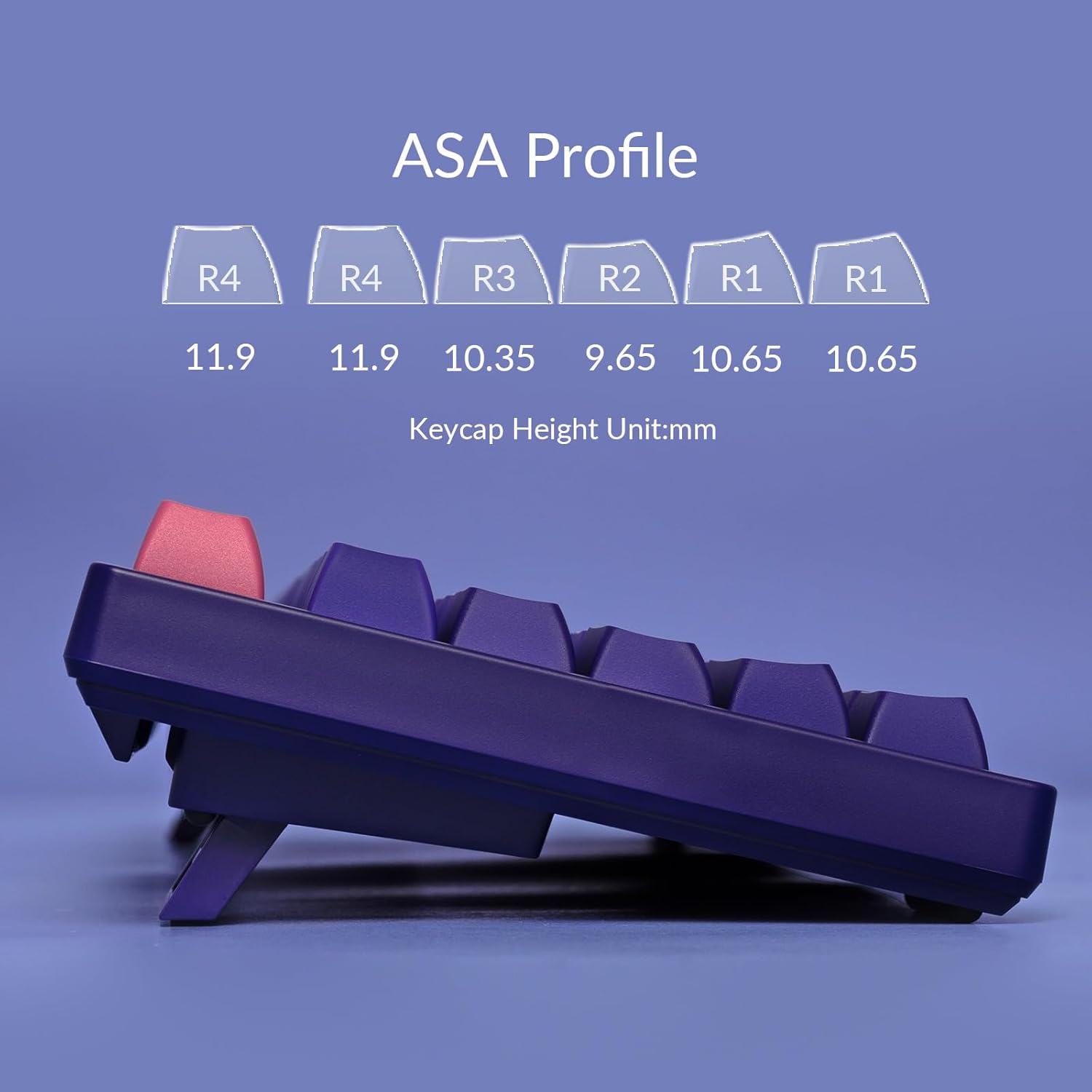
Figure 3.2: Diagram illustrating the ergonomic ASA Profile keycap heights.
Fungsi Boleh Diprogram:
All keys on the keyboard, except those used for controlling Macro mode (Esc/Win), can be re-mapped to perform custom actions or sequences. Refer to the official Akko software for detailed instructions on key remapping and macro creation. The keyboard does not feature built-in LED backlighting, but it has LED slots for modification by advanced users.
Operating System Switch:
To switch between Windows and Mac operating system modes, use the following key combinations:
- Untuk Windows mode: Press and hold Fn + Q
- Untuk Mac mode: Press and hold Fn + O
Tinggi boleh laras:
The keyboard is equipped with two adjustable feet on its underside, allowing you to set the typing angle to three different levels for personalized comfort.

Figure 3.3: Demonstration of the keyboard's adjustable feet for ergonomic positioning.
4. Penyelenggaraan
Membersihkan Papan Kekunci:
- Pembersihan Am: Gunakan kain lembut dan tidak berbulu sedikit dampdibasahkan dengan air atau larutan pembersih lembut untuk mengelap penutup kekunci dan permukaan papan kekunci. Elakkan kelembapan berlebihan.
- Penyingkiran habuk: Gunakan udara termampat untuk membuang habuk dan serpihan dari antara penutup kekunci dan suis.
- Pembersihan Keycap: For deeper cleaning, keycaps can be carefully removed using a keycap puller. Wash them with mild soap and water, rinse thoroughly, and ensure they are completely dry before reattaching.
Keycap and Switch Handling:
When removing or reattaching keycaps, apply gentle, even pressure to avoid damaging the keycap or the switch stem. The Akko 3098 uses soldered switches, meaning they are permanently attached to the PCB and cannot be easily replaced without soldering equipment.
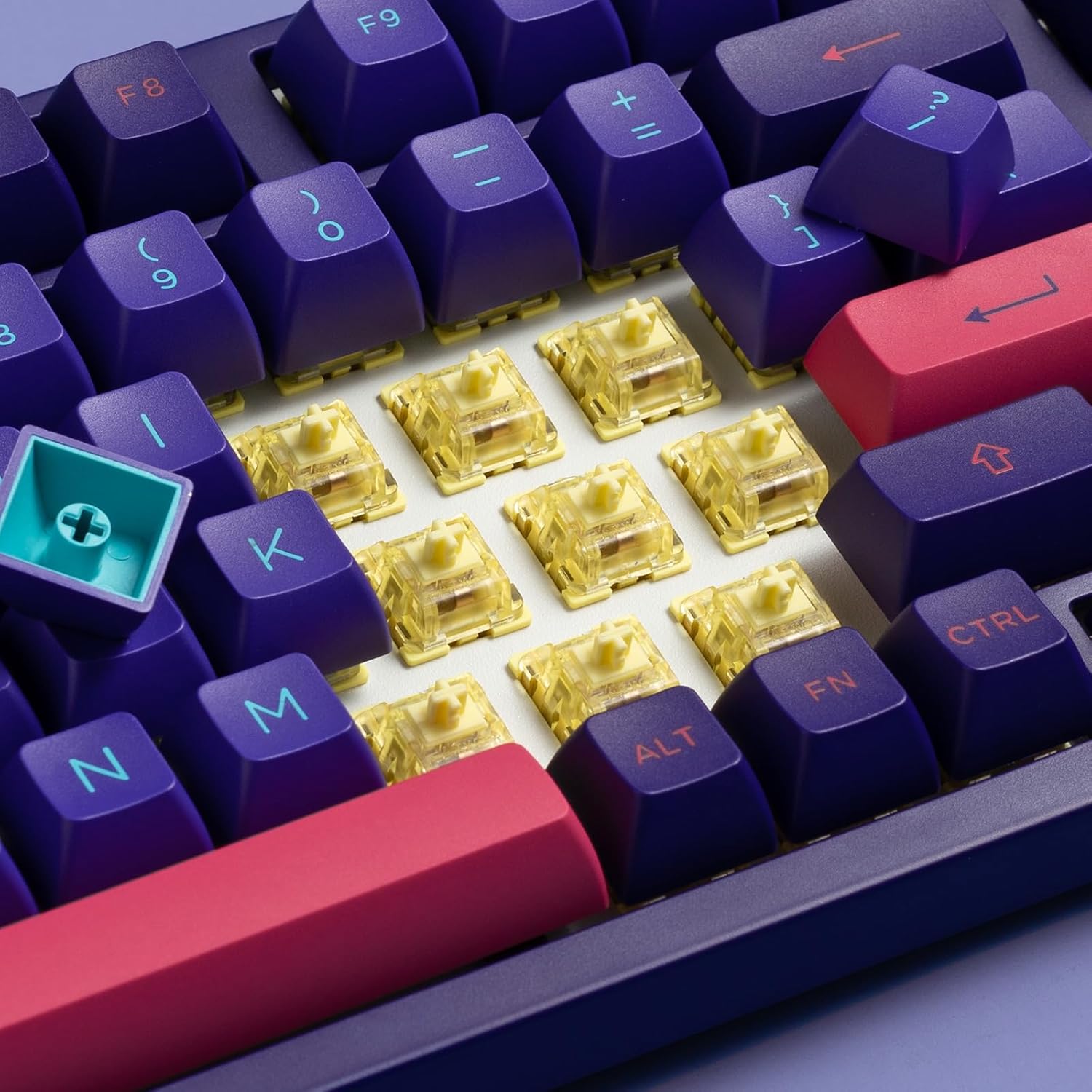
Rajah 4.1: View of the Akko V3 Cream Blue switches beneath the keycaps.
5. Penyelesaian masalah
Isu dan Penyelesaian Biasa:
- Papan Kekunci Tidak Membalas:
- Pastikan kabel USB-C disambungkan dengan selamat pada papan kekunci dan komputer.
- Cuba sambungkan papan kekunci ke port USB lain pada komputer anda.
- Uji papan kekunci pada komputer lain untuk menolak isu khusus sistem.
- Mulakan semula komputer anda.
- Kunci Khusus Tidak Berfungsi:
- Periksa sebarang halangan fizikal atau serpihan di bawah penutup kekunci.
- If you have re-mapped keys, ensure the mapping is correct in the Akko software.
- Perform a factory reset if available (refer to Akko's official support for specific instructions).
- Incorrect Operating System Mode:
- Ensure you have switched to the correct mode for your operating system (Fn+Q for Windows, Fn+O for Mac).
- Software Issues (if applicable):
- If experiencing issues with key remapping or macros, ensure you are using the latest version of the Akko software.
- Jalankan perisian sebagai pentadbir.
For further assistance, please visit the official Akko support webtapak atau hubungi perkhidmatan pelanggan mereka.
6. Spesifikasi
| Ciri | Perincian |
|---|---|
| Dimensi Produk | 2.6 x 8.4 x 16.6 inci |
| Berat Barang | 3.19 paun |
| Pengeluar | Akko |
| ASIN | B0CGLTYGNS |
| Nombor Model Item | 3098 |
| Tarikh Mula-mula Tersedia | 25 Ogos 2023 |
| Peranti Serasi | Laptop, Tablet, Computer with USB-A Port |
| Teknologi Ketersambungan | USB-C (Berwayar) |
| Penerangan Papan Kekunci | 1800 Mechanical Gaming Keyboard (98-key layout) |
| Penggunaan yang Disyorkan | Permainan |
| Ciri Khas | Rechargeable (Note: This model is wired, 'Rechargeable' may refer to internal components or be a general feature listed for other Akko products. For this wired model, it's not applicable for user charging.) |
| warna | Neon |
| Backlighting papan kekunci | Single Color (Built-in LED slots for modding) |
| Gaya | moden |
| bahan | logam |
7. Waranti dan Sokongan
For information regarding product warranty, returns, or technical support, please refer to the official Akko weblaman web atau hubungi khidmat pelanggan mereka secara langsung. Terma dan syarat jaminan mungkin berbeza mengikut wilayah dan peruncit.
Akko Official Webtapak: www.akkogear.com
Sila simpan bukti pembelian anda untuk sebarang tuntutan waranti.


