1. Pengenalan
This manual provides comprehensive instructions for the setup, operation, maintenance, and troubleshooting of your SHANG WING LYNN Smart Watch. Please read this manual carefully before using the device to ensure proper functionality and to maximize your user experience.

Figure 1.1: SHANG WING LYNN Smart Watch (Pink variant).
2. Apa yang ada di dalam Kotak
Upon opening the product packaging, verify that all components are present and in good condition:
- SHANG WING LYNN Smart Watch
- Kabel Pengecasan
- Manual Pengguna (dokumen ini)
3. Panduan Persediaan
3.1 Mengecas Jam Tangan Pintar
Before initial use, fully charge your smart watch. Connect the magnetic charging cable to the charging points on the back of the watch and plug the USB end into a standard USB power adapter (not included) or a computer's USB port.
- Masa Pengecasan: Kira-kira 2.5 jam untuk pengecasan penuh.
- Battery Life: Up to 5 days of normal use, 30 days standby time.

Figure 3.1: Connecting the magnetic charging cable to the smart watch.
3.2 Downloading the InxFit App
The SHANG WING LYNN Smart Watch requires the InxFit application for full functionality and synchronization with your smartphone. The app is compatible with iOS 9.0 / Android 6.0 or above.
- Scan the QR code provided in the watch's packaging or search for "InxFit" in your phone's app store (Apple App Store for iOS, Google Play Store for Android).
- Download and install the InxFit app.
- Buka apl dan ikut arahan pada skrin untuk membuat akaun atau log masuk.
3.3 Berpasangan dengan Telefon Pintar Anda
To connect your smart watch to your phone:
- Pastikan Bluetooth didayakan pada telefon pintar anda.
- Open the InxFit app.
- Navigate to the device pairing section within the app (usually found under "Device" or "My Device").
- The app will search for available devices. Select "LYNN" or the corresponding device name when it appears.
- Confirm the pairing request on both your watch and your phone if prompted.
Once paired, the watch will synchronize data with the app and enable features like call answering and notifications.
4. Arahan Operasi
4.1 Navigasi Asas
- Skrin sentuh: Leret ke kiri/kanan, atas/bawah untuk menavigasi menu dan ciri. Ketik untuk memilih.
- Butang Sisi: Tekan untuk kembali ke skrin utama atau membangunkan peranti.
4.2 Membuat dan Menjawab Panggilan
After connecting your smart watch to your phone via Bluetooth and the InxFit app, you can make and answer calls directly from your watch.
- To make a call: Access the call function on your watch, which may include a dial pad, call logs, or contacts synced from your phone.
- To answer a call: When an incoming call is received, the watch will vibrate and display the caller ID. Tap the answer icon on the watch screen.
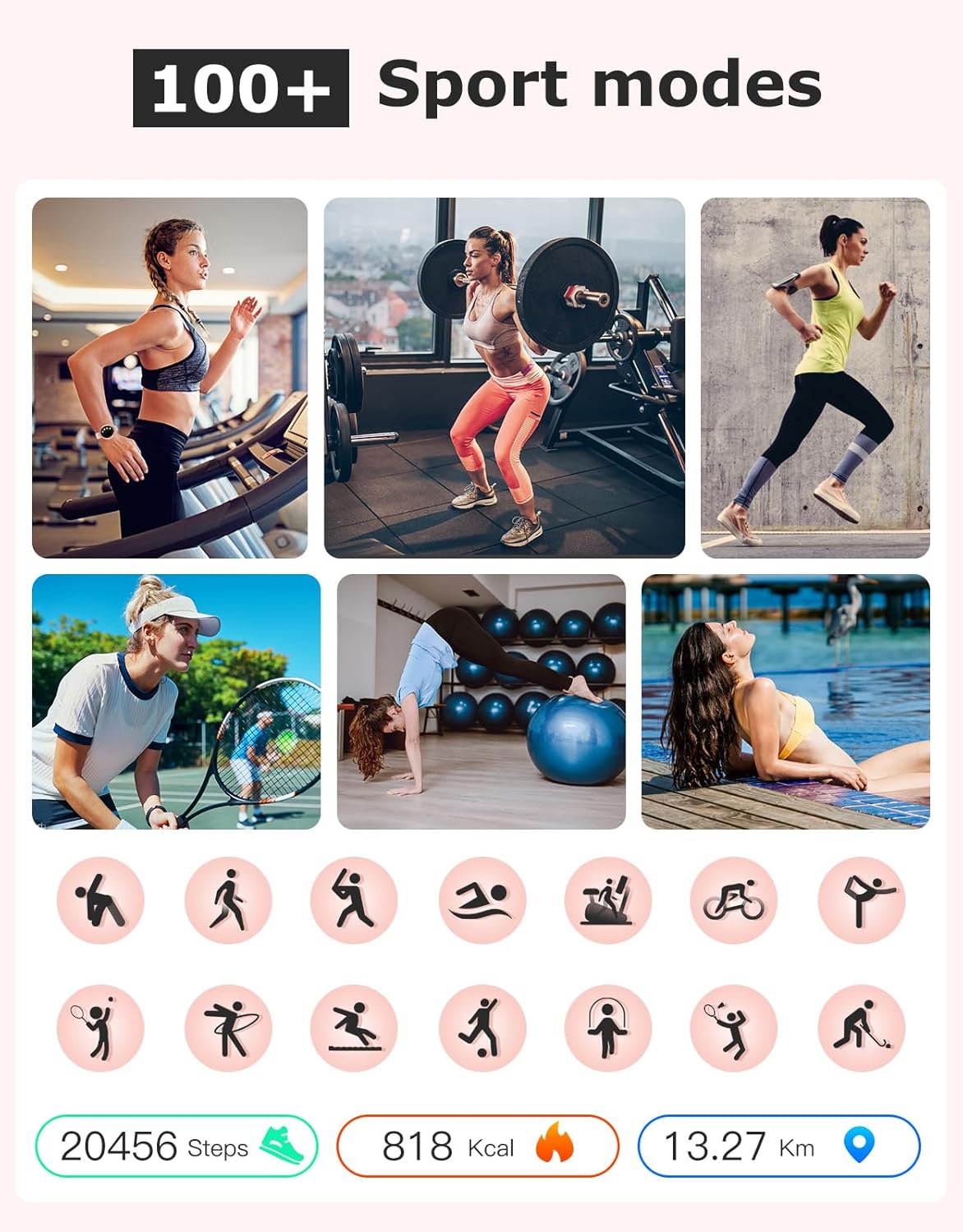
Figure 4.1: Bluetooth call and notification features on the smart watch.
4.3 Pemberitahuan
The watch will vibrate to notify you of incoming calls, text messages, and social media notifications (e.g., WhatsApp, Facebook, Line) once enabled through the InxFit app settings.
4.4 Activity and Fitness Tracking
The SHANG WING LYNN Smart Watch tracks various daily activities and supports over 100 sports modes.
- Aktiviti Harian: Automatically tracks steps, distance, and calories burned.
- Mod Sukan: Select from over 100 sports modes (e.g., walking, running, cycling, yoga) to get real-time data during your workouts.

Gambar 4.2: Cthamples of 100+ sport modes available on the smart watch.
4.5 Pemantauan Kesihatan
The watch provides continuous monitoring of key health metrics:
- Pemantau Kadar Jantung: Mengesan kadar denyutan jantung anda 24/7.
- Pemantau Oksigen Darah: Measures your blood oxygen saturation (SpO2) levels.
- Penjejak Tidur: Analyzes your sleep quality, including deep sleep, light sleep, and REM stages.

Figure 4.3: Heart Rate and Blood Oxygen monitoring features.

Figure 4.4: Sleep monitoring interface showing deep, light, and REM sleep.
4.6 Muka Jam Tangan Peribadi
Customize your watch face with various existing dials or by uploading your own photos through the InxFit app.
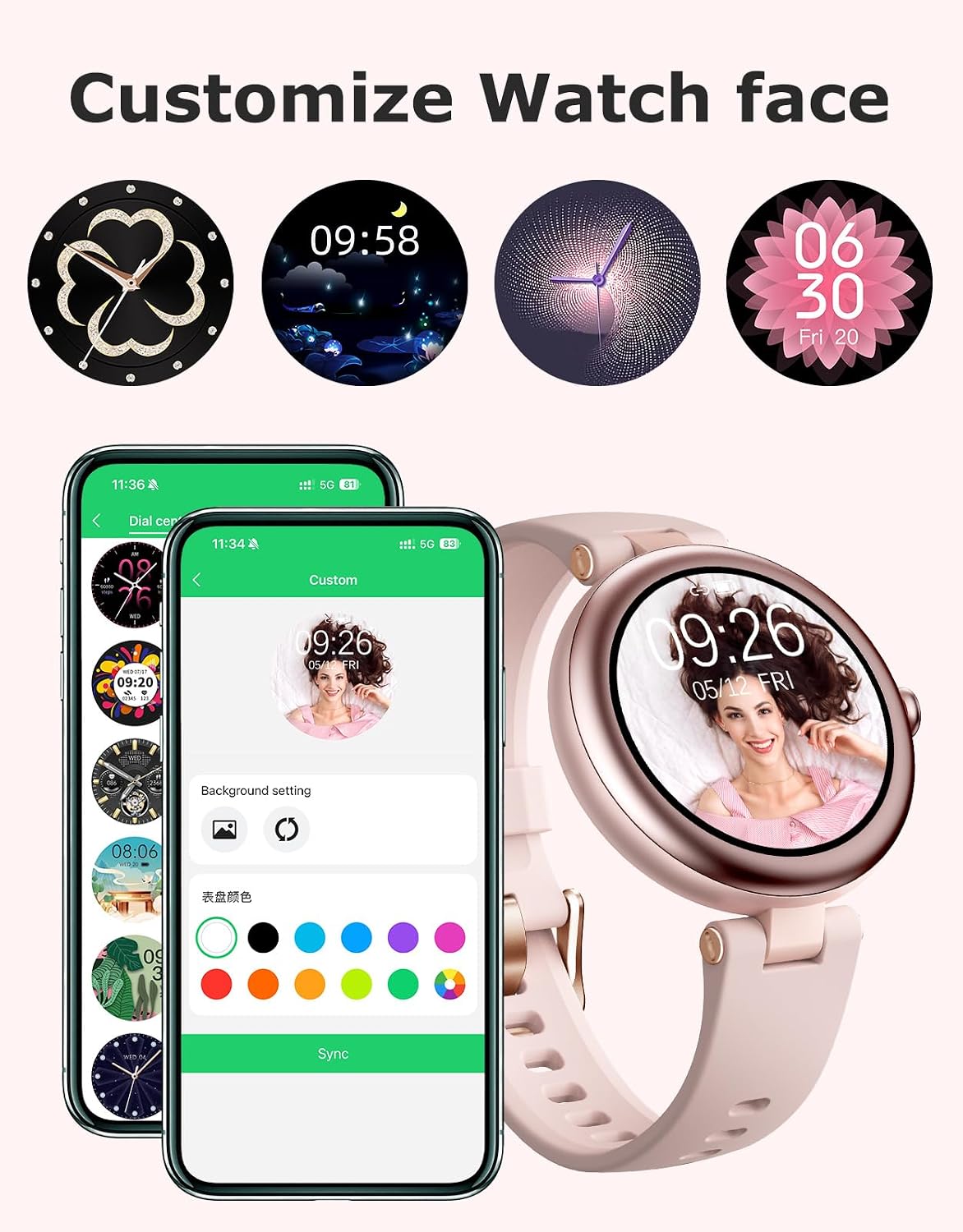
Figure 4.5: Customizing watch faces via the InxFit app.
4.7 Ciri Tambahan
The SHANG WING LYNN Smart Watch includes several practical tools:
- Jam Penggera
- Ramalan Cuaca
- Latihan Nafas
- Kawalan Muzik
- Jam randik
- Find Your Phone function
- Do Not Disturb switch

Gambar 4.6: Lebihview of additional smart watch features.
5. Penyelenggaraan
5.1 Membersihkan Jam Tangan Pintar Anda
Regularly clean your smart watch to ensure optimal performance and hygiene. Use a soft, lint-free cloth to wipe the screen and body. For stubborn dirt, slightly dampen kain dengan air. Elakkan menggunakan bahan kimia yang keras atau bahan yang melelas.
5.2 Rintangan Air (IP68)
The SHANG WING LYNN Smart Watch has an IP68 waterproof rating, meaning it is resistant to dust and can withstand immersion in water up to 1.5 meters for 30 minutes. It is suitable for daily use, such as hand washing, sweating, and light rain. However, it is not recommended for swimming, diving, or hot showers/saunas, as steam and hot water can damage the seals.
5.3 Penjagaan Bateri
To prolong the battery life of your smart watch:
- Elakkan suhu yang melampau.
- Jangan biarkan jam tangan dalam keadaan nyahcas sepenuhnya untuk tempoh yang lama.
- Charge the watch using the provided charging cable.
6. Penyelesaian masalah
If you encounter issues with your SHANG WING LYNN Smart Watch, refer to the following common problems and solutions:
| Masalah | Kemungkinan Punca / Penyelesaian |
|---|---|
| Jam tangan tidak boleh dihidupkan atau dicas. |
|
| Tidak boleh memasangkan jam tangan dengan aplikasi. |
|
| Pemberitahuan tidak diterima. |
|
| Inaccurate health data (HR, SpO2, Sleep). |
|
If the problem persists, please refer to the support section or contact customer service.
7. Spesifikasi
| Ciri | Perincian |
|---|---|
| Nombor Model | LYNN |
| Dimensi Produk | 9.45 x 1.57 x 0.43 inci |
| Berat Barang | 1.16 auns (33 Gram) |
| Saiz Skrin | 1.09 Inches (Round Display) |
| Sistem Operasi | Android (Compatible with iOS 9.0+/Android 6.0+) |
| Teknologi Ketersambungan | Bluetooth |
| Tahap Kalis Air | IP68 |
| Jenis Bateri | Polimer Litium (1 diperlukan, termasuk) |
| Hayat Bateri (Penggunaan Biasa) | Sehingga 5 Hari |
| Masa Tunggu Sedia | Sehingga 30 Hari |
| Ciri Khas | Alarm Clock, Answer/Make Calls, Multisport Tracker, Notifications, Touchscreen, Heart Rate Monitor, Blood Oxygen Monitor, Sleep Tracker, Music Control, Weather Forecast, Breath Training, Find Phone, Do Not Disturb |
| GPS | Tiada GPS |
| warna | Merah jambu |
8. Waranti dan Sokongan
For warranty information and customer support, please refer to the product packaging or contact SHANG WING customer service through the retailer where the product was purchased. Keep your purchase receipt as proof of purchase.


