Manual Pengguna Jam Tangan Pintar Amazfit Balance 46mm
Model: A2287
Jenama: Amazfit
pengenalan
This manual provides essential information for operating your Amazfit Balance Smart Watch 46mm. It covers setup, feature usage, maintenance, and troubleshooting to ensure optimal performance and user experience.
Apa yang ada dalam Kotak
Jam tangan pintar
Kabel pengecasan magnetik
Manual arahan
Persediaan
Mengecas Peranti
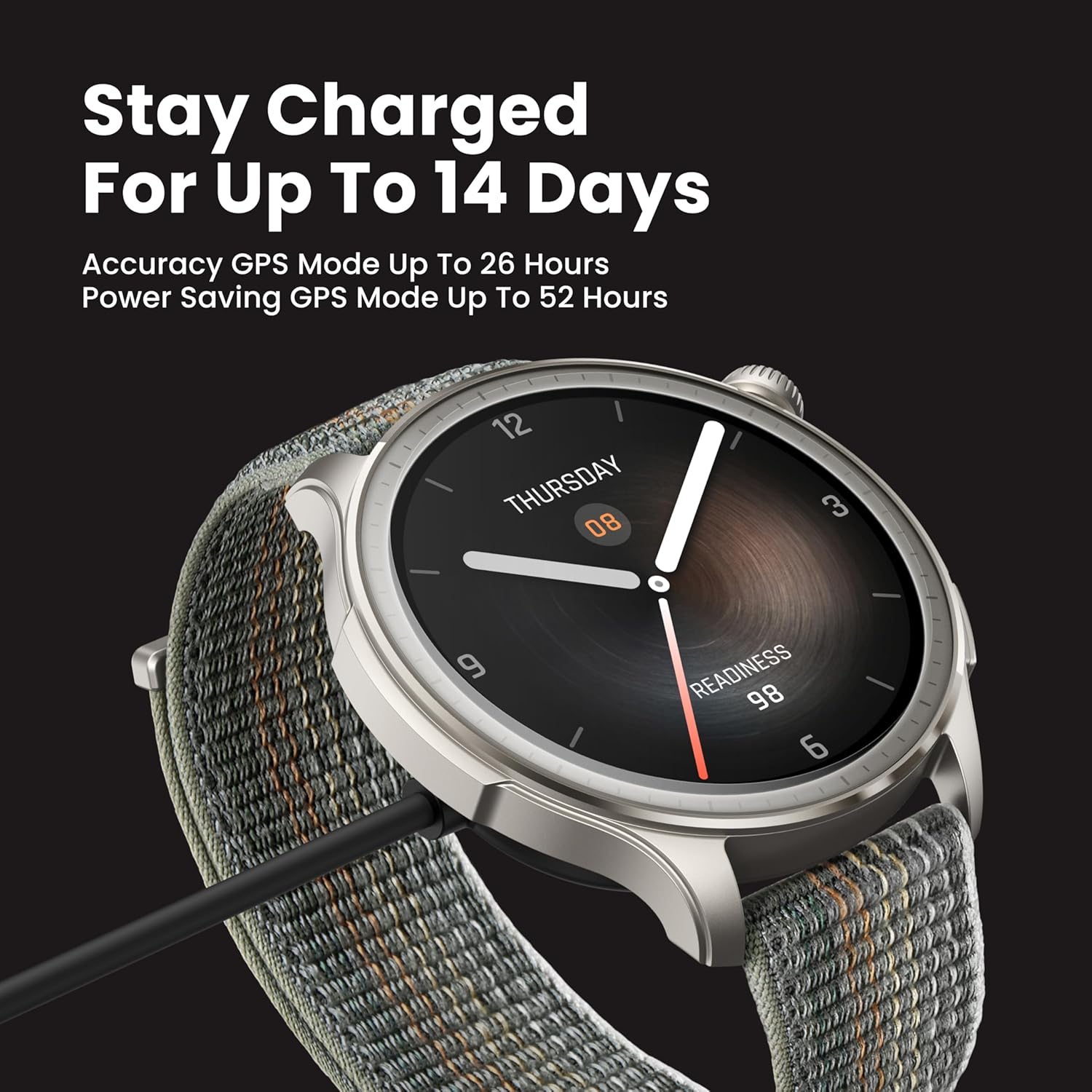
Connect the magnetic charging cable to the charging port on the back of the watch. Connect the USB-A end of the cable to a power adapter (not included) or a computer's USB port. Ensure the watch is fully charged before first use.
Image: The Amazfit Balance Smart Watch connected to its magnetic charging cable, illustrating the charging process. The watch face displays "Stay Charged For Up To 14 Days".
Pairing with the Zepp App
Download and install the Zepp App on your smartphone (available on iOS and Android). Open the Zepp App, go to Profile > My device > "+Add" > Watch > Watch with QR code. Scan the QR code displayed on the watch face and confirm pairing on the watch.
Video: Official Amazfit Balance Operation Instructions demonstrating the pairing process with the Zepp App.
Ciri-ciri dan Arahan Pengendalian
Paparan dan Navigasi
The Amazfit Balance features a vibrant 1.5-inch AMOLED display with anti-glare glass bezel, offering clear visibility even in bright sunlight. Navigate the watch using touch gestures and the physical buttons.
Image: Close-up of the Amazfit Balance Smart Watch display showing a watch face with time and "Readiness" score.
Penjejakan Kesihatan
The watch monitors key health metrics including heart rate, blood-oxygen levels, and stress. It provides alerts for abnormal readings and detailed insights into overall wellness.
Pemantauan Denyut Jantung: Continuous tracking with alerts for unusual activity.
Oksigen Darah (SpO2): On-demand measurement for blood oxygen levels.
Pemantauan Tekanan: Tracks stress levels throughout the day and provides insights for management.
Penjejakan Tidur: Analyzes sleep quality, including heart rate, breathing, and temperature, to provide insights into mental and physical readiness.
Imej: Belakang view of the Amazfit Balance Smart Watch highlighting the optical heart rate sensor for continuous health monitoring.
Analisis Komposisi Badan
The Amazfit Balance can track body fat, muscle mass, and other body composition metrics. This feature offers insightful analysis of your health and fitness progression.
Video: Official Amazfit video demonstrating how to measure body composition using the Amazfit Balance Smart Watch.
Image: The Amazfit Balance Smart Watch displaying body composition data, including body fat and skeletal muscle percentages, with indicators for normal and optimal ranges.
Workout Modes and GPS
The watch supports over 150 sports modes and features dual-band GPS for precise tracking of outdoor activities. Data can be synced with popular health apps like Strava and Google Fit.
Image: The Amazfit Balance Smart Watch screen showing a list of various workout modes, including running, cycling, yoga, and strength training.
Ciri Pintar
Panggilan Bluetooth: Buat dan terima panggilan terus dari jam tangan anda.
Amazon Alexa Built-In: Use voice commands for smart assistance.
AI Assistant (Zepp Flow): Provides speech-to-text message replies and allows adjustment of watch settings.
Kawalan Muzik: Control music playback from your phone or store up to 250MB of music directly on the watch.
Image: A person interacting with the Amazfit Balance Smart Watch, which displays speech-to-text message replies and options to adjust settings using AI.
Zepp App Overview
The Zepp App is the central hub for managing your Amazfit Balance Smart Watch and reviewing your health and fitness data. It offers detailed insights into sleep, activity, stress, and workout performance.
Image: A smartphone screen showing the Zepp App login page, with options to download from the App Store and Google Play.
Analisis Data
The app provides comprehensive data analysis for:
Berakhirview: Daily steps, calories, heart rate, SpO2, stress, and PAI scores.
tidur: Sleep duration, regularity, deep sleep, REM sleep, and awakening times. Includes bedtime journal and wake-up mood tracking.
Exertion: Tracks workout intensity and recovery. Offers personalized training plans via Zepp Coach.
Pengurusan Peranti
Use the app to customize watch faces, manage app lists, set notifications and reminders, and update device settings.
Spesifikasi
Ciri
Perincian
Nombor Model
A2287
Paparan
AMOLED 1.5 inci
Hayat Bateri (Penggunaan Biasa)
Sehingga 14 hari
Hayat Bateri (Mod Penjimat)
Sehingga 25 hari
Masa Mengecas
lebih kurang 1.5 jam
Tahan Air
5 ATM (sehingga 50 meter)
GPS
GPS terbina dalam
Ketersambungan
Bluetooth
Sistem Operasi
Zepp OS 4
Berat badan
35 Gram
Dimensi
1.81 x 1.81 x 0.42 inci
Penyelenggaraan
Pembersihan
Regularly clean your watch and strap to prevent skin irritation and maintain device functionality. Use a soft, lint-free cloth. If necessary, dampen the cloth with fresh water. Do not use soap or other cleaning products.
Penyimpanan
Simpan jam tangan di tempat yang sejuk dan kering jauh dari cahaya matahari langsung dan suhu yang melampau.
Menyelesaikan masalah
Isu Biasa
Tonton tidak dihidupkan: Pastikan jam tangan dicas sepenuhnya. Sambungkannya ke pengecas selama sekurang-kurangnya 10 minit.
Isu gandingan: Pastikan Bluetooth didayakan pada telefon anda dan jam tangan berada dalam julat. Mulakan semula kedua-dua peranti dan cuba pasangkan semula.
Bacaan kadar denyutan jantung yang tidak tepat: Ensure the watch is worn snugly, one finger away from the wrist bone. Clean the sensor on the back of the watch.
Display visibility in sunlight: Adjust the brightness settings manually via the watch's control center.
Waranti dan Sokongan
For warranty information, technical support, or service inquiries, please visit the official Amazfit website or contact their customer service. The product comes with a standard manufacturer's warranty.
Manual Pengguna Jam Tangan Pintar Amazfit Bip 5 Manual pengguna yang komprehensif untuk jam tangan pintar Amazfit Bip 5, meliputi persediaan, gandingan, kemas kini sistem, pemantauan kesihatan (degupan jantung, oksigen darah, tekanan, tidur, PAI), mod senaman, pemberitahuan, panggilan Bluetooth, ciri suara Alexa dan tetapan peranti. Ketahui cara mengoptimumkan Amazfit Bip 5 anda untuk kegunaan harian dan penjejakan kecergasan.
Manual Pengguna Amazfit Cheetah Pro Manual pengguna yang komprehensif untuk jam tangan pintar Amazfit Cheetah Pro, merangkumi persediaan awal, penggandingan, kemas kini sistem, operasi asas, gerak isyarat, pusat kawalan, pencarian telefon anda, muka jam, mod senaman, GPS, penjejakan kesihatan (kadar denyutan jantung, oksigen darah, tekanan, aktiviti), Zepp Coach, navigasi, main balik muzik, ciri suara dan pelbagai tetapan jam tangan.
Baki Amazfit Manuale Utente (A2286/A2287) Manuale completo per lo smartwatch Amazfit Balance (modelli A2286/A2287), che copre il contenuto della confezione, le informazioni sull'orologio, l'associazione con l'app Zepp, la misurazione della composizione corporea, la ricarica, la sostituzione del cinturino, le istruzioni per l'uso, le specifiche tecniche, la sicurezza, la manutenzione e la garanzia.
Amazfit Bip 5 Smartwatch User Manual: Setup, Features, and Health Tracking Guide The Amazfit Bip 5 User Manual provides comprehensive instructions for connecting, pairing, and operating the Amazfit Bip 5 smartwatch. Learn about system updates, wearing guidelines, basic gestures, notifications, Bluetooth calling, watch faces, workout modes, GPS positioning, automatic workout identification, and health monitoring features including heart rate, blood oxygen, stress, sleep tracking, PAI, and cycle tracking. This guide also covers device apps, music control, alarms, to-dos, stopwatch, countdown, camera remote, weather, app management, and watch settings for optimal user experience.
Manual Pengguna Amazfit Active 2: Ciri, Operasi dan Pemantauan Kesihatan Manual pengguna yang komprehensif untuk jam tangan pintar Amazfit Active 2, merangkumi sambungan, penggandingan, kemas kini sistem, arahan pemakaian, operasi asas, pusat kawalan, muka jam, pemberitahuan, panggilan Bluetooth, senaman, navigasi, penjejakan kesihatan (kadar denyutan jantung, oksigen darah, tekanan, aktiviti, tidur, PAI) dan tetapan peranti.
Manual Pengguna Amazfit Active - Panduan Komprehensif Terokai Manual Pengguna Amazfit Active untuk arahan terperinci tentang persediaan, ciri, mod senaman, penjejakan kesihatan dan banyak lagi. Ketahui cara memasangkan peranti anda, menyesuaikan muka jam tangan dan menggunakan fungsi lanjutan untuk pengalaman yang optimum.