1. Produk Lebihview
The VTech CS1500 DECT cordless phone is designed for home use, offering essential communication features with enhanced convenience. This manual provides instructions for setting up, operating, and maintaining your phone.
Ciri-ciri Utama:
- Dual-Charging Design: Innovative design allows the handset to be charged face up for easy screen viewing or face down for a compact profile.
- Penyekatan Panggilan: Block up to 60 unwanted numbers to prevent nuisance calls.
- ECO DECT Mode: Automatically adjusts radio frequency power based on distance from the base station, ensuring reduced energy consumption.
- Hayat Bateri yang Panjang: Provides up to 13 hours of talk time and 200 hours of standby time.
- Paparan Lampu Belakang: Clear, easy-to-read display for optimal visibility.
- Buku telefon: Simpan sehingga 60 nama dan nombor untuk dail pantas.
- ID Pemanggil/Menunggu Panggilan: Stores up to 20 incoming call entries with name, number, time, and date.
- Dail Semula Nombor Terakhir: Easily redial the last 10 numbers called.
- Telefon Pembesar Suara Bebas Tangan: For convenient conversations.
- Fungsi Tambahan: Adjustable ringtone volume and melodies, alarm function, mute function, 3-way conference, call transfer, and intercom.

Figure 1: VTech CS1500 DECT Cordless Phone Handset in Charging Base.
2. Kandungan Pakej
Pastikan pakej anda mengandungi item berikut:
- VTech CS1500 Handset
- Stesen Pangkalan dengan Penyesuai Kuasa
- Tali Talian Telefon
- Rechargeable Batteries (1 product specific - included)
- Manual Pengguna (dokumen ini)
3. Panduan Persediaan
3.1 Pemasangan Bateri
- Buka penutup petak bateri di belakang telefon bimbit.
- Masukkan bateri boleh dicas semula yang dibekalkan, dengan memerhatikan kekutuban yang betul (+ dan -).
- Tutup penutup petak bateri dengan selamat.
3.2 Base Station Placement and Connection
- Place the base station on a flat, stable surface, away from heat sources and direct sunlight.
- Connect the small end of the power adapter to the power jack on the base station.
- Palamkan hujung besar penyesuai kuasa ke dalam salur keluar dinding.
- Connect one end of the telephone line cord to the telephone line jack on the base station.
- Palamkan hujung satu lagi kord talian telefon ke dalam bicu dinding telefon.
3.3 Initial Charging and Handset Registration
- Place the handset in the base station to charge. The handset can be placed face up or face down.
- Allow the handset to charge for at least 16 hours before initial use to ensure full battery capacity.
- The handset is typically pre-registered to the base station. If not, follow the on-screen prompts or refer to the full manual for manual registration steps.

Figure 2: Handset dual-charging design, allowing face-up or face-down placement in the base.

Figure 3: Illustration of the phone's reliable long-range signal within a home environment.
4. Arahan Operasi
4.1 Membuat dan Menerima Panggilan
- Untuk Membuat Panggilan: Tekan ke Cakap button (green phone icon), then dial the number. Alternatively, dial the number first and then press Cakap.
- Untuk Menerima Panggilan: Apabila telefon berdering, tekan butang Cakap butang.
- Untuk Menamatkan Panggilan: Tekan ke tamat button (red phone icon) or place the handset back in the base station.
4.2 Menggunakan fon pembesar suara
Semasa panggilan, tekan Telefon pembesar suara button (speaker icon) to activate hands-free mode. Press it again to return to handset mode.
4.3 Buku Telefon
The phonebook stores up to 60 names and numbers.
- To Add an Entry: Navigasi ke menu Buku Telefon, pilih 'Tambah Baharu', masukkan nama dan nombor, kemudian simpan.
- To Dial from Phonebook: Tekan ke Buku telefon button, scroll to the desired entry, and press Cakap.
4.4 Penyekatan Panggilan
Block unwanted calls by adding numbers to the call block list (up to 60 entries).
- Untuk Menyekat Nombor: During an incoming call or from the Caller ID log, press the Blok Panggilan button (shield icon) and confirm.

Figure 4: Close-up of the handset highlighting the call block button, used to prevent unwanted calls.
4.5 Caller ID and Call Log
The phone displays the caller's information (if available) and stores the last 20 incoming calls.
- Kepada View Log panggilan: Tekan ke CID button or navigate to the Call Log menu. Use the navigation keys to scroll through entries.
- To Dial from Call Log: Select an entry from the Call Log and press Cakap.

Figure 5: Handset display showing caller ID information and a list of stored incoming calls.
4.6 Dail Semula Nombor Terakhir
The phone stores the last 10 numbers dialed.
- Untuk Dail Semula: Tekan ke Panggil semula button, scroll to the desired number, and press Cakap.

Figure 6: Handset display showing a number being redialed, illustrating the last 10 number redial function.
4.7 Fungsi Lain
- Redam: Semasa panggilan, tekan bisu button to temporarily disable your microphone.
- penggera: Set an alarm through the handset menu.
- Interkom: If you have multiple handsets, you can make internal calls between them.
- Persidangan 3 Hala: Allows three parties to participate in a single call.

Figure 7: A user on a call, with an indicator showing the phone's 13-hour talk time capability.
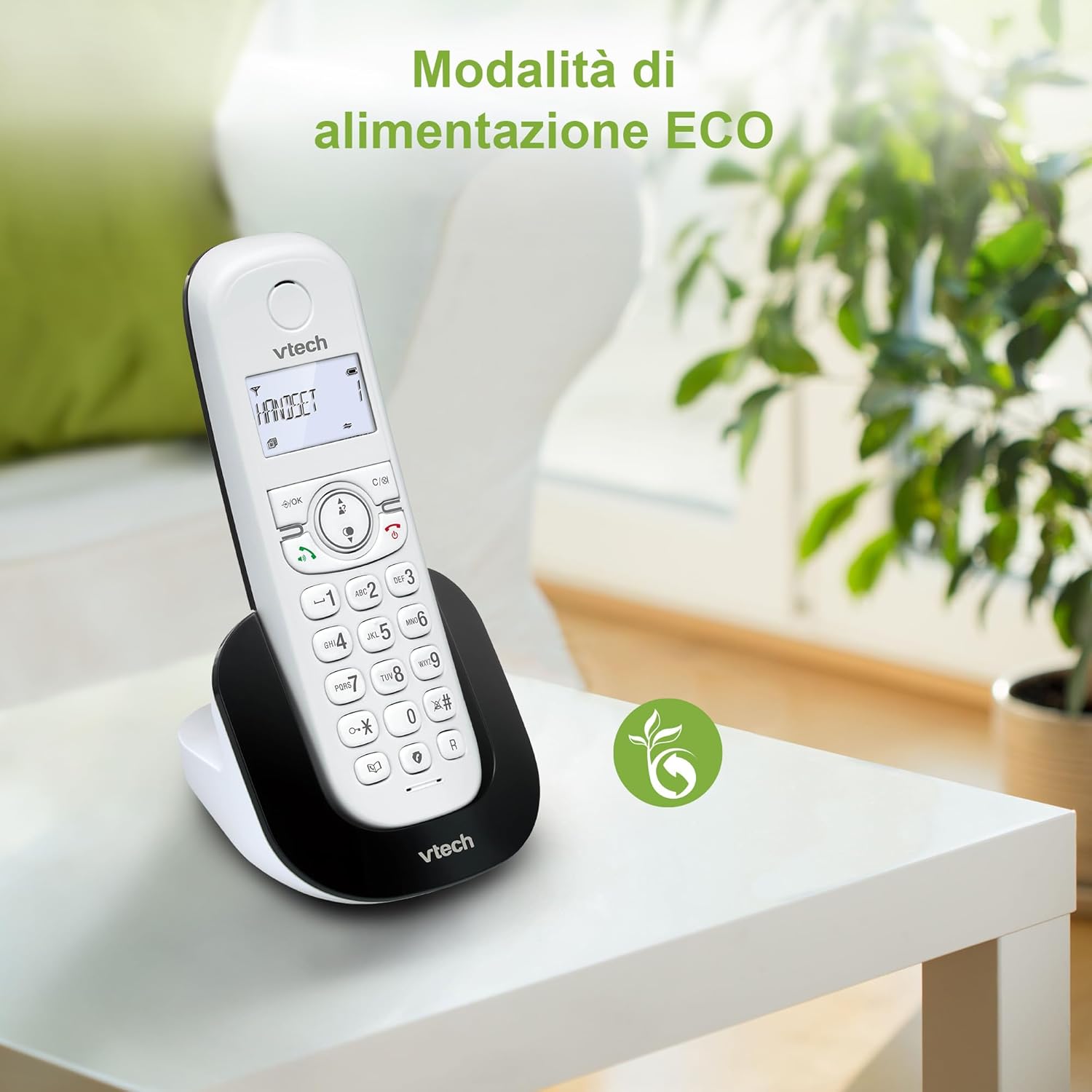
Figure 8: The phone in a home setting, indicating the energy-saving ECO power mode.
5. Penyelenggaraan
5.1 Pembersihan
- Lap telefon dan stesen pangkalan dengan kain lembut,amp kain.
- Do not use cleaning sprays or harsh chemicals, as these can damage the surface or internal components.
5.2 Penjagaan Bateri
- To maintain optimal battery performance, always return the handset to the base station when not in use.
- Jika telefon tidak akan digunakan untuk tempoh yang lama, tanggalkan bateri untuk mengelakkan kebocoran.
- Replace batteries when their performance significantly degrades. Use only VTech-approved replacement batteries.
6. Penyelesaian masalah
If you experience issues with your VTech CS1500, try the following solutions:
| Masalah | Penyelesaian |
|---|---|
| Tiada nada dail | Ensure the base station power adapter and telephone line cord are securely connected. Check if other phones on the same line are working. |
| Tidak boleh membuat/menerima panggilan | Check the telephone line connection. Ensure the handset batteries are charged. If multiple handsets, ensure they are registered. |
| Kualiti bunyi yang lemah | Move closer to the base station. Ensure there are no large metal objects or other electronic devices interfering with the signal. |
| Paparan telefon bimbit kosong | Place the handset in the base station to charge. The battery may be depleted. |
| Telefon bimbit tidak dicas | Ensure the power adapter is connected to the base station and a working wall outlet. Clean the charging contacts on both the handset and base station. |
7. Spesifikasi
| Ciri | Perincian |
|---|---|
| Jenama | VTech |
| Nombor Model | CS1500 |
| warna | putih |
| Jenis Telefon | Tanpa wayar |
| Ciri Khas | Tanpa wayar |
| Peranti Serasi | PSTN |
| Bilangan Bateri | 1 (Product Specific - Included) |
| bahan | plastik |
| Sumber Kuasa | Dikuasakan Bateri |
| Jenis Pendail | Papan kekunci tunggal |
| Jenis Sistem Menjawab | Digital (Note: Product description does not explicitly mention an answering machine feature.) |
| Berat Barang | 350 Gram |
| Pengeluar | VTECH TELECOMMUNICATIONS LTD |
| Negara Asal | China |
8. Waranti dan Sokongan
For warranty information and technical support, please refer to the warranty card included with your product or visit the official VTech website. You can typically find support contact details, FAQs, and additional resources there.
VTech Official Webtapak: www.vtechphones.com


