1. Pengenalan
This manual provides instructions for the assembly, operation, maintenance, and troubleshooting of your FLEXISPOT E6 Pro Electric Standing Desk. Please read this manual thoroughly before use to ensure proper function and safety.

Figure 1: FLEXISPOT E6 Pro Electric Standing Desk
2. Maklumat Keselamatan
Langkah-langkah Keselamatan Penting:
- Ensure the desk is properly anchored to the wall or floor when height is adjusted, especially if loading heavy items.
- Jauhkan kanak-kanak dan haiwan peliharaan daripada meja semasa operasi untuk mengelakkan kecederaan akibat bahagian yang bergerak.
- Do not place hands or other body parts near the lifting mechanism while the desk is in motion.
- Jangan membebankan meja. Rujuk bahagian spesifikasi untuk kapasiti berat maksimum.
- Hanya gunakan penyesuai kuasa dan komponen yang disediakan.
- If any unusual sounds or movements occur, immediately stop operation and unplug the desk.
3. Arahan Perhimpunan
Assembly is required for this product. It is recommended to have two people for assembly due to the weight and size of the components. All necessary hardware and tools are typically included. Follow the steps below for a smooth assembly process.
3.1 Membongkar dan Penyediaan
- Buka pembungkusan dengan berhati-hati dan keluarkan semua komponen.
- Verify all parts are present against the included parts list.
- Letakkan semua komponen pada permukaan yang lembut dan bersih untuk mengelakkan calar.
3.2 Pemasangan Bingkai
Attach the desk legs to the crossbar and feet. Ensure all screws are tightened securely.
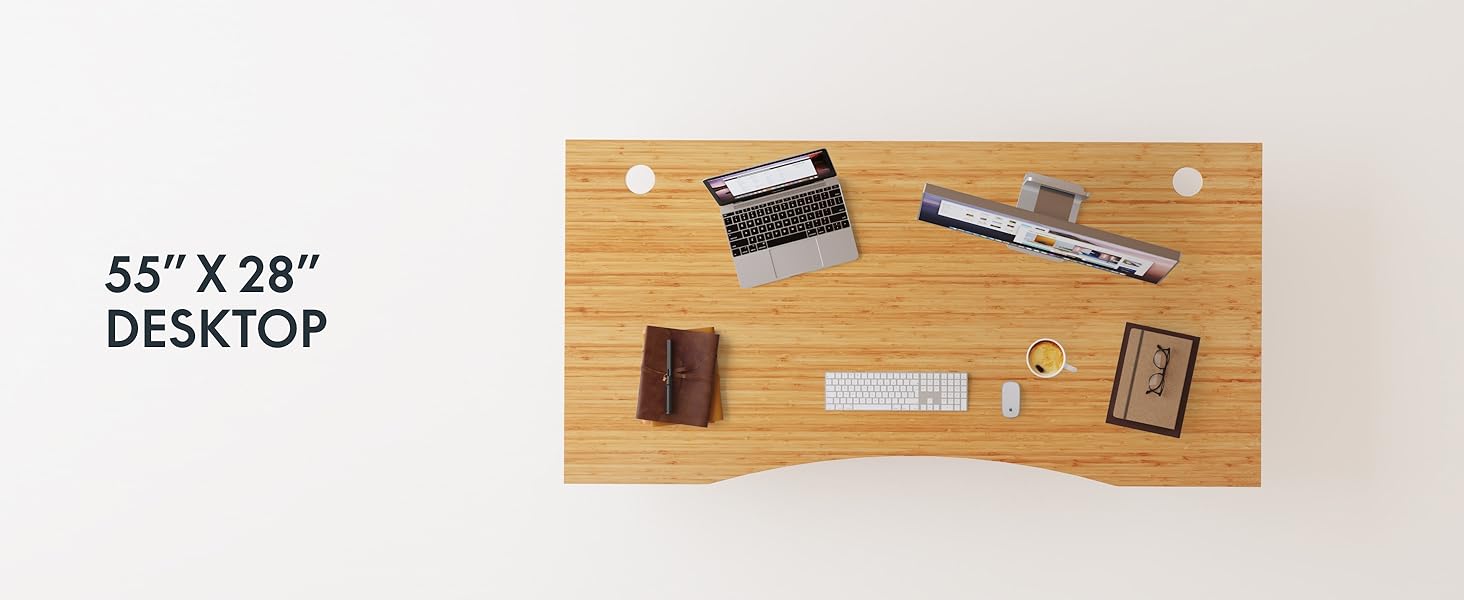
Figure 2: Desk Frame Assembly
3.3 Desktop Attachment
Carefully place the bamboo desktop onto the assembled frame. Align the pre-drilled holes and secure the desktop with the provided screws. The desktop features a curved design for ergonomic comfort.

Figure 3: Curved Bamboo Desktop
3.4 Control Panel and Cable Management
Mount the digital control panel to the underside of the desk. Connect all motor and power cables according to the diagram. Utilize the integrated cable management holes to organize wires and prevent clutter.

Figure 4: Control Panel and Cable Management

Figure 5: Cable Management Hole
4. Arahan Operasi
The FLEXISPOT E6 Pro desk features a user-friendly digital control panel for height adjustment and memory presets.

Rajah 6: Panel Kawalan Digital
4.1 Melaraskan Ketinggian Meja
- Tekan ke Anak panah atas butang untuk menaikkan meja.
- Tekan ke Anak panah ke bawah butang untuk menurunkan meja.
- Lepaskan butang pada ketinggian yang anda inginkan.
4.2 Menetapkan Pratetap Memori
The control panel allows you to save up to two preferred height settings.
- Laraskan meja mengikut ketinggian yang anda inginkan.
- Tekan ke "M" butang. Paparan akan berkelip.
- Tekan sama ada "1" or "2" button within 3 seconds to save the current height to that preset.
- To recall a saved height, simply press the corresponding "1" or "2" button. The desk will automatically move to the saved position.
4.3 Port Pengecasan USB
A USB port is integrated into the control panel for convenient charging of your devices.
4.4 Anti-Collision Function
The desk is equipped with an anti-collision system that automatically stops and slightly reverses movement if it encounters an obstruction during height adjustment. This feature helps prevent damage and injury.

Rajah 7: Sistem Anti-Perlanggaran sedang berfungsi
5. Penyelenggaraan
Penyelenggaraan yang kerap memastikan jangka hayat dan prestasi optimum meja berdiri anda.
- Pembersihan: The bamboo desktop has a smooth, waterproof surface, making it easy to clean. Use a soft, damp cloth with mild soap to wipe down the surface. Avoid abrasive cleaners or harsh chemicals.
- Pemeriksaan: Periksa semua skru dan sambungan secara berkala untuk memastikan ia ketat. Ketatkan semula jika perlu.
- Pengurusan Kabel: Ensure cables are neatly organized and not pinched or tangled, which could affect desk operation.

Figure 8: Waterproof Bamboo Surface
6. Penyelesaian masalah
If you encounter issues with your FLEXISPOT E6 Pro desk, refer to the following common problems and solutions:
| Masalah | Kemungkinan Punca | Penyelesaian |
|---|---|---|
| Meja tidak bergerak. | Power cable disconnected, control panel locked, or motor error. | Check power connections. Unlock control panel if applicable. Unplug for 10 seconds and plug back in to reset. |
| Pelarasan ketinggian tidak sekata. | Uneven load, loose connections, or motor synchronization issue. | Ensure weight is evenly distributed. Check all frame connections. Perform a reset procedure (refer to full manual if available). |
| Desk stops unexpectedly. | Anti-collision system activated, or overload. | Check for obstructions. Reduce weight on the desk if exceeding maximum capacity. |
| Bunyi bising semasa operasi. | Loose components or normal motor sound. | Tighten all screws. A low hum from the dual motors (less than 45 dB) is normal. |
If the problem persists, please contact FLEXISPOT customer support.
7. Spesifikasi
| Ciri | Perincian |
|---|---|
| Jenama | FLEXISPOT |
| Nombor Model | ET365 |
| Dimensi Produk | 77.9"D x 29.5"W x 23.6"H |
| Saiz Desktop | 78"x30" Keseluruhan |
| warna | Black Frame + Curved Bamboo Top |
| Bahan Asas | logam |
| Jenis Bahan Atas | Wood (Bamboo) |
| Mekanisme Mengangkat | Motor Dwi Elektrik |
| Ketinggian Minimum | 23.6 Inci |
| Ketinggian Maksimum | 48.8 Inci |
| Cadangan Berat Maksimum | 352 paun |
| Tahap Kebisingan | Kurang daripada 45 dB |
| Perhimpunan yang Diperlukan | ya |
8. Waranti & Sokongan
8.1 Maklumat Waranti
FLEXISPOT provides the following warranty coverage for your E6 Pro Electric Standing Desk:
- Perlindungan 10 Tahun: Desk frame and motor.
- Perlindungan 2 Tahun: Control panel and electronics.
This warranty covers manufacturing defects and malfunctions under normal use. Please retain your proof of purchase for warranty claims.
8.2 Sokongan Pelanggan
For any assistance, questions, or warranty claims, please contact FLEXISPOT customer support. You can find more information and contact details on the official FLEXISPOT webtapak atau melalui platform pembelian anda.
Lawati Kedai FLEXISPOT rasmi: Kedai FLEXISPOT di Amazon


