pengenalan
Thank you for choosing the Cherry KW 3000 Wireless Keyboard. This full-size keyboard is designed for quiet and comfortable typing, featuring 2.4 GHz wireless technology for reliable connectivity with Windows and Mac operating systems. This manual provides essential information for setting up, operating, and maintaining your keyboard.
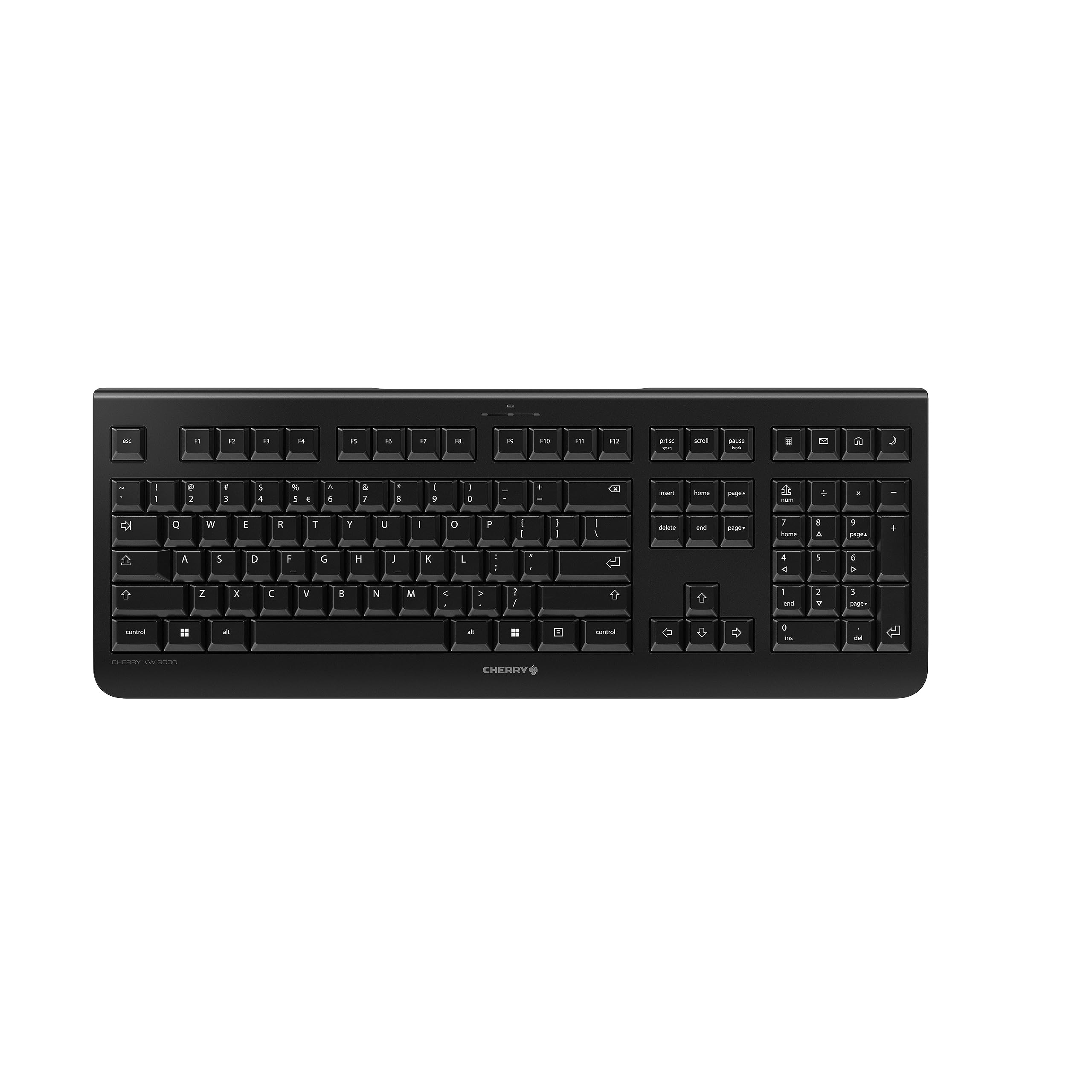
Image: The Cherry KW 3000 Wireless Keyboard, a full-size black keyboard, is shown on a light-colored desk mat. A laptop and an external monitor are visible in the background, indicating a typical office or home workspace setup. A computer mouse is also next to the keyboard.
Kandungan Pakej
Sila semak pakej untuk item berikut:
- Cherry KW 3000 Wireless Keyboard
- USB Nano Receiver (dongle)
- 2 x Bateri AAA
- Panduan Mula Pantas (dokumen ini)
Persediaan
Follow these steps to set up your Cherry KW 3000 Wireless Keyboard:
- Masukkan Bateri: Locate the battery compartment on the underside of the keyboard. Open the cover and insert the two AAA batteries, ensuring correct polarity (+/-). Close the battery cover securely.
- Sambungkan Penerima USB: Plug the USB nano receiver into an available USB-A port on your computer (Windows or Mac). The operating system will automatically detect and install the necessary drivers.
- Mula Menaip: Your keyboard is now ready for use. There is no on/off switch; the keyboard enters a power-saving sleep mode automatically when not in use and wakes up with any key press.

Image: The underside of the keyboard is shown, highlighting the battery compartment. The adjustable feet are also visible in their extended position.

Image: A small black USB nano receiver, labeled 'CHERRY', is shown on a light-colored surface, ready to be plugged into a computer's USB port.
Arahan Operasi
Penggunaan Asas
The Cherry KW 3000 features a standard full-size QWERTY layout, including a numeric keypad and function keys. Simply begin typing as you would with any standard keyboard.
Kekunci panas
The keyboard includes four dedicated hotkeys for quick access to common functions:
- Kalkulator: Opens the calculator application.
- E-mel: Melancarkan klien e-mel lalai anda.
- pelayar: Membuka lalai anda web pelayar.
- Mod tidur: Puts your computer into sleep mode.

Imej: Dari dekat view of the upper right section of the keyboard, showing the four dedicated hotkeys with icons for calculator, email, web browser, and sleep mode.
Kaki Boleh Laras
For ergonomic comfort, the keyboard is equipped with stable fold-out feet on the underside. You can extend these feet to adjust the typing angle to your preference. The keyboard also features a non-slip bottom for stability.
Imej: Pro sampinganfile of the Cherry KW 3000 keyboard, illustrating its slim design and the adjustable feet extended to provide an elevated typing angle.
Ciri-ciri
- 2.4 GHz Wireless Technology: Provides a stable and reliable connection with a range of up to 10 meters.
- Reka Letak Saiz Penuh: Includes a numeric keypad and cursor keys for comprehensive functionality.
- Quiet Membrane Keys: Designed for low-noise typing, ideal for office and home environments.
- Reka bentuk tahan lasak: Built for longevity with a keystroke lifespan of up to 10 million actuations.
- Kekunci pintas: Four convenient hotkeys for quick access to essential applications.
- Ergonomik Boleh Laras: Fold-out feet allow for customizable typing angles.
- Pasang & Main: Easy installation without the need for complex software.

Image: A close-up of the keyboard keys, emphasizing their low-profile design and durable lettering, indicative of a quiet and long-lasting typing experience.
Penyelenggaraan
Pembersihan
To clean your keyboard, disconnect the USB receiver from your computer. Use a soft, lint-free cloth slightly dampened with water or a mild cleaning solution. Avoid excessive moisture and do not spray cleaners directly onto the keyboard. For cleaning between keys, use compressed air or a small brush.
Penggantian Bateri
When the keyboard's performance degrades or it stops responding, it's likely time to replace the batteries. Open the battery compartment on the underside, remove the old AAA batteries, and insert new ones, observing the correct polarity. Dispose of old batteries responsibly according to local regulations.
Menyelesaikan masalah
- Papan kekunci tidak bertindak balas:
- Pastikan penerima USB dipasang dengan selamat ke port USB yang berfungsi pada komputer anda.
- Check the batteries. Replace them if they are low or depleted.
- Gerakkan papan kekunci lebih dekat dengan penerima USB untuk menolak isu julat.
- Cuba palamkan penerima USB ke port USB lain.
- Kekunci melekit atau tidak responsif:
- Clean the keyboard as described in the Maintenance section to remove any debris that might be affecting key presses.
- Sambungan terputus-putus:
- Ensure there are no large metal objects or other wireless devices causing interference between the keyboard and the receiver.
- Try using the keyboard in a different location to check for environmental interference.
Spesifikasi
| Ciri | Perincian |
|---|---|
| Nombor Model | JK-3000EU-2 |
| Teknologi Ketersambungan | 2.4 GHz Wireless (USB-A receiver) |
| Penerangan Papan Kekunci | Membran |
| Peranti Serasi | Mac, Windows |
| Ciri Khas | Durable, Hotkeys and Media Keys, Wireless |
| warna | Hitam |
| bahan | plastik |
| Dimensi Produk | 18.03 x 6.69 x 0.79 inci (45.8 x 17 x 2 cm) |
| Berat Barang | 1.11 paun (0.5 kg) |
| Bateri | 2 bateri AAA (termasuk) |
| Pengeluar | CHERRY |
Waranti dan Sokongan
Cherry products are manufactured to high-quality standards. This product comes with a standard manufacturer's warranty against defects in materials and workmanship. For specific warranty terms, duration, and to access customer support, please refer to the official Cherry webtapak atau hubungi perkhidmatan pelanggan mereka secara langsung. Simpan bukti pembelian anda untuk tuntutan waranti.
Maklumat Keselamatan
- Jangan dedahkan papan kekunci kepada cecair atau kelembapan berlebihan.
- Elakkan suhu yang melampau.
- Do not attempt to disassemble or modify the keyboard. This will void the warranty.
- Jauhkan bateri daripada kanak-kanak. Jika tertelan, dapatkan rawatan perubatan segera.
- Dispose of batteries and electronic waste responsibly.