1. Pengenalan
Thank you for choosing the Silonn Commercial Ice Maker Machine. This manual provides essential information for the safe and efficient operation, maintenance, and troubleshooting of your new ice maker. Please read it thoroughly before initial use and keep it for future reference.

Figure 1: Silonn Commercial Ice Maker Machine (SLIM11)
2. Maklumat Keselamatan
DANGER: Risk of Fire or Explosion. Flammable Refrigerant Used.
- Jangan gunakan peranti mekanikal untuk mencair beku pembuat ais.
- Jangan tusukan tiub penyejuk.
- Ensure the ice maker is placed upright for 24 hours before plugging it in. This is a crucial step for proper operation and great ice production.
- Always check the dimensions and item weight to ensure it fits your intended space.
- Use only food-grade materials for water and cleaning solutions.
- Jauhkan perkakas daripada sumber haba dan cahaya matahari langsung.
3. Produk Lebihview & Apa yang ada di dalam Kotak
The Silonn Commercial Ice Maker (SLIM11) is designed for efficient ice production, capable of producing up to 100 lbs of ice in 24 hours with a 33 lbs storage capacity. It features an automatic self-cleaning function and an intuitive LCD control panel.
Komponen yang Disertakan:
- Commercial Ice Maker (SLIM11)
- Skop Ais
- Penapis Air
- Hos Masuk Air
- Water Outlet (Drain) Hose
- Manual Pengguna

Figure 2: Ice Maker and Accessories
4. Persediaan
4.1 Penempatan
- Letakkan pembuat ais pada permukaan yang rata dan stabil.
- Pastikan pengudaraan yang mencukupi di sekeliling unit. Jangan sekat lubang udara.
- Allow the unit to stand upright for 24 hours before plugging it in.
4.2 Sambungan Air
The ice maker supports direct water line connection for continuous operation.

Figure 3: Water Inlet, Power, and Drain Connections
- Saluran Masuk Air: Connect the provided water inlet hose to a potable water supply. Ensure the connection is secure to prevent leaks.
- Longkang Air: Connect the water outlet (drain) hose to a suitable drain. Ensure proper slope for water drainage.
- Kuasa: Palamkan kord kuasa ke salur keluar elektrik yang dibumikan.
4.3 Pembersihan Awal
Before first use, perform a self-cleaning cycle as described in the Maintenance section to ensure hygiene.
5. Arahan Operasi
The ice maker features an intuitive LCD control panel for easy operation.

Rajah 4: Panel Kawalan LCD
5.1 Membuat Ais
- Pastikan bekalan air disambungkan dan dihidupkan.
- Tekan ke HIDUP/MATI button to start the ice making process.
- The ice maker can produce ice in approximately 8-15 minutes per cycle.
5.2 Adjusting Ice Thickness
You can adjust the thickness of the ice cubes (thin, medium, or thick) using the control panel.
- Gunakan +/- buttons to adjust the ice making process and time, which influences ice thickness.
- Thinner ice cubes are produced faster (e.g., 11 minutes), while thicker cubes take longer (e.g., 20 minutes).

Figure 5: Ice Thickness Options
5.3 Fungsi Pemasa
The timer allows you to schedule when the ice maker turns on or off.
- Cepat tekan PEMASA button to enter the reservation time setting.
- Gunakan +/- buttons to set the desired time for the unit to turn on or off.
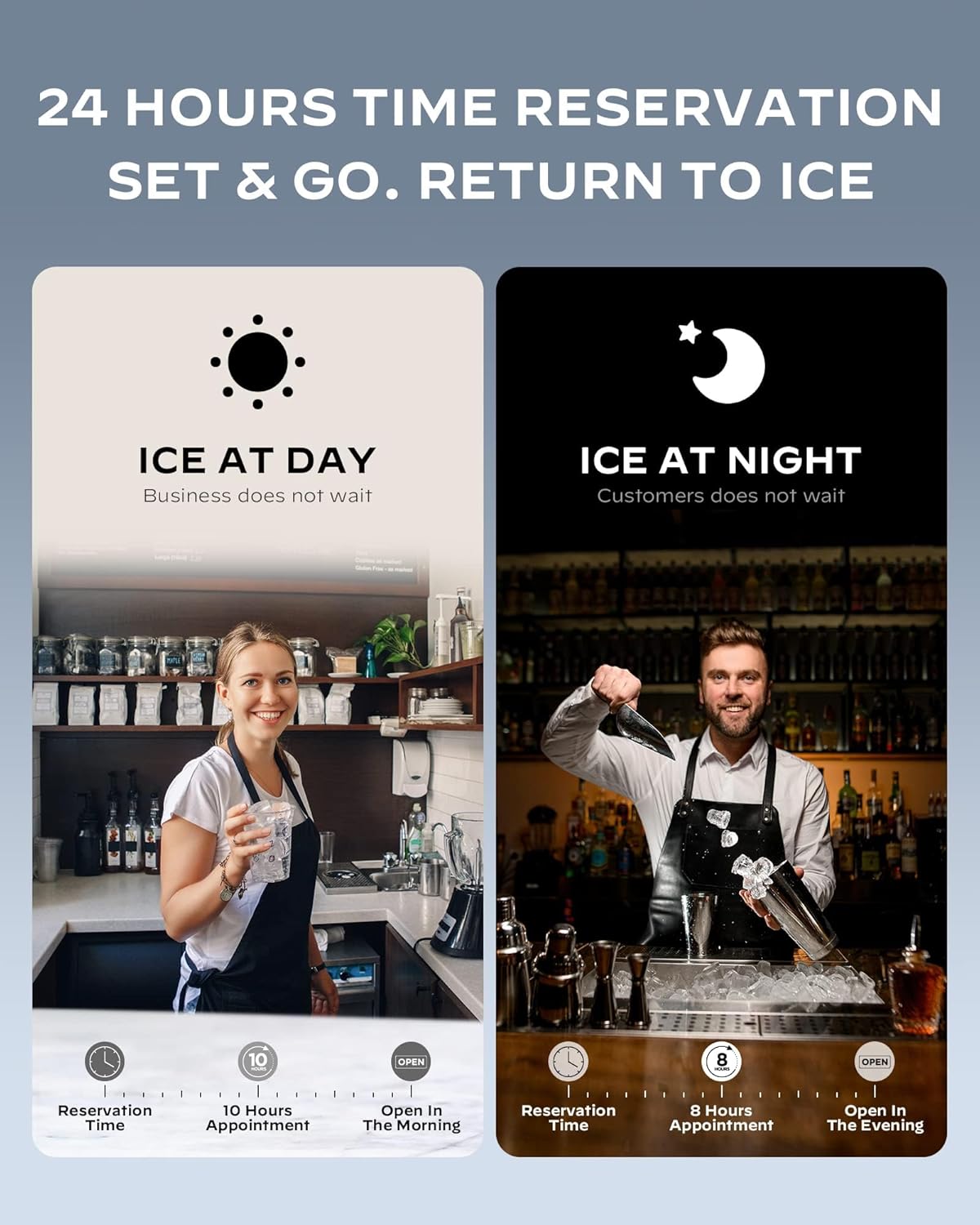
Figure 6: 24-Hour Time Reservation Feature
6. Penyelenggaraan
6.1 Pembersihan Kendiri Automatik
The ice maker is equipped with a self-cleaning function for convenience.
- Pegang BERSIH button for 5 seconds to start the self-cleaning function.
- The machine will automatically perform a cleaning cycle.
6.2 Pembersihan Am
- Regularly clean the exterior with a soft, damp kain.
- For thorough cleaning, disconnect the water hoses and drain any remaining water.
- The ice basket and scoop should be cleaned regularly with warm water and mild detergent.
7. Penyelesaian masalah
If you encounter issues with your Silonn Ice Maker, refer to the following common problems and solutions:
| Masalah | Kemungkinan Punca | Penyelesaian |
|---|---|---|
| Pembuat ais tidak menghasilkan ais. | No water supply or low water level. | Ensure water inlet is connected and water supply is on. Check for any kinks in the water line. |
| Ice cubes are too thin or too thick. | Incorrect ice thickness setting. | Adjust ice thickness using the +/- buttons on the control panel. |
| Ice maker displays an error code (e.g., E2). | Kerosakan dalaman tertentu. | Refer to the full user manual for specific error code meanings. Often, restarting the machine or performing a self-clean cycle can resolve minor issues. If the problem persists, contact customer support. |
| Ice basket is full, but machine continues to make ice. | Ice sensor malfunction or obstruction. | Clear any ice blocking the sensor. If the issue continues, contact customer support. |
8. Spesifikasi
| Ciri | Spesifikasi |
|---|---|
| Jenama | Silonn |
| Nama Model | Pembuat Ais Komersial |
| Nombor Model | SLIM11 |
| Dimensi Produk | 17.5"D x 16"W x 31"H |
| Berat Barang | 66.9 paun |
| Kapasiti (Pengeluaran Ais) | 100 Pounds per 24 hours |
| Capacity (Ice Storage) | 33 paun |
| Wattage | 200 watt |
| Voltage | 115 Volt |
| Bahan penyejuk | R290a |
| bahan | Keluli Tahan Karat |
| Jenis Pemasangan | Freestanding |
| UPC | 810145630051 |
9. Video Produk Rasmi
Video 1: Silonn Commercial Ice Maker Machine (100LBS in 24H) - This video provides a visual overview of the ice maker's features and operation, including its ice production capabilities and ease of use.
10. Waranti dan Sokongan
For warranty information, technical support, or any inquiries regarding your Silonn Commercial Ice Maker, please refer to the contact details provided in your product packaging or visit the official Silonn website. Customer support is available to assist you with any product-related concerns.


