1. Pengenalan
The Silonn Commercial Ice Maker Machine SLIM15TB is designed to provide a consistent supply of clear, full-cubed ice. This appliance is suitable for various settings, including home bars, restaurants, and convenience stores, where a reliable ice supply is essential. This manual outlines the proper procedures for installation, operation, maintenance, and troubleshooting to ensure the longevity and efficient performance of your ice maker.

Figure 1: Silonn Commercial Ice Maker Machine SLIM15TB and accessories.
2. Arahan Keselamatan Penting
- Pastikan pembuat ais diletakkan di atas permukaan yang stabil dan rata dari cahaya matahari langsung atau sumber haba.
- Do not block ventilation openings on the appliance.
- Gunakan hanya air yang boleh diminum untuk pengeluaran ais.
- Cabut plag perkakas sebelum membersihkan atau melakukan sebarang penyelenggaraan.
- Do not use sharp objects to remove ice from the evaporator to prevent damage.
- Jauhkan kanak-kanak daripada perkakas semasa operasi dan pembersihan.
3. Apa yang ada di dalam Kotak
Selepas membongkar, sahkan bahawa semua komponen berikut disertakan:
- Silonn Commercial Ice Maker Machine
- Sekop Ais
- Hos Saliran (6.6 kaki)
- Water Hose (9.1 ft)
- Four-to-Two Tap (Water Quick Connector)
4. Persediaan dan Pemasangan
4.1 Penempatan
Place the ice maker in a location that allows for proper ventilation and access to a water source and drain. The unit's dimensions are approximately 13.58"D x 14.88"W x 25.9"H. Ensure there is adequate space around the unit for air circulation.

Rajah 2: Dimensi produk untuk penempatan yang betul.
4.2 Water Supply Options
The Silonn ice maker offers two methods for water supply:
- Manual Water Addition: Water can be manually poured into the top reservoir of the machine.
- Sambungan Paip Langsung: For continuous operation, connect the ice maker directly to a water faucet using the provided water hose and quick connector. Ensure all connections are secure to prevent leaks.

Figure 3: Water supply options for the ice maker.
4.3 Sambungan Longkang
Connect the provided drain hose to the designated water outlet on the back of the unit. Route the drain hose to a suitable drain to manage melted ice water. This is crucial as the unit's ice bin is not a freezer and ice will melt over time if not transferred to a freezer or used.
5. Arahan Operasi
5.1 Panel Kawalan Selesaiview
The ice maker features an intuitive control panel for easy operation:
- Butang HIDUP/MATI: Menghidupkan atau mematikan unit.
- TIMER/CLEAN Button: Press briefly to set a timer for operation. Hold for 5 seconds to activate the self-cleaning function.
- +/- Butang: Adjust ice thickness (thin, medium, thick) and timer settings.
- Butang CAHAYA: Mengawal lampu LED dalaman.

Figure 4: Advanced LCD Control Panel for operation.
5.2 Pengeluaran Ais
The ice maker produces up to 84 lbs of ice per day, with each cycle taking approximately 8-15 minutes. The ice bin has a capacity of 30 lbs. The ice cubes are square, clear, and designed to melt slowly, making them ideal for various beverages and cooling needs.
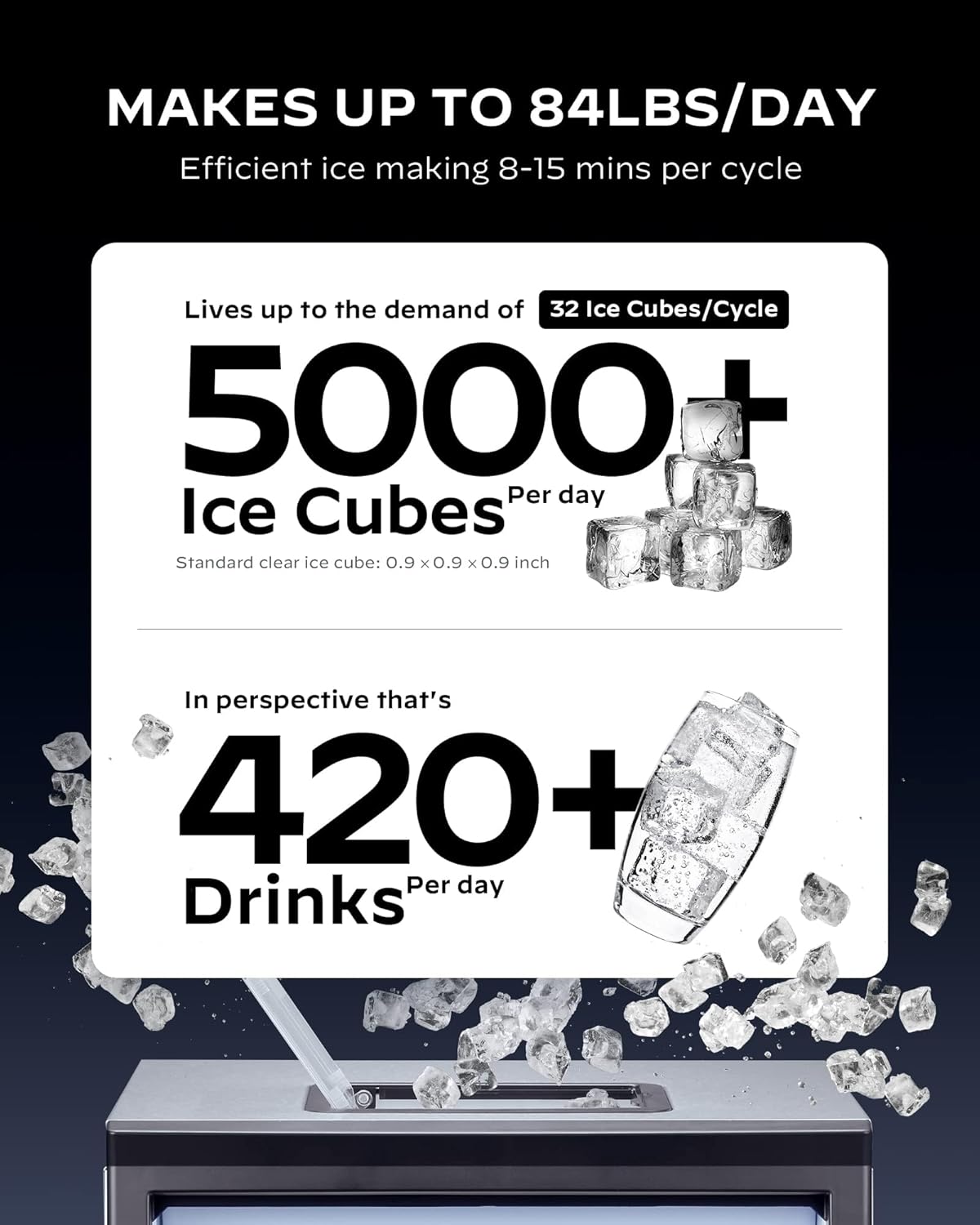
Figure 5: Daily ice production capacity.
5.3 Adjusting Ice Thickness
Use the +/- buttons on the control panel to select your desired ice thickness: thin, medium, or thick. This adjustment affects the ice-making cycle duration and the density of the cubes.

Figure 6: Ice thickness options and their impact on production time.
5.4 Fungsi Pemasa
The 24-hour timer function allows you to schedule ice production according to your needs. Press the TIMER button and use the +/- buttons to set the desired start or stop time.

Figure 7: Setting the 24-hour timer for ice production.
5.5 Video Produk Selesaiview
For a visual guide on the Silonn Commercial Ice Maker Machine, please watch the official product video below. This video demonstrates key features and operational aspects.
Video 1: Official Silonn Commercial Ice Maker Machine (100LBS in 24H) overview oleh vendor.
6. Penyelenggaraan
6.1 Fungsi Pembersihan Kendiri
The ice maker is equipped with a self-cleaning function to simplify maintenance. To activate, hold the TIMER/CLEAN button for 5 seconds. Follow the instructions in the display for the cleaning cycle. Regular use of this feature helps prevent mineral buildup and ensures hygienic ice production.
6.2 Pembersihan dan Penjagaan Am
- Periodically clean the exterior with a soft, damp kain.
- Ensure the water reservoir and ice bin are clean.
- Regularly check and clean the drain hose to prevent blockages.
7. Penyelesaian masalah
| Masalah | Kemungkinan Punca | Penyelesaian |
|---|---|---|
| Tiada pengeluaran ais | Low water level or no water supply | Add water manually or check water line connection. |
| Ice is not clear | Water quality issues | Use filtered water or perform a self-cleaning cycle. |
| Ice block in evaporator | Ice has frozen together | Press and hold the ON/OFF button for more than 5 seconds to melt the ice automatically. Do not use sharp objects. |
| Unit bising | Normal fan operation or unstable placement | Ensure the unit is on a level surface. Fan noise is normal during operation. |
8. Spesifikasi
| Ciri | Perincian |
|---|---|
| Jenama | Silonn |
| Nama Model | SLIM15TB-2 |
| Dimensi Produk | 13.58"D x 14.88"W x 25.9"H |
| Kapasiti (Pengeluaran Ais) | 84 lbs/24H |
| Capacity (Ice Bin) | 30 paun |
| Wattage | 260 watt |
| Voltage | 115 Volt |
| Bahan penyejuk | R290a |
| bahan | Keluli Tahan Karat |
| Berat Barang | 39.2 paun |
| Jenis Pemasangan | Kaunter bawah |
9. Customer Care and Support
For any questions regarding initial setup, operation, maintenance, or product assistance, please contact our U.S.-based customer care team. We are available to provide the support you need to ensure your Silonn ice maker performs optimally.
Contact information for support is typically found in the product packaging or on the official Silonn webtapak.


