Produk Selesaiview
The CHUWI GemiBook Plus is a 15.6-inch business laptop designed for efficient daily computing. It features an Intel N100 CPU, 8GB of LPDDR5 RAM, and a 256GB SSD, running on Windows 11. This laptop is built for portability and performance, suitable for both work and entertainment.

Imej: Depan view of the CHUWI GemiBook Plus laptop displaying the Windows 11 logo on its screen, highlighting its operating system.
Apa yang ada dalam Kotak
- CHUWI GemiBook Plus Laptop
- 38Wh Li-ion Battery (integrated)
- Penyesuai Kuasa
- Dokumentasi (Manual Pengguna, Kad Jaminan)
Panduan Persediaan
1. Pengecasan Awal
Before first use, connect the power adapter to the laptop's charging port and a power outlet. Charge the laptop until the battery indicator shows a full charge. This ensures optimal battery performance.
2. Menghidupkan
Press the power button located on the keyboard to turn on the laptop. The power button is typically found in the top right corner of the keyboard area.

Imej: Atas ke bawah view of the CHUWI GemiBook Plus laptop, showing the full keyboard layout and touchpad, indicating the power button location.
3. Windows 11 Setup
Follow the on-screen prompts to complete the Windows 11 initial setup. This includes selecting your region, language, connecting to a Wi-Fi network, and creating a user account. Ensure you have an active internet connection for this process.
Arahan Operasi
Papan Kekunci dan Pad Sentuh
The laptop features a full-sized keyboard and a responsive touchpad for navigation. The touchpad supports multi-touch gestures for enhanced control.

Image: A hand demonstrating the use of the touchpad on the CHUWI GemiBook Plus laptop, highlighting its multi-touch capabilities.
Menyambung Peranti
Komputer riba ini dilengkapi dengan pelbagai port untuk menyambungkan peranti luaran:
- Port USB: Connect USB devices such as mice, keyboards, or external storage drives. The laptop has 1 USB 2.0 port.
- Port HDMI: Connect to an external monitor or TV for a larger display.
- Jack Audio: Sambungkan fon kepala atau pembesar suara luaran.
Kesambungan Wayarles
The CHUWI GemiBook Plus supports Wi-Fi 6 (802.11ax) for high-speed internet access and Bluetooth 5.2 for connecting wireless accessories like headphones or speakers.
Webcam Privacy Switch
For enhanced privacy, the laptop includes a physical switch to block the webcam lens. Slide the switch to cover or uncover the camera as needed.
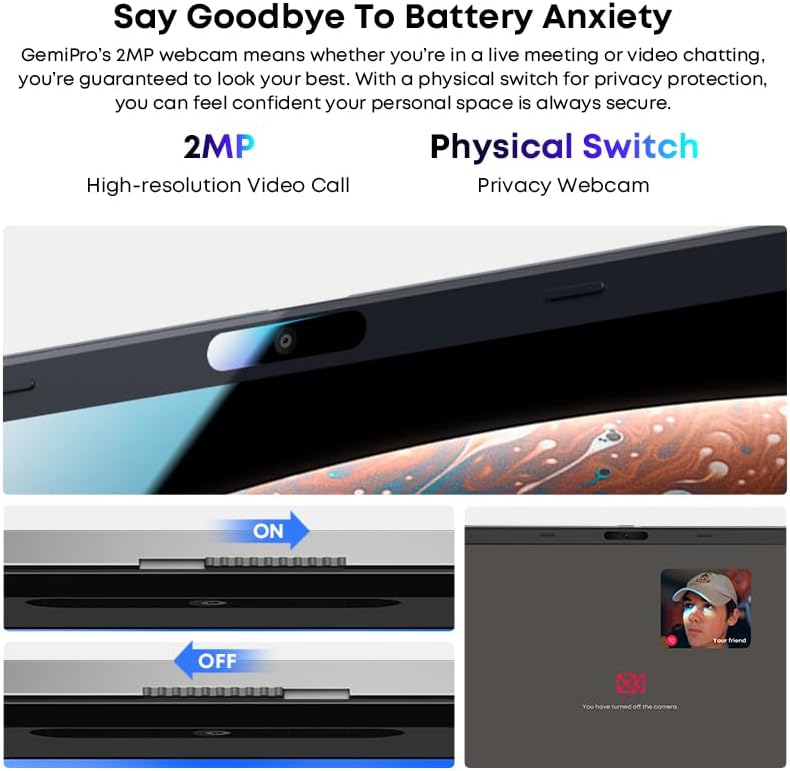
Imej: Jarak dekat view of the laptop's webcam, illustrating the physical privacy switch in both open and closed positions.
Penyelenggaraan
Membersihkan Laptop
Gunakan kain lembut dan tidak berbulu untuk membersihkan skrin dan permukaan luar. Untuk kesan degil, gosok sedikitampen kain dengan air atau larutan pembersih skrin. Elakkan bahan kimia yang keras atau bahan yang melelas.
Penjagaan Bateri
The laptop is equipped with a 38Wh Li-ion battery. To prolong battery life, avoid extreme temperatures and fully discharging the battery frequently. It takes approximately 3 hours for a full recharge.
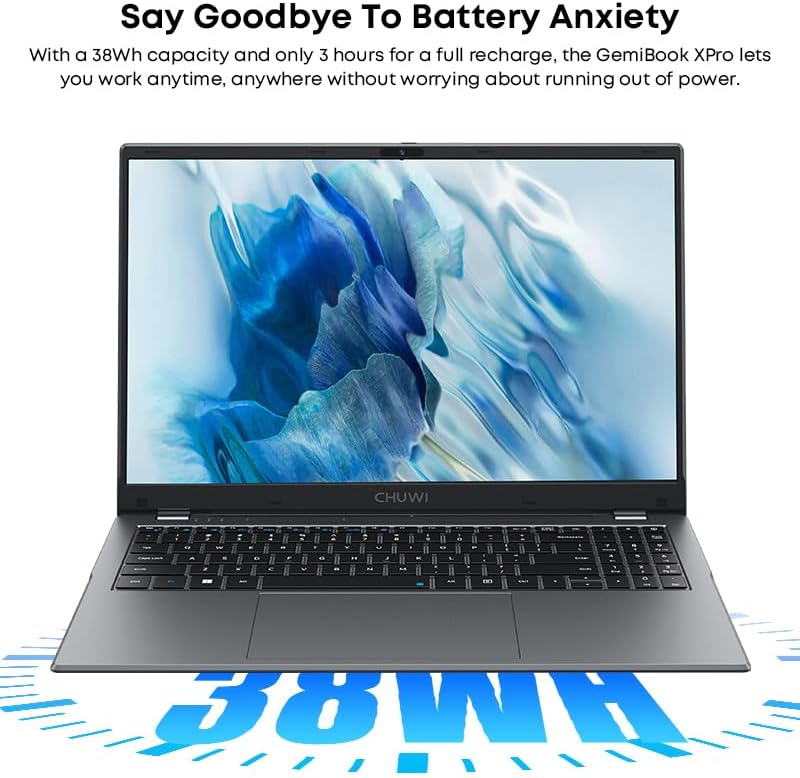
Image: The CHUWI GemiBook Plus laptop with an overlay indicating its 38Wh battery capacity, emphasizing its power endurance.
Kemas Kini Perisian
Regularly check for and install Windows updates and driver updates to ensure optimal performance and security.
Menyelesaikan masalah
Komputer Riba Tidak Boleh Dihidupkan
- Pastikan penyesuai kuasa disambungkan dengan selamat pada kedua-dua komputer riba dan salur keluar kuasa yang berfungsi.
- Periksa sama ada alur keluar kuasa berfungsi dengan memasang peranti lain.
- Jika bateri telah habis sepenuhnya, ia mungkin mengambil masa beberapa minit untuk mengecas sebelum komputer riba boleh dihidupkan.
Tiada Sambungan Wi-Fi
- Sahkan bahawa Wi-Fi didayakan dalam tetapan Windows.
- Restart your Wi-Fi router and the laptop.
- Ensure you are within range of a Wi-Fi network and have entered the correct password.
Prestasi Perlahan
- Tutup aplikasi yang tidak perlu berjalan di latar belakang.
- Semak dan pasang sebarang kemas kini Windows yang belum selesai.
- Run a disk cleanup and defragmentation (for HDD) or optimize drives (for SSD).
- Pastikan ruang kosong yang mencukupi pada SSD.
Spesifikasi
| Ciri | Perincian |
|---|---|
| Jenama | CHUWI |
| Nama Model | GemiBook Plus |
| Saiz Skrin | 15.6 Inci |
| Resolusi Skrin | 1920 x 1080 piksel (FHD) |
| Pemproses | Intel N100 CPU (up to 3.4GHz) |
| RAM | 8 GB LPDDR5 |
| Pemacu Keras | 256 GB SSD (M.2 2280 SSD expansion up to 1TB supported) |
| Sistem Operasi | Windows 11 |
| Kad Grafik | Integrated Intel UHD Graphics for 12th Gen Intel Processors |
| Jenis Wayarles | Wi-Fi 6 (802.11ax) |
| Bluetooth | Bluetooth 5.2 |
| Pelabuhan | 1x USB 2.0, HDMI, Audio Jack |
| Berat Barang | 3.85 paun (1.74 kg) |
| Dimensi Produk | 14.1 x 9.5 x 0.78 inci (35.8 x 24.1 x 1.98 cm) |
| Bateri | Bateri Li-ion 38Wh |
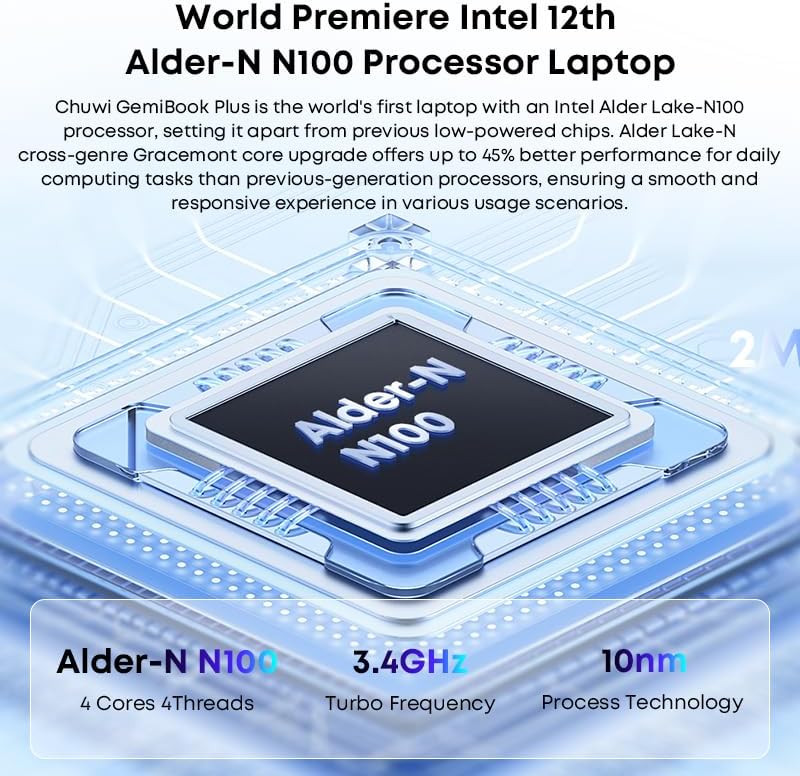
Image: Diagram illustrating the Intel Alder-N N100 processor with details on its 4 Cores 4 Threads, 3.4GHz Turbo Frequency, and 10nm Process Technology.
Waranti dan Sokongan
Maklumat Waranti
The CHUWI GemiBook Plus laptop comes with a Waranti 1 Tahun valid immediately after purchase. This warranty covers manufacturing defects and ensures product reliability.
Sokongan Pelanggan
CHUWI offers lifetime factory professional support and 24 hours of online support to assist with any issues or questions you may have. For support, please refer to the contact information provided in your product documentation or visit the official CHUWI webtapak.
Anda juga boleh melawat CHUWI Store on Amazon untuk maklumat lanjut dan sumber.


