1. Pengenalan
This user manual provides detailed instructions for the setup, operation, and maintenance of your FULLJA 10.1-Inch WiFi Digital Photo Frame. Please read this manual thoroughly before using the device to ensure proper functionality and to maximize your experience.
2. Kandungan Pakej
Sahkan bahawa semua item terdapat dalam pakej:
- 1x FULLJA 10.1-Inch Digital Photo Frame
- 1x Manual Pengguna
- 1x Penyesuai Kuasa
- 1x Frame Stand/Bracket
3. Produk Lebihview
The FULLJA 10.1-Inch WiFi Digital Photo Frame is designed to display your cherished memories with ease. It features a high-resolution IPS touch screen and various smart functions.
Ciri-ciri Utama:
- 10.1-Inch IPS HD Touch Screen: For clear and vibrant photo display.
- Kesambungan WiFi: For easy photo and video sharing via app or email.
- Memori Dalaman 32GB: Stores thousands of photos and videos.
- Penderia Gerakan: Automatically turns the frame on/off.
- Auto Putar: Adjusts display orientation automatically.
- Fungsi Tambahan: Alarm clock, weather station, sleep mode.

Gambar 1: Lebihview of the digital photo frame's key features.
4. Persediaan
4.1 Menghidupkan dan Konfigurasi Awal
- Sambungkan penyesuai kuasa ke bingkai dan pasangkannya ke soket elektrik. Bingkai akan dihidupkan secara automatik.
- Follow the on-screen prompts to select your preferred language, time zone, and connect to your Wi-Fi network.
4.2 Pemasangan Apl dan Berpasangan
To share photos and videos remotely, download the VPhoto app on your iOS or Android smartphone.
- Cari untuk "VPhoto" in the App Store (iOS) or Google Play Store (Android) and install the application.
- Open the VPhoto app and create an account or log in.
- On your digital photo frame, navigate to the settings and locate the "Add Friend" or "Connect App" option to generate a unique code.
- In the VPhoto app, select "Add Device" and enter the code displayed on your frame to pair your smartphone with the frame.

Figure 2: Steps to connect your frame using the VPhoto App.
5. Mengendalikan Bingkai
5.1 Berkongsi Foto dan Video
You can share photos and videos to your frame using the VPhoto app, email, or external storage devices.
Melalui Aplikasi VPhoto:
Once paired, select photos or videos from your smartphone's gallery within the VPhoto app and send them directly to your frame. You can also invite friends and family to share their photos to your frame.
Melalui E-mel:
The frame has a unique email address. Send photos and videos as attachments to this email address, and they will appear on your frame.
Via TF Card or USB Drive:
Insert a TF card or USB drive containing your media files into the designated slot on the frame. The frame will detect the storage and allow you to import files.

Figure 3: Sharing photos and videos to the frame.
5.2 Tetapan Tayangan Slaid
Sesuaikan pengalaman paparan foto anda:
- Display Interval: Adjust how long each photo is displayed in the slideshow.
- Kesan Peralihan: Choose from various transition styles between photos.
- Pesanan Paparan: Set photos to display chronologically, randomly, or by date received.
- Kapsyen: Enable or disable captions for your photos.
5.3 Penderia Gerakan
The built-in motion sensor can automatically turn the frame on when motion is detected and off after a period of inactivity, saving energy.
- To enable/disable: Go to Settings > Display > Motion Sensor.
- Adjust sensitivity and inactivity time as needed.

Figure 4: Motion detection feature in action.
5.4 Auto Rotate
The frame automatically detects its orientation (landscape or portrait) and adjusts the display accordingly. This allows for flexible placement.

Figure 5: Automatic rotation for landscape and portrait display.
5.5 Fungsi Tambahan
Explore other useful features in the settings menu:
- Jam loceng: Tetapkan penggera untuk peringatan.
- Stesen kaji cuaca: Display local weather information.
- Mod tidur: Schedule specific times for the frame to automatically turn off and on.
5.6 How to Send Photos and Videos (Video Guide)
Video 1: This official video demonstrates the process of sending photos and videos to your digital photo frame using the dedicated app. It covers selecting media, adding captions, choosing recipients, and adjusting video length for optimal display.
6. Penyimpanan
Your FULLJA Digital Photo Frame comes with 32GB of built-in memory, capable of storing thousands of high-resolution photos and videos.
- Storan Boleh Dikembangkan: If you require more space, you can easily expand the storage using TF cards or USB drives.
- Sandaran Awan: Enjoy unlimited free cloud backup for all your precious moments, ensuring your memories are safe and accessible.
7. Pilihan Pemasangan
The frame offers versatile placement options to suit your home or office decor.
- Menggunakan Pendirian: Attach the included stand to the back of the frame to place it on any flat surface, such as a desk, shelf, or nightstand. The auto-rotate feature will adjust the display.
- Pemasangan Dinding: The frame is equipped with mounting holes on the back, allowing you to securely hang it on a wall. Ensure you use appropriate screws and wall anchors for your wall type.
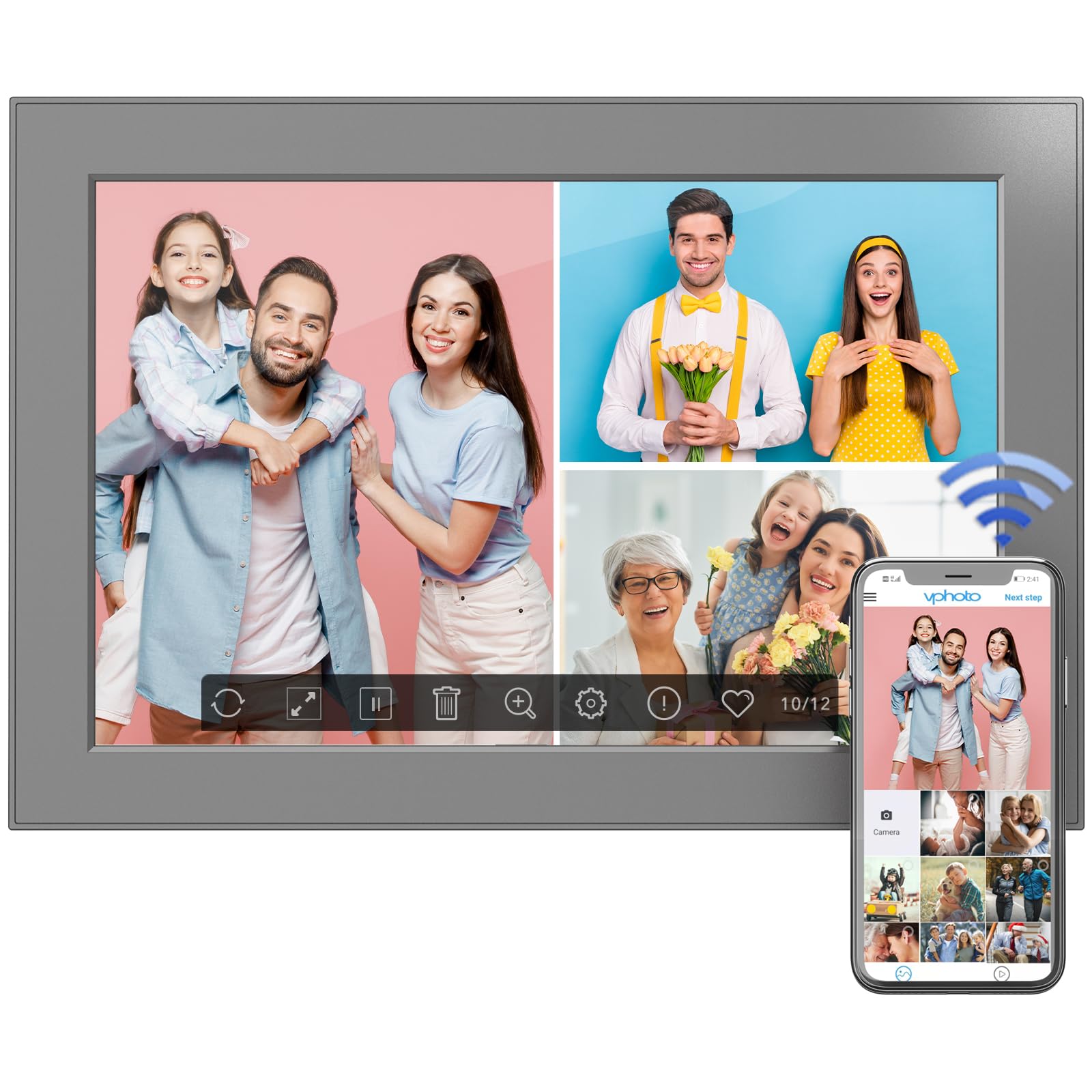
Figure 6: Digital photo frame displayed on a surface using its stand.
8. Penyelenggaraan
Untuk memastikan jangka hayat dan prestasi optimum bingkai foto digital anda, ikuti garis panduan penyelenggaraan ini:
- Membersihkan Skrin: Gunakan kain lembut dan tidak berbulu untuk mengelap skrin dengan lembut. Untuk calitan degil, sedikit dampbilas kain dengan air atau larutan pembersih skrin. Elakkan bahan kimia yang keras.
- Membersihkan Bingkai: Lap bahagian luar bingkai dengan kain kering dan lembut.
- Kemas Kini Perisian: Periodically check for software updates in the frame's settings menu to ensure you have the latest features and improvements.
- Matikan: If not in use for an extended period, power off the frame and unplug it from the power source.
9. Penyelesaian masalah
If you encounter any issues with your FULLJA Digital Photo Frame, refer to the following common solutions:
- Bingkai Tidak Dihidupkan:
- Ensure the power adapter is securely connected to both the frame and a working power outlet.
- Periksa sama ada alur keluar kuasa berfungsi dengan memasang peranti lain.
- Tidak Dapat Menyambung ke Wi-Fi:
- Verify that your Wi-Fi network is active and within range.
- Semak semula kata laluan Wi-Fi.
- Mulakan semula penghala Wi-Fi dan bingkai foto digital anda.
- Photos/Videos Not Appearing:
- Ensure the frame is connected to Wi-Fi if sharing via app or email.
- Check your VPhoto app or email client for successful upload confirmation.
- If using a TF card/USB drive, ensure it is properly inserted and the files berada dalam format yang disokong.
- Screen Not Responding to Touch:
- Gently clean the screen to remove any dirt or debris.
- Mulakan semula bingkai dengan mencabut dan memasang semula penyesuai kuasa.
Jika masalah berterusan, sila hubungi sokongan pelanggan untuk mendapatkan bantuan lanjut.
10. Spesifikasi
| Ciri | Perincian |
|---|---|
| Dimensi Produk | 6.97 x 10.2 x 0.99 inci |
| Berat Barang | 1.3 paun |
| Saiz Skrin | 10.1 Inci |
| Resolusi | 1280x800 (WXGA) |
| Memori Dalaman | 32GB |
| Ketersambungan | WiFi |
| warna | Hitam |
| Nombor Model | 101-Z |
11. Waranti dan Sokongan
This electronic photo frame comes with a one-year warranty from the date of purchase.
If you experience any issues or have questions regarding your FULLJA Digital Photo Frame, please contact our customer support team. We are committed to ensuring your satisfaction.
- Sokongan Pelanggan: Refer to the contact information provided in your product packaging or on the official FULLJA webtapak.