1. Pengenalan
This manual provides essential information for the safe and efficient use of your FLEXISPOT 42-inch Sit-to-Stand Desk Riser. This height-adjustable computer workstation is designed to promote a healthy balance between sitting and standing throughout your workday. Please read these instructions thoroughly before assembly and operation.
2. Maklumat Keselamatan
- Pastikan semua komponen diikat dengan selamat sebelum digunakan.
- Do not exceed the maximum weight capacity of 33 lbs for the desktop and 4.4 lbs for the keyboard tray.
- Keep hands and fingers clear of moving parts during height adjustment to prevent injury.
- Place the desk riser on a stable, level surface.
- Agihkan berat secara merata di atas meja untuk mengekalkan kestabilan.
- Jauhkan kanak-kanak dan haiwan peliharaan dari unit semasa operasi.
3. Kandungan Pakej
Sahkan bahawa semua bahagian telah tersedia sebelum memulakan pemasangan. Jika mana-mana bahagian hilang atau rosak, hubungi khidmat pelanggan.
- Main Desk Riser Unit
- Removable Keyboard Tray
- Assembly Hardware (screws for keyboard tray)
- Manual Arahan
4. Arahan Persediaan
The FLEXISPOT Sit-to-Stand Desk Riser is designed for quick and straightforward assembly. Two people are recommended for easier setup.
- Buka bungkusan Unit: Keluarkan semua komponen dari pembungkusan dengan berhati-hati.
- Letakkan Unit Utama: Place the main desk riser unit on your existing desk or workstation. Ensure it is centered and stable.
- Pasangkan Dulang Papan Kekunci: Align the removable keyboard tray with the designated slots on the underside of the main unit. Slide the tray into place until it clicks securely. Use a Phillips screwdriver (not included) to fasten any provided screws for additional stability.
- Susun Kabel: Utilize the included cable management loops to organize your monitor, keyboard, and mouse cables. Ensure cables have enough slack to accommodate the full range of height adjustment.


5. Arahan Operasi
The desk riser features a spring-assisted lifting mechanism for smooth and effortless height adjustments.
- Menyelaraskan Tinggi: To raise or lower the desk, locate the lever on the right side of the main unit. Squeeze the lever firmly.
- Menaikkan Meja: While squeezing the lever, gently lift the desktop to your desired standing height. The spring-assisted mechanism will help elevate the unit. Release the lever to lock the desk in place.
- Menurunkan Meja: While squeezing the lever, gently push down on the desktop to lower it to your desired sitting height. Release the lever to lock the desk in place.
- Pergerakan Menegak: The desk riser moves straight up and down within its own footprint, requiring no additional spatial accommodations. The height can be adjusted between 4.7 inches (minimum) and 19.7 inches (maximum).


6. Penyelenggaraan
Regular maintenance ensures the longevity and optimal performance of your desk riser.
- Pembersihan: Lap permukaan dengan lembut, damp kain. Elakkan pembersih yang melelas atau bahan kimia keras yang boleh merosakkan kemasan.
- Pemeriksaan: Periksa semua skru dan sambungan secara berkala untuk memastikan ia kekal ketat. Ketatkan jika perlu.
- Bahagian bergerak: The lifting mechanism is designed to be maintenance-free. Do not attempt to lubricate or disassemble it.
7. Penyelesaian masalah
If you encounter any issues with your desk riser, refer to the following common solutions:
- Desk is difficult to adjust: Ensure no objects are obstructing the lifting mechanism. Verify that the weight on the desktop does not exceed the maximum capacity.
- Meja terasa tidak stabil: Check that the unit is placed on a flat, stable surface. Ensure all components, especially the keyboard tray, are securely attached. Redistribute weight evenly on the desktop.
- Keyboard tray is loose: Re-check the connection points of the keyboard tray and ensure any fastening screws are tightened.
If problems persist, please contact FLEXISPOT customer support for assistance.
8. Spesifikasi
| Ciri | Spesifikasi |
|---|---|
| Jenama | FLEXISPOT |
| Model | B0CDWSPYKQ |
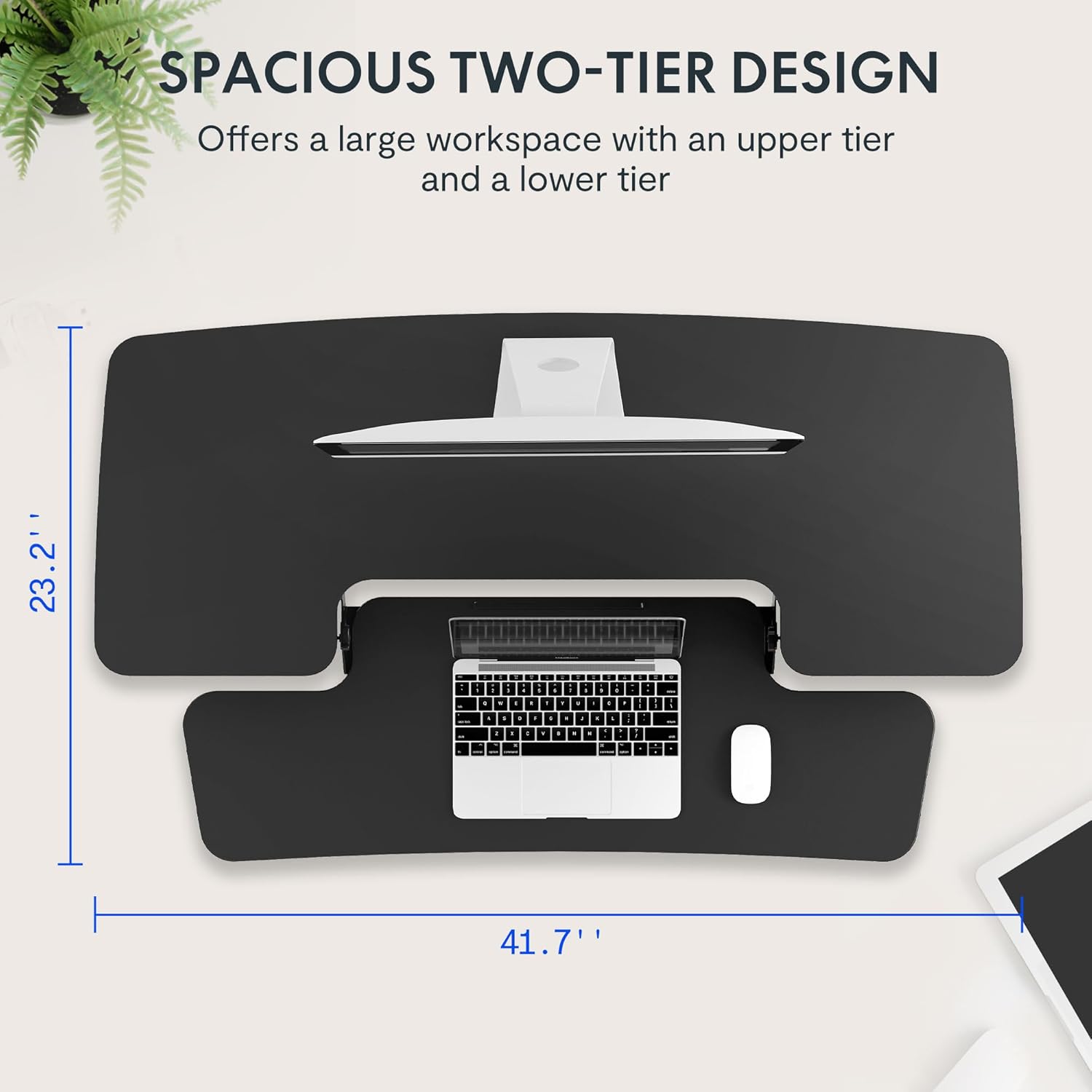
| Dimensi Produk (D x W x H) | 24"D x 42"W x 19.7"H |
| warna | Hitam |
| Jenis Bahan Atas | Kayu Kejuruteraan |
| Berat Barang | 52 paun |
| Ketinggian Minimum | 4.7 Inci |
| Ketinggian Maksimum | 19.7 Inci |
| Kapasiti Beban Desktop | 33 paun |
| Kapasiti Beban Dulang Papan Kekunci | 4.4 paun |
| Perhimpunan yang Diperlukan | Yes (Keyboard Tray) |
| Bilangan Orang yang Disyorkan untuk Perhimpunan | 2 |

9. Waranti dan Sokongan
Your FLEXISPOT Sit-to-Stand Desk Riser comes with a limited warranty. For specific details regarding warranty coverage, please refer to the warranty documentation included with your purchase or visit the official FLEXISPOT webtapak.
For technical support, troubleshooting assistance, or warranty claims, please contact FLEXISPOT customer service. You can typically find contact information on the manufacturer's webtapak atau melalui platform pembelian anda.
Sokongan dalam talian: Lawati Kedai FLEXISPOT di Amazon untuk maklumat produk dan sumber sokongan.


