pengenalan
The 1Mii RT5066Pro is a 2.4Ghz wireless audio transmitter and receiver kit designed to transmit high-fidelity audio wirelessly. This system allows you to send audio from various sources like TVs, PCs, or AV receivers to active speakers, subwoofers, or amplifiers without the need for long audio cables. It supports multiple input/output options including Optical, Coaxial, and 3.5mm (RCA) connections, offering flexibility for different audio setups.

Image: The 1Mii RT5066Pro wireless audio transmitter and receiver units, showcasinreka bentuk padat dan antena luaran mereka.
Maklumat Keselamatan
- Jangan dedahkan peranti kepada air atau lembapan.
- Elakkan meletakkan peranti berhampiran sumber haba atau di bawah cahaya matahari langsung.
- Gunakan hanya penyesuai kuasa yang disediakan untuk mengelakkan kerosakan.
- Jangan cuba membuka atau membaiki peranti sendiri. Hubungi sokongan pelanggan untuk mendapatkan bantuan.
- Jauhkan peranti daripada medan magnet yang kuat.
- Pastikan pengudaraan yang betul di sekitar unit semasa operasi.
Kandungan Pakej
Sahkan bahawa semua item terdapat dalam pakej:
- 1Mii RT5066Pro Wireless Audio Transmitter (Tx)
- 1Mii RT5066Pro Wireless Audio Receiver (Rx)
- 2 x Penyesuai Kuasa USB
- 2 x Optical Audio Cables
- 2 x 3.5mm to 3.5mm Audio Cables
- 2 x Kabel Pengecas Jenis-C
- Manual Pengguna (dokumen ini)

Image: All components included in the 1Mii RT5066Pro wireless audio kit, laid out for inspection.
Produk Selesaiview
The RT5066Pro kit consists of two main units: a Transmitter (Tx) and a Receiver (Rx). Both units feature a compact metal shell design with external antennas for enhanced signal range.
Transmitter (Tx) Unit
The transmitter unit is responsible for receiving audio from your source device and sending it wirelessly to the receiver.
- Audio In Ports: Optical, Coaxial, 3.5mm (for RCA connection via adapter).
- Port 5V DC: USB Type-C untuk input kuasa.
- Port Antena: For connecting the external antenna.
- Butang/Penunjuk Kuasa: Controls power and shows status.
Image: The transmitter unit of the 1Mii RT5066Pro, highlighting its audio input ports (Optical, Coaxial, 3.5mm) and power input.
Receiver (Rx) Unit
The receiver unit receives the wireless audio signal from the transmitter and outputs it to your audio playback device.
- Audio Out Ports: Optical, Coaxial, 3.5mm (for RCA connection via adapter).
- Port 5V DC: USB Type-C untuk input kuasa.
- Port Antena: For connecting the external antenna.
- Butang/Penunjuk Kuasa: Controls power and shows status.

Image: The receiver unit of the 1Mii RT5066Pro, showing its audio output ports (Optical, Coaxial, 3.5mm) and power input.
Arahan Persediaan
Follow these steps to set up your 1Mii RT5066Pro wireless audio system.
1. Connect the Transmitter (Tx)
- Connect one end of an audio cable (Optical, Coaxial, or 3.5mm) to the audio output port of your source device (e.g., TV, PC, AV Receiver).
- Sambungkan hujung kabel audio yang satu lagi ke kabel yang sepadan Audio Masuk port on the 1Mii RT5066Pro Transmitter unit.
- Sambungkan kabel pengecas Jenis-C ke DC 5V port on the Transmitter and plug the USB power adapter into a power outlet.
2. Connect the Receiver (Rx)
- Connect one end of an audio cable (Optical, Coaxial, or 3.5mm) to the Audio Keluar port on the 1Mii RT5066Pro Receiver unit.
- Connect the other end of the audio cable to the corresponding audio input port of your audio playback device (e.g., active speaker, subwoofer, amplebih hidup).
- Sambungkan kabel pengecas Jenis-C ke DC 5V port on the Receiver and plug the USB power adapter into a power outlet.

Image: A diagram illustrating the "Plug & Play" setup, showing how to connect the transmitter to an audio source (TV) and the receiver to an audio output device (stereo system).
3. Berpasangan Automatik
Once both the Transmitter and Receiver units are powered on, they will automatically search for and connect to each other. The indicator lights on both units will confirm a successful connection.
4. Audio Source Configuration (for TV Optical/Coaxial)
If you are using the Optical or Coaxial connection from your TV, you may need to adjust your TV's audio settings:
- Navigate to your TV's tetapan menu.
- Pilih Bunyi or Output Audio.
- pilih Optik Keluar or Keluar Digital.
- Tetapkan Format Audio Digital kepada PCM/Stereo or ensure Dolby - Off. The RT5066Pro does not support Dolby or DTS formats.

Image: Screenshots of a television's audio settings menu, demonstrating how to select Optical/Digital Out and set the digital audio format to PCM/Stereo or turn Dolby off.
Nota: The RT5066Pro is designed for audio transmission and does not support HDMI connections.

Image: A comprehensive diagram illustrating various input sources (TV, AV Receiver, PC) connected to the transmitter, and various output devices (Soundbar, Power Amplifier, Subwoofer, Active Speakers) connected to the receiver, highlighting Optical, Coaxial, and 3.5mm interfaces.
Arahan Operasi
Hidupkan/Mati Kuasa
Press the power button on each unit to turn it on or off. The units will automatically connect once powered on.
Penghantaran Audio
Once connected, audio from your source device will be wirelessly transmitted to your playback device. Ensure the volume on both your source and playback devices is adjusted appropriately.
The system operates on a 2.4GHz frequency, providing a low latency of less than 20ms, ensuring audio and video synchronization. It supports high-quality audio up to 24bit/192kHz.

Image: A diagram illustrating the concept of zero latency with 2.4GHz wireless technology, showing a person watching TV with synchronized audio from a speaker.
Pertimbangan Julat
The 1Mii RT5066Pro can achieve a wireless range of up to 328 feet (100m) outdoors and 100-165 feet (30-50m) indoors. For optimal performance and range, avoid placing the units near Wi-Fi routers (2.4G/5.8G) or other devices that may cause interference. Physical obstacles like walls and metal objects can also affect the transmission range.
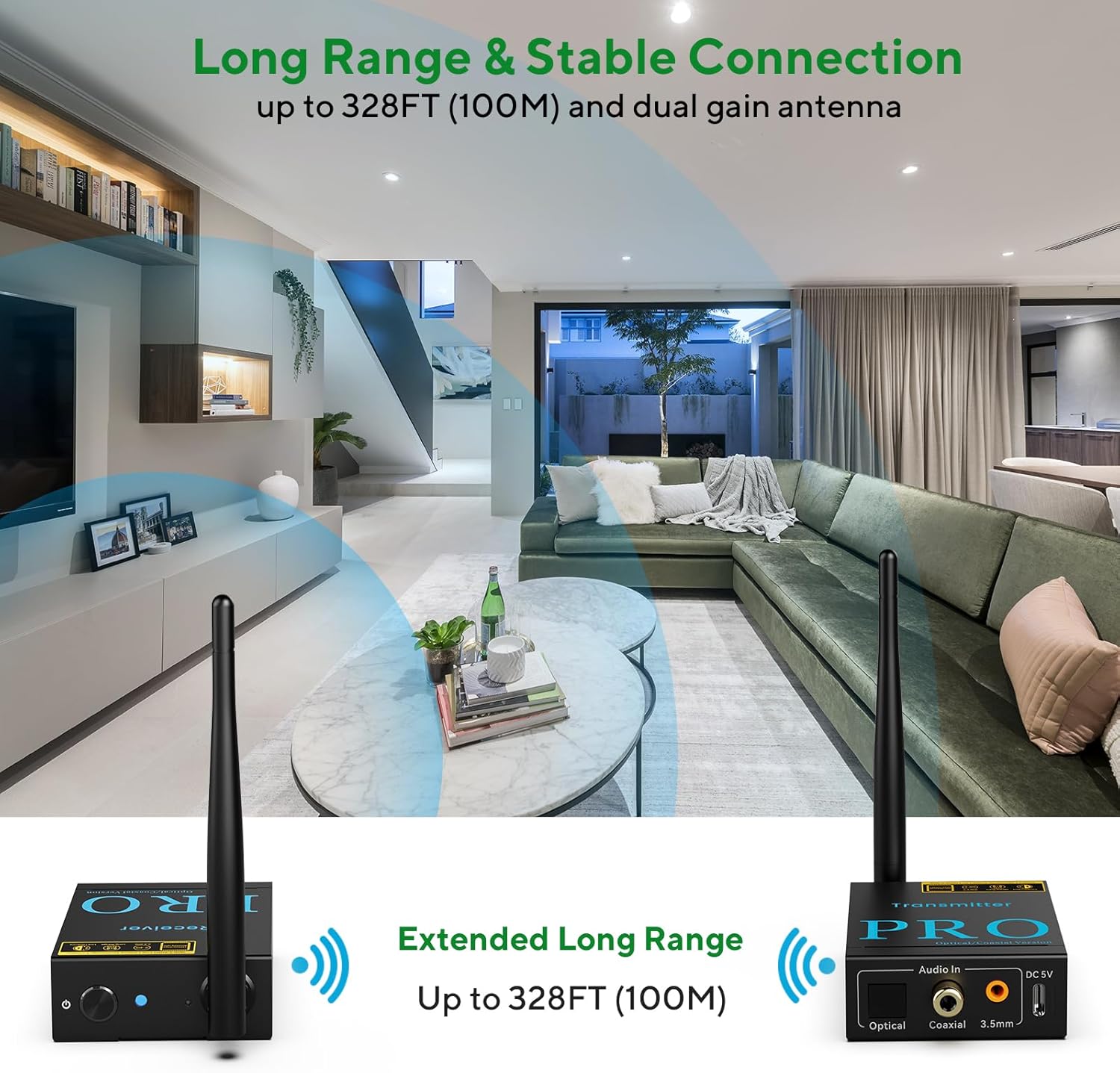
Image: An illustration demonstrating the extended long range capability of the 1Mii RT5066Pro, showing the transmitter and receiver units wirelessly connected across a large living space.
Penyelenggaraan
- Pembersihan: Use a soft, dry cloth to clean the units. Do not use liquid cleaners or aerosols.
- Storan: When not in use for extended periods, store the units in a cool, dry place away from direct sunlight.
- Antena: Handle the antennas carefully to avoid bending or breaking them.
Menyelesaikan masalah
| Masalah | Kemungkinan Punca | Penyelesaian |
|---|---|---|
| Tiada output audio |
|
|
| Audio statik atau herot |
|
|
| RCA port not working (if using 3.5mm to RCA adapter) |
|
|
Spesifikasi
| Ciri | Perincian |
|---|---|
| Nombor Model | RT5066Pro |
| Teknologi Ketersambungan | 2.4GHz Wireless |
| Audio SampKadar ling | Sehingga 24bit/192kHz |
| Latensi | Kurang daripada 20ms |
| Julat Tanpa Wayar (Luar) | Sehingga 328 kaki (100m) |
| Julat Tanpa Wayar (Dalam Ruangan) | 100-165 kaki (30-50m) |
| Input Ports (Tx) | Optical, Coaxial, 3.5mm AUX (RCA compatible) |
| Output Ports (Rx) | Optical, Coaxial, 3.5mm AUX (RCA compatible) |
| Input Kuasa | DC 5V (USB Jenis-C) |
| Dimensi Produk | 3.43 x 2.76 x 0.98 inci (seunit) |
| Berat Barang | 10.4 auns (295 gram) |
| warna | Hitam |
Waranti dan Sokongan
1Mii products are designed for reliability and performance. For warranty information and technical support, please refer to the official 1Mii webtapak atau hubungi perkhidmatan pelanggan mereka secara langsung. Simpan resit pembelian anda untuk tuntutan waranti.
Untuk bantuan lanjut, anda boleh melawati 1Mii Store on Amazon.


