pengenalan
This manual provides comprehensive instructions for the setup, operation, maintenance, and troubleshooting of your Timex Men's Command Encounter 45mm Watch. Please read this manual carefully to ensure proper use and longevity of your timepiece.
Produk Selesaiview
The Timex Command Encounter is a robust digital watch designed for durability and functionality. It features a 45mm square case, a digital negative display, and is water-resistant up to 100 meters. The watch includes standard timekeeping functions, a chronograph, timer, and alarm.

Rajah 1: Depan view of the Timex Command Encounter 45mm Watch. This image displays the watch face with its digital negative display, showing the time, date, and various mode indicators like CHRONO, TIMER, and ALARM. The watch features a green case and strap with a camouflage pattern on the display bezel.
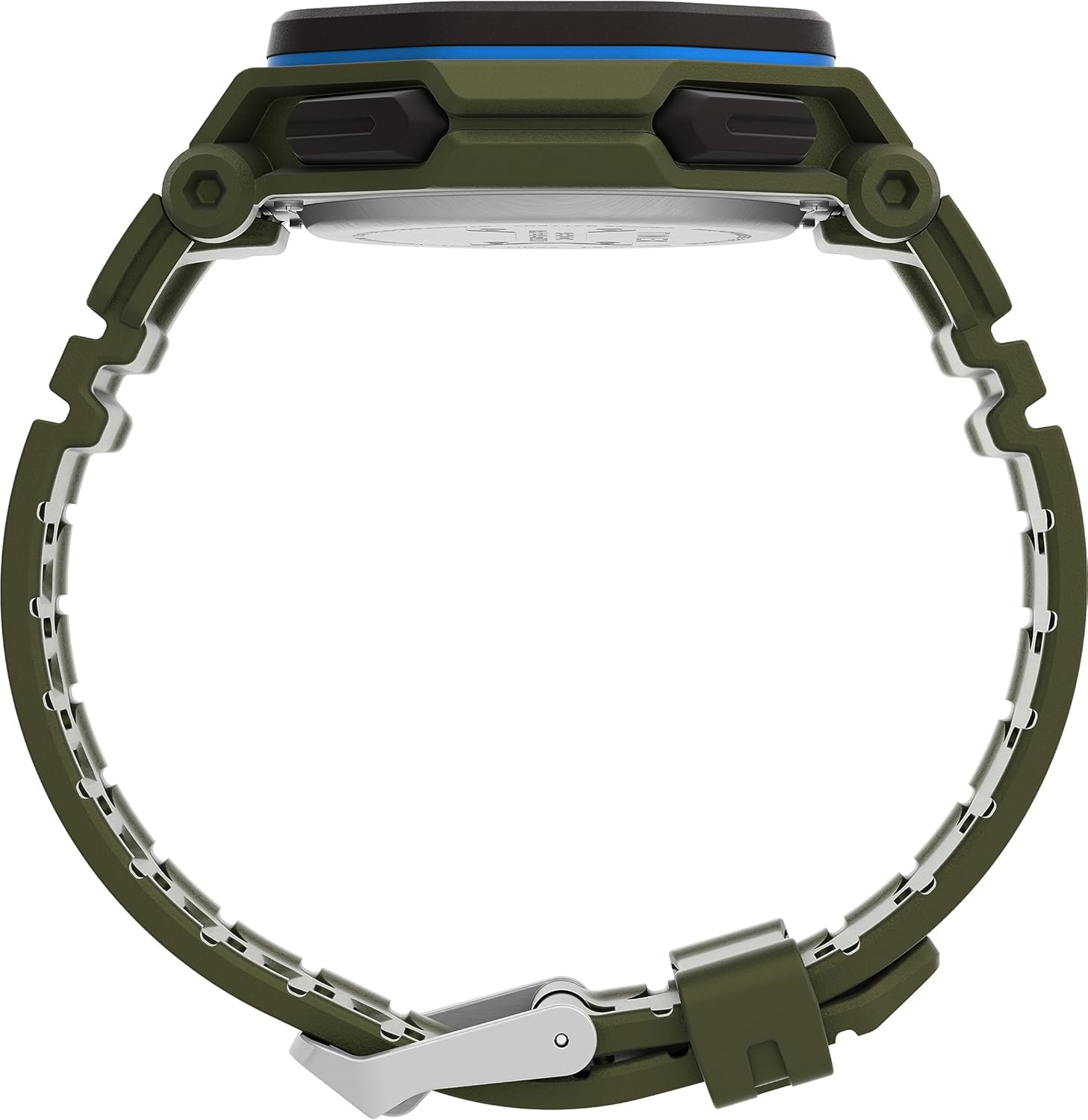
Rajah 2: Sisi view of the Timex Command Encounter 45mm Watch. This image highlights the profile jam tangan itu, tunjukkanasing the robust case design and the textured green strap. The buttons on the side of the watch are also visible.

Rajah 3: Belakang view of the Timex Command Encounter 45mm Watch. This image focuses on the stainless steel case back, which is engraved with "TIMEX", "SHOCK RESISTANT", "WATER RESISTANT 100M", and "STAINLESS STEEL BACK". The four screws securing the case back are also visible.
Persediaan
1. Kuasa Awal dan Bateri
Your Timex Command Encounter watch comes with a pre-installed Lithium Metal battery (CR2025). The watch should be ready for use upon arrival. If the display is blank, press any button to activate it. If the watch does not power on, the battery may need replacement (refer to the Maintenance section).
2. Menetapkan Masa dan Tarikh
- Tekan ke MODE button (typically on the lower left) repeatedly until the time setting mode is displayed. The seconds digits will likely be flashing.
- Tekan ke TETAP SEMULA button (typically on the lower right) to cycle through the adjustable fields: seconds, hours, minutes, year, month, day.
- Gunakan MULAKAN button (typically on the upper right) to increase the value of the flashing field. Hold the button to rapidly advance the digits.
- Setelah semua tetapan betul, tekan butang MODE butang untuk keluar dari mod tetapan dan kembali ke paparan masa biasa.
3. Format 12/24 Jam
While in the time setting mode, when the hour digits are flashing, pressing the MULAKAN button may toggle between 12-hour (with AM/PM indicator) and 24-hour formats. Consult the specific button functions for your model if this does not work as described.
Arahan Operasi
1. Basic Timekeeping
The watch displays the current time (hours, minutes, seconds) and date (month, day, day of week) in its primary mode. The negative display provides clear visibility in various lighting conditions.
2. INDIGLO® Night-Light
To activate the INDIGLO® night-light, press the INIGLO button (typically on the upper left). The entire display will illuminate for a few seconds, allowing for easy reading in low-light environments.
3. Chronograph (Jam randik)
- Tekan ke MODE butang sehingga "CHRONO" atau "STW" muncul pada paparan.
- Tekan MULAKAN untuk memulakan masa.
- Tekan MULAKAN again to pause timing. Press MULAKAN untuk menyambung semula.
- To record a lap or split time, press SPL/SET while the chronograph is running. The display will momentarily show the lap time.
- To stop the chronograph, press BERHENTI.
- To reset the chronograph to zero, press TETAP SEMULA selepas berhenti.
4. Timer (Countdown)
- Tekan ke MODE button until "TIMER" or "TMR" appears on the display.
- Untuk menetapkan masa undur, tekan TETAP SEMULA to select the flashing digit (hours, minutes, seconds). Use MULAKAN untuk menyesuaikan nilai.
- Tekan MULAKAN untuk memulakan undur.
- Tekan MULAKAN sekali lagi untuk berhenti seketika. Tekan MULAKAN untuk menyambung semula.
- When the timer reaches zero, an alarm will sound. Press any button to stop the alarm.
5. Penggera
- Tekan ke MODE butang sehingga "ALARM" atau "ALM" muncul pada paparan.
- Untuk menetapkan masa penggera, tekan TETAP SEMULA to select the flashing digit (hours, minutes). Use MULAKAN untuk menyesuaikan nilai.
- Untuk mengaktifkan atau menyahaktifkan penggera, tekan SPL/SETIkon penggera akan muncul/hilang pada paparan.
- Apabila penggera berbunyi, tekan sebarang butang untuk menyenyapkannya.
Penyelenggaraan
1. Membersihkan Jam Tangan Anda
Kerap bersihkan jam tangan anda dengan lembut, damp cloth. For stubborn dirt, a mild soap solution can be used, followed by rinsing with clean water and thorough drying. Avoid using harsh chemicals or abrasive materials, as these can damage the watch case or strap.
2. Tahan Air
Your Timex Command Encounter watch is water-resistant up to 100 meters (330 feet). This means it is suitable for showering, swimming, and snorkeling. Do not press any buttons while the watch is submerged in water, as this can compromise the water resistance seal. Avoid exposing the watch to extreme temperature changes, which can also affect the seals.
3. Penggantian Bateri
The watch uses a CR2025 Lithium Metal battery. Battery life varies depending on usage, especially the frequency of INDIGLO® night-light activation. When the display dims or functions become erratic, it's time to replace the battery. Battery replacement should ideally be performed by a qualified watch technician to ensure the water resistance seal is properly re-seated.
If replacing the battery yourself, carefully remove the four screws on the case back (refer to Figure 3). Gently pry open the case back. Note the battery's orientation before removal. Replace with a new CR2025 battery, ensuring proper polarity. Carefully re-seat the gasket and secure the case back with the screws. Self-replacement may void warranty or compromise water resistance if not done correctly.
Menyelesaikan masalah
| Masalah | Kemungkinan Punca | Penyelesaian |
|---|---|---|
| Paparan kosong atau malap. | Bateri lemah atau mati. | Gantikan bateri CR2025. |
| Masa/Tarikh tidak betul. | Tidak ditetapkan dengan betul atau ditetapkan semula disebabkan oleh pertukaran bateri. | Ikut arahan "Menetapkan Masa dan Tarikh" dalam bahagian Persediaan. |
| Butang tidak bertindak balas. | Jam tangan mungkin dalam mod terkunci atau bateri sangat lemah. | Try pressing all buttons to see if any respond. If not, replace battery. If still unresponsive, contact support. |
| Air di dalam jam tangan. | Compromised water resistance seal (e.g., buttons pressed underwater, extreme temperature changes, damaged gasket). | Bawa jam tangan tersebut ke pusat pembaikan jam tangan yang berkelayakan dengan segera. Jangan cuba mengeringkannya sendiri. |
Spesifikasi
- Nombor Model: TW2V93700VQ
- Saiz Kes: 45mm
- Bahan Tali: Green (8 inch)
- Jenis Paparan: Paparan Negatif Digital
- Bahan Kanta: Kaca Mineral
- Tahan Air: 100 meter (330 kaki)
- Jenis Bateri: 1 bateri Lithium Metal (CR2025)
- ciri-ciri: Chronograph, Timer, Alarm, INDIGLO® Night-Light
- Negara Asal: China
Waranti dan Sokongan
Timex watches are manufactured to high standards and come with a limited warranty. For specific warranty details, please refer to the warranty card included with your purchase or visit the official Timex webtapak. Simpan bukti pembelian anda untuk tuntutan waranti.
Untuk sokongan teknikal, perkhidmatan atau alat ganti, sila hubungi Khidmat Pelanggan Timex. Maklumat hubungan biasanya boleh didapati di Timex webtapak atau pada pembungkusan.
Timex Rasmi Webtapak: www.timex.com


