ShiftCam Camera Case with Built-in LensUltra Mount User Manual
Model: ShiftCam (iPhone 14 Plus)
1. Pengenalan
Thank you for choosing the ShiftCam Camera Case with Built-in LensUltra Mount for your Apple iPhone 14 Plus. This case is designed to seamlessly integrate with ShiftCam LensUltra lenses, transforming your iPhone into a versatile photography tool. Crafted from premium vegan leather with a durable aluminum lens mount, it offers both protection and enhanced photographic capabilities. This manual will guide you through the features, setup, and proper use of your new camera case.
2. Produk Lebihview
The ShiftCam Camera Case is engineered to provide a robust and convenient platform for mobile photography. Its key features include:
- Instant Lens Alignment: Designed for perfect alignment with all ShiftCam LensUltra and LensUltra Kits, ensuring you never miss a shot.
- Model-Specific Fit: Optimized specifically for the iPhone 14 Plus, providing a snug and secure fit.
- Durable Aluminum Lens Mount: Features an advanced aluminum mount for secure and precise lens attachment, built to withstand various photography adventures.
- Premium Vegan Leather: Constructed from high-quality, hand-crafted vegan leather that is scratch-, stain-, and water-resistant.
- Serasi MagSafe: Integrated MagSafe magnets ensure a strong and stable connection for easy and convenient charging.
- Reka bentuk Slim: With a thickness of only 11mm, the case maintains a sleek profile while offering robust functionality.
- 2m Drop Protection: Utilizes aerospace-grade aluminum for added protection against drops.

The ShiftCam Camera Case in charcoal, designed for iPhone 14 Plus.

The case with a LensUltra lens attached, demonstrating the slim profile.

Close-up of the premium vegan leather material.
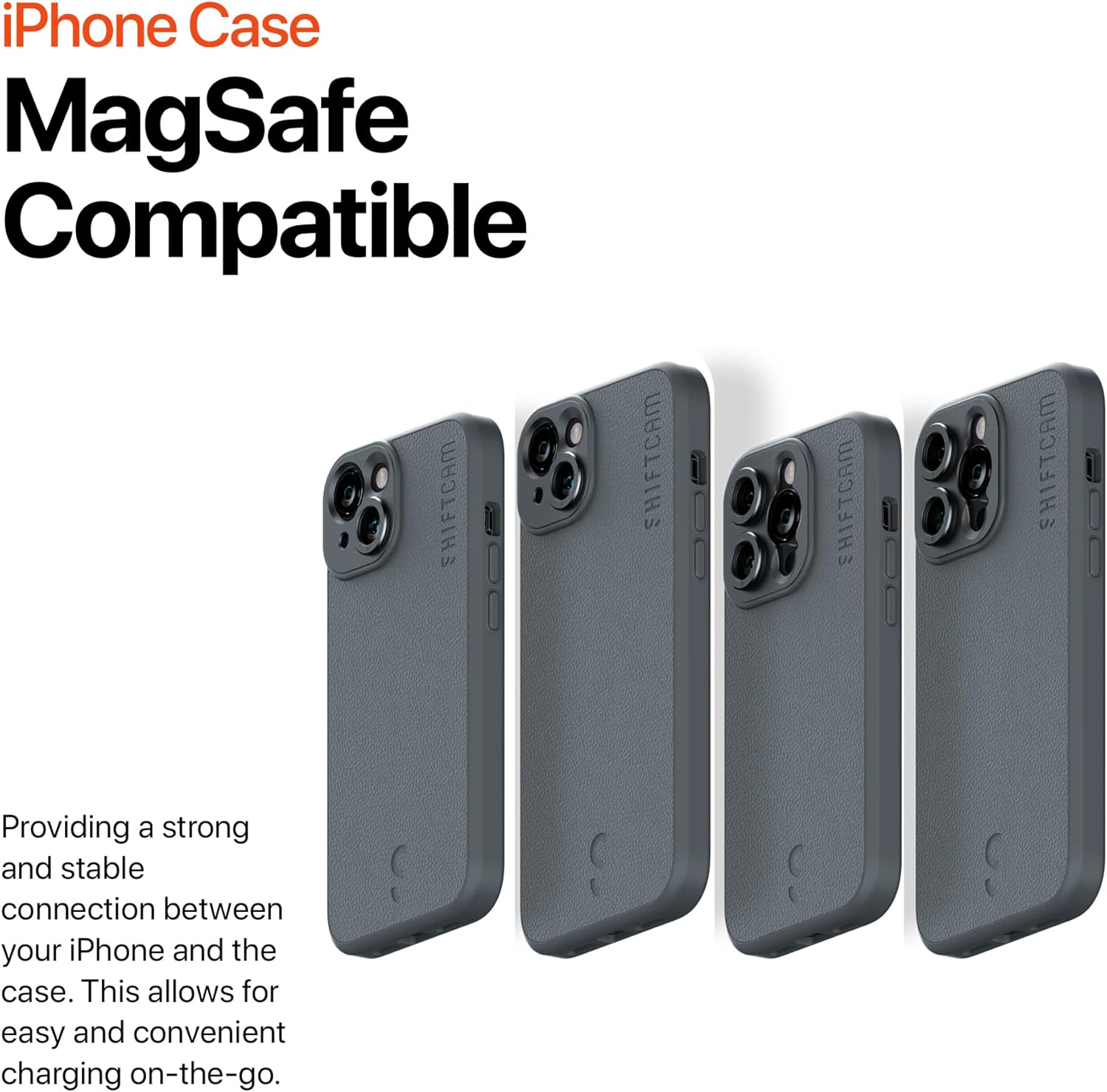
Multiple cases demonstrating MagSafe compatibility.

The built-in aluminum mount for LensUltra lenses.
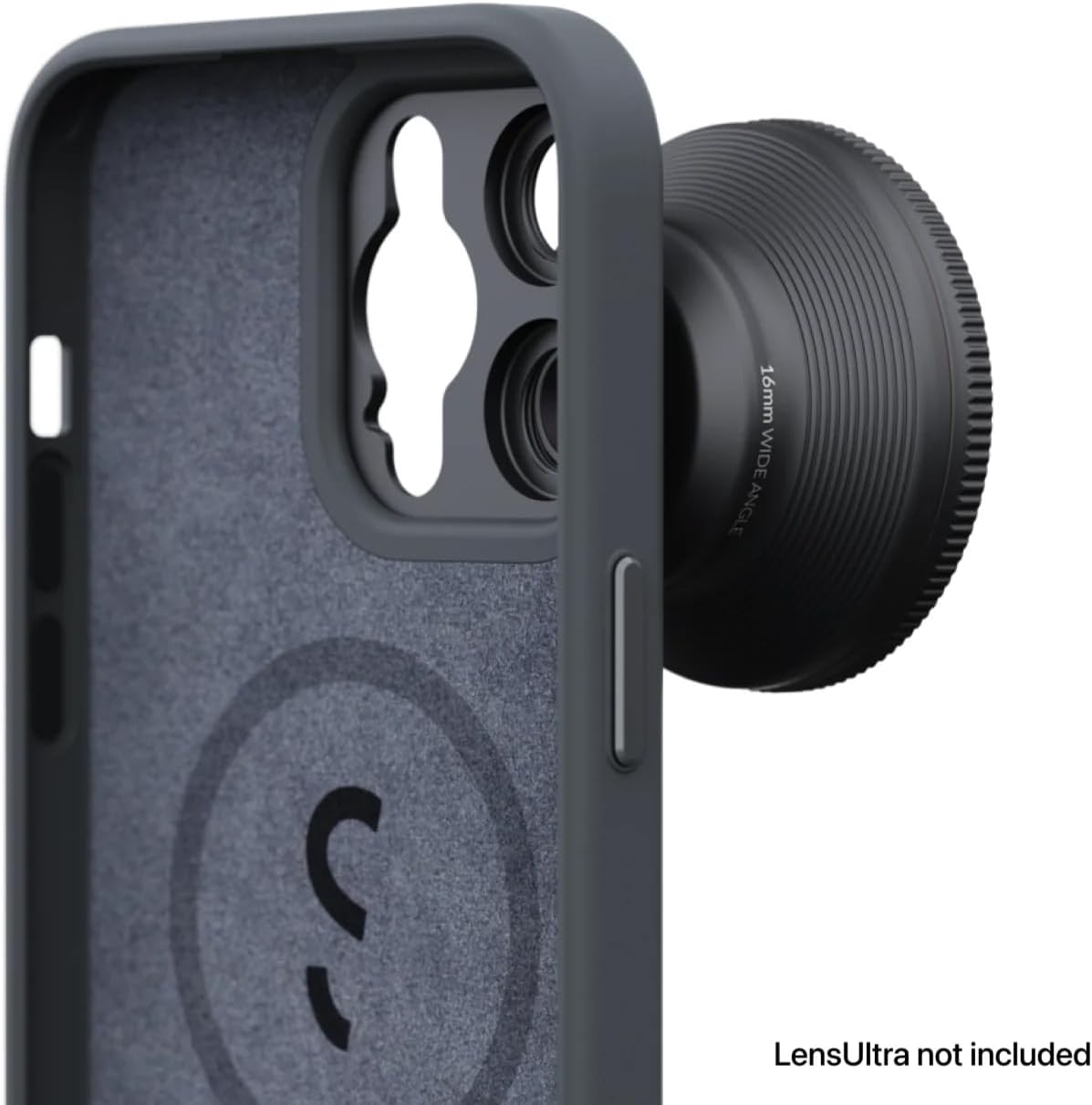
Interior of the case with MagSafe ring and protective lining.
3. Persediaan
Setting up your ShiftCam Camera Case is a straightforward process:
- Installing the Case: Gently align your iPhone 14 Plus with the case, ensuring the camera module and buttons are correctly positioned. Press the phone firmly into the case until it is securely seated.
- Attaching LensUltra Lenses: To attach a ShiftCam LensUltra lens, align the lens with the built-in aluminum mount on the case. Twist the lens clockwise until it clicks securely into place. The precision design ensures perfect alignment without obstruction.
- Removing LensUltra Lenses: To remove a lens, twist it counter-clockwise until it detaches from the mount.

iPhone 14 Plus with case and LensUltra attached.
4. Arahan Operasi
Once the ShiftCam Camera Case is installed and your LensUltra lens is attached, you are ready to enhance your mobile photography:
- Fotografi: Open your iPhone's camera application. The attached LensUltra lens will automatically modify the field of view or optical properties as designed (e.g., wide-angle, telephoto, macro). Experiment with different lenses to achieve desired photographic effects.
- Pengecasan MagSafe: The integrated MagSafe compatibility allows for convenient wireless charging. Simply place your iPhone with the case onto a MagSafe charger.
- Keserasian Aksesori: The case is designed to work with other ShiftCam accessories that utilize the LensUltra mount system, such as grips or tripods.
5. Penyelenggaraan
To ensure the longevity and optimal performance of your ShiftCam Camera Case:
- Pembersihan: Lap bekas dengan kerap dengan lembut, damp cloth. For stubborn stains on the vegan leather, use a mild soap solution and wipe gently. Avoid harsh chemicals or abrasive materials.
- Lens Mount Care: Keep the aluminum lens mount free from dust and debris. Use a soft brush or compressed air to clean the threads if necessary.
- Storan: When not in use, store the case and lenses in a clean, dry place away from extreme temperatures and direct sunlight.
6. Penyelesaian masalah
If you encounter any issues with your ShiftCam Camera Case, consider the following:
- Kanta Tidak Dipasang Dengan Kekunci: Ensure the lens mount on the case and the lens itself are clean and free of obstructions. Twist firmly until you feel a click.
- Case Not Fitting iPhone: Verify that you have the correct case model for your iPhone 14 Plus. Ensure no foreign objects are inside the case preventing a proper fit.
- Image Quality Issues with Lens: Ensure the LensUltra lens is clean and free of smudges or dust. Check that the lens is securely attached and properly aligned.
7. Spesifikasi
| Ciri | Perincian |
|---|---|
| Dimensi Produk | 6.54 x 3.27 x 0.51 inci |
| Berat Barang | 3.52 auns |
| ASIN | B0CDMB19SG |
| Nombor Model Item | ShiftCam |
| Ciri Khas | Heavy Duty Protection |
| Ciri Paparan Lain | Tanpa wayar |
| Faktor Bentuk | Kes Asas |
| warna | arang |
| Apa yang ada dalam Kotak | Sarung Kamera |
| Pengeluar | ShiftCam |
| Tarikh Mula-mula Tersedia | 3 Ogos 2023 |
| Jenama | ShiftCam |
| Model Telefon yang Serasi | iPhone 14 Plus |
| Peranti Serasi | iPhone 14 Plus |
| bahan | Kulit Tiruan |
8. Waranti dan Sokongan
For warranty information and customer support, please refer to the official ShiftCam webtapak atau hubungi perkhidmatan pelanggan mereka secara langsung. Simpan bukti pembelian anda untuk sebarang tuntutan waranti.
Untuk bantuan lanjut, lawati ShiftCam Store on Amazon.