1. Pengenalan
This manual provides detailed instructions for the setup, operation, maintenance, and troubleshooting of your STRONG 4GMIFI150D CAT4/4G LTE Mobile Hotspot. Please read this manual carefully before using the device to ensure optimal performance and safety.
The STRONG 4GMIFI150D is a portable 4G LTE mobile hotspot designed to provide high-speed internet access on the go. It allows you to share a 4G/3G connection with up to 32 Wi-Fi enabled devices, including tablets, mobile phones, laptops, and gaming consoles.
2. Kandungan Pakej
Sahkan bahawa semua item terdapat dalam pakej:
- 1x STRONG 4G Portable Hotspot 150D
- 1x USB cable for power supply
- Panduan Pemasangan Pantas 1x
- 1x Safety instructions and warranty card

Image: Contents of the STRONG 4G Portable Hotspot 150D package, including the device, its retail box, a USB charging cable, a quick installation guide, and safety/warranty information.
3. Peranti Lebihview
Familiarize yourself with the physical features and display indicators of your mobile hotspot.

Imej: Depan view of the STRONG 4GMIFI150D Mobile Hotspot. It features a central display screen and a power button below it. The screen shows indicators for 4G signal, LTE Hotspot status, battery level, Wi-Fi signal, SMS reception, current time, and data usage.

Imej: Terperinci view of the STRONG 4GMIFI150D's screen display, illustrating icons for 4G signal strength, battery level, SMS reception information, Wi-Fi signal level, and a section for displaying time and downloaded data.

Imej: Pelbagai views of the STRONG 4GMIFI150D Mobile Hotspot, showing its front with the display, side profiles, top, and bottom, highlighting its compact and sleek design.
4. Persediaan
4.1. Memasukkan Kad SIM
The STRONG 4GMIFI150D requires a 4G SIM card to establish an internet connection. Ensure the device is powered off before inserting or removing the SIM card.
- Cari slot kad SIM pada peranti.
- Carefully insert your 4G SIM card into the slot until it clicks into place. Ensure the SIM card is oriented correctly according to the diagram on the device or in the quick installation guide.
- Tutup penutup slot kad SIM jika berkenaan.
4.2. Mengecas Peranti
Before first use, fully charge the device. The 2100 mAh battery provides up to 8 hours of intensive use.
- Connect the provided USB cable to the micro-USB port on the hotspot.
- Sambungkan hujung kabel USB yang satu lagi ke penyesuai kuasa USB (tidak disertakan) atau port USB komputer.
- The battery indicator on the display will show charging progress.
5. Arahan Operasi
5.1. Menghidupkan/Mematikan
- Untuk menghidupkan: Tekan dan tahan butang kuasa sehingga skrin menyala.
- Untuk mematikan: Tekan dan tahan butang kuasa sehingga peranti dimatikan.
5.2. Connecting Devices to the Hotspot
Once the hotspot is powered on and has established a 4G connection, you can connect your Wi-Fi enabled devices.
- On your Wi-Fi enabled device (e.g., smartphone, laptop), open the Wi-Fi settings.
- Imbas rangkaian Wi-Fi yang tersedia.
- Select the network name (SSID) of your STRONG 4GMIFI150D hotspot. The SSID and default password (WPA/WPA2) are typically found on a sticker inside the battery compartment or on the device's screen.
- Masukkan kata laluan Wi-Fi apabila digesa.
- Peranti anda kini sepatutnya disambungkan ke internet melalui hotspot.
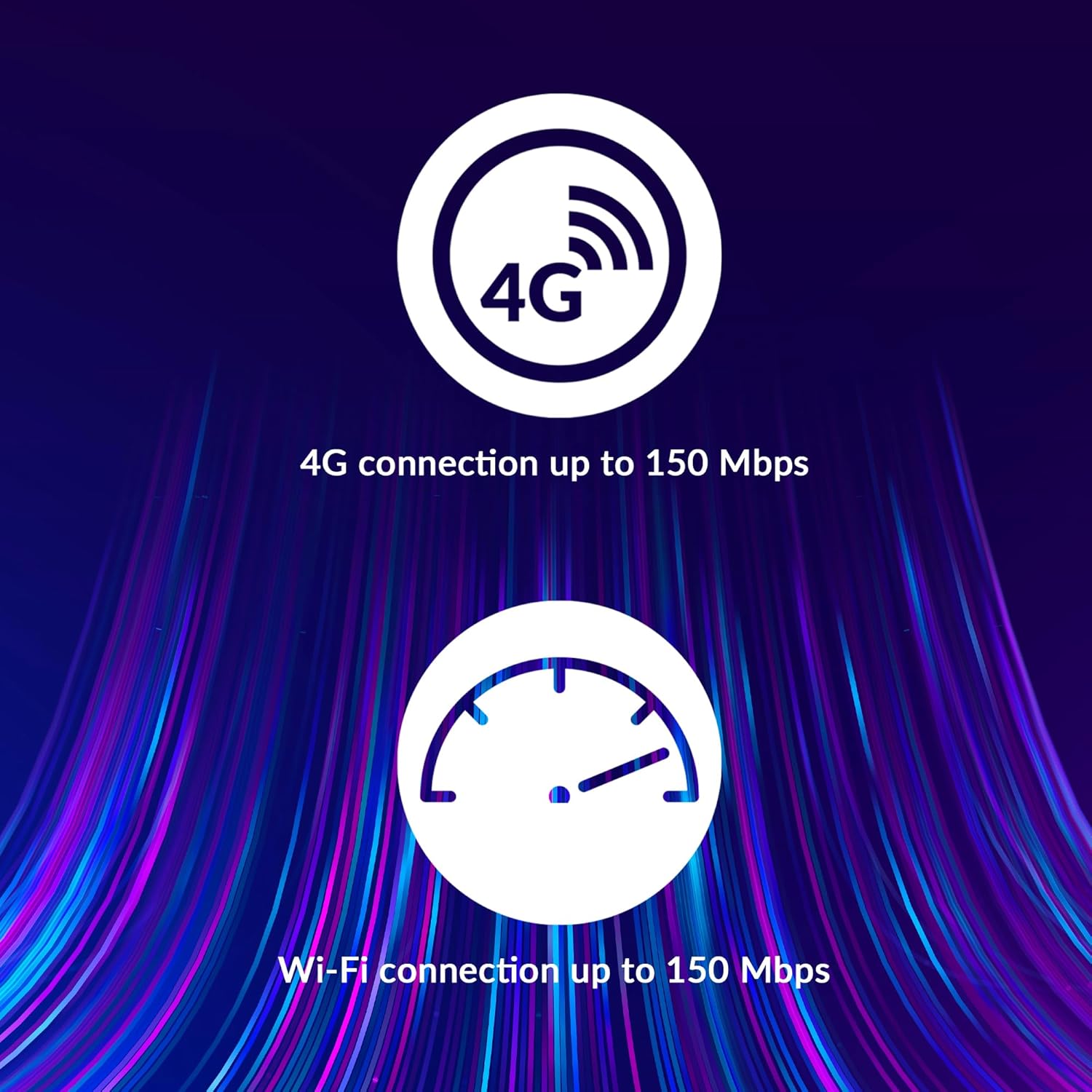
Image: A user holding the STRONG 4GMIFI150D Mobile Hotspot, demonstrating the QR code feature on its screen. This QR code can be scanned by compatible devices to quickly connect to the Wi-Fi network without manually entering the password.
For quick access, you can scan the QR code displayed on the hotspot's screen using a compatible device. This will automatically configure the Wi-Fi connection.
Example QR code content (for reference, actual values vary): WIFI:S:STRONG_XXXX_2.4GHz;T:WPA;P:XXXXXXXXXX;;
5.3. Web Antara Muka Pengurusan
For advanced settings and monitoring, access the web antara muka pengurusan:
- Connect your device to the hotspot's Wi-Fi network.
- Buka a web browser and enter the default IP address (usually 192.168.0.1 or 192.168.1.1) found in the Quick Installation Guide or on the device.
- Enter the default username and password (e.g., admin/admin).
- From here, you can manage Wi-Fi settings, security protocols (WPA/WPA2), PIN code management, and view status sambungan.
6. Prestasi
The STRONG 4GMIFI150D offers robust performance for various internet activities.
- 4G Connection Speed: Up to 150 Mbps download speed.
- Wi-Fi Connection Speed: Up to 150 Mbps.
- Sokongan Peranti: Connect up to 32 Wi-Fi devices simultaneously.
- Hayat Bateri: Up to 8 hours of intensive use with the 2100 mAh battery.

Image: A graphic representation highlighting the performance capabilities of the hotspot, showing a 4G connection speed of up to 150 Mbps and a Wi-Fi connection speed of up to 150 Mbps.

Image: A person working on a laptop outdoors with the STRONG 4GMIFI150D Mobile Hotspot placed on the table next to them, illustrating the device's portability and suitability for remote work or travel.
7. Penyelenggaraan
7.1. Pembersihan
Lap peranti dengan kain lembut dan kering. Jangan gunakan pembersih cecair atau aerosol.
7.2. Penjagaan Bateri
- Elakkan daripada mendedahkan bateri kepada suhu yang melampau.
- Charge the battery regularly, even if the device is not in use, to maintain its lifespan.
- If the device will not be used for an extended period, store it with a partial charge (around 50%).
7.3. Kemas Kini Perisian Tegar
Periksa pengeluar secara berkala webtapak atau peranti web antara muka pengurusan untuk kemas kini perisian tegar yang tersedia untuk memastikan prestasi dan keselamatan yang optimum.
8. Penyelesaian masalah
| Masalah | Kemungkinan Punca | Penyelesaian |
|---|---|---|
| Tiada sambungan internet | No SIM card inserted, incorrect APN settings, no 4G signal, data plan exhausted. | Pastikan kad SIM dimasukkan dengan betul. Semak tetapan APN melalui web interface. Move to an area with better signal. Check data plan with your mobile operator. |
| Tidak dapat menyambung ke Wi-Fi | Incorrect Wi-Fi password, hotspot is off, too many devices connected. | Verify Wi-Fi password. Ensure hotspot is powered on. Disconnect some devices if 32 devices are already connected. |
| Kelajuan internet perlahan | Weak 4G signal, network congestion, distance from hotspot, too many connected devices. | Relocate the hotspot for better signal. Reduce the number of connected devices. Move closer to the hotspot. |
| Peranti tidak dihidupkan | Battery drained, faulty battery/charger. | Charge the device for at least 30 minutes. Try a different USB cable or power adapter. |
9. Spesifikasi
| Ciri | Perincian |
|---|---|
| Model | 4GMIFI150D |
| Jenama | kuat |
| Jenis Kesambungan | Wi-Fi, 4G LTE |
| Standard Tanpa Wayar | 802.11b |
| Kelajuan 4G | Up to 150 Mbps (Download) |
| Kelajuan Wi-Fi | Sehingga 150 Mbps |
| Peranti yang Disokong | Sehingga 32 peranti Wi-Fi |
| Kapasiti Bateri | 2100 mAh Litium Ion |
| Hayat Bateri | Up to 8 hours (intensive use) |
| Dimensi Produk | 19 x 5.7 x 14 cm |
| Berat Barang | 189 g |
| Keselamatan | WPA/WPA2, PIN code management |
| Sistem Operasi | RouterOS (internal) |
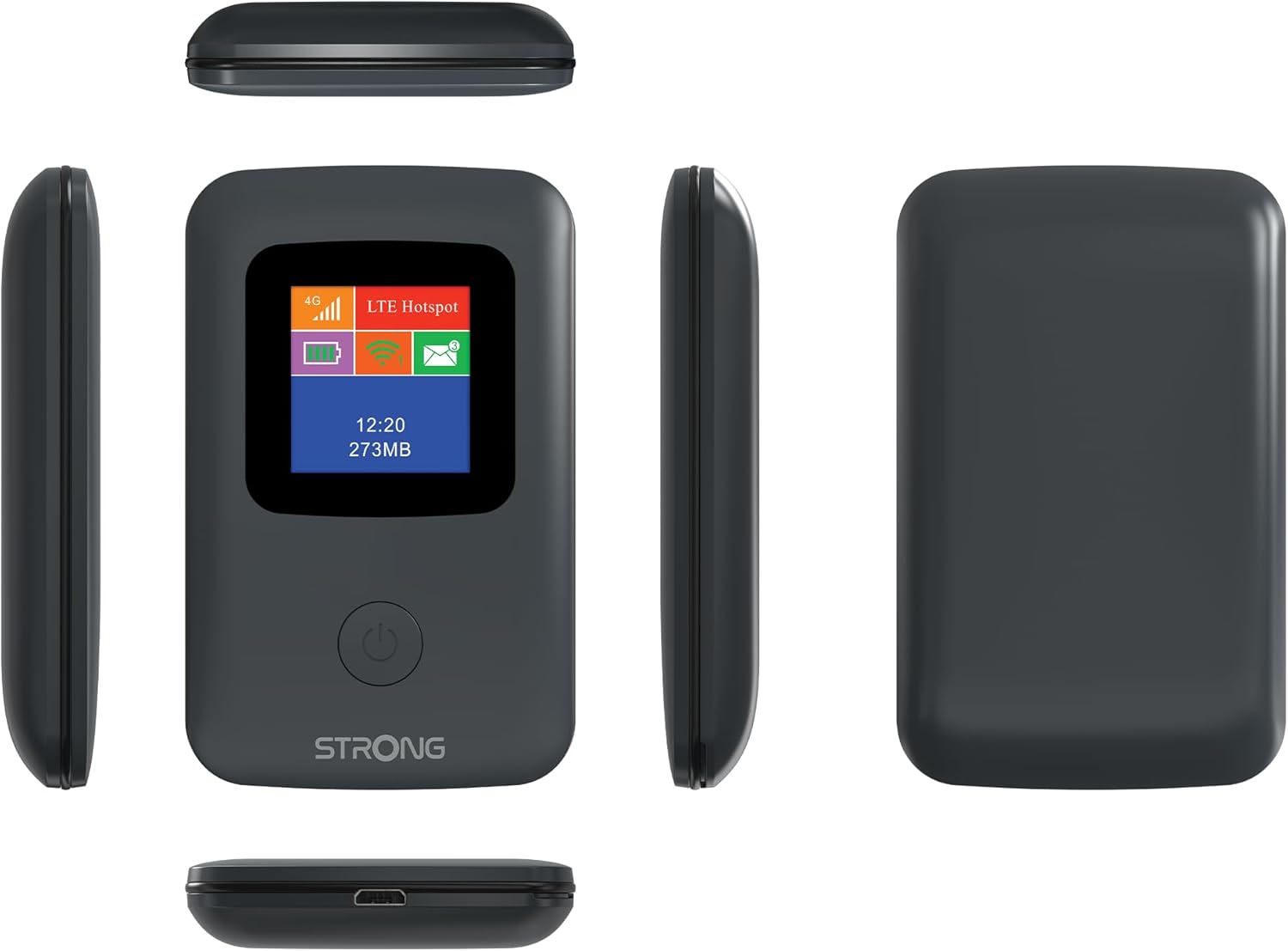
Image: A size comparison showing the STRONG 4GMIFI150D Mobile Hotspot next to a standard credit card, indicating its compact dimensions (92mm height, 58mm width) relative to a credit card (86mm height, 54mm width).
10. Waranti dan Sokongan
This product comes with a warranty as detailed in the included warranty card. For technical support, troubleshooting assistance beyond this manual, or warranty claims, please refer to the contact information provided in your product packaging or visit the official Strong webtapak.
Sila simpan bukti pembelian anda untuk tujuan waranti.
11. Maklumat Keselamatan
- Jangan dedahkan peranti kepada air atau kelembapan berlebihan.
- Elakkan daripada menjatuhkan atau meletakkan peranti kepada kesan yang kuat.
- Jangan cuba membuka atau membaiki peranti sendiri. Rujuk kepada kakitangan perkhidmatan yang berkelayakan.
- Gunakan hanya aksesori yang disediakan atau disyorkan.
- Buang peranti dan baterinya secara bertanggungjawab mengikut peraturan tempatan.


