pengenalan
Manual ini menyediakan arahan komprehensif untuk persediaan, operasi dan penyelenggaraan anda ViewSonic LS740HD laser projector. Designed for brilliant presentations and razor-sharp resolution, the LS740HD utilizes advanced laser phosphor technology to deliver 5,000 ANSI lumens of brightness, ensuring clear images even in environments with ambient lighting. Its eco-friendly design offers a maintenance-free projection experience without the need for lamp replacements, making it ideal for boardrooms, lecture halls, auditoriums, and other public spaces.
Ciri-ciri Utama
- VERSATILE PROJECTOR: High brightness 5000 Lumens 1080p laser projector with advanced visual features.
- LONG LAMP HIDUP: Long-lasting laser phosphor light source allows the lamp to shine bright for up to 30,000 hours.
- PENYEDIAAN MUDAH: 1.3x optical zoom, 360 degree projection, H/V keystone, and 4 corner adjustment.
- DAYA AUTO ON / OFF: This projector can be configured to automatically turn on and off.
- LAN CONTROL: Schedule, and manage the projector remotely with Crestron, AMX, Extron, PJ Link, ATEN, and ViewvController Sonic.
- FLEXIBLE CONNECTIVITY: Supports most media players, PCs, Macs, and mobile devices with inputs such as HDMI and USB Type A.
Panduan Persediaan
1. Membuka Kotak dan Kandungan Pakej
Carefully unpack your ViewSonic LS740HD projector and verify all contents. The package should include:
- ViewSonic LS740HD Projector
- Kord Kuasa
- Alat Kawalan Jauh
- Manual Pengguna (dokumen ini)

Figure 1: What's in the box - LS740HD Projector, Power Cable, QuickStart Guide, and Remote Control.
2. Physical Placement and Image Adjustment
The LS740HD offers flexible placement options for various environments.
- Jarak Optimum: The projector can achieve screen sizes up to 300 inches. Refer to the "Projector Distance and Image Size" chart for recommended throw ratios.
- Zum Optik 1.3x: Utilize the optical zoom feature for convenient mounting flexibility, allowing you to adjust the image size without moving the projector.
- H/V Keystone and 4-Corner Adjustment: Effortlessly correct distorted images from various projection angles, ensuring a perfectly rectangular display.
- 360-Degree Projection and Portrait Mode: These features enable versatile and creative applications, allowing projection in any orientation.

Figure 2: Projector Distance and Image Size Guide.

Figure 3: 1.3x Optical Zoom for convenient mounting flexibility.
3. Ketersambungan
The LS740HD offers a range of input options for seamless integration with your devices.
- HDMI: Connect your media players, PCs, and Macs using HDMI ports.
- USB Jenis A: Use for connecting mobile devices or for projector software updates.
- RS232: For advanced control and integration with control systems.
- Kawalan LAN: Remotely schedule and manage the projector using Crestron, AMX, Extron, PJ Link, ATEN, and ViewvController Sonic.

Figure 4: Flexible connectivity options on the LS740HD projector.
Arahan Operasi
1. Hidupkan/Mati Kuasa
The LS740HD features instant on/off capabilities, eliminating warm-up or cool-down times associated with traditional lamp projektor.
- Hidupkan kuasa: Press the power button on the projector or remote control. The image will appear almost instantly.
- Matikan: Press the power button again. The projector will shut down immediately.
- Kuasa Auto Hidup/Mati: Configure settings to automatically turn the projector on or off based on schedule or signal detection.
Video 1: ViewSonic High Brightness Laser Installation Projectors - Demonstrates instant on/off and other features.
2. Pelarasan Imej
Fine-tune your projected image for optimal clarity and alignment.
- Fokus: Use the focus ring on the lens to sharpen the image.
- Zum: Adjust the zoom ring to enlarge or reduce the image size.
- Pembetulan Keystone: Access the H/V keystone settings via the menu to correct trapezoidal distortion.
- 4-Corner Adjustment: For more precise image shaping, use the 4-corner adjustment feature to individually manipulate each corner of the image.
3. Senario Penggunaan
The LS740HD is versatile for various applications:
- Business & Education: Ideal for presentations in conference rooms, lecture halls, and auditoriums due to its high brightness and clear resolution.
- Home Cinema & Gaming: Experience immersive entertainment with large screen projection and vibrant Full HD 1080p resolution.
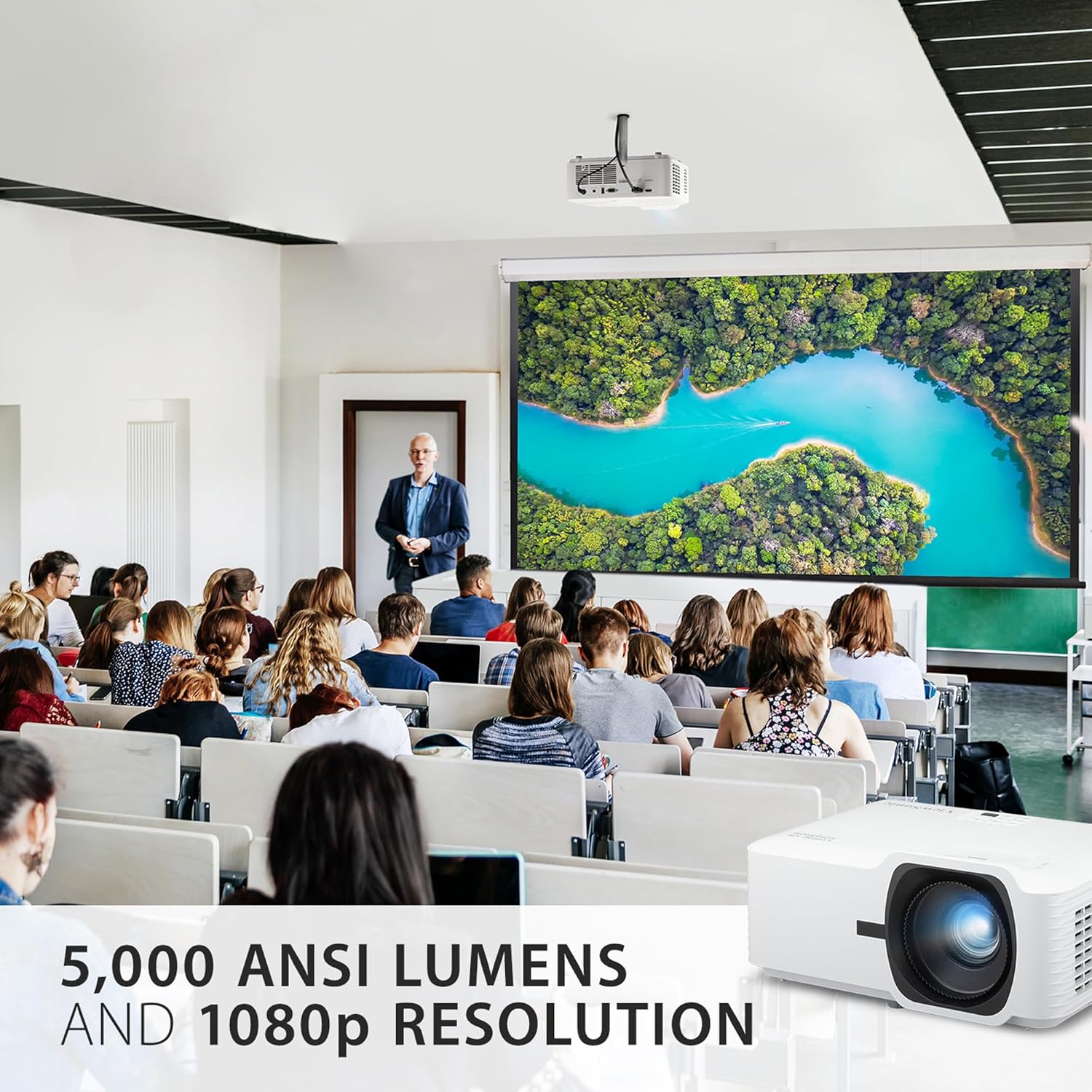
Figure 5: High brightness and 1080p resolution for clear visuals in various settings.

Figure 6: Big screen projection for schools and businesses.
Penyelenggaraan
1. Sumber Cahaya Laser
The LS740HD utilizes a laser phosphor light source, offering significant advantages berbanding tradisional lamps:
- Jangka Hayat Dilanjutkan: Enjoy up to 30,000 hours of maintenance-free usage, significantly reducing the need for lamp pengganti.
- Mesra Alam: The laser light source is free of toxic mercury.

Figure 7: Enjoy a lifespan of up to 30,000 hours with improved efficiency.
2. Kemas Kini Perisian
Keep your projector's firmware up-to-date for optimal performance and new features.
- Port USB: Projector software updates can be easily performed via the USB port, ensuring easy on-site maintenance.
Menyelesaikan masalah
This section addresses common issues you might encounter with your LS740HD projector.
| Masalah | Kemungkinan Punca | Penyelesaian |
|---|---|---|
| Tiada imej atau imej malap | Incorrect input source, cable not connected, low brightness setting, high ambient light. | Verify input source, check cable connections, adjust brightness/mode, reduce ambient light. The 5000 ANSI lumens are designed for bright environments, but extreme sunlight can still affect visibility. |
| Distorted or misaligned image | Projector not perpendicular to screen, incorrect keystone/corner adjustment. | Use H/V keystone and 4-corner adjustment features to correct the image. Ensure the projector is as centered as possible. |
| Image flickering or color shifts (green/yellow tint) | Loose HDMI cable, signal interference, internal processing issue. | Ensure HDMI cables are securely connected. Try a different HDMI cable or port. If the issue persists, contact customer support. |
| Tiada audio | Volume too low, incorrect audio output setting on source device, external speakers not connected. | Increase projector volume, check audio settings on your source device, ensure external speakers are properly connected if used. Note that the built-in speaker is for basic audio needs. |
Spesifikasi
| Ciri | Perincian |
|---|---|
| Dimensi Produk | 11.3 x 8.5 x 5 inci |
| Berat Barang | 6.6 paun |
| Nombor Model Item | LS740HD |
| Jenama | ViewSonic |
| Resolusi Paparan | 1920 x 1080 (1080p HD Penuh) |
| Kecerahan | 5000 ANSI Lumen |
| Kehidupan Sumber Cahaya | Up to 30,000 hours (Laser Phosphor) |
| Teknologi Ketersambungan | USB, HDMI, Bicu 3.5mm |
| Ciri Khas | Built-In Speaker, Eco-Friendly, Ultra-Large Screen, Long-lasting |
| Penggunaan yang Disyorkan | Pendidikan, Pawagam Rumah, Permainan, Perniagaan |
Waranti dan Sokongan
ViewSonic is committed to providing high-quality products and excellent customer service.
- Waranti: This product typically comes with a 3-Year Warranty. Please refer to your product registration or ViewSonic's official webtapak untuk terma dan syarat waranti tertentu.
- Sokongan Pelanggan: For technical assistance, troubleshooting, or warranty claims, please visit the official ViewSokongan sonik website or contact their US-based customer support.
- Environmentally Friendly Packaging: ViewSonic is dedicated to sustainability, and this product comes with environmentally friendly packaging.

Rajah 8: ViewSonic Warranty and Support Information.


