1. Pengenalan
This manual provides comprehensive instructions for the KZ AZ20 IEM True Wireless Adapter. It covers setup, operation, maintenance, and troubleshooting to ensure optimal performance and longevity of your device. The KZ AZ20 is designed to convert compatible in-ear monitors (IEMs) into true wireless earphones, utilizing advanced Bluetooth technology for high-fidelity audio.
2. Produk Lebihview
The KZ AZ20 True Wireless Adapter consists of two ear hooks and a charging case. Each ear hook features a 0.78mm 2PIN connector for attaching to your IEMs, integrated controls, and a microphone. The charging case provides portable power and protection for the ear hooks.
2.1 Apa yang ada di dalam Kotak
- KZ AZ20 True Wireless Adapter (Left and Right Ear Hooks)
- Kes Pengecasan
- Kabel Pengecas USB-C
- Manual Pengguna

Image: KZ AZ20 True Wireless Adapter ear hooks in their charging case. The ear hooks are black with blue indicator lights, and the charging case has a green indicator light.
3. Persediaan
3.1 Attaching IEMs
Carefully align the 0.78mm 2PIN connector on each KZ AZ20 ear hook with the corresponding ports on your compatible IEMs. Gently push until a secure connection is established. Ensure the left ear hook is connected to the left IEM and the right to the right IEM.
3.2 Caj Permulaan
Before first use, place both ear hooks into the charging case and connect the case to a power source using a USB-C cable. The indicator lights will show charging status. Ensure the device is fully charged for optimal performance.
3.3 Berpasangan Bluetooth
- Open the charging case. The ear hooks will automatically enter pairing mode, indicated by flashing lights.
- On your audio device (smartphone, tablet, etc.), navigate to the Bluetooth settings.
- Cari untuk available devices and select 'KZ AZ20' from the list.
- Once connected, the indicator lights on the ear hooks will change, typically to a solid blue or off, depending on the status.

Image: A person wearing the KZ AZ20 adapter with an in-ear monitor, demonstrating the ergonomic fit. The adapter hooks over the ear, holding the IEM securely.
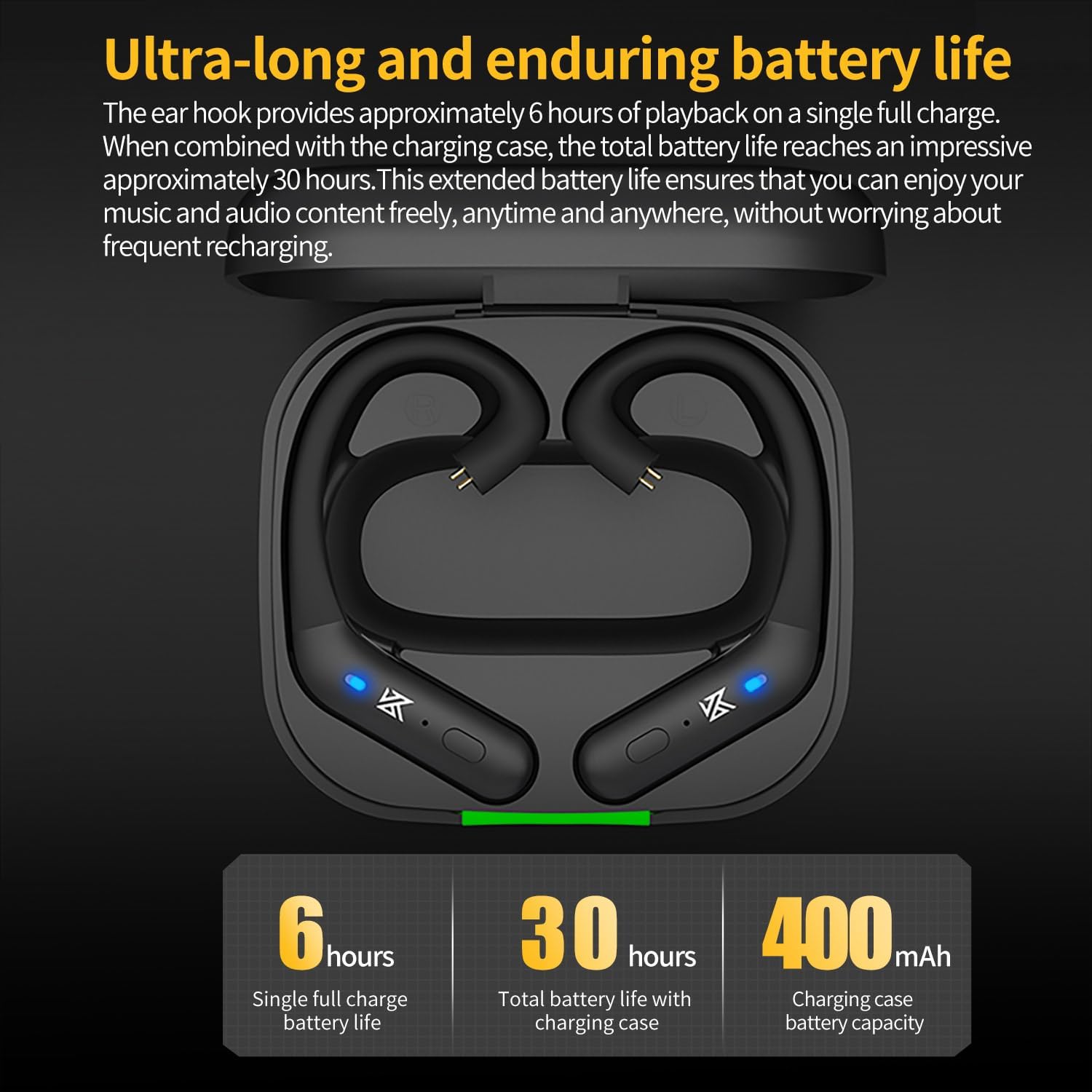
Image: A smartphone screen displaying Bluetooth settings, with 'AZ20' selected for pairing, illustrating the connection process.
4. Arahan Operasi
The KZ AZ20 features touch controls on each ear hook for managing playback, calls, and other functions.
4.1 Hidupkan/Mati Kuasa
The ear hooks power on automatically when removed from the charging case and power off when returned to the case. Manual power on/off may be available via a long press on the touch control area.
4.2 Main balik Muzik
- Ketik sekali on either ear hook to Play/Pause music.
- Ketik dua kali the right ear hook for Next Track.
- Ketik dua kali the left ear hook for Previous Track.
4.3 Pengurusan Panggilan
- Ketik sekali on either ear hook to Answer/End a call.
- Tekan lama on either ear hook to Reject a call.
4.4 Pembantu Suara
Ketik tiga kali on either ear hook to activate your device's voice assistant.
4.5 Mod Bunyi
The KZ AZ20 may offer different sound modes. Refer to the product's specific touch control guide for switching between modes, such as 'Extended Sound' mode mentioned in some user feedback.

Image: Close-up of the KZ AZ20 ear hook showing the button control area and illustrating the flexible ear hook design for a comfortable fit.
5. Pengecasan dan Hayat Bateri
The KZ AZ20 ear hooks provide extended playback time, supported by a portable charging case.
- Ear Hook Battery Life: Each ear hook offers approximately 6 hours of continuous playback on a single full charge.
- Kes Pengecasan: The 800mAh charging case can recharge the ear hooks multiple times, extending the total listening time up to 54 hours.
- Proses Pengecasan: Place the ear hooks into the charging case. Connect the charging case to a USB power adapter using a USB-C cable. Indicator lights on the case and ear hooks will show charging status. A full charge for the case typically takes a few hours.

Image: Graphic illustrating the battery life: 6 hours for single ear hook playback, 54 hours total with the charging case, and 800mAh charging case capacity.
6. Keserasian
The KZ AZ20 is designed with a 0.78mm 2PIN connector for wide compatibility with various in-ear monitors.
6.1 Compatible IEMs include:
- ZAR, AS24, AST, ZAS, ZSN, ZSN PRO, ZS10 PRO, AS16, AS12, ZSX, ZSN PRO-X, ZAX, ASF, ASX, DQ6, EDX PRO, EDS, DQ6S, ZES, EDA, EDX, and other 0.78mm 2PIN interface headphones.
7. Penyelenggaraan
Proper care ensures the longevity and performance of your KZ AZ20 adapter.
- Pembersihan: Gently wipe the ear hooks and charging case with a soft, dry cloth. Avoid using harsh chemicals or abrasive materials. Ensure the 2PIN connectors are clean and free of debris.
- Penyimpanan: When not in use, store the ear hooks in their charging case to protect them and keep them charged.
- Tahan Air: The KZ AZ20 features water resistance. However, it is not waterproof. Avoid submerging the device in water or exposing it to heavy rain. Dry thoroughly if exposed to moisture.
8. Penyelesaian masalah
If you encounter issues with your KZ AZ20, refer to the following common solutions.
8.1 No Power/Not Charging
- Ensure the charging case and ear hooks are properly seated and making contact with the charging pins.
- Sahkan kabel USB-C dan penyesuai kuasa berfungsi dengan betul.
- Check for any debris in the charging ports.
8.2 Cannot Pair/Connect
- Ensure Bluetooth is enabled on your device and the KZ AZ20 is in pairing mode.
- Move the KZ AZ20 closer to your device and away from potential interference sources.
- Try forgetting 'KZ AZ20' from your device's Bluetooth list and re-pairing.
- Ensure the ear hooks are sufficiently charged.
8.3 Sound Issues (No Sound, Low Volume, Disconnections)
- Check the volume levels on both your connected device and the KZ AZ20.
- Ensure the IEMs are securely connected to the ear hooks.
- Verify that no other devices are connected to the KZ AZ20.
- Restart your connected device and the KZ AZ20 (by placing them in the case and taking them out).
- Ensure the ear hooks are within the effective Bluetooth range of your device.
8.4 Controls Not Responding
- Pastikan jari anda bersih dan kering semasa menggunakan kawalan sentuh.
- Try restarting the ear hooks.
9. Spesifikasi
Technical specifications for the KZ AZ20 IEM True Wireless Adapter.
- Nama Model: AZ20
- Teknologi Ketersambungan:Bluetooth
- Teknologi Komunikasi Tanpa Wayar: Bluetooth 5.3
- Cip Bluetooth: Qualcomm QCC5171
- Codec Audio: AptX Adaptive, AptX, SBC, AAC
- Kawalan Bunyi: Pengasingan Bunyi
- Penempatan Telinga: Over Ear
- Faktor Bentuk: Wayarles Benar
- Kaedah Kawalan: Sentuh
- bahan: Silicone (ear hooks)
- Kapasiti Bateri Kes Pengecasan: 800mAh
- Ear Hook Playback Time: Approximately 6 hours (single charge)
- Jumlah Masa Main Semula (dengan kes): Sehingga 54 jam
- Jenis Penyambung: 0.78mm 2PIN
- Port Pengecasan: USB-C
- Berat Barang: 6.7 ounces (0.19 Kilograms)
- Ciri Khas: Tahan Air
- Pengeluar: yuanze
- Tarikh Mula-mula Tersedia: 1 Ogos 2023

Image: Diagram illustrating the 'Pro high-end DAC' feature, highlighting the Qualcomm QCC5171 chip's capability for 24-bit 384kHz audio processing compared to other 24-bit 96kHz chips.

Image: A comparison table of Bluetooth chips, showing the Qualcomm QCC5171's superior power consumption, transmission bitrate, protocols, call noise reduction, and Bluetooth version (5.3).
10. Waranti dan Sokongan
KZ products are manufactured to high-quality standards. For warranty information or technical support, please refer to the documentation included with your purchase or visit the official KZ webtapak. Simpan bukti pembelian anda untuk tuntutan waranti.