1. Pengenalan
Thank you for choosing the BINNUNE BG02 Gaming Headset. This manual provides detailed instructions for setting up, operating, and maintaining your headset to ensure optimal performance and longevity. Please read this manual thoroughly before using the product.
2. Produk Lebihview dan Komponen
The BINNUNE BG02 is a wired gaming headset designed for immersive audio and clear communication across multiple platforms. It features a comfortable over-ear design and a flexible microphone.

Rajah 2.1: Depan view of the BINNUNE BG02 Gaming Headset with its attached microphone.
Kandungan Pakej:
- BINNUNE BG02 Gaming Headset with attached 3.5mm audio cable
- PC Splitter Cable (3.5mm Y-splitter for separate audio/mic jacks)
- Panduan Mula Pantas

Figure 2.2: Contents included in the BINNUNE BG02 Gaming Headset package, showing the headset, cables, and documentation.
Ciri-ciri Utama:
- Pemacu Titanium 50mm: For rich, full-range sound.
- Unidirectional Boom Mic: Bendable microphone designed for clear voice capture and noise suppression.
- In-line Audio Controls: Convenient access to volume adjustment and microphone mute switch.
- Keserasian Merentas Platform: Works with PS5, PS4, PS4 Pro, Nintendo Switch, PC, and mobile devices with a 3.5mm jack.

Rajah 2.3: Terperinci view of the 50mm titanium-coated drivers, engineered for enhanced audio clarity and immersive sound.

Figure 2.4: A user demonstrating the flexible unidirectional boom microphone, designed to capture voice clearly while minimizing background noise.
3. Persediaan
The BINNUNE BG02 headset connects via a standard 3.5mm audio jack. Follow the instructions below for your specific device.
3.1 Connecting to PlayStation 5 / PlayStation 4 / Nintendo Switch / Mobile Devices:
- Locate the 3.5mm audio jack on your controller (PS5/PS4), console (Nintendo Switch), or mobile device.
- Insert the 3.5mm plug of the headset cable firmly into the audio jack.
- Adjust audio settings on your device if necessary to ensure the headset is selected as the input/output device.

Figure 3.1: The BINNUNE BG02 Headset positioned with a PlayStation 5 console and controller, illustrating its intended use for gaming.
3.2 Connecting to PC:
For PCs with separate audio and microphone jacks, use the included PC splitter cable.
- Connect the 3.5mm plug of the headset to the female end of the PC splitter cable.
- Insert the green plug of the splitter cable into your PC's audio output (headphone) jack.
- Insert the pink plug of the splitter cable into your PC's microphone input jack.
- Pastikan tetapan bunyi PC anda dikonfigurasikan untuk menggunakan alat dengar bagi main balik dan rakaman.
4. Arahan Operasi
The BINNUNE BG02 headset features convenient in-line controls for quick adjustments during use.

Rajah 4.1: Terperinci view of the in-line audio controls, featuring a volume slider and a microphone mute button for easy access.
4.1 Kawalan Kelantangan:
- Locate the volume slider on the in-line control unit.
- Slide the control up to increase volume and down to decrease volume.
4.2 Bisu Mikrofon:
- Locate the microphone mute switch on the in-line control unit.
- Flip the switch to mute the microphone (typically indicated by a red line or icon).
- Flip the switch again to unmute the microphone.
4.3 Microphone Positioning:
- The boom microphone is flexible. Adjust its position to be close to your mouth for optimal voice clarity.
- Pastikan mikrofon tidak terhalang.
5. Keserasian
The BINNUNE BG02 Gaming Headset is designed for broad compatibility with various gaming consoles and devices that support a 3.5mm audio connection.
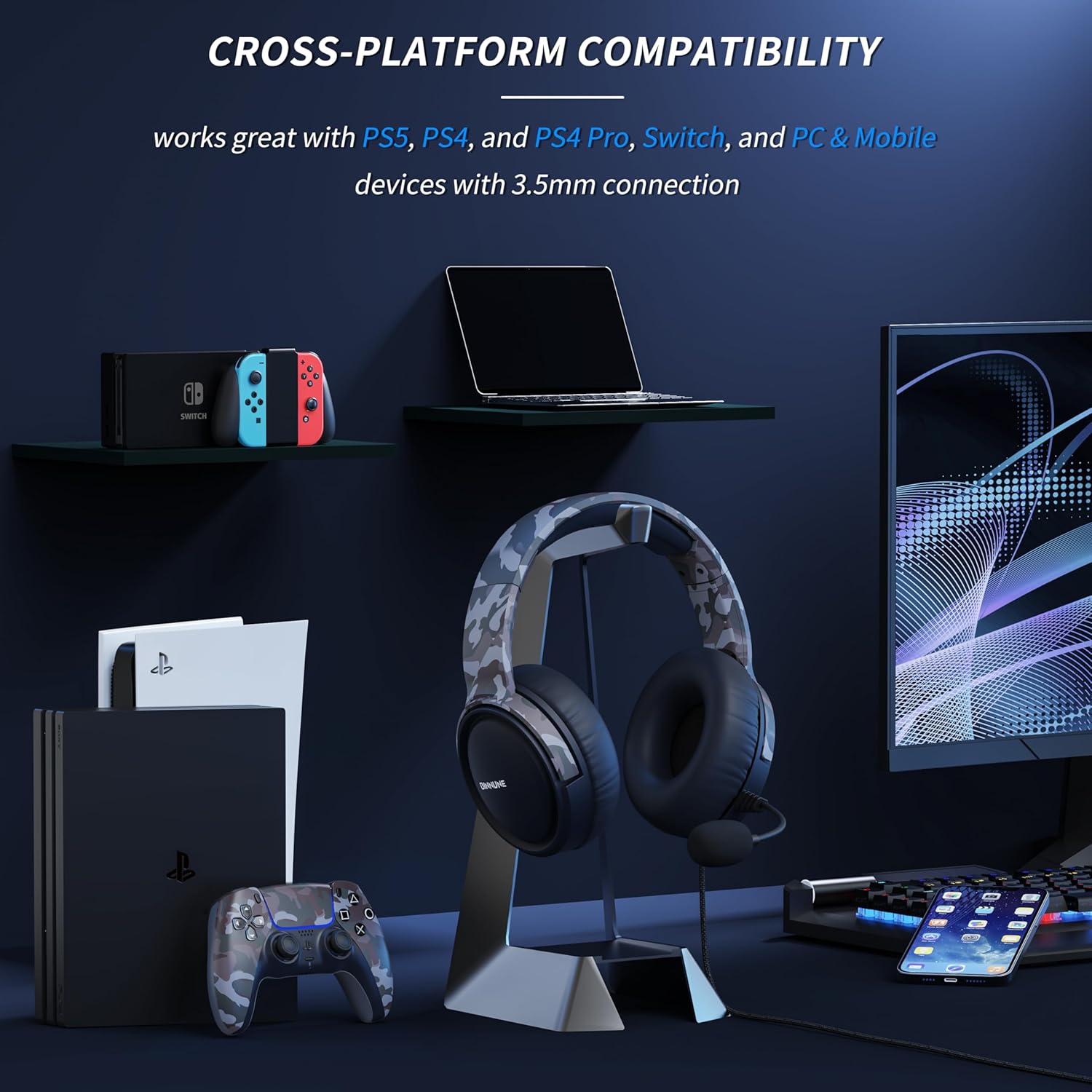
Figure 5.1: The BINNUNE BG02 Headset displayed with various compatible devices including PlayStation 5, PlayStation 4, Nintendo Switch, PC, and mobile phones.
Platform yang Disokong:
- PlayStation 5 (PS5)
- PlayStation 4 (PS4)
- PlayStation 4 Pro (PS4 Pro)
- Nintendo Switch
- PC (with included splitter cable for separate audio/mic jacks)
- Mobile Devices (with 3.5mm audio jack)
6. Penyelenggaraan
Proper care and maintenance will extend the life of your BINNUNE BG02 Gaming Headset.
- Pembersihan: Gunakan kain lembut dan kering untuk mengelap penutup telinga dan ikat kepala. Untuk kotoran degil, sedikit damp cloth can be used, but ensure no moisture enters the speaker grilles or microphone.
- Storan: Simpan alat dengar di tempat yang sejuk dan kering, jauh daripada cahaya matahari langsung dan suhu yang melampau. Elakkan kabel daripada kusut.
- Penjagaan Kabel: Do not pull on the cable to disconnect the headset. Always grasp the plug. Avoid sharp bends or kinks in the cable.
- Penjagaan Mikrofon: Handle the flexible boom microphone gently. Avoid excessive bending or twisting.
7. Penyelesaian masalah
If you encounter issues with your BINNUNE BG02 Gaming Headset, refer to the following common solutions:
| Masalah | Kemungkinan Punca | Penyelesaian |
|---|---|---|
| Tiada audio daripada set kepala |
|
|
| Mikrofon tidak berfungsi |
|
|
| Herotan bunyi atau statik |
|
|
8. Spesifikasi
| Ciri | Perincian |
|---|---|
| Nombor Model | BG02 |
| Ketersambungan | Berwayar (Bicu 3.5mm) |
| Saiz Pemandu | Pemacu Titanium 50mm |
| Jenis Mikrofon | Unidirectional Boom Mic |
| Kawalan | In-line Volume Slider, Mic Mute Switch |
| Faktor Bentuk | Atas Telinga (Bulat-Aurikular) |
| bahan | plastik |
| Berat badan | Lebih kurang 9 Auns |
| Penggunaan yang Disyorkan | Gaming, Video Conferencing |
9. Waranti dan Sokongan
BINNUNE products are designed for reliability and performance. For any questions, technical support, or warranty inquiries, please contact BINNUNE customer service through the retailer's platform or the official BINNUNE webtapak. Sila simpan bukti pembelian anda untuk tuntutan waranti.
Untuk mendapatkan maklumat sokongan terkini, sila lawati: www.binnune.com (Nota: Ini adalah ruang letak URL as no specific support link was provided in the product data.)


