1. Pengenalan
This manual provides detailed instructions for the assembly, operation, and maintenance of your MOTPK 39 Inch Small Gaming Desk. Please read this manual thoroughly before assembly and use to ensure proper function and safety.

2. Maklumat Keselamatan
Amaran Keselamatan Penting:
- The desk has a maximum weight limit of 110 paun (50 kg)Jangan melebihi had ini untuk mengelakkan kerosakan atau kecederaan.
- Always use the desk on a flat and stable surface to ensure stability and prevent tipping.
- Exercise caution during assembly to avoid injury. It is recommended to have assistance if needed.
- Keep all electrical components (power outlets, LED lights) away from liquids.
- Ensure all cables are properly managed to prevent tripping hazards.
3. Kandungan Pakej
Sahkan bahawa semua komponen hadir sebelum memulakan pemasangan. Jika mana-mana bahagian yang hilang atau rosak, sila hubungi sokongan pelanggan.
- Desktop Board (with Carbon Fiber Texture)
- Rak Monitor
- T-Shaped Metal Legs (2)
- Built-in Power Outlet Strip (3 AC outlets, 2 USB ports)
- LED Lights Controller
- Metal Cup Holder
- Cangkuk Fon Kepala
- Perkakasan Pemasangan (skru, bolt, dsb.)
- Alat Pemasangan (Sepana Allen, pemutar skru)
- Manual Pemasangan
4. Arahan Perhimpunan
Assembly is required for this product. A detailed installation manual and step-by-step video are provided with the product to guide you through the process. It is recommended that satu orang perform the assembly, and all necessary tools are included.
4.1. Senarai Semak Pra Perhimpunan
- Kosongkan kawasan yang luas untuk perhimpunan.
- Buka bungkusan semua komponen dan sahkan terhadap senarai kandungan pakej.
- Jauhkan bahagian kecil daripada kanak-kanak.
4.2. Langkah Perhimpunan Berakhirview
- Attach the T-shaped metal legs to the desktop board using the provided hardware. Ensure all connections are secure for optimal stability.
- Install the monitor shelf onto the designated area of the desktop.
- Mount the built-in power outlet strip to the underside of the monitor shelf or desktop as indicated in the manual.
- Attach the LED lights controller, cup holder, and headphone hook to their respective positions.
- Connect the LED light strips to the controller and the power outlet strip.
- Plug the desk's main power cord (6.6 feet) into a wall outlet.


5. Arahan Operasi
5.1. Operasi Lampu LED
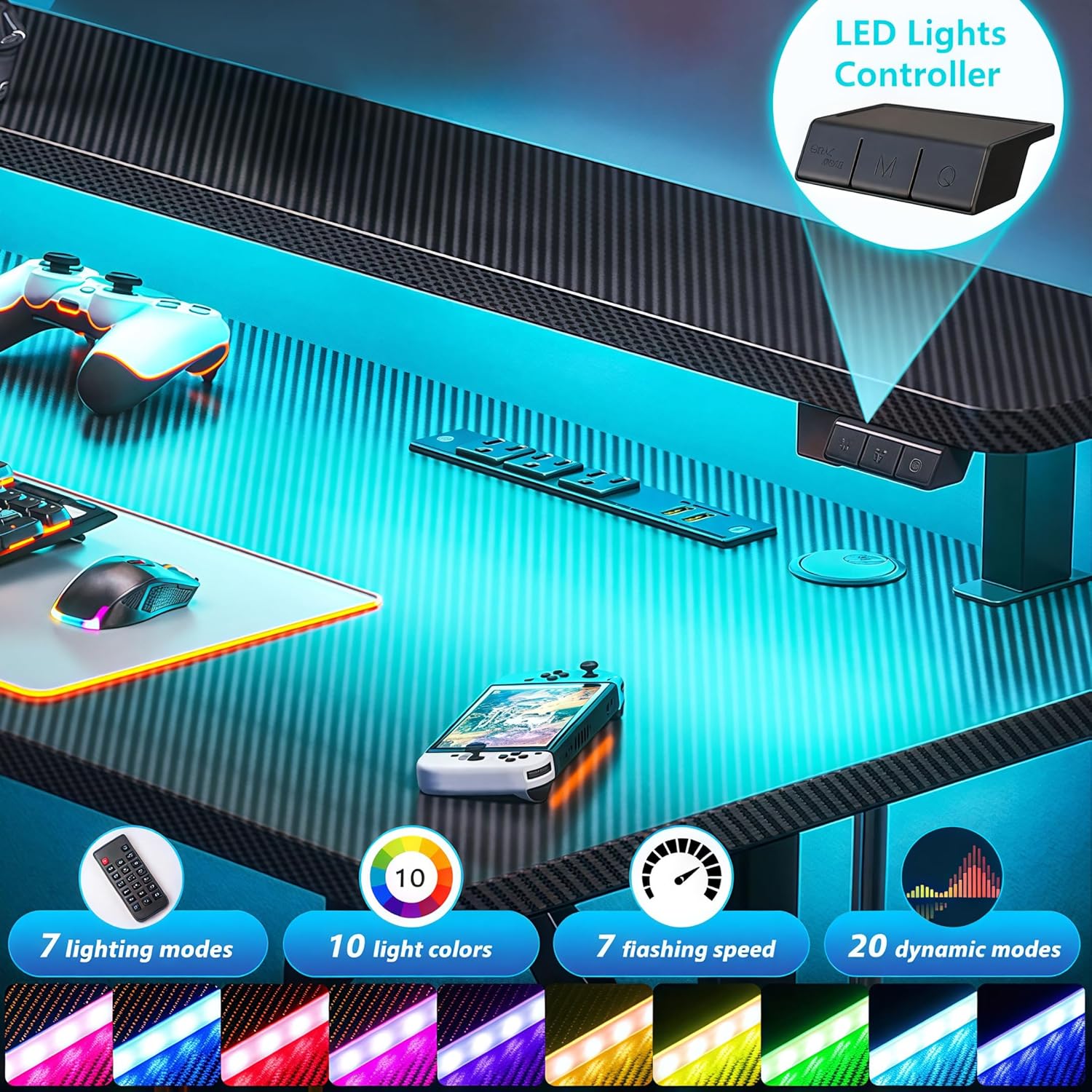
The desk features customizable LED lights with 20 dynamic lighting modes. Use the integrated controller to manage the lighting effects.
- Butang HIDUP/MATI: Tekan untuk menghidupkan atau mematikan lampu LED.
- 'M' (Dynamic Mode) Button: Cycle through 20 dynamic lighting modes.
- 'C' (Static Color) Button: Select from 10 static color options.
- Speed/Brightness Control: Adjust the speed of dynamic modes or the brightness of static colors.

5.2. Penggunaan Soket Kuasa
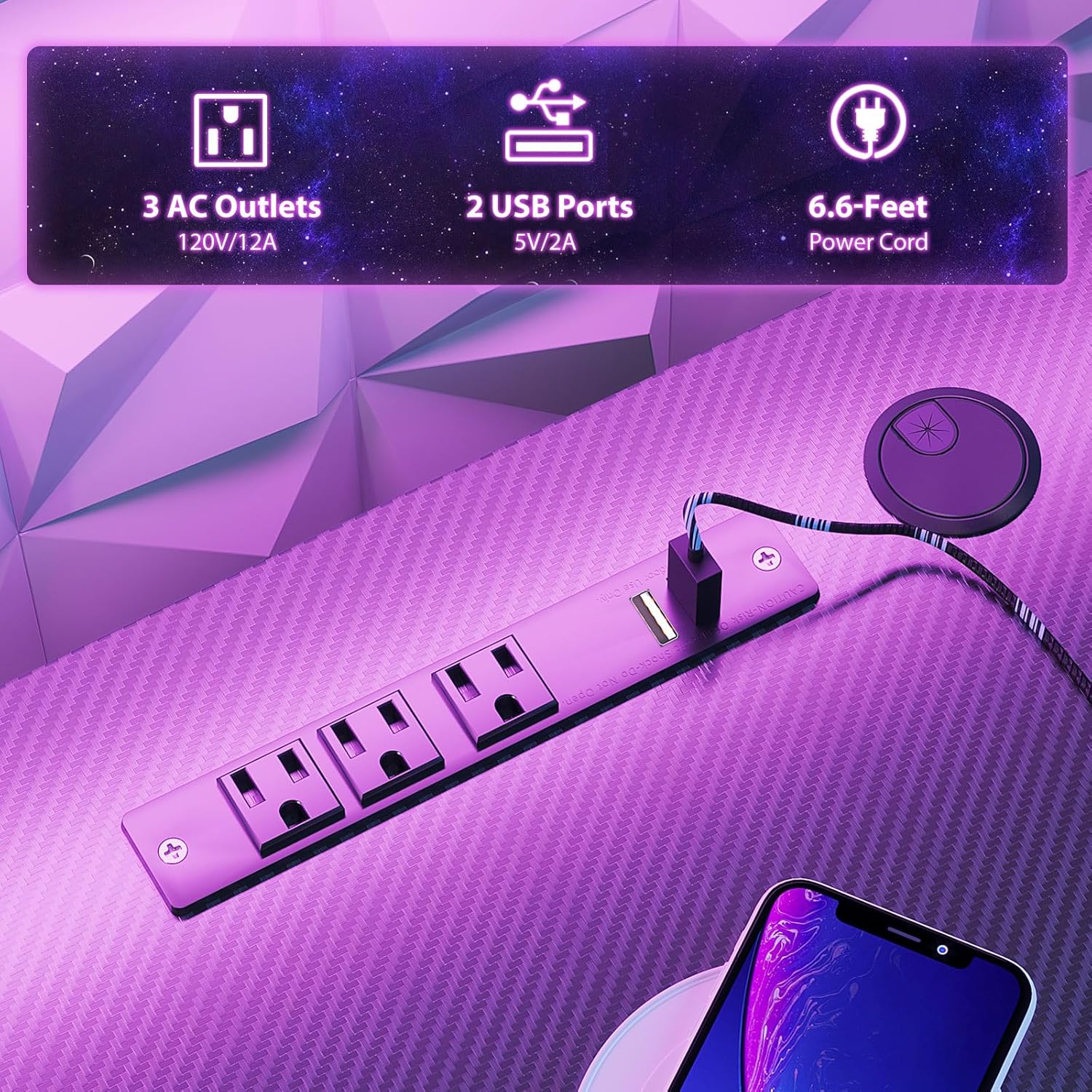
The integrated charging station provides convenient power for your devices.
- Cawangan AC: Three 120V/12A AC outlets are available for powering monitors, computers, and other electronics.
- Port USB: Two 5V/2A USB ports are provided for charging smartphones, tablets, and other USB-powered devices.
- Ensure the desk's main power cord is securely plugged into a functional wall outlet.
5.3. Monitor Shelf Utilization
The full-sized monitor shelf is designed to optimize viewing angles and maximize desk space.
- The shelf can accommodate up to two 24-inch monitors.
- It can also support a monitor arm or gaming consoles like a PS5.
- Positioning monitors on the shelf helps maintain an ergonomic sitting posture.


5.4. Penggunaan Aksesori
The desk includes a metal cup holder and a headphone hook for convenience.
- Pemegang cawan: Attach the metal cup holder to either side of the desk for easy access to beverages.
- Cangkuk Fon Kepala: Utilize the headphone hook to keep your headphones organized and within reach.


6. Penyelenggaraan
Regular maintenance helps prolong the life and appearance of your gaming desk.
- Pembersihan: Wipe the carbon fiber textured desktop and metal frame with a soft, damp kain. Elakkan pembersih yang melelas atau bahan kimia keras yang boleh merosakkan kemasan.
- Komponen Elektrik: Ensure the power outlets and LED lights are kept dry. Do not attempt to clean them with liquids.
- Perkakasan: Periodically check all screws and bolts to ensure they remain tight. Retighten if necessary to maintain desk stability.
7. Penyelesaian masalah
If you encounter issues with your MOTPK Gaming Desk, refer to the following common solutions:
- Meja goyang: Ensure all assembly screws are tightened. Verify the desk is on a flat, even surface. Adjust leveling feet if present.
- Lampu LED Tidak Berfungsi: Check if the main power cord is securely plugged into the wall outlet. Ensure the LED light strips are properly connected to the controller and the power source. Press the ON/OFF button on the controller.
- Soket Kuasa Tidak Berfungsi: Confirm the desk's main power cord is plugged in. Test the wall outlet with another device to ensure it is functional. Check for any tripped circuit breakers.
- Bahagian yang hilang: If parts are missing upon arrival, contact customer support immediately with your purchase details.
8. Spesifikasi
| Ciri | Spesifikasi |
|---|---|
| Nombor Model | MKB04010401002 |
| Dimensi Produk (D x W x H) | 19.68"D x 39.37"W x 34.69"H |
| Berat Barang | 27 paun (12.25 kg) |
| Cadangan Berat Maksimum | 110 paun (50 kg) |
| Jenis Bahan Atas | Engineered Wood (Carbon Fiber Texture) |
| Bahan Asas | Logam (Besi) |
| warna | Hitam |
| Ciri Khas | Built-in Power Outlet, Carbon Fiber Texture, LED Lights, T-shaped legs, Monitor Shelf, Metal Cup Holder, Headphone Hook |
| Saluran Kuasa | 3 Soket AC (120V/12A) |
| Port USB | 2 Port USB (5V/2A) |
| Panjang Kord Kuasa | 6.6 Kaki |
| Mod Lampu LED | 20 Mod Dinamik, 10 Warna Statik |
| Perhimpunan Diperlukan | ya |
| Orang yang Disyorkan untuk Perhimpunan | 1 |
| Alat Perhimpunan Termasuk | ya |
9. Waranti dan Sokongan
MOTPK is committed to providing high-quality products and excellent pre-sales and after-sales service. For any questions, concerns, or assistance with your product, please refer to the contact information provided with your purchase or visit the official MOTPK webtapak.
Sila simpan bukti pembelian anda untuk sebarang tuntutan waranti atau pertanyaan sokongan.


