pengenalan
This manual provides detailed instructions for the setup, operation, and maintenance of your LIGE ST19-A Smartwatch. Designed for durability and functionality, this smartwatch features a 1.43-inch AMOLED touchscreen, Bluetooth calling, comprehensive health monitoring, and multiple sports modes. Please read this manual carefully to ensure proper use and to maximize your device's potential.
1. Persediaan
1.1 Mengecas Jam Pintar
Before first use, fully charge your LIGE ST19-A Smartwatch. Use the provided magnetic charging cable.
- Connect the magnetic end of the charging cable to the charging contacts on the back of the smartwatch.
- Connect the USB end of the cable to a standard USB power adapter (5V/1A recommended) or a computer's USB port.
- Paparan jam tangan akan menunjukkan status pengecasan. Cas penuh biasanya mengambil masa 2-3 jam.
- Once fully charged, the watch offers approximately 3-7 days of working time and up to 30 days of standby time.
1.2 Pemasangan Aplikasi dan Penggandingan Peranti
To unlock the full functionality of your smartwatch, you need to install the companion application on your smartphone and pair the devices.
- Dayakan Bluetooth: On your smartphone, go to settings and ensure Bluetooth is turned on.
- Muat turun Apl: Scan the QR code provided in the watch's packaging or search for "FitCloudPro" in your smartphone's app store (Google Play Store for Android, Apple App Store for iOS). Alternatively, you can visit pautan ini for download options.
- Pasang dan Buka: Install the "FitCloudPro" app and open it.
- Tambah Peranti: In the app, navigate to the "Device" or "Add Device" section. The app will search for available devices. Select "ST19-A" from the list to initiate pairing.
- Sahkan Gandingan: Follow the on-screen prompts on both your phone and smartwatch to confirm the pairing request.
- Dayakan Pemberitahuan: Grant the necessary permissions for the app to display notifications from your phone on the smartwatch.
- Fungsi Panggilan Bluetooth: After successful connection, you can enable or disable the call function on the watch. If the connection is successful, you can add/answer calls and play music.

2. Arahan Operasi
2.1 Navigasi Asas
- Skrin sentuh: Leret ke kiri, kanan, atas atau bawah untuk menavigasi menu dan ciri. Ketik untuk memilih.
- Butang Sisi: The smartwatch features physical buttons for quick access to functions or to return to the home screen. Refer to the watch's interface for specific button assignments.
2.2 Panggilan Bluetooth
Sebaik sahaja dipasangkan dengan telefon pintar anda, anda boleh membuat dan menerima panggilan terus daripada jam tangan pintar anda.
- Membuat Panggilan: Access the dialer on your watch or select a contact from your synced phonebook.
- Menerima Panggilan: When a call comes in, the watch will display the caller ID. You can answer or decline the call directly from your wrist.
- The watch includes a microphone and speaker for hands-free communication.

2.3 Pemberitahuan Pintar
Receive instant notifications for incoming calls, text messages, and alerts from various social media applications directly on your wrist.
- Ensure notification permissions are granted in the "FitCloudPro" app for desired applications.
- Supported apps include Line, Messenger, Facebook, Twitter, Kakao Talk, Skype, and WhatsApp.

2.4 Penjejakan Kesihatan
The smartwatch provides 24-hour real-time monitoring of various health metrics.
- Pemantauan Denyut Jantung: Mengesan kadar denyutan jantung anda secara berterusan sepanjang hari.
- Pengukuran Tekanan Darah: Memberi bacaan tekanan darah.
- Pemantauan Oksigen Darah (SpO2): Mengukur tahap ketepuan oksigen darah anda.
- Pemantauan Tidur: Analyzes your sleep patterns, including deep sleep, light sleep, and wake times.
- Pedometer: Counts your daily steps, distance, and estimated calorie burn.
- Latihan pernafasan: Latihan pernafasan berpandu untuk membantu menguruskan tekanan.
Note: Health data provided by this device is for reference only and should not be used for medical diagnosis or treatment. Consult a medical professional for health concerns.

2.5 Mod Sukan
The smartwatch supports over 100 sports modes to track your workout data accurately.
- Select your desired sport mode from the watch's menu to begin tracking.
- The watch records data such as duration, distance, calories burned, and heart rate during your activity.
- Examples of supported activities include walking, running, cycling, swimming, and various gym exercises.

2.6 Ciri Tambahan
- Paparan Cuaca: Get real-time weather updates directly on your watch face.
- Kawalan Muzik: Control music playback on your smartphone (play, pause, skip tracks) from your wrist.
- Sentiasa Dipamerkan (AOD): The 1.43-inch AMOLED screen supports an Always On Display feature, providing continuous time visibility.
- Pembantu Suara AI: Interact with your smartwatch using voice commands for various tasks.


3. Penyelenggaraan
- Pembersihan: Lap skrin dan tali jam tangan dengan kerap menggunakan kain lembut dan kering. Jika perlu, gunakan sedikit kain lembapamp kain dan kemudian keringkan dengan teliti. Elakkan bahan kimia yang keras atau bahan yang melelas.
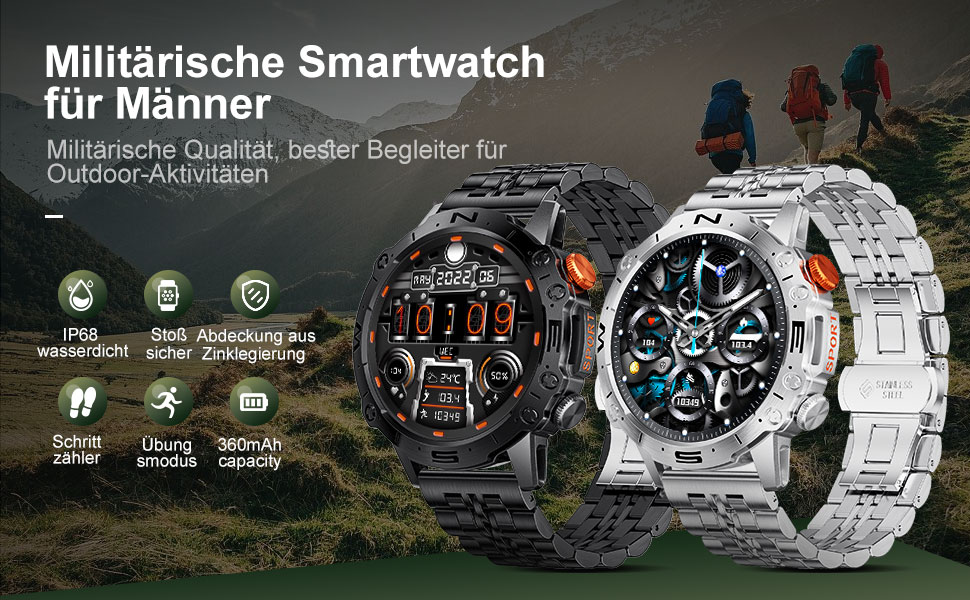
- Tahan Air: The LIGE ST19-A Smartwatch is IP68 rated, meaning it is resistant to dust and can withstand immersion in water up to 1.5 meters for 30 minutes. It is suitable for daily use, hand washing, and rain exposure. However, it is not recommended for hot showers, saunas, or diving, as steam and hot water can compromise the seals.
- Penjagaan Bateri: Untuk memanjangkan hayat bateri, elakkan daripada kerap mencas jam tangan sepenuhnya. Caskannya apabila paras bateri rendah. Simpan jam tangan di tempat yang sejuk dan kering apabila tidak digunakan untuk tempoh yang lama.
- Elakkan Suhu Melampau: Do not expose the watch to extreme hot or cold temperatures, as this can damage the battery and internal components.
4. Penyelesaian masalah
| Masalah | Penyelesaian yang Mungkin |
|---|---|
| Jam tangan tidak dihidupkan | Pastikan jam tangan dicas sepenuhnya. Sambungkannya ke pengecas selama sekurang-kurangnya 30 minit. |
| Tidak boleh berpasangan dengan telefon pintar |
|
| Tiada pemberitahuan diterima |
|
| Data kesihatan yang tidak tepat |
|
| Hayat bateri pendek |
|
5. Spesifikasi
| Ciri | Perincian |
|---|---|
| Nama Model | ST19-A |
| Jenama | LIGE |
| Saiz Skrin | 1.43 Inci |
| Jenis Paparan | Skrin sentuh AMOLED |
| Teknologi Ketersambungan | Bluetooth |
| Kapasiti Bateri | 360 mAh (Litium-ion) |
| Typical Usage Time | 3-7 hari |
| Masa Tunggu Sedia | Lebih kurang 30 hari |
| Tahan Air | IP68 (Dustproof, Water resistant up to 1.5m for 30 min) |
| Ciri Khas | Voice Call, Music Player, Heart Rate Monitor, Activity Tracker, Blood Pressure Monitor, Blood Oxygen Monitor, Sleep Monitor, GPS (integrated) |
| Keserasian | Android, iOS |
| Berat badan | 290 g |
6. Waranti dan Sokongan
LIGE prioritizes customer satisfaction. Your LIGE ST19-A Smartwatch comes with the following support:
- Bayaran Balik 30 Hari: If any issues arise during use, you are eligible for a refund within 30 days of purchase.
- 2-Year Repair Service: A 2-year repair service is provided after the sale for manufacturing defects.
- For any problems or inquiries, please contact LIGE customer support. Your satisfaction is important to us.


