1. Pengenalan
Thank you for choosing the GOLREX T59 Bluetooth Wireless Earphones. This manual provides detailed instructions on how to set up, operate, and maintain your earphones to ensure optimal performance and longevity. Please read this manual carefully before use and keep it for future reference.
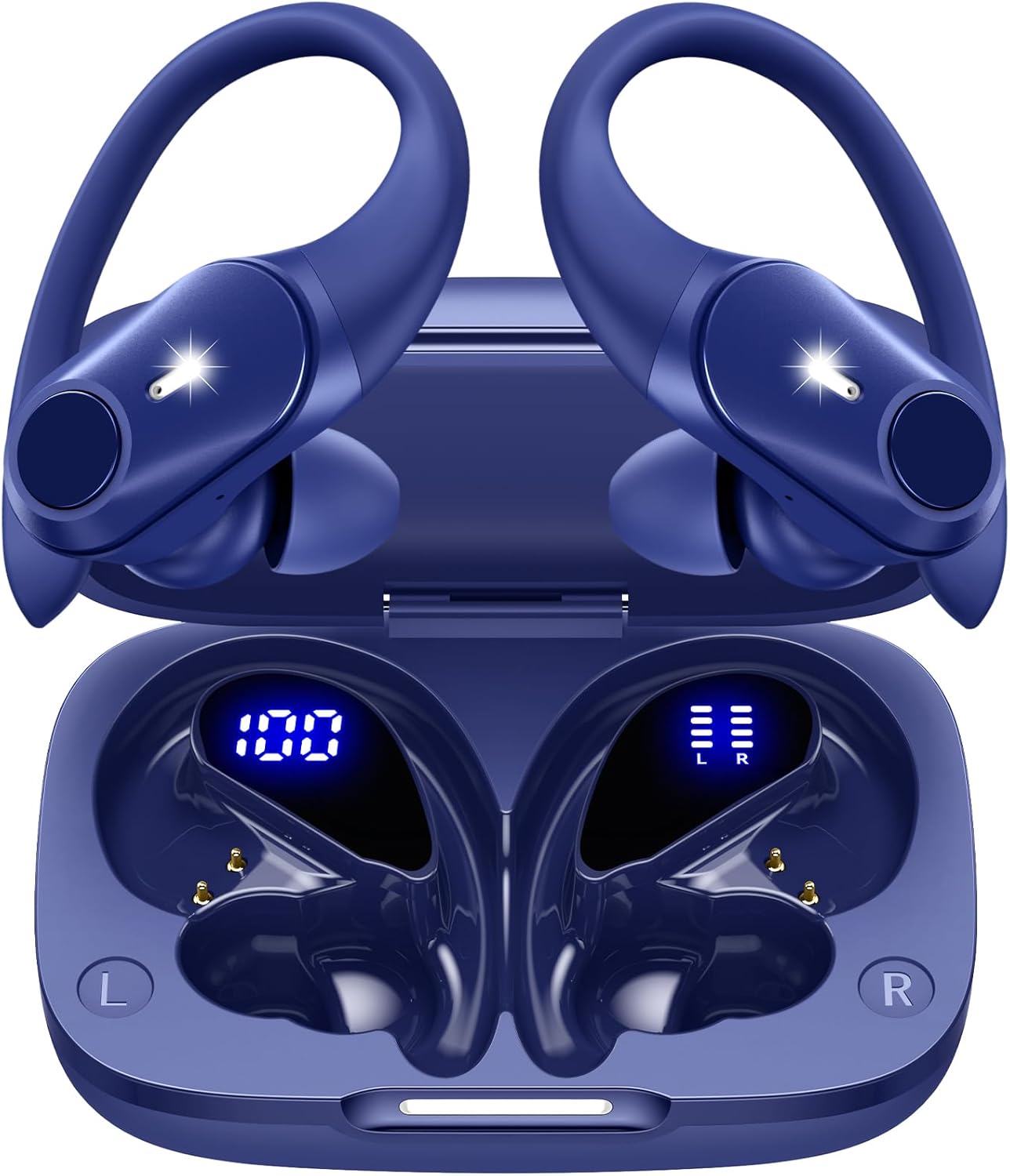
Image 1: GOLREX T59 Bluetooth Wireless Earphones in their charging case.
2. Kandungan Pakej
Sila semak pakej untuk item berikut:
- Wireless Earphones (Left and Right)
- Kes Pengecasan
- Kabel Pengecasan Jenis-C
- Telinga (saiz S/M/L)
- Manual Pengguna

Image 2: All components included in the GOLREX T59 earphone package.
3. Ciri-ciri Produk
- Bluetooth 5.3 Terperinci: Ensures a stable and fast connection within a 10-meter range, minimizing audio dropouts.
- Hi-Fi Audio Quality: Equipped with 13mm large-diameter composite speakers, delivering rich bass, natural mid-tones, and clear high-frequency sounds.
- Clear Call Performance: Integrated noise-canceling microphones suppress ambient noise, ensuring your voice is clear during calls and online meetings.
- Secure Ear-Hook Design: Ergonomically designed ear-hooks provide a comfortable and secure fit, preventing the earphones from falling out during intense activities like running or sports.
- Penilaian Kalis Air IPX7: Protects against sweat and rain, making them suitable for workouts and outdoor use.
- Jangka Hayat Bateri: Up to 8 hours of continuous playback on a single charge, and a total of 40 hours with the 600mAh charging case.
- Pilihan Pengecasan Dwi: Supports both Qi wireless charging and Type-C wired charging for convenience.
- Paparan Bateri LED: Kotak pengecasan mempunyai paparan LED yang menunjukkan peratusan bateritage of the case and the individual charging status of each earphone.
- Kawalan Butang Fizikal: Intuitive physical buttons prevent accidental touches and allow for easy control of music playback, calls, and voice assistant activation.

Image 3: Key features of the GOLREX T59 earphones.
4. Persediaan
4.1 Pengecasan Awal
Sebelum penggunaan pertama, cas sepenuhnya fon telinga dan bekas pengecas.
- Letakkan fon telinga ke dalam bekas pengecas.
- Connect the Type-C charging cable to the charging port on the case and a power source, or place the case on a Qi-compatible wireless charging pad.
- The LED display on the case will show the charging progress. A full charge is indicated by '100' on the case display and full bars for both earphones.
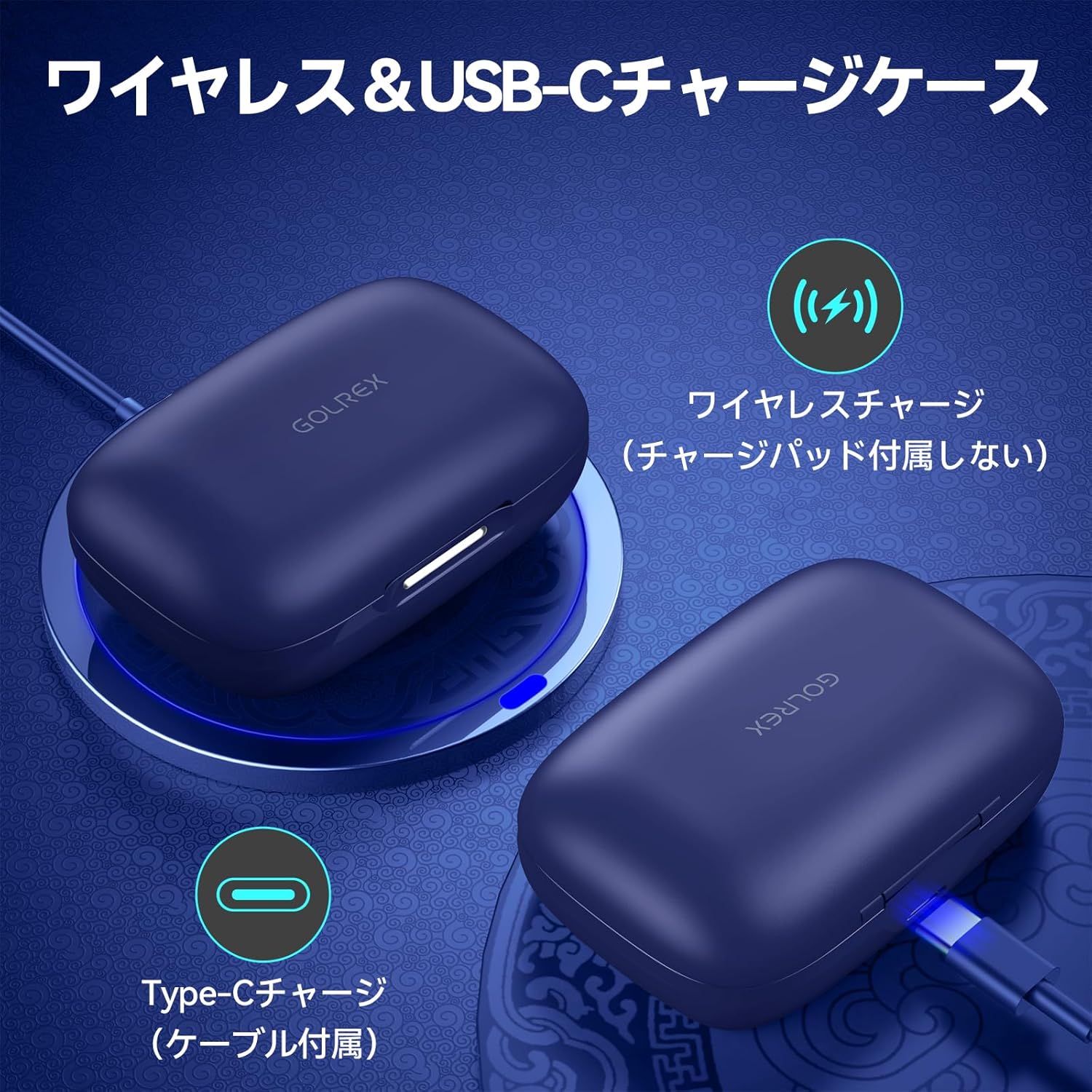
Image 4: The charging case supports both Type-C and wireless charging.

Image 5: LED display indicating battery levels of the case and individual earphones.
4.2 Pairing with a Device (One-Step Pairing)
The GOLREX T59 earphones feature one-step pairing for convenience.
- Pastikan Bluetooth peranti anda dihidupkan.
- Open the charging case and remove both earphones. They will automatically power on and enter pairing mode.
- On your device, search for Bluetooth devices and select "T59" from the list.
- Once connected, the earphones will automatically pair with your device each time you remove them from the case.

Image 6: One-step pairing process for the GOLREX T59 earphones.
4.3 Mod Fon Telinga Tunggal
Either earphone can be used independently. Simply remove one earphone from the case, and it will automatically connect to your device if previously paired.

Image 7: The earphones can be used individually or as a pair.
5. Arahan Operasi
5.1 Memakai Fon Telinga
Adjust the flexible ear-hooks to comfortably fit around your ears. Select the appropriate eartip size (S/M/L) for a secure and comfortable seal.

Image 8: Proper wearing of the GOLREX T59 earphones with adjustable ear-hooks.
5.2 Kawalan Butang
The GOLREX T59 earphones feature physical buttons for precise control:
| Tindakan | Fungsi |
|---|---|
| Press (1 click) | Mainkan / Jeda muzik, Jawapan / Tamatkan panggilan |
| Tekan lama (5 saat) | Hidupkan/Mati Kuasa |
| Double Click (Left Earphone) | Trek Sebelumnya |
| Double Click (Right Earphone) | Trek Seterusnya |
| Klik Tiga Kali | Aktifkan Pembantu Suara (Siri, Pembantu Google) |
| Long Press (Left Earphone) | Kelantangan Kurang |
| Long Press (Right Earphone) | Kelantangan Naik |

Imej 9: Diperincikan di atasview of earphone button functions.
5.3 Membuat/Menerima Panggilan
With the integrated noise-canceling microphones, you can make and receive calls with clarity.
- Jawab/Tamatkan Panggilan: Tekan butang sekali.
- Tolak Panggilan: Tekan lama butang.
The earphones are also suitable for online meetings (Zoom, business calls) due to their clear call performance.
5.4 Pembantu Suara
Triple-click the button to activate your device's voice assistant (e.g., Siri, Google Assistant) for hands-free control.
Video 1: Demonstration of GOLREX T59 earphone features, including charging, controls, and call quality.
6. Penyelenggaraan
To ensure the longevity and optimal performance of your GOLREX T59 earphones, follow these maintenance guidelines:
- Pembersihan: Regularly wipe the earphones and charging case with a soft, dry cloth. Do not use abrasive cleaners or solvents.
- Tahan Air: The earphones are IPX7 waterproof, meaning they can withstand sweat and light rain. However, they are not designed for swimming or prolonged submersion. Ensure they are dry before placing them back in the charging case.
- Storan: Simpan fon telinga di dalam bekas pengecas apabila tidak digunakan untuk melindunginya daripada habuk dan kerosakan.
- mengecas: Avoid overcharging. Disconnect the charging cable once the earphones and case are fully charged.
Video 2: Animasi di atasview of GOLREX T59 features, including LED display, ear-hook design, Hi-Fi audio, button controls, IPX7 waterproof, Bluetooth 5.3, and charging capabilities.
7. Penyelesaian masalah
If you encounter any issues with your GOLREX T59 earphones, please refer to the following common solutions:
- Fon telinga tidak berpasangan:
- Pastikan kedua-dua fon telinga dicas.
- Matikan Bluetooth pada peranti anda, kemudian hidupkan semula.
- Forget "T59" from your device's Bluetooth settings and try pairing again.
- Place both earphones back in the charging case, close the lid, wait a few seconds, then remove them to re-initiate pairing mode.
- Tiada bunyi atau kelantangan rendah:
- Periksa tahap kelantangan pada kedua-dua peranti dan fon telinga anda.
- Pastikan fon telinga disambungkan dengan betul ke peranti anda.
- Clean any debris from the eartips and speaker mesh.
- Fon telinga terus terputus sambungan:
- Ensure the earphones are within the 10-meter Bluetooth range of your device.
- Avoid obstacles between the earphones and your device that might interfere with the signal.
- Ensure there are no other strong wireless signals nearby causing interference.
- Sarung pengecas tidak dicas:
- Check if the Type-C cable is securely connected to both the case and the power source.
- Jika menggunakan pengecasan tanpa wayar, pastikan bekas diletakkan dengan betul pada pad pengecas.
- Cuba kabel pengecasan atau penyesuai kuasa yang berbeza.
If the issue persists, please contact GOLREX customer support for assistance.
8. Spesifikasi
| Ciri | Perincian |
|---|---|
| Nama Model | T59 |
| Jenama | GOLREX |
| Teknologi Ketersambungan | Wayarles (Bluetooth) |
| Teknologi Komunikasi Tanpa Wayar | Bluetooth 5.3 |
| Gaya Fon Kepala | cangkuk telinga |
| Kawalan Bunyi | Penebat Bunyi |
| Peranti Serasi | Mobile phones, Desktop PCs, Laptops, Tablets, TVs |
| Jenis Kawalan | Physical Button (Volume Control) |
| bahan | Akrilonitril Butadiena Stirena (ABS) |
| Tahap Ketahanan Air | IPX7 (kalis air) |
| Masa Penggunaan Berterusan | Sehingga 40 Jam (dengan kes pengecasan) |
| Kapasiti Kes Pengecasan | 600mAh |
| Pilihan Pengecasan | Qi Wireless, Type-C Wired |
| Berat Produk | 98 gram |
| Dimensi Produk | 8.9 x 6 x 3.8 cm |
9. Waranti dan Sokongan
GOLREX provides quality assurance for its products. If you have any questions, concerns, or encounter any issues with your GOLREX T59 earphones, please do not hesitate to contact our customer support team. We are committed to providing prompt and helpful assistance.
Please refer to the contact information provided with your purchase or visit the official GOLREX webtapak untuk butiran sokongan.


