pengenalan
Welcome to the user manual for your new Candy Smart Pro Washing Machine. This appliance is designed to provide efficient and convenient laundry care with advanced features such as intelligent KG detection, delayed start, and remote control via the Simply-Fi app. Please read this manual carefully before using the appliance to ensure safe and optimal operation.

Rajah 1: Depan view of the Candy Smart Pro Washing Machine, showcasing its sleek white design and central control panel.
Maklumat Keselamatan
Sentiasa patuhi langkah keselamatan berikut untuk mengelakkan kecederaan atau kerosakan pada perkakas:
- Pastikan perkakas dibumikan dengan betul.
- Jangan benarkan kanak-kanak bermain atau mengendalikan mesin basuh.
- Cabut plag perkakas sebelum membersihkan atau melakukan sebarang penyelenggaraan.
- Jangan basuh barang yang telah dicemari dengan bahan mudah terbakar.
- Pastikan kawasan di sekitar mesin basuh bebas daripada halangan.
Apa yang ada dalam Kotak
Upon unpacking your Candy Smart Pro Washing Machine, please ensure all the following components are present:
- Manual Pengguna
- Selang Saliran
- Washing Machine Unit
Persediaan dan Pemasangan
Pemasangan yang betul adalah penting untuk prestasi dan jangka hayat mesin basuh anda. Adalah disyorkan untuk memasang perkakas ini oleh juruteknik yang berkelayakan.
1. Membongkar dan Meletakkan Kedudukan
- Keluarkan semua bahan pembungkusan dengan berhati-hati.
- Remove the transport bolts from the rear of the machine. These bolts secure the drum during transit and must be removed before operation. Refer to the diagram below for bolt locations.
- Place the washing machine on a firm, level surface. Ensure there is adequate space around the unit for ventilation and access.

Rajah 2: Dimensions of the washing machine: 85cm height, 60cm width, 53cm depth. Ensure sufficient space for installation.
2. Water and Drain Connections
- Sambungkan hos salur masuk air ke pili air sejuk. Pastikan pengedap yang ketat untuk mengelakkan kebocoran.
- Insert the drain hose into a suitable drain pipe or sink, ensuring it is securely positioned to prevent dislodgement during operation.
3. Sambungan elektrik
- Pasangkan kord kuasa ke soket elektrik yang dibumikan. Jangan gunakan kord sambungan atau penyesuai.
Arahan Operasi
Your Candy Smart Pro washing machine offers a variety of programs and smart features for optimal laundry care.
Panel Kawalan Terlaluview

Rajah 3: The control panel features a program selector dial, a digital display, and touch buttons for various functions.
- Dail Pemilih Program: Digunakan untuk memilih program cucian yang dikehendaki.
- Paparan Digital: Menunjukkan tempoh program, kod ralat dan pilihan yang dipilih.
- Butang Fungsi: Allow selection of temperature, spin speed, delayed start, and other special functions.
Memuatkan Dobi

Rajah 4: Open the door and load laundry into the drum, ensuring not to overload the machine.
Open the washing machine door and load your laundry into the drum. Do not overload the machine; leave enough space for clothes to tumble freely. The intelligent KG detector will automatically adjust water and electricity consumption based on the load weight.
Memilih Program Cuci
- Turn the program selector dial to choose the appropriate wash program for your laundry type (e.g., Cotton, Synthetics, Delicates).
- Adjust the temperature and spin speed using the corresponding buttons on the control panel if desired.
- Untuk menggunakan Mula Tertunda function, press the relevant button and set the desired delay time (up to 24 hours).
- Tekan butang Mula/Jeda untuk memulakan kitaran.
Simply-Fi App Connectivity
The Candy Smart Pro washing machine can be controlled remotely via the Simply-Fi app (Wi-Fi + BLE connection). This allows you to manage cycles, receive washing advice, and monitor the appliance from your smartphone.
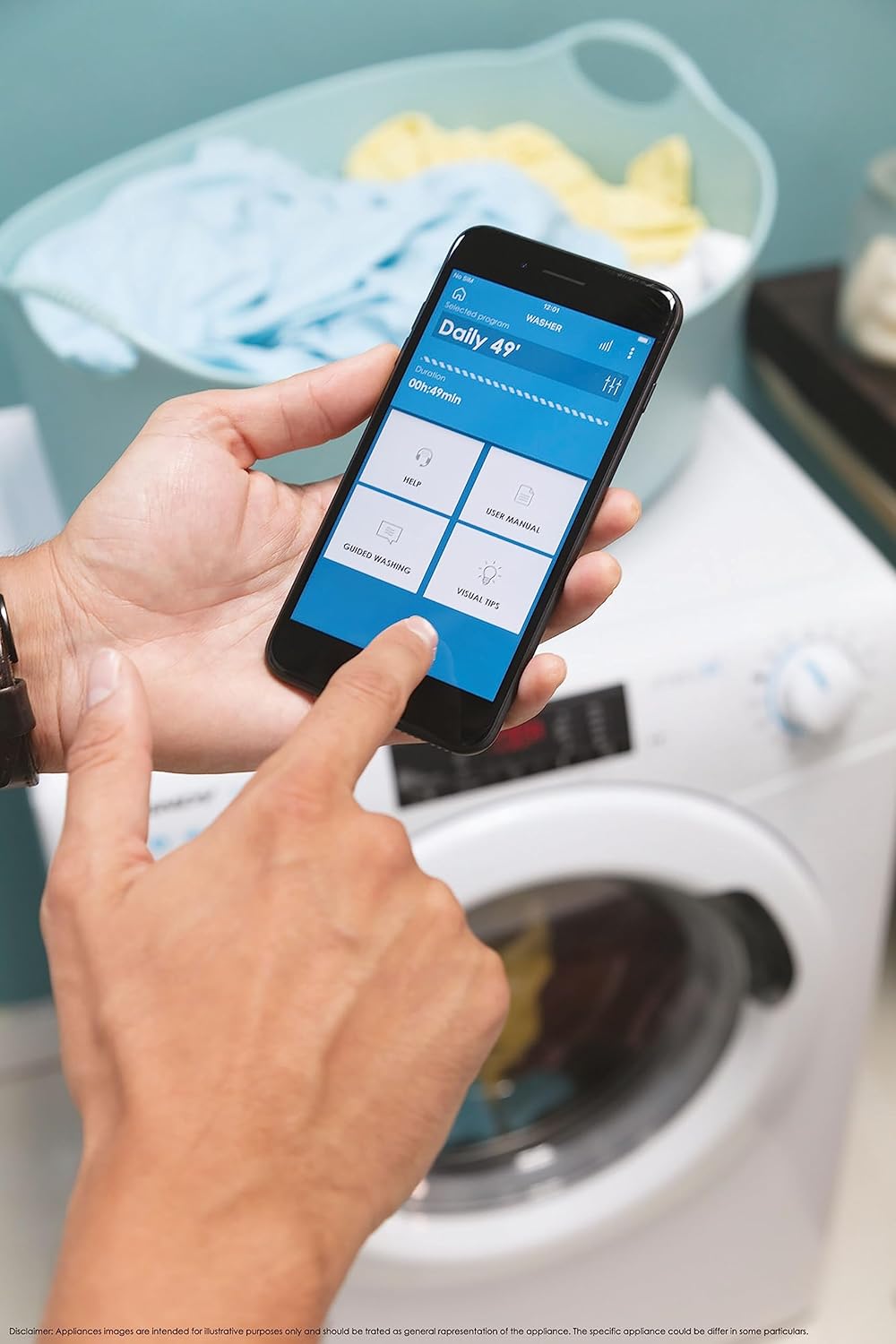
Rajah 5: Control your washing machine remotely using the Simply-Fi app on your smartphone.
- Download the Simply-Fi app from your smartphone's app store.
- Ikut arahan dalam apl untuk menyambungkan mesin basuh anda ke rangkaian Wi-Fi rumah anda.
- Once connected, you can access additional programs, monitor cycle status, and receive maintenance reminders.
Penyelenggaraan
Regular maintenance ensures the efficiency and extends the lifespan of your washing machine.
Membersihkan Dispenser Detergen
- Tarik keluar laci dispenser detergen.
- Remove any residue and rinse thoroughly under running water.
- Masukkan semula laci.
Membersihkan Penapis
- Cari penutup penapis di bahagian bawah hadapan mesin.
- Letakkan bekas cetek di bawahnya untuk menangkap sebarang sisa air.
- Unscrew the filter slowly to drain water, then remove and clean it of lint and debris.
- Skrukan penapis kembali dengan kukuh.
Pembersihan Drum
- Run a hot wash cycle with no laundry and a washing machine cleaner or a cup of white vinegar to remove odors and residue.
Smart Check-Up Function
Utilize the Smart Check-Up function via the Simply-Fi app to monitor the health of your washing machine. It provides notifications for errors or malfunctions, helping you maintain the appliance effectively.
Menyelesaikan masalah
Sebelum menghubungi perkhidmatan pelanggan, sila rujuk kepada isu biasa berikut dan penyelesaiannya:
| Masalah | Kemungkinan Punca | Penyelesaian |
|---|---|---|
| Mesin tidak bermula | Power cord unplugged, door not closed properly, delayed start active. | Check power connection, ensure door is latched, cancel delayed start. |
| Getaran / bunyi yang berlebihan | Bolt pengangkutan tidak ditanggalkan, mesin tidak rata, beban tidak sekata. | Remove transport bolts, adjust leveling feet, redistribute laundry inside drum. |
| Kebocoran air | Hoses loose, drain filter clogged, excessive detergent. | Check hose connections, clean drain filter, use appropriate amount of detergent. |
| Isu sambungan apl | Wi-Fi signal weak, app not updated, incorrect pairing. | Ensure strong Wi-Fi signal, update app, re-pair device following app instructions. |
Spesifikasi
| Ciri | Perincian |
|---|---|
| Jenama | gula-gula |
| Model | CSO 1295TW4/1-S |
| Kapasiti | 9 Kilogram |
| Dimensi (HxWxD) | 85 x 60 x 53 cm |
| Berat badan | 65 Kilogram |
| Kelas Kecekapan Tenaga | B |
| Kelajuan Putaran Maks | 1200 RPM |
| Ketersambungan | Wi-Fi + BLE (Simply-Fi App) |
| Jenis Kawalan | Sentuh, Dail |
Waranti dan Sokongan
Your Candy Smart Pro Washing Machine is covered by a manufacturer's warranty. For specific details regarding the warranty period and terms, please refer to the documentation provided with your purchase or visit the official Candy webtapak.
For technical assistance, spare parts, or to schedule a service appointment, please contact Candy customer support. Have your model number (CSO 1295TW4/1-S) and serial number ready when contacting support.
Polisi Pemulangan: If you wish to return a product within 30 days of receipt because you have changed your mind, please consult the return policy on the retailer's website. If you have received a defective or damaged product, please refer to the retailer's help page on defective or damaged products.


