1. Pengenalan
Thank you for choosing the DBSOARS VOCBOOM Wireless Bluetooth Speaker. This manual provides essential information for the safe and efficient operation of your speaker. Please read it thoroughly before use and retain it for future reference.

Image: The VOCBOOM Wireless Bluetooth Speaker in purple, showcasing its waterproof design with water droplets.
2. Apa yang Termasuk
Upon unboxing your DBSOARS VOCBOOM speaker, please ensure all the following items are present:
- VOCBOOM Wireless Bluetooth Speaker
- Kabel Pengecas USB
- Kabel Audio 3.5mm (Kabel Bantu)
- Panduan Pengguna (manual ini)
3. Ciri-ciri Utama
- Output Audio yang Berkuasa: Equipped with dual woofers and dual tweeters, delivering immersive surround sound with a peak output of 80 Watts.
- Penilaian Kalis Air IPX7: Designed to withstand rain and total water submersion, making it suitable for outdoor activities.
- Hayat Bateri yang Panjang: Provides extended playtime for all-day outdoor use.
- Fungsi True Wireless Stereo (TWS): Pair two VOCBOOM speakers for an enhanced stereo sound experience.
- Mikrofon terbina dalam: Allows for hands-free calling when connected to a smartphone.
- USB Port for Charging: Functions as a power bank to charge other mobile devices.
- Reka Bentuk Mudah Alih: Features a convenient handle for easy transport.
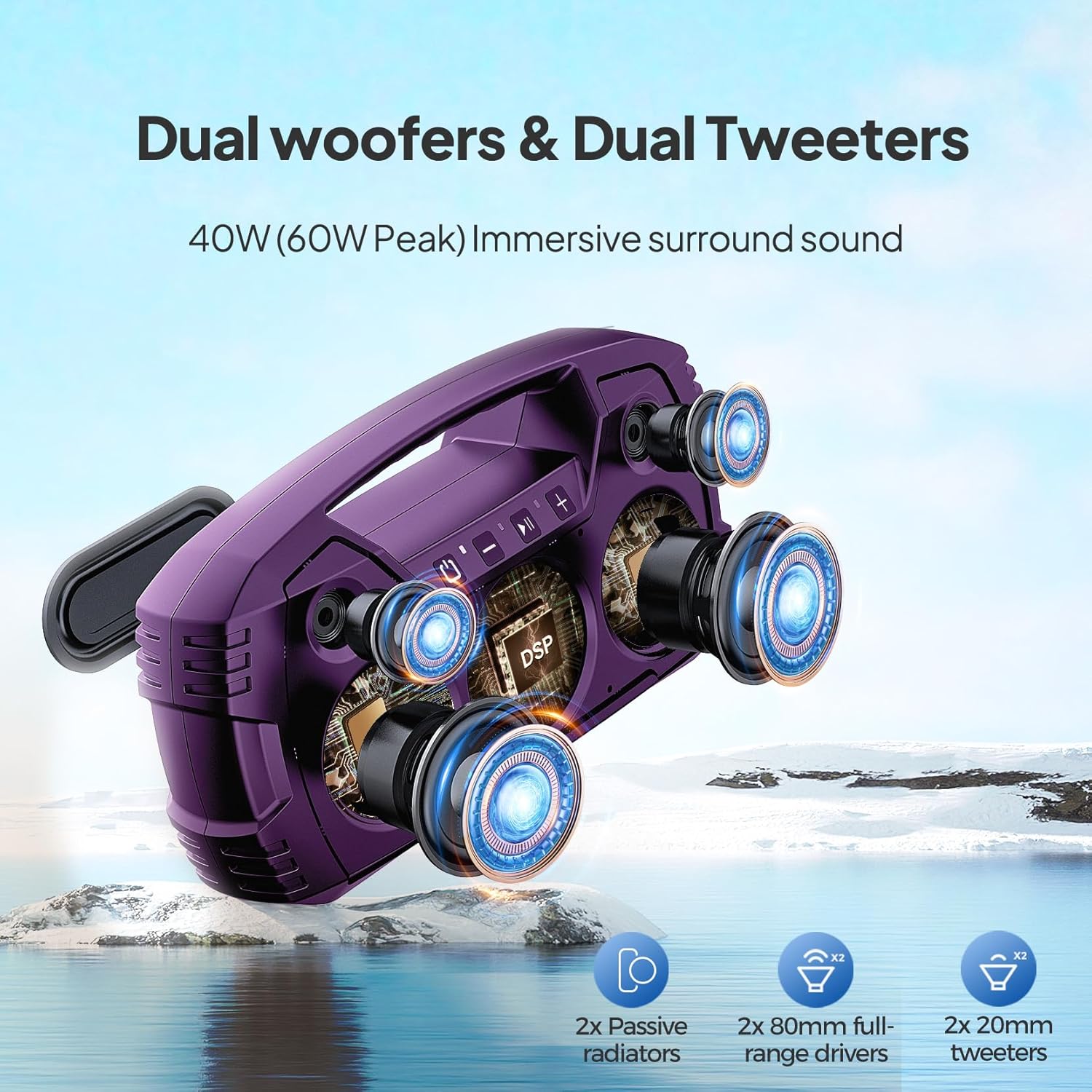
Imej: Meletup view illustrating the internal dual woofers and tweeters for enhanced sound.
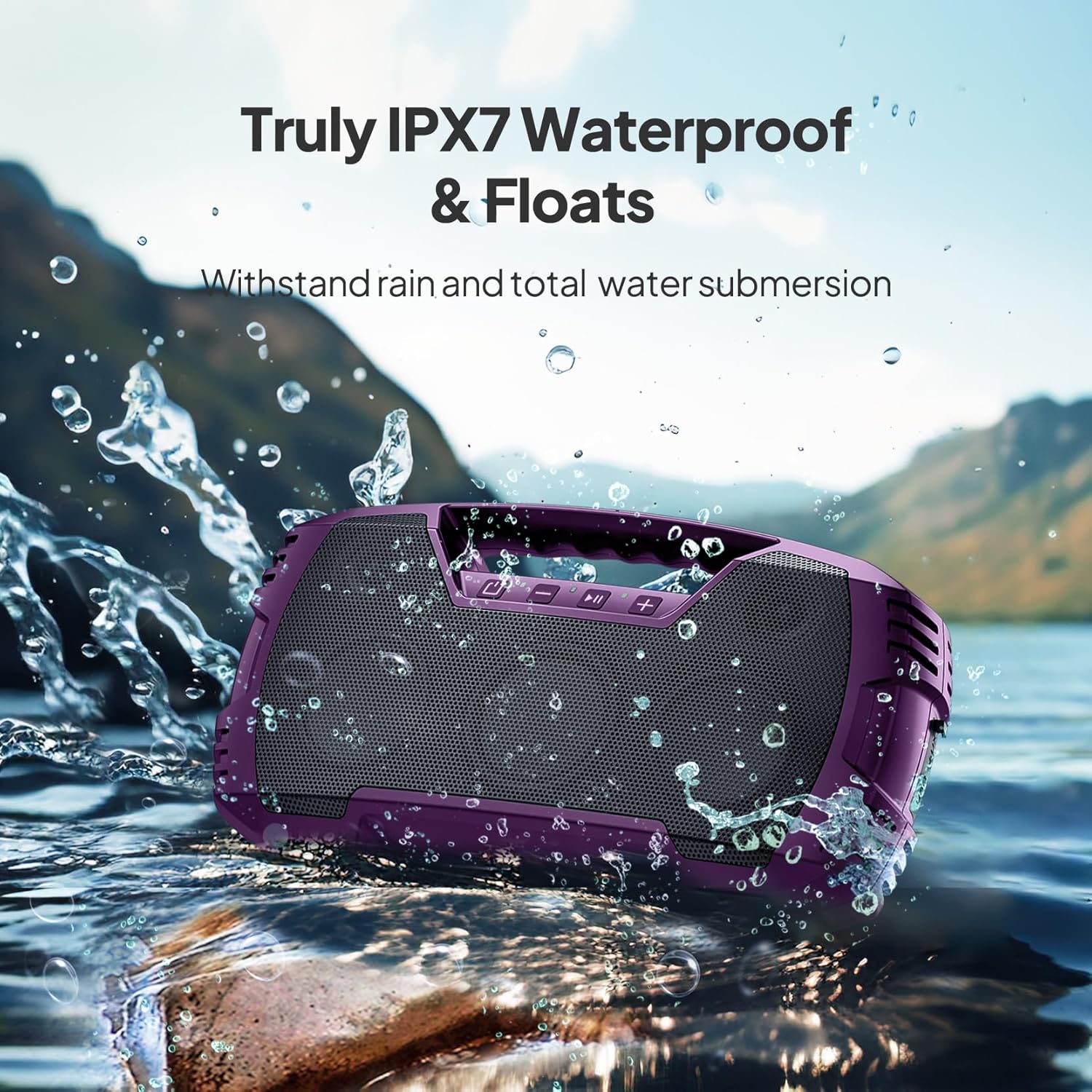
Image: The speaker floating in water, highlighting its IPX7 waterproof feature.

Image: The speaker placed on grass, connected to a smartphone for charging, illustrating its power bank function.

Image: Two speakers positioned to create a stereo sound field for outdoor entertainment.
4. Persediaan
4.1 Pengecasan Awal
- Before first use, fully charge the speaker using the provided USB charging cable.
- Locate the charging port on the speaker, typically protected by a rubber flap. Lift the flap gently to expose the port.
- Connect the USB charging cable to the speaker and a compatible USB power adapter (not included).
- The charging indicator will illuminate. Once fully charged, the indicator may change or turn off.
- Ensure the rubber flap is securely closed after charging to maintain the speaker's waterproof rating.
4.2 Berpasangan Bluetooth
- Hidupkan pembesar suara dengan menekan dan menahan butang kuasa.
- The speaker will enter Bluetooth pairing mode, indicated by a flashing LED light (usually blue).
- On your mobile device (smartphone, tablet, laptop), go to Bluetooth settings and enable Bluetooth.
- Cari untuk available devices. The speaker will appear as "VOCBOOM" (or similar).
- Select "VOCBOOM" to connect. Once paired, the LED indicator will typically turn solid blue or stop flashing, and you may hear an audible confirmation.
4.3 Gandingan True Wireless Stereo (TWS) (Pilihan)
To enable TWS pairing for two speakers:
- Ensure both VOCBOOM speakers are powered on and not connected to any other Bluetooth device.
- On one speaker (this will be the primary speaker), long-press the Volume "+" and Volume "-" buttons simultaneously for 3 seconds.
- The speakers will attempt to pair with each other. Once successfully paired, you will hear an audible confirmation, and the LED indicators on both speakers will synchronize.
- Now, connect your mobile device to the primary speaker via Bluetooth as described in Section 4.2. Both speakers will play audio in stereo.
5. Arahan Operasi
5.1 Fungsi Butang
The speaker features intuitive control buttons on its top panel:
- Butang kuasa (⏻): Press and hold to power on/off. Short press to check battery status (if applicable).
- Kelantangan Rendah (-): Tekan pendek untuk mengurangkan kelantangan. Tekan lama untuk trek sebelumnya.
- Main/Jeda (▶‖): Short press to play or pause music. Short press to answer/end calls. Long press to reject calls.
- Naikkan Kelantangan (+): Tekan pendek untuk meningkatkan kelantangan. Tekan lama untuk trek seterusnya.
5.2 Panggilan Bebas Tangan
When your speaker is paired with a smartphone, you can use it for hands-free calls:
- Jawab Panggilan: Tekan sebentar butang Main/Jeda.
- Tamatkan Panggilan: Tekan sebentar butang Main/Jeda semasa panggilan.
- Tolak Panggilan: Long press the Play/Pause button when a call comes in.
5.3 Mengecas Peranti Luaran
The USB-A port on the side of the speaker can be used to charge other devices, effectively turning your speaker into a power bank:
- Open the rubber flap on the side of the speaker to expose the USB-A output port.
- Connect your device's charging cable to the USB-A port on the speaker.
- Pembesar suara akan mula mengecas peranti anda.
- Remember to close the rubber flap securely after use to maintain waterproofing.
6. Penyelenggaraan & Penjagaan
- Pembersihan: Gunakan yang lembut, damp kain untuk membersihkan pembesar suara. Elakkan bahan kimia yang keras atau pembersih yang kasar.
- Kalis air: Always ensure the rubber flap covering the ports is securely closed when near water or in wet conditions to maintain the IPX7 rating.
- Storan: Simpan pembesar suara di tempat yang sejuk dan kering jauh dari cahaya matahari langsung dan suhu yang melampau.
- Penjagaan Bateri: Untuk memanjangkan hayat bateri, elakkan daripada menyahcas sepenuhnya pembesar suara dengan kerap. Mengecasnya dengan kerap, walaupun tidak digunakan untuk tempoh yang lama.
- Dust/Sand: While waterproof, the speaker is not explicitly rated for dust or sand. Exercise caution in sandy environments to prevent damage to ports or grilles.
7. Penyelesaian masalah
| Masalah | Penyelesaian yang Mungkin |
|---|---|
| Speaker tidak dihidupkan. | Pastikan pembesar suara dicas sepenuhnya. Sambungkan ke sumber kuasa dan cuba lagi. |
| Tidak boleh berpasangan melalui Bluetooth. | Make sure the speaker is in pairing mode (flashing LED). Turn off and on Bluetooth on your device. Ensure no other devices are connected to the speaker. Move closer to the speaker. |
| Tiada bunyi atau kelantangan rendah. | Check volume levels on both the speaker and your connected device. Ensure the speaker is properly paired. If using Aux-in, ensure the cable is fully inserted and functional. |
| Gandingan TWS gagal. | Ensure both speakers are not connected to any other Bluetooth device. Try repeating the TWS pairing steps. Make sure both speakers are the same model. |
| Audio lags during video playback. | This can sometimes occur with Bluetooth connections. Try moving your device closer to the speaker or disconnecting and reconnecting. |
8. Spesifikasi
| Ciri | Perincian |
|---|---|
| Nombor Model | VOCBOOM |
| Jenama | DBSOAR |
| Teknologi Ketersambungan | Bluetooth |
| Teknologi Komunikasi Tanpa Wayar | Bluetooth |
| Julat Bluetooth | 10 Meter |
| Kuasa Output Maksimum Pembesar Suara | 80 Watt |
| Mod Keluaran Audio | Stereo, Bunyi Sekeliling |
| Penilaian Kalis Air | IPX7 |
| Sumber Kuasa | Dikuasakan Bateri |
| Hayat Bateri | Sehingga 32 jam (berbeza mengikut penggunaan) |
| Kaedah Kawalan | Sentuh |
| bahan | ABS, metal grill |
| Dimensi Produk | 3.7 x 14 x 7 inci |
| Berat Barang | 4.69 paun |
| Peranti Serasi | Telefon Pintar, Tablet, Komputer riba |

Image: A diagram illustrating the physical dimensions of the speaker.
9. Waranti & Sokongan
The DBSOARS VOCBOOM Wireless Bluetooth Speaker comes with a limited warranty. Please refer to the warranty card included in your package for specific terms and conditions. For technical support, troubleshooting assistance, or warranty claims, please contact DBSOARS customer service through the contact information provided on the product packaging or the official DBSOARS webtapak.


