pengenalan
The Gtech Multi Platinum Cordless Handheld Vacuum Cleaner is designed for powerful and convenient cleaning in your car, home, and various other spaces. Its lightweight aluminum-reinforced construction ensures durability, while the rechargeable battery provides up to 30 minutes of runtime for fuss-free cleaning. This manual provides essential information for setup, operation, maintenance, and troubleshooting to help you get the most out of your vacuum cleaner.

Image: The Gtech Multi Platinum Cordless Handheld Vacuum Cleaner with its main components and included attachments.
Kandungan Pakej
Your Gtech Multi Platinum package should include the following items:
- Gtech Multi Platinum Handheld Vacuum Unit
- Power Head (Motorized Brush Head)
- Alat Celah
- Tiub Sambungan
- Berus Debu
- Bateri Litium-Ion Boleh Dicas Semula (prapasang atau berasingan)
- Pengecas Bateri
- Scented Cartridges (replaceable)
- Penapis Ganti
- Manual Pengguna (dokumen ini)

Imej: Jarak dekat view of the Gtech Multi Platinum handheld vacuum and its versatile attachments, including the crevice tool, extension tube, and dusting brush.
Persediaan
1. Mengecas Bateri
Before first use, fully charge the battery. The battery provides up to 30 minutes of runtime and takes approximately 3 hours to fully charge.
- Locate the battery charger.
- Connect the charger to the battery. The battery can be charged while installed in the unit or removed.
- Palamkan pengecas ke salur keluar dinding standard.
- The indicator lights on the battery will show the charging status. All lights will be solid when fully charged.
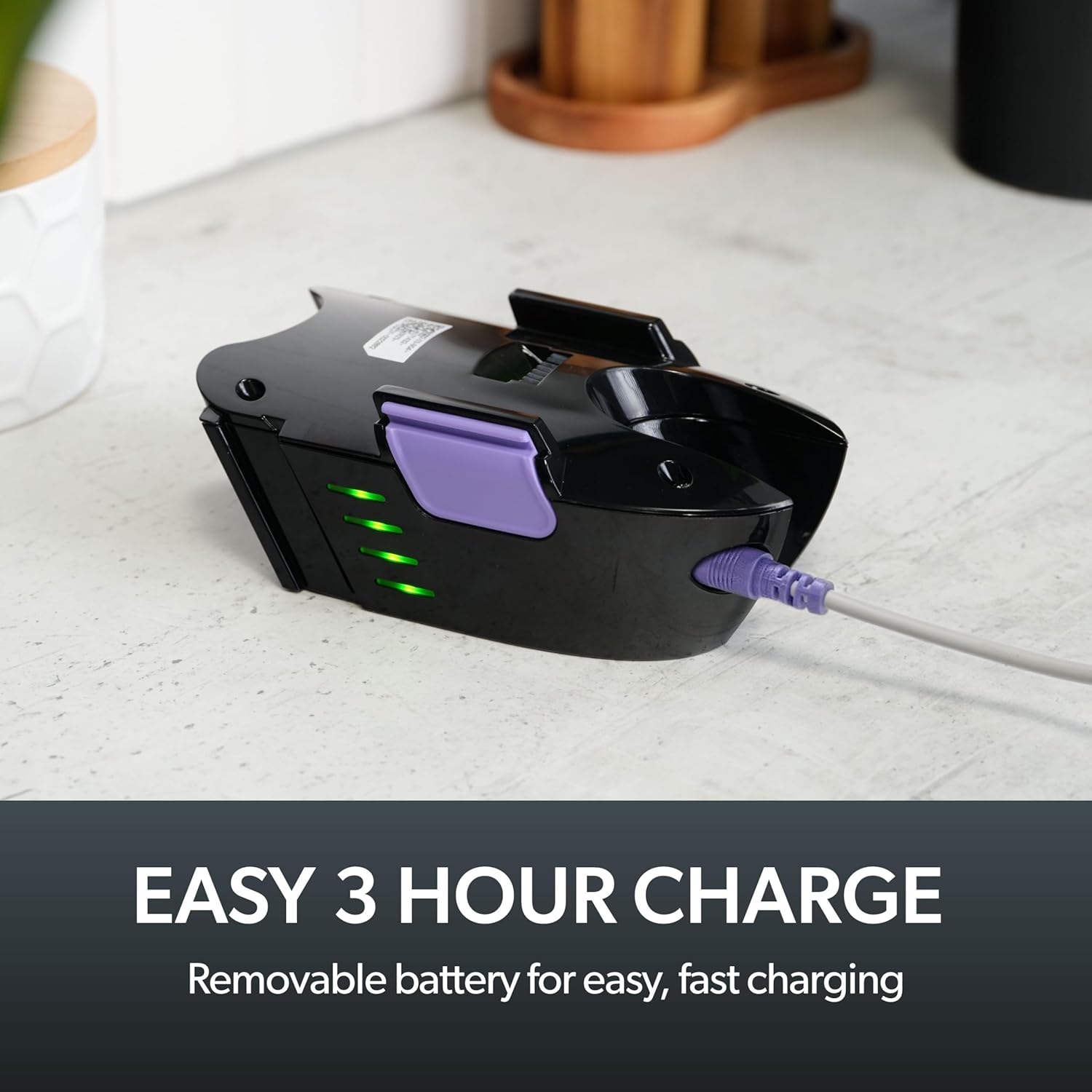
Image: The removable battery of the Gtech Multi Platinum connected to its charger, showing the indicator lights.
2. Memasang Aksesori
The Gtech Multi Platinum comes with several handy attachments for various cleaning tasks:
- Ketua Kuasa: Ideal for carpets, upholstery, and stairs. Simply push it onto the main vacuum nozzle until it clicks into place.
- Alat Celah: Perfect for tight spaces, corners, and edges. Attach directly to the main nozzle.
- Tiub Sambungan: Use with other attachments to reach high or low areas without bending or stretching. Connect it between the main nozzle and your chosen attachment.
- Berus Debu: For delicate surfaces like keyboards, shelves, or blinds. Attach to the main nozzle or the extension tube.
Arahan Operasi
Menghidupkan/Mematikan
To turn the vacuum on, press the power button located on the handle. Press it again to turn the vacuum off.
Pembersihan Am
For general floor cleaning, attach the Power Head. Its motorized brush effectively lifts dirt, debris, and pet hair from various surfaces, including carpets and hard floors.

Image: The Gtech Multi Platinum in use, demonstrating its maneuverability on stairs, effectively cleaning both carpeted and hard surfaces.
Menggunakan Lampiran
Pilih alat tambahan yang sesuai untuk tugas pembersihan anda:
- Gunakan Alat Celah for narrow gaps, car interiors, and along skirting boards.
- The Tiub Sambungan combined with the Crevice Tool or Dusting Brush is ideal for reaching cobwebs on ceilings or cleaning high shelves.
- The Berus Debu is gentle enough for delicate items like computer keyboards or intricate furniture.

Image: The Gtech Multi Platinum with a dusting brush attachment, cleaning a laptop keyboard, highlighting its precision for delicate surfaces.

Image: The Gtech Multi Platinum with its extension tube and LED headlights, illuminating hidden dust and dirt in hard-to-reach areas.
Scented Cartridges
The vacuum includes lightly scented cartridges to help neutralize odors and leave your home smelling fresh. Replace them as needed.
Penyelenggaraan
Mengosongkan Tong sampah
The large, easy-empty dirt bin should be emptied regularly to maintain optimal suction performance. Simply slide the ejector arm to release collected dirt and dust.

Image: A user emptying the easy-empty dirt bin of the Gtech Multi Platinum, demonstrating the quick and mess-free disposal of debris.
Membersihkan Penapis
The vacuum features a washable filter system. For best performance, clean the filter regularly:
- Remove the dirt bin and then the filter.
- Tap the filter to remove loose debris.
- Bilas penapis di bawah air sejuk sehingga airnya jernih.
- Biarkan penapis kering sepenuhnya di udara selama sekurang-kurangnya 24 jam sebelum memasukkannya semula ke dalam vakum. Jangan gunakan vakum dengan penapis basah.
A spare filter is included to allow for continuous use while one filter is drying.
Cleaning the Power Head Brush Bar
Periodically check the Power Head brush bar for tangled hair or debris. Use scissors or the included hair/string cutter to carefully remove any obstructions. Ensure the vacuum is turned off before performing this maintenance.
Menyelesaikan masalah
| Masalah | Kemungkinan Punca | Penyelesaian |
|---|---|---|
| Vakum tidak dihidupkan | Battery not charged; Battery not properly inserted | Charge the battery fully; Ensure battery is securely clicked into place |
| Daya sedutan berkurang | Dirt bin full; Filter clogged; Obstruction in nozzle/attachments/brush bar | Empty dirt bin; Clean/replace filter; Remove any obstructions |
| Power Head brush bar not spinning | Obstruction in brush bar; Power Head not properly attached | Clear any tangled hair/debris; Reattach Power Head securely |
Spesifikasi
- Nama Model: Multi Platinum
- Nombor Model: ATF061
- Jenama: Gtech
- Ciri Khas: Lightweight, Handheld
- Jenis Penapis: Kartrij (Boleh Basuh)
- Adakah Cordless?: ya
- kapasiti: 0.4 Kilogram
- Wattage: 140 watt
- Masa jalan: Sehingga 30 minit
- Masa Pengecasan: Lebih kurang 3 jam
- Penggunaan yang Disyorkan: Indoor (Car, Home, Upholstery, Stairs)
- Faktor Bentuk: pegang tangan
- warna: Putih / ungu
- Dimensi Produk: 15.2"L x 5.4"W x 9.8"H
- Tahap Bunyi: 70 dB
- Berat Barang: 3.3 paun
- Bateri: 1 bateri Lithium Ion (termasuk)
Video Produk Rasmi
Video: An official product video from Gtech Home USA showcasing the features and benefits of the Gtech Multi Platinum vacuum cleaner.
Waranti dan Sokongan
Gtech products are designed for durability and performance. For specific warranty details, please refer to the warranty card included with your purchase or visit the official Gtech webtapak.
For customer support, technical assistance, or to purchase replacement parts and accessories, please contact Gtech Home USA directly:
- Webtapak: www.gtech.co.uk
- Kedai Amazon: Lawati Kedai Gtech di Amazon
Please have your model number (ATF061) and purchase date ready when contacting support.


