1. Pengenalan
The Aputure Light Dome III 90cm is a high-performance parabolic softbox designed for professional film and video production. It features a quick-folding, flat-pack design for enhanced portability and rapid setup. This softbox is compatible with Bowens Mount lighting fixtures and is engineered to produce soft, even light with precise control, making it ideal for various creative lighting scenarios.
2. Komponen Produk
The Aputure Light Dome III 90cm package includes the following items:
- Kotak lembut
- Inner Diffusion Fabric (1.5 Stop)
- Outer Diffusion Fabric (2.5 Stop)
- 40° Fabric Light Control Grid
- Membawa Beg
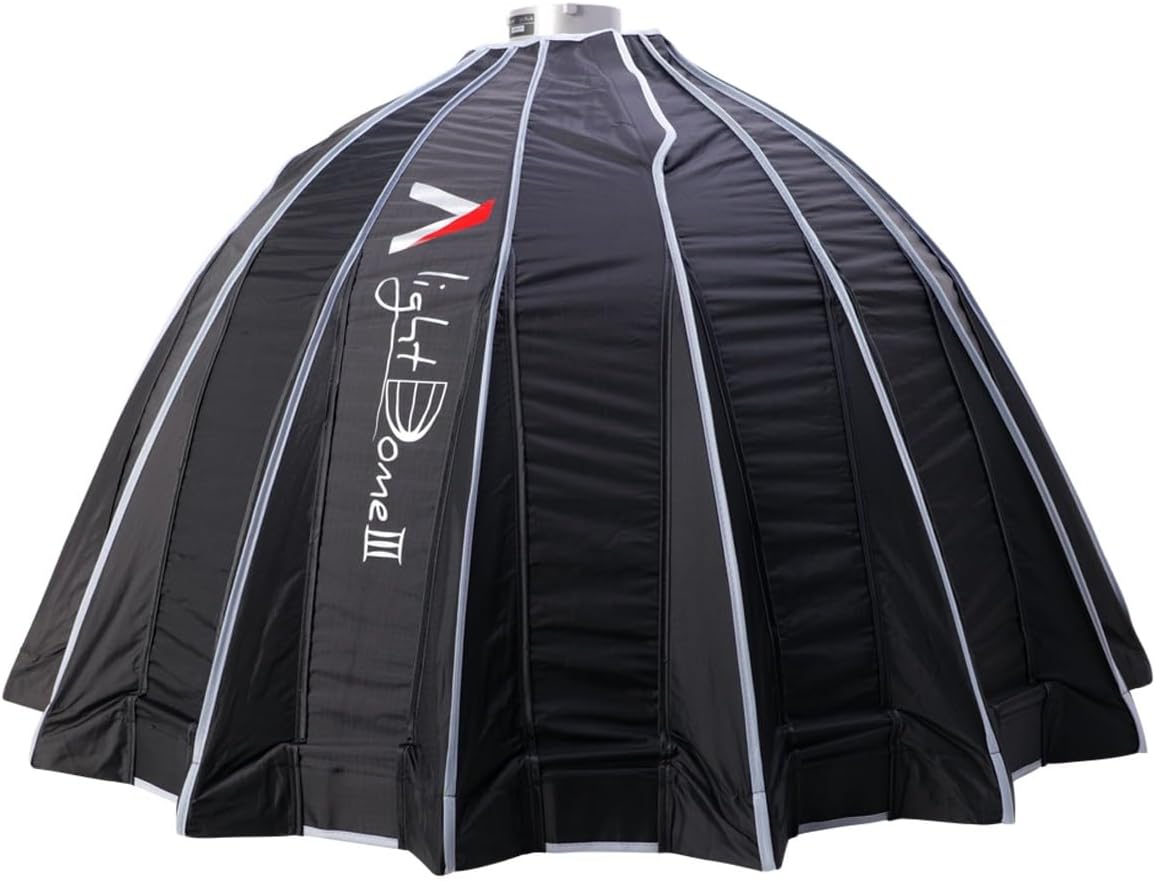
Figure 2.1: The Aputure Light Dome III 90cm softbox in its folded, compact state, ready for transport.
3. Arahan Persediaan
The Light Dome III features a quick-folding design for efficient setup and breakdown. Follow these steps to assemble your softbox:
- Buka Peti Lembut: Remove the Light Dome III from its carrying bag. The softbox is designed to fold flat for easy storage and transport.
- Kembangkan Softbox: Gently unfold the softbox. The quick-setup speed ring will expand, forming the parabolic shape. Ensure all 16 rods are fully extended and locked into place.
- Attach to Light Fixture: Mount the assembled Light Dome III onto your Bowens Mount compatible light fixture (e.g., Aputure Light Storm series, Amaran 150c, Amaran 300c). Secure it firmly.
- Install Diffusion Fabrics: Attach the inner diffusion fabric (1.5 Stop) to the internal velcro tabs. Then, attach the outer diffusion fabric (2.5 Stop) to the outer velcro tabs on the front of the softbox. You can use one or both layers depending on the desired softness.
- Pasangkan Grid Sarang Lebah (Pilihan): For more directional light and increased contrast, attach the 40° fabric light control grid to the outer rim of the softbox using its velcro fasteners.
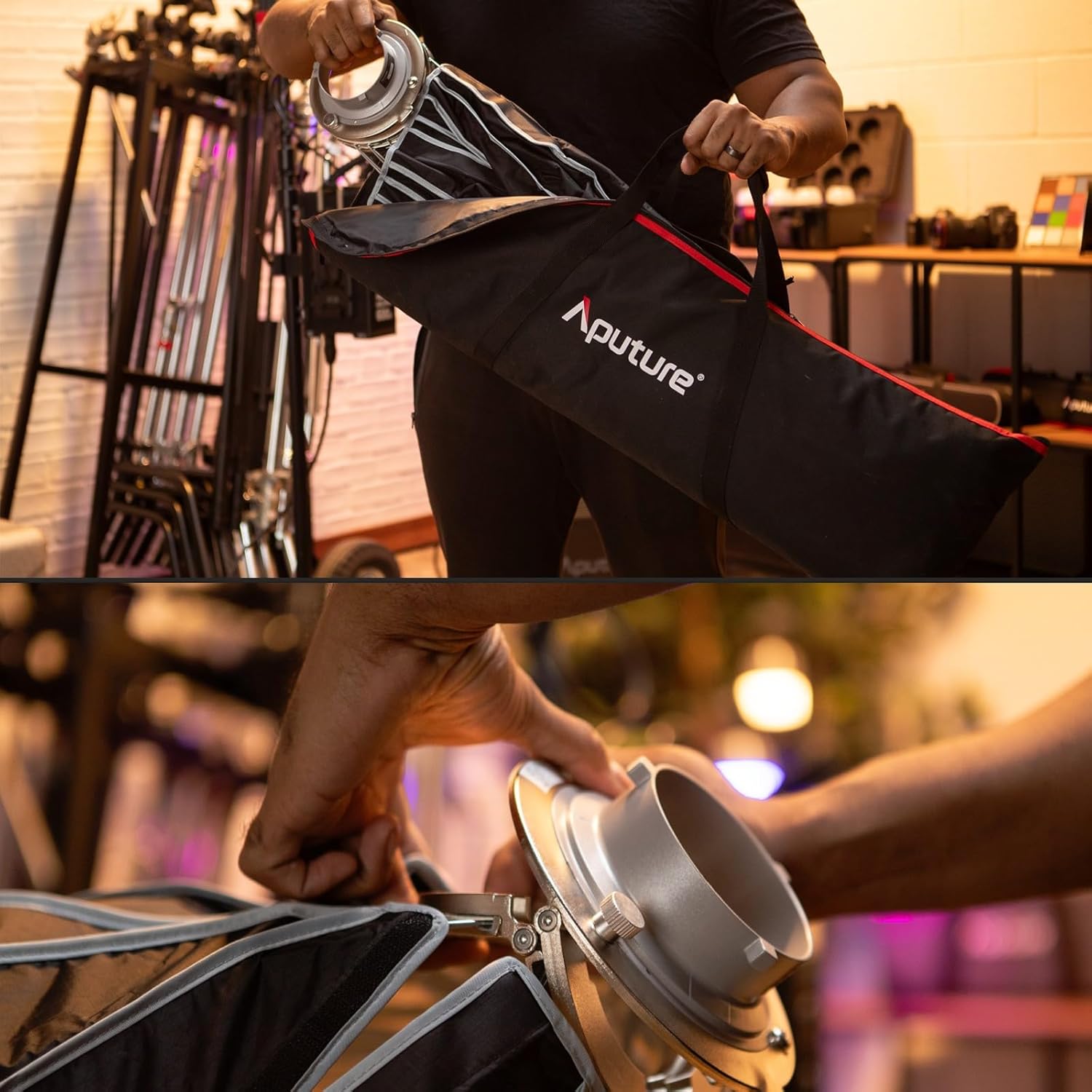
Figure 3.1: Carefully remove the softbox from its dedicated carrying bag.

Figure 3.2: The Bowens mount speed ring is integrated for quick expansion and secure attachment.

Figure 3.3: The softbox securely mounted onto a Bowens Mount light fixture.

Figure 3.4: Attaching the diffusion fabric to soften the light output.

Figure 3.5: The 40° fabric grid provides directional control over the light.
Sediakan Video Demonstrasi
Video 3.1: Official video demonstrating the quick assembly process of the Aputure Light Dome III softbox.
4. Arahan Operasi
The Light Dome III is designed to provide versatile lighting options for various shooting requirements.
- Light Softness Control: Utilize the two densities of diffusion fabrics (1.5 Stop and 2.5 Stop) to achieve your desired level of light softness. Use both for maximum diffusion, or one for a slightly harder but still soft light.
- Light Direction and Contrast: The included 40° fabric light control grid helps to narrow the beam spread and increase contrast, allowing for more precise lighting control and dramatic effects.
- Circular Eyelights: The 32-sided circular design of the Light Dome III creates perfectly round catchlights in your subject's eyes, mimicking natural light sources and adding a professional touch to portraits.

Figure 4.1: The Light Dome III provides soft, even illumination for studio portraits.
5. Penyelenggaraan
To ensure the longevity and optimal performance of your Aputure Light Dome III, follow these maintenance guidelines:
- Pembersihan: Use a soft, dry cloth to wipe down the exterior of the softbox. For diffusion fabrics, gentle spot cleaning with a mild, non-abrasive cleaner and water is recommended. Ensure fabrics are completely dry before storage.
- Storan: Always fold the softbox back into its compact, flat-pack design and store it in the provided carrying bag. This protects the rods and fabric from damage and dust. Store in a cool, dry place away from direct sunlight.
- Pemeriksaan: Periodically inspect the rods, speed ring, and fabric for any signs of wear or damage. Address any issues promptly to prevent further damage.
6. Penyelesaian masalah
If you encounter any issues with your Light Dome III, consider the following common solutions:
- Difficulty Expanding/Folding: Ensure all locking mechanisms on the speed ring are disengaged before folding. When expanding, apply even pressure until all rods click into place. Avoid forcing the mechanism.
- Output Cahaya Tidak Sekata: Check that the diffusion fabrics are correctly and smoothly attached, without wrinkles or gaps. Ensure the light source is centered within the Bowens Mount.
- Softbox Not Secure: Verify that the Bowens Mount is properly seated and locked onto your light fixture. Check for any obstructions or damage to the mount.
For persistent issues, please contact Aputure customer support.
7. Spesifikasi
| Ciri | Spesifikasi |
|---|---|
| Dimensi Produk | 35.04 x 10.43 x 4.72 inci (dilipat) |
| Berat Barang | 6.07 paun |
| Jenama | Aputure |
| Gaya | Umbrella (Parabolic Softbox) |
| Light Source Type Compatibility | LED (Bowens Mount) |
| Indeks Paparan Warna (CRI) | 95 (Note: This specification typically applies to the light source, not the softbox itself.) |
| Jenis Gunung | Gunung Bowens |
| Diffusion Stops | 1.5 Stop (Inner), 2.5 Stop (Outer) |
| Grid Angle | 40° |
8. Waranti dan Sokongan
For information regarding warranty coverage, technical support, or service inquiries for your Aputure Light Dome III, please refer to the official Aputure website or contact their customer service department directly. Specific warranty terms may vary by region and retailer.


