pengenalan
The AstroLite LED Projector & Bluetooth Speaker is designed to transform any room into a magical and relaxing celestial environment. This versatile device projects various starry night and nebula patterns, creating an immersive space experience. It also features a built-in Bluetooth speaker for playing music or ambient sounds, and a white noise function to aid in sleep. Control is made easy with the included remote and timer functions.
Apa yang ada dalam Kotak
- AstroLite LED Projector & Bluetooth Speaker (Astronaut Unit)
- Alat Kawalan Jauh
- Power Cable (USB-C to USB-A, adapter not included)
- Manual Pengguna (Dokumen ini)

Image: The AstroLite projector shown with its remote control, illustrating its key features.
Persediaan
- Buka bungkusan Peranti: Carefully remove the AstroLite projector and all accessories from the packaging.
- Sambungan Kuasa: Connect the provided USB power cable to the AstroLite projector's USB-C port (located on the back of the astronaut's backpack). Plug the other end of the USB cable into a compatible USB power adapter (5V/2A recommended, not included) or a USB port on a computer/power bank.
- Bateri Kawalan Jauh: Masukkan dua bateri AAA (tidak disertakan) ke dalam alat kawalan jauh, pastikan kekutuban yang betul.
- penempatan: Place the AstroLite projector on a stable, flat surface. For optimal projection, position it in the center of the room or against a wall, aiming towards the ceiling or desired projection surface.

Imej: Sisi view of the AstroLite projector, highlighting the power input location.
Arahan Operasi
Hidupkan/Mati Kuasa
Press the power button on the remote control or the unit itself to turn the projector on or off.
Mod Tayangan
The AstroLite offers various projection modes:
- Starry Sky: Projects a field of green stars. Use the remote to adjust brightness or turn off the stars independently.
- Nebula: Projects colorful nebula patterns. Cycle through different nebula colors and patterns using the remote.
- Earth Projection: Projects a detailed image of Earth. This can be combined with starry sky or nebula effects.
- Mod Gabungan: Mix and match star, nebula, and Earth projections for unique visual effects.
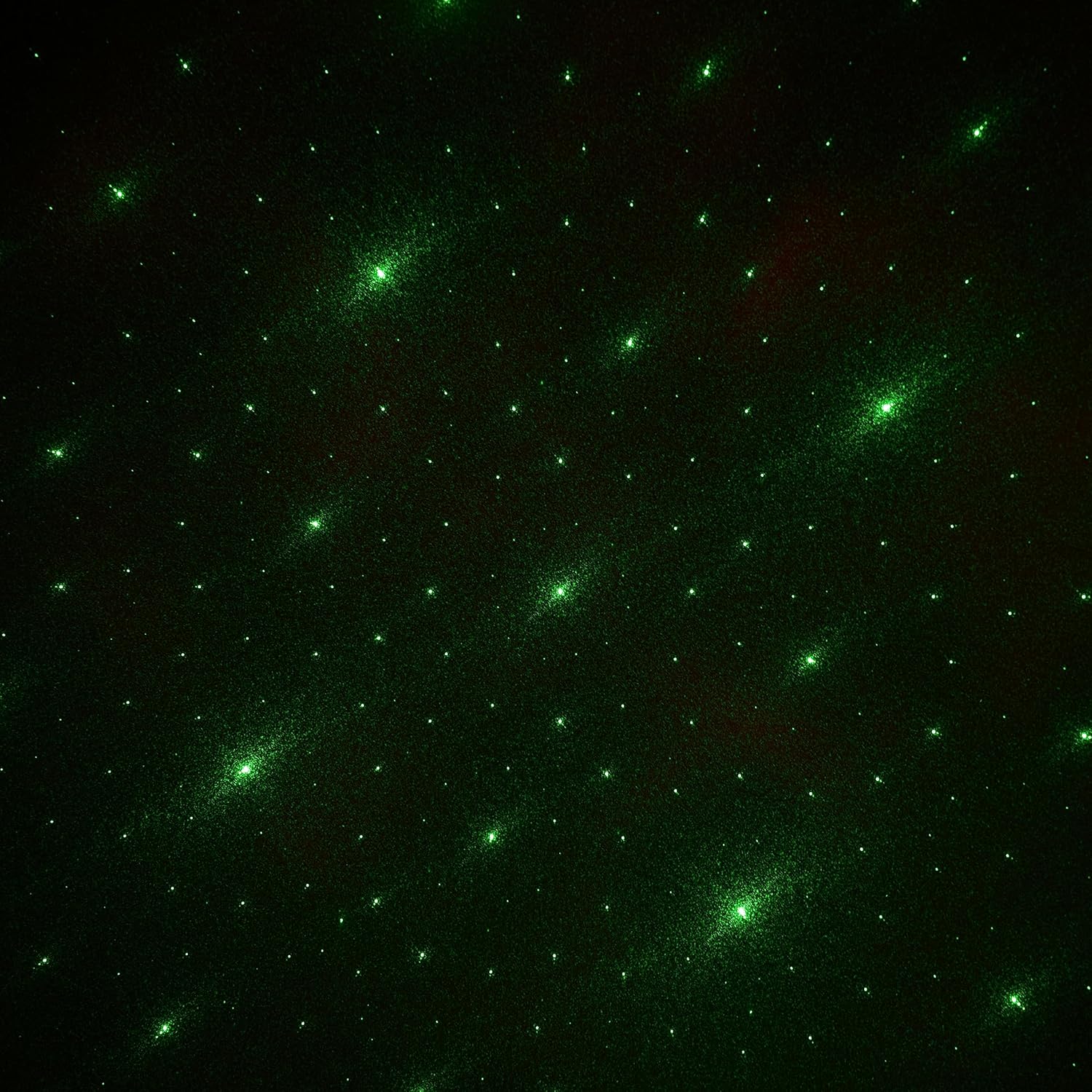
Image: Green Starry Sky Projection

Image: Earth and Purple Nebula Projection

Image: Earth and Red Nebula Projection

Image: Earth and Blue Nebula Projection
Bluetooth Speaker Functionality
The AstroLite features a built-in Bluetooth speaker:
- Berpasangan: Turn on the AstroLite. The speaker will automatically enter Bluetooth pairing mode (indicated by a sound prompt).
- Sambung: On your mobile device, search for Bluetooth devices and select "AstroLite Speaker" to connect.
- Main balik: Once connected, you can play audio from your device through the AstroLite speaker. Use the remote control to adjust volume, skip tracks, or pause/play.
Fungsi Bunyi Putih
The AstroLite includes a white noise function for a soothing sleep environment. Activate this feature using the dedicated button on the remote control.
Fungsi Pemasa
Set a timer for the projector to automatically turn off after a specified duration. Refer to the remote control's buttons for timer options (e.g., 1 hour, 2 hours).
Melaraskan Sudut Unjuran
The astronaut's head is magnetically attached and can be rotated to adjust the projection angle. Gently rotate the head to direct the projection as desired.

Imej: Depan view of the AstroLite projector, showing the adjustable head.
Video Produk
Video: Official product video demonstrating the AstroLite LED Projector & Bluetooth Speaker in use, showcasing its projection capabilities and features.
Penyelenggaraan
- Pembersihan: Use a soft, dry cloth to clean the exterior of the projector. Do not use abrasive cleaners or solvents.
- Penjagaan Lensa: Gently wipe the projection lens with a microfiber cloth to remove dust or smudges. Avoid touching the lens directly with fingers.
- Storan: When not in use for extended periods, store the projector in a cool, dry place away from direct sunlight.
Menyelesaikan masalah
| Masalah | Penyelesaian yang Mungkin |
|---|---|
| Projektor tidak dihidupkan. |
|
| No projection or dim projection. |
|
| Bluetooth tidak bersambung. |
|
| Alat kawalan jauh tidak berfungsi. |
|
Spesifikasi
- model: WE-AL
- Jenama: Ekspres Tanpa Wayar
- Dimensi Produk: 6"D x 5.5"W x 9.5"H
- Berat Barang: 0.61 kg (1.34 lbs)
- Jenis Sumber Cahaya: LED
- Teknologi Ketersambungan: Bluetooth
- Kaedah Kawalan: Alat Kawalan Jauh
- Sumber Kuasa: External Power Adapter (USB, 5V/2A recommended)
- Bahan: Acrylonitrile Butadiene Styrene, Polyvinyl Chloride
- Penggunaan Dalaman/Luar: Dalaman Sahaja
- Ciri Khas: Bluetooth Speaker, Remote Control, White Noise Function, Timer
Waranti & Sokongan
For warranty information and customer support, please refer to the contact details provided on the product packaging or visit the official Wireless Express webtapak. Simpan resit pembelian anda sebagai bukti pembelian untuk sebarang tuntutan waranti.
Pengeluar: Ekspres Tanpa Wayar
UPC: 850030392695


