1. Pengenalan
This manual provides instructions for the assembly, operation, and maintenance of your suptek Dual Monitor Stand Riser (MST016L). Please read this manual thoroughly before use to ensure proper setup and safe operation.
The suptek Dual Monitor Stand Riser is designed to elevate your monitor, laptop, or other devices to an ergonomic viewing height, reducing neck and eye strain. It also provides additional storage space underneath for improved desk organization.

Image 1.1: The suptek Dual Monitor Stand Riser (MST016L) in black, featuring adjustable legs.

Image 1.2: Key features of the stand, including solid wood construction, support for dual monitors, strong metal legs, and adjustable height.

Image 1.3: A visual comparison demonstrating how the monitor stand helps organize a workspace, showing a 'before' and 'after' scenario.
2. Kandungan Pakej
Sila sahkan bahawa semua komponen hadir sebelum memulakan pemasangan:
- Monitor Stand Platform (2 sections)
- Adjustable Legs (4 pieces)
- Connecting Plates (2 pieces)
- Skru (8 keping)
- Allen Wrench (1 piece)
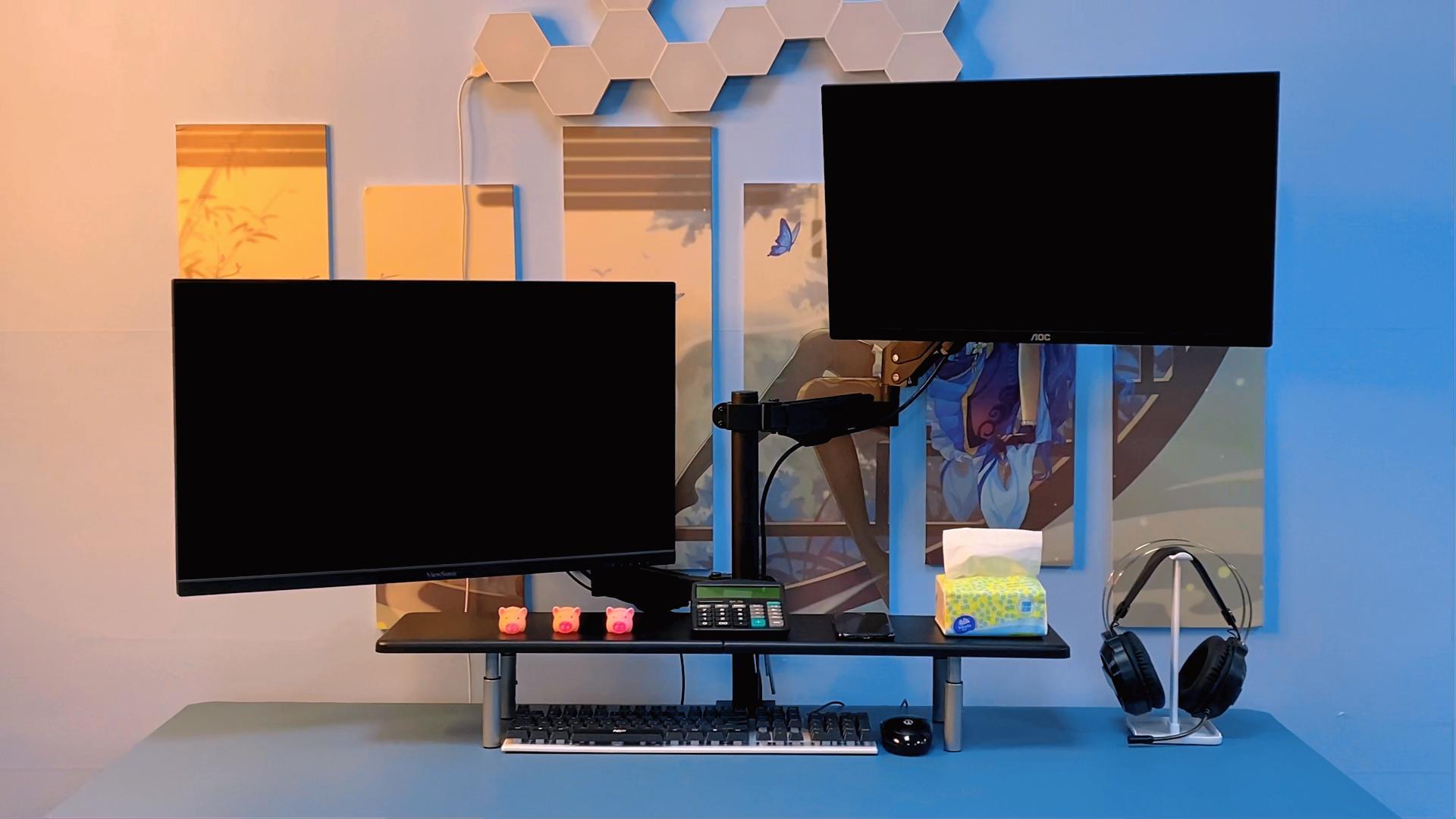
Image 2.1: All components of the suptek Dual Monitor Stand Riser laid out on a blue surface, including the two platform sections, four adjustable legs, connecting plates, screws, and an Allen wrench.
3. Persediaan dan Pemasangan
Follow these steps to assemble your monitor stand:
- Connect the Platform Sections: Place the two platform sections side-by-side. Use the provided connecting plates and screws to secure them together. Ensure the screws are tightened with the Allen wrench.
- Pasang Kaki: Insert the four adjustable legs into the designated holes on the underside of the assembled platform.
- Laraskan Ketinggian: Each leg features multiple adjustment holes. Press the pin on each leg and slide the inner tube to select one of the three available heights (100mm, 120mm, 140mm). Ensure all four legs are set to the same height for stability.

Image 3.1: Detailed dimensions of the stand (820mm length, 235mm width) and adjustable height options (100mm/3.93in, 120mm/4.72in, 140mm/5.51in), along with a 10kg weight capacity icon.
Panduan Video Perhimpunan
Video 3.2: A step-by-step video demonstrating the assembly process, including connecting the platform sections and adjusting the height of the legs.
4. Arahan Operasi
The suptek Dual Monitor Stand Riser is designed for versatile use:
- Monitor Elevation: Place your monitor(s) directly on the stand's surface. This elevates the screen to a more ergonomic viewing height, promoting better posture and reducing neck strain.
- Laptop/Notebook Use: Place your laptop on the stand. This raises the screen to eye level, and the space underneath can be used for an external keyboard and mouse.
- Pengoptimuman Ruang: Utilize the space underneath the stand to store keyboards, mice, notebooks, calculators, or other desk accessories, keeping your workspace tidy.
- Penggunaan pelbagai guna: The stand can also function as a printer stand, fax stand, or a display shelf for decorative items.

Image 4.1: A computer monitor positioned on the stand, demonstrating how it helps reduce neck strain by raising the screen to an ergonomic level.

Imej 4.2: Bekasample of a keyboard and books stored neatly in the space beneath the monitor stand, showcasing its space-saving capability.

Image 4.3: The versatile stand shown supporting a television and a computer monitor, highlighting its multi-purpose functionality for various devices.
Usage Demonstration Video
Video 4.4: Tayangan videoasing the suptek monitor stand in use with a computer monitor and a laptop, demonstrating its space-saving and ergonomic benefits in a typical desk setup.
5. Penyelenggaraan
To ensure the longevity and appearance of your suptek Dual Monitor Stand Riser:
- Pembersihan: Lap permukaan dengan lembut, damp kain. Elakkan pembersih yang melelas atau bahan kimia keras yang boleh merosakkan kemasan.
- Pemeriksaan: Periksa semua skru dan sambungan secara berkala untuk memastikan ia kekal ketat. Ketatkan semula jika perlu.
- Kapasiti Berat: Do not exceed the maximum weight capacity of 10kg (22 lbs) to prevent damage or instability.
6. Penyelesaian masalah
- Pendirian goyah:
- Ensure all four legs are securely attached and set to the same height. Verify that the connecting plates between the two platform sections are tightly fastened.
- Difficulty adjusting leg height:
- Ensure the pin is fully depressed before attempting to slide the inner tube. Do not force the adjustment. If the pin is stuck, gently wiggle the inner tube while pressing the pin.
- Scratches on desk surface:
- The stand is equipped with reinforced bottom rubber pads to prevent scratching. Ensure these pads are intact and properly positioned on the bottom of each leg.
7. Spesifikasi
| Ciri | Perincian |
|---|---|
| Model | MST016L |
| Jenama | suptek |
| bahan | Wood (composite materials) |
| warna | Hitam |
| Dimensi (L x W x H) | 820mm x 230mm x (100/120/140mm adjustable) |
| Kapasiti Berat | Up to 10kg (22 lbs) |
| Berat Barang | 2.87 Kilogram (6.31 paun) |
| Perhimpunan Diperlukan | ya |
8. Waranti dan Sokongan
For information regarding product warranty and customer support, please refer to the documentation included with your purchase or visit the official suptek website. Amazon's standard return policy applies to this product, allowing returns within 30 days of receipt for a refund or replacement.
For further assistance, please contact suptek customer service.


