pengenalan
Terima kasih kerana membeliasing the AZATOM Spitalfields 2 Portable DAB/DAB+ Digital FM Radio. This manual provides essential information for setting up, operating, and maintaining your new radio. Please read this manual thoroughly before use to ensure proper functionality and to maximize your listening experience.
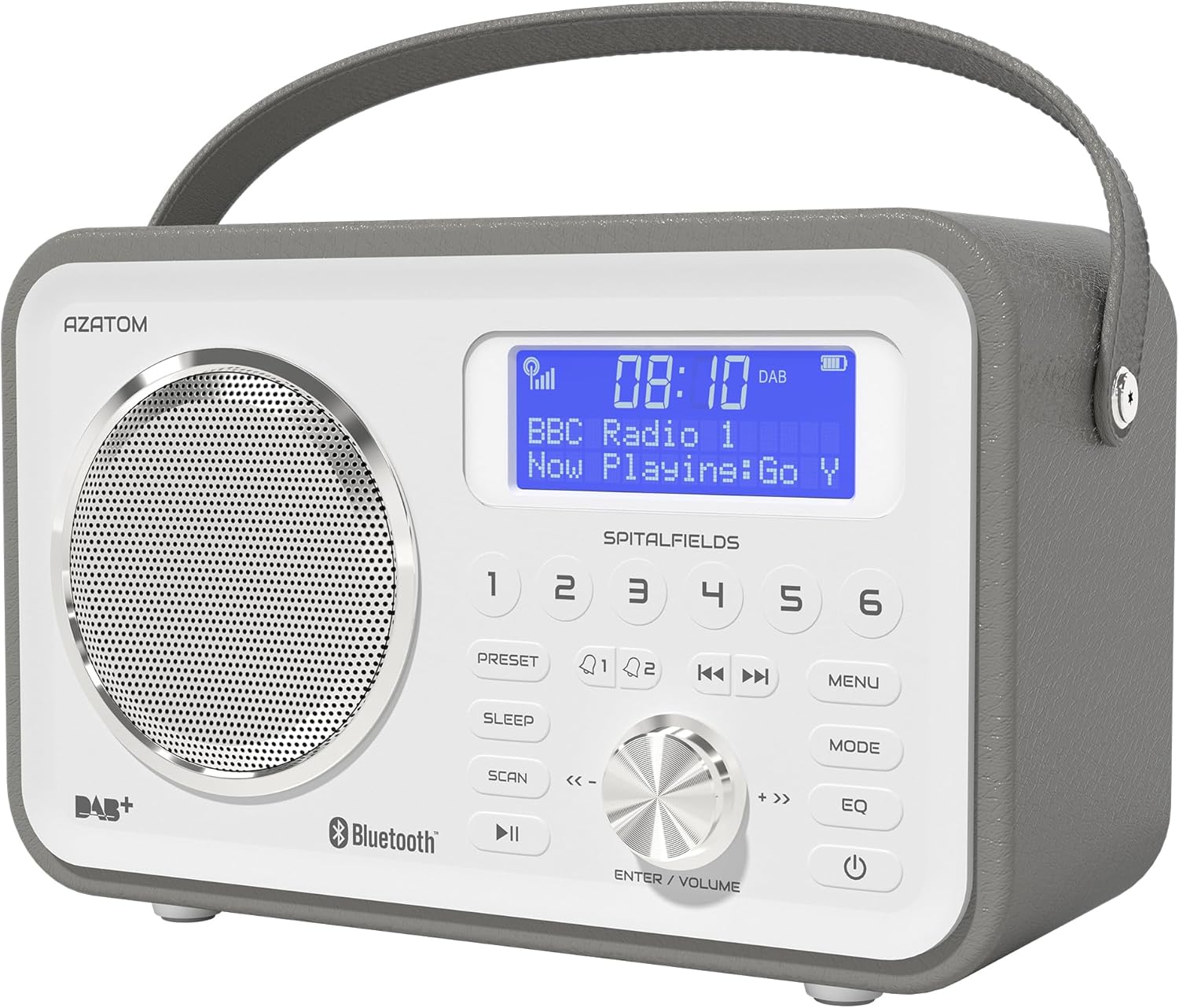
The AZATOM Spitalfields 2 radio features a classic retro design with a modern digital display and intuitive controls.
Arahan Keselamatan Penting
Always follow these basic safety precautions when using your radio:
- Jangan dedahkan unit kepada hujan, kelembapan atau suhu yang melampau.
- Jangan buka atau ubah suai unit. Rujuk semua servis kepada kakitangan yang berkelayakan.
- Pastikan pengudaraan yang betul di sekeliling unit untuk mengelakkan terlalu panas.
- Gunakan hanya penyesuai kuasa yang dibekalkan dengan unit.
- Jauhkan unit daripada medan magnet yang kuat.
- Elakkan mendengar pada kelantangan yang terlalu tinggi untuk tempoh yang lama bagi mengelakkan kerosakan pendengaran.
Ciri-ciri Utama
- DAB/DAB+ and FM Radio: Enjoy a wide range of digital and analog radio stations.
- Kesambungan Bluetooth 5.0: Wirelessly stream audio from your compatible devices.
- Fungsi Jam Penggera: Set multiple alarms with snooze and sleep timer features.
- Bateri boleh dicas semula: Bateri terbina dalam untuk kegunaan mudah alih.
- Stesen Pratetap: Store your favorite DAB and FM stations for quick access.
- Kawalan Jauh: Conveniently operate the radio from a distance.
- Quality Stereo Sound: Enhanced audio experience with a built-in subwoofer.
DAB/DAB+/FM Radio

Experience crystal-clear digital radio with DAB/DAB+ or tune into traditional FM broadcasts.
Kesambungan Bluetooth 5.0

Effortlessly stream music from your smartphone, tablet, or other Bluetooth-enabled devices.
Alarm Clock & Sleep Timer

Wake up to your favorite station or a buzzer with the integrated alarm clock, and drift off to sleep with the adjustable sleep timer.
Pre-set Stations

Quickly access your preferred radio stations by saving them to the dedicated preset buttons.
Bateri boleh dicas semula

The built-in rechargeable battery allows for convenient portable use, perfect for any room or on the go.
Premier Control with Remote
Control all functions of your radio from the comfort of your couch using the included remote control.
Kandungan Pakej
Sila pastikan semua item ada:
- AZATOM Spitalfields 2 DAB/DAB+ Digital FM Radio
- Penyesuai Kuasa
- Alat Kawalan Jauh
- Manual Pengguna (dokumen ini)
Produk Selesaiview
Familiarize yourself with the controls and display of your Spitalfields 2 radio.
The front panel features a clear display, speaker, and various control buttons.
Kawalan Panel Hadapan
- Skrin Paparan: Shows time, station information, and menu options.
- Butang Pratetap (1-6): Store and recall your favorite stations.
- Butang PRESET: Access preset memory.
- Butang SLEEP: Tetapkan pemasa tidur.
- Butang SCAN: Automatically scan for stations.
- Butang PLAY/PAUSE: Play/pause in Bluetooth mode.
- Butang MENU: Akses tetapan sistem.
- Butang MOD: Tukar antara mod DAB, FM dan Bluetooth.
- Butang EQ: Adjust equalizer settings.
- Butang kuasa: Hidupkan / matikan unit.
- ENTER/VOLUME Knob: Rotate to adjust volume or navigate menus; press to confirm selection.
- SKIP Buttons (<<, >>): Navigate tracks in Bluetooth mode or stations in radio mode.
Persediaan
Menghidupkan
- Panjangkan antena teleskopik sepenuhnya untuk penerimaan yang optimum.
- Connect the supplied power adapter to the DC IN port on the back of the radio and plug it into a wall outlet. The internal battery will begin charging.
- Tekan ke KUASA butang untuk menghidupkan radio.
Initial Scan (DAB/FM)
Upon first power-on, the radio will automatically perform a full scan for DAB stations. This may take a few minutes. Once complete, the radio will tune to the first available station.
- To manually initiate a scan in DAB mode, press the IMBAS butang.
- Dalam mod FM, tekan dan tahan butang IMBAS button to auto-scan for the next available station.
Menetapkan Masa dan Tarikh
The time and date are usually automatically set via DAB signal. If not, or if you wish to adjust manually:
- Tekan ke MENU butang.
- Putar ENTER/VOLUME knob to navigate to 'System Settings' and press the knob to confirm.
- Navigate to 'Time/Date' and press to confirm.
- Select 'Set Time/Date' or 'Auto Update' as desired and follow the on-screen prompts.
Arahan Operasi
Radio Modes (DAB, FM)
Tekan ke MODE button to switch between DAB and FM radio modes.
Mod DAB
- Putar ENTER/VOLUME knob to browse available DAB stations. Press the knob to select a station.
- Tekan IMBAS to perform a full scan for new stations.
Mod FM
- Putar ENTER/VOLUME knob to fine-tune the frequency.
- Tekan dan tahan butang IMBAS button to automatically tune to the next strong station.
Operasi Bluetooth
- Tekan ke MODE button until 'Bluetooth' is displayed. The radio will enter pairing mode.
- On your Bluetooth-enabled device (e.g., smartphone), search for 'Spitalfields 2' in the Bluetooth settings and select it to pair.
- Once paired, you can stream audio from your device to the radio. Use the MAIN/JEDA dan SKIP buttons on the radio or remote to control playback.
Fungsi Jam Penggera
- Tekan ke MENU button and navigate to 'Alarms'.
- Select 'Alarm 1' or 'Alarm 2' to configure.
- Set the alarm time, duration, source (Buzzer, DAB, FM), and frequency (Daily, Once, Weekdays, Weekends).
- Ensure the alarm is set to 'On'.
- Apabila penggera berbunyi, tekan butang KUASA button to snooze, or press any other button to turn off the alarm.
Pemasa Tidur
Pemasa tidur membolehkan radio dimatikan secara automatik selepas tempoh yang ditetapkan.
- Tekan ke TIDUR button repeatedly to cycle through sleep timer options (e.g., 15, 30, 45, 60, 90, 120 minutes, Off).
- The selected time will be displayed briefly.
Pratetap
Menyimpan Pratetap
- Tala ke stesen DAB atau FM yang dikehendaki.
- Press and hold one of the numbered PRESET buttons (1-6) until 'Preset Stored' appears on the display.
Mengimbas semula Pratetap
- Briefly press the corresponding numbered PRESET button (1-6) to recall a stored station.
Audio Settings (EQ)
Laraskan pro bunyifile mengikut keutamaan anda.
- Tekan ke EQ button repeatedly to cycle through equalizer presets (e.g., Normal, Flat, Jazz, Rock, Classical, Pop, News, My EQ).
- If 'My EQ' is selected, you can customize bass and treble settings via the menu.
Menggunakan Alat Kawalan Jauh
The remote control provides full functionality of the radio from a distance. Ensure the remote has working batteries and is pointed towards the front of the radio.
- All buttons on the remote correspond to functions available on the radio's front panel.
- Use the numeric buttons (0-9) to directly enter preset numbers or navigate menus.
Penyelenggaraan dan Penjagaan
- Pembersihan: Lap radio dengan kain lembut dan kering. Jangan gunakan pembersih atau pelarut yang melelas.
- Penjagaan Bateri: For optimal battery life, avoid fully discharging the battery frequently. If storing the radio for an extended period, charge it fully every few months.
- Antena: Kendalikan antena teleskopik dengan berhati-hati untuk mengelakkan kerosakan.
- Storan: Simpan radio di tempat yang sejuk dan kering jauh dari cahaya matahari langsung dan suhu yang melampau.
Menyelesaikan masalah
| Masalah | Kemungkinan Punca | Penyelesaian |
|---|---|---|
| Tiada kuasa | Power adapter not connected; battery depleted. | Ensure power adapter is securely connected and plugged in. Charge the battery. |
| Tiada bunyi / Kualiti bunyi buruk | Volume too low; poor signal; incorrect mode. | Increase volume. Extend antenna fully. Re-scan for stations. Ensure correct mode (DAB/FM/Bluetooth). |
| DAB stations not found | Weak DAB signal; no full scan performed. | Ensure antenna is fully extended. Perform a full DAB scan. Try repositioning the radio. |
| Bluetooth tidak berpasangan | Radio not in Bluetooth mode; device too far; previously paired. | Switch radio to Bluetooth mode. Ensure device is within range. Forget 'Spitalfields 2' on your device and try pairing again. |
| Alat kawalan jauh tidak berfungsi | Batteries depleted; obstruction; not pointed correctly. | Replace remote control batteries. Ensure no obstruction between remote and radio. Point remote directly at the radio's front panel. |
Spesifikasi
| Ciri | Perincian |
|---|---|
| Jenama | AZATOM |
| Nombor Model | AZSPTLSBK1 |
| Berat badan | 750 Gram |
| Antara Muka Perkakasan | 3.5 mm Audio, Bluetooth, Headphones |
| Kuasa Output Pembesar Suara Maks | 30 Watt |
| UPC | 718157745964 |
Maklumat Waranti
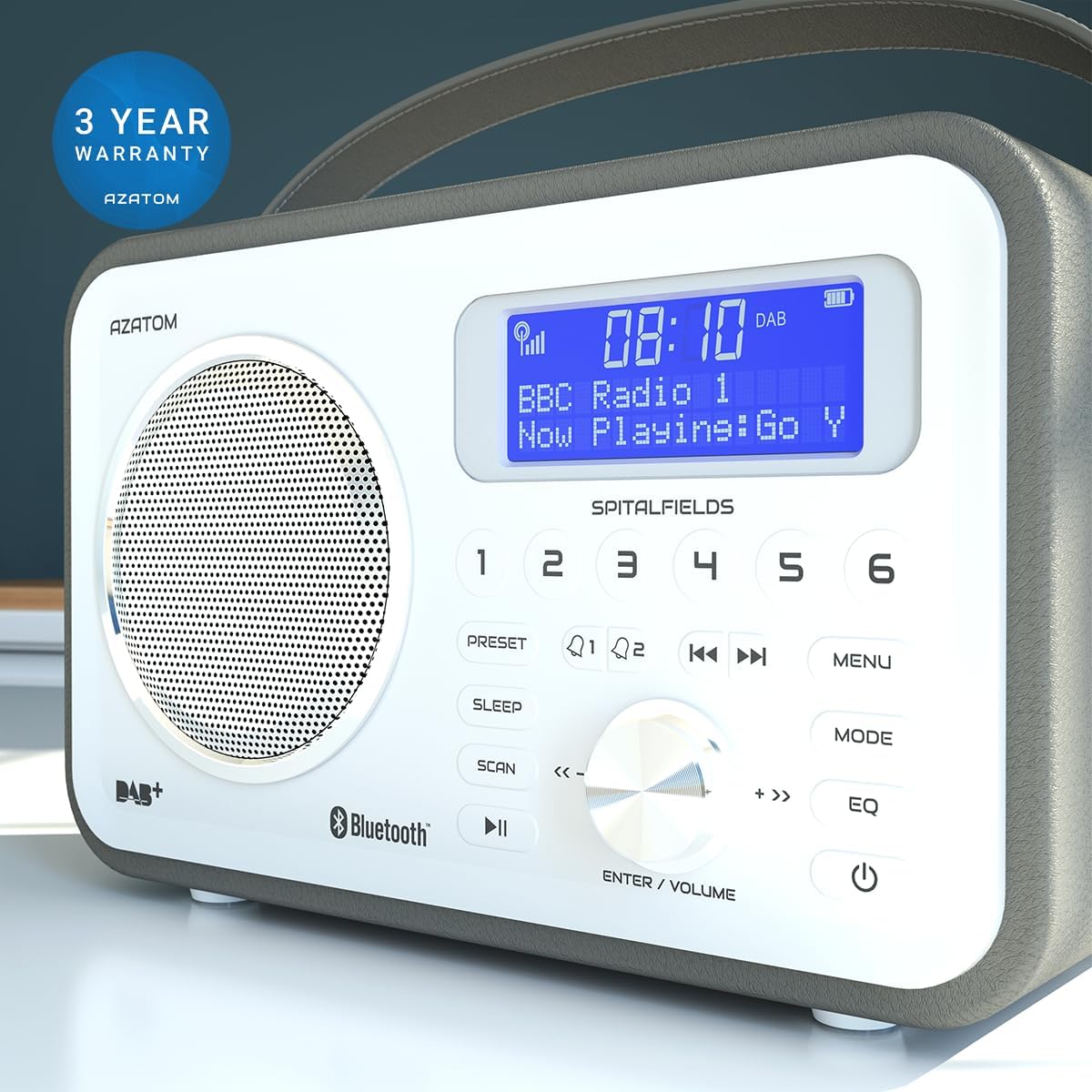
The AZATOM Spitalfields 2 radio comes with a Waranti 3 Tahun from the date of purchase. This warranty covers manufacturing defects and faulty workmanship under normal use. Please retain your proof of purchase for warranty claims.
The product is backed by a 3-year warranty, ensuring peace of mind.
The warranty does not cover damage caused by misuse, accident, unauthorized modification, or normal wear and tear. For full terms and conditions, please refer to the AZATOM official webtapak atau hubungi sokongan pelanggan.
Sokongan Pelanggan
If you encounter any issues not covered in this manual or require further assistance, please visit the official AZATOM webtapak untuk sumber sokongan, Soalan Lazim dan maklumat hubungan.
Webtapak: www.azatom.com
Please have your model number (AZSPTLSBK1) and purchase details ready when contacting support.


