pengenalan
This manual provides comprehensive instructions for the Silvergear XL Smartwatch. It covers setup, operation, maintenance, and troubleshooting to ensure you get the most out of your device. The Silvergear XL Smartwatch features a large 2.41-inch IPS display, integrated cameras, 4G connectivity, and extensive fitness tracking capabilities.
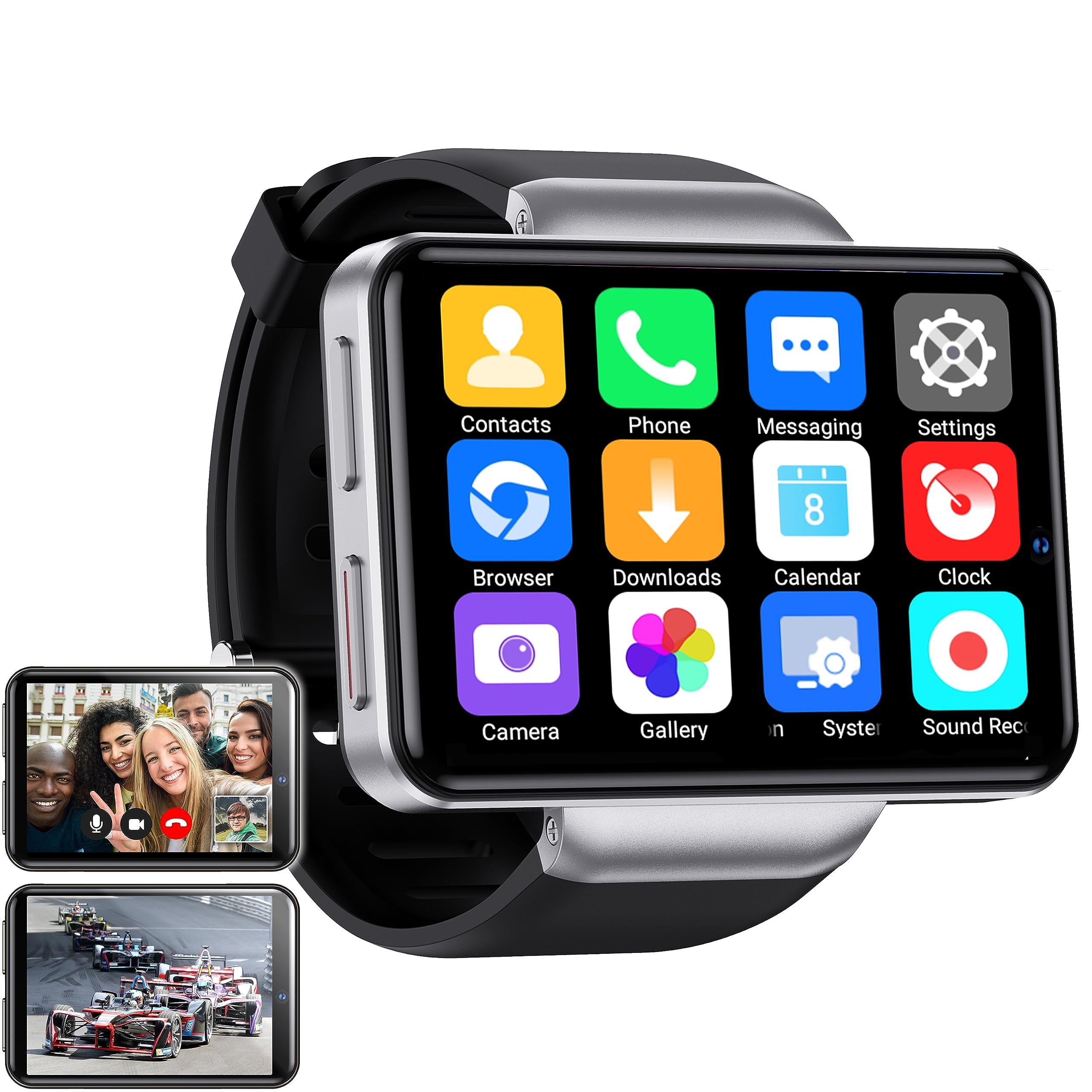
Figure 1: Silvergear XL Smartwatch overview.

Figure 2: The Silvergear XL Smartwatch offers a perfect balance of style, functionality, and advanced technology, including a 2.41-inch IPS display, live video streaming, app downloads, fitness tracking, and communication features.
1. Persediaan
1.1 Membuka Kotak dan Kandungan Pakej
Carefully unpack your Silvergear XL Smartwatch and verify all contents.

Figure 3: Package contents including the Smartwatch XL, charging base, screen protector, and two screwdrivers. Dimensions are also shown: 4.5 cm height, 6.5 cm width, 1.5 cm thickness for the watch body, and strap lengths of 8.5 cm and 12 cm. The watch weighs 120 grams.
- Silvergear XL Smartwatch
- Pangkalan Pengecasan
- Pelindung Skrin
- 2x Screwdrivers (for SIM card tray)
- Manual Pengguna (dokumen ini)
1.2 Mengecas Jam Pintar
Sebelum penggunaan pertama, cas penuh jam pintar.
- Connect the charging base to a USB power adapter (not included) or a computer's USB port.
- Place the smartwatch onto the charging base, ensuring the charging pins align.
- Paparan jam tangan akan menunjukkan status pengecasan. Biarkan selama lebih kurang 2-3 jam untuk pengecasan penuh.
1.3 Pemasangan Kad SIM
To enable 4G connectivity, calls, and internet access, install a Nano SIM card.

Figure 4: Illustration of how to insert a Nano SIM card into the smartwatch. The image also shows the watch's ability to download apps from the Play Store.
- Locate the SIM card tray on the side of the smartwatch.
- Use the provided screwdriver to open the SIM card tray.
- Masukkan kad SIM Nano dengan berhati-hati ke dalam dulang, pastikan orientasi yang betul.
- Close the SIM card tray securely with the screwdriver.
1.4 Hidupkan dan Persediaan Awal
Press and hold the power button until the Silvergear logo appears. Follow the on-screen prompts to complete the initial setup, including language selection, time zone, and network connection.
2. Mengendalikan Jam Pintar
2.1 Navigasi Asas
- Skrin sentuh: Leret ke kiri, kanan, atas atau bawah untuk menavigasi menu dan skrin. Ketik untuk memilih item.
- Butang Kuasa: Tekan untuk membangunkan/mematikan skrin. Tekan dan tahan untuk menghidupkan/mematikan atau memulakan semula.
- Back Button (if applicable): Some watches have a dedicated back button or gesture. Refer to on-screen prompts.
2.2 Ciri-ciri Komunikasi
With a Nano SIM card installed, you can make and receive calls and messages directly from your smartwatch.
- Panggilan: Tap the "Phone" icon to access the dialer or contacts.
- Pemesejan: Tap the "Messaging" icon to send and receive text messages.
- Apl: Download communication apps from the Play Store for additional functionality.
Fungsi Kamera 2.3
The smartwatch is equipped with both front and side cameras for capturing photos and videos.

Figure 5: The smartwatch features a 5MP front camera and a 2MP side camera, allowing you to capture photos and videos directly from your wrist.
- Access Camera: Tap the "Camera" icon on the home screen or app drawer.
- Tukar Kamera: Use the on-screen icon to switch between the 5MP front camera and the 2MP side camera.
- Tangkap: Ketik butang pengatup untuk mengambil foto atau memulakan/menghentikan rakaman video.
2.4 Hiburan Multimedia
Enjoy videos, TV programs, series, and music directly on your smartwatch's extra-large screen.

Figure 6: The extra-large screen allows you to enjoy multimedia content such as sport competitions, TV programmes, series, videos, and music.
- Video/TV: Use pre-installed apps or download streaming services from the Play Store.
- Muzik: Play music stored on the device or stream from compatible apps.
2.5 Penjejakan Kecergasan dan Kesihatan
Monitor your physical activity and health metrics with the integrated sensors.

Figure 7: The smartwatch offers pedometer and fitness tracking for various activities including running, hiking, cycling, basketball, football, jumping rope, and badminton.
- Pedometer: Menjejaki langkah harian, jarak dan kalori yang dibakar.
- Pemantau Kadar Jantung: Provides accurate heart rate readings.
- Mod Senaman: Select from 9 pre-defined exercise types (e.g., running, walking, cycling, swimming) to track your performance.
- Penjejakan Tidur: Monitors your sleep patterns (if supported by the device's software).
2.6 App Downloads
Expand your smartwatch's functionality by downloading applications from the Play Store.
- Ensure your smartwatch is connected to Wi-Fi or has an active 4G data connection.
- Tap the "Play Store" icon and browse or search for desired applications.
- Follow on-screen instructions to download and install apps.
3. Penyelenggaraan
3.1 Pembersihan
Untuk mengekalkan penampilan dan fungsi jam tangan pintar anda:
- Lap skrin dan badan dengan kain lembut dan tidak berbulu.
- Untuk tanda degil, sedikit dampen kain dengan air. Elakkan bahan kimia yang keras atau bahan yang melelas.
- Pastikan sesentuh pengecasan bersih dan kering sebelum mengecas.
3.2 Tahan Air dan Habuk
The Silvergear XL Smartwatch is rated IP67 for water and dust resistance.

Figure 8: The smartwatch is IP67 water- and dustproof, designed to withstand various weather conditions. This includes IP67 splashproof and IP67 dustproof ratings.
- Penilaian IP67: This means the device is protected from dust ingress and can withstand immersion in water up to 1 meter for up to 30 minutes.
- It is suitable for splashes, rain, and incidental exposure to water.
- Avoid prolonged immersion, hot water, or high-pressure water jets.
- Ensure the SIM card tray is properly sealed to maintain water resistance.
3.3 Kemas Kini Perisian
Semak kemas kini perisian secara berkala untuk memastikan prestasi optimum dan akses kepada ciri baharu.
- Connect your smartwatch to Wi-Fi.
- Navigate to "Settings" > "About Watch" > "Software Update" (or similar path).
- Follow on-screen instructions to download and install any available updates.
4. Penyelesaian masalah
| Masalah | Kemungkinan Punca | Penyelesaian |
|---|---|---|
| Smartwatch does not power on. | Bateri lemah; peranti beku. | Cas peranti selama sekurang-kurangnya 30 minit. Tekan dan tahan butang kuasa selama 10-15 saat untuk memaksa mula semula. |
| Tidak boleh membuat/menerima panggilan. | No SIM card; SIM card not properly inserted; no network signal; incorrect network settings. | Ensure SIM card is correctly installed and activated. Check network signal strength. Verify network settings in the smartwatch. |
| Skrin tidak bertindak balas. | Gangguan perisian; gangguan pelindung skrin. | Restart the smartwatch. Remove and reapply the screen protector if it's causing issues. |
| Fitness tracking data is inaccurate. | Improper fit; sensor obstruction; software calibration needed. | Ensure the watch is worn snugly on your wrist. Clean the sensor area. Check for software updates. |
| Tidak dapat menyambung ke Wi-Fi. | Kata laluan salah; di luar julat; isu penghala. | Verify Wi-Fi password. Move closer to the Wi-Fi router. Restart the router. |
If you encounter issues not listed here, or if the suggested solutions do not resolve the problem, please refer to the support section.
5. Spesifikasi
Below are the technical specifications for the Silvergear XL Smartwatch (Model: 8711568088660).

Figure 9: Key technical specifications of the Silvergear XL Smartwatch, including Android 7.1.1 OS, MT6739 Quad-Core CPU (1.5 GHz), 2.41-inch full screen, 640x480 resolution, and 4G & WiFi connectivity.
| Ciri | Perincian |
|---|---|
| Jenama | Silvergear |
| Nombor Model | 8711568088660 |
| Sistem Operasi | Android (version 7.1.1 from image) |
| Saiz Skrin | 2.41 Inci |
| Jenis Paparan | LCD (IPS from description) |
| Resolusi | 640x480 (from image) |
| Pemproses | MT6739 Quad-Core CPU, 1.5 GHz (from image) |
| Ketersambungan | 4G, Wi-Fi |
| Kamera Depan | 5 Megapiksel |
| Kamera Sisi | 2 Megapiksel |
| Kapasiti Penyimpanan Memori | 500 MB |
| Tahan Air & Debu | IP67 |
| GPS | Tiada GPS |
| Peranti Serasi | Telefon pintar |
6. Maklumat Waranti
The Silvergear XL Smartwatch comes with a manufacturer's warranty.
- Waranti Pengilang: 2 tahun.
- Waranti ini melindungi kecacatan pada bahan dan mutu kerja di bawah penggunaan biasa.
- It does not cover damage caused by misuse, accidents, unauthorized modifications, or normal wear and tear.
- Sila simpan bukti pembelian anda untuk tuntutan waranti.
7. Sokongan
For further assistance, technical support, or warranty claims, please contact Silvergear customer service.
- Refer to the Silvergear official weblaman web untuk maklumat hubungan.
- Have your product model number (8711568088660) and proof of purchase ready when contacting support.


