pengenalan
The Altec Lansing Kid Safe 2-in-1 Wireless Bluetooth Headphones (Model MZX4410) are designed to provide a safe and enjoyable audio experience for children. These headphones feature volume-limiting technology to protect delicate hearing, comfortable ear cushions, and versatile connectivity options. This manual provides instructions for setup, operation, and maintenance to ensure optimal performance and longevity of your headphones.
Apa yang ada dalam Kotak
- Altec Lansing Kid Safe 2-in-1 Wireless Bluetooth Headphones
- Kabel Pengecas USB-C
- Kabel Audio 3.5mm
- Kes Pelindung
- Manual Pengguna (dokumen ini)
Ciri-ciri Produk
- Bunyi Jelas: High-quality audio with enhanced bass for an immersive listening experience.
- Safe Volume Limiting: Integrated technology limits maximum volume to 85dB to protect children's hearing.
- Kesambungan 2-dalam-1: Supports both wireless Bluetooth and wired 3.5mm audio connections.
- Julat Tanpa Wayar: Up to 30 feet of Bluetooth wireless range for unrestricted movement.
- Reka bentuk yang selesa: Soft ear cushions and an adjustable, cushioned headband ensure a comfortable fit for extended wear.
- Boleh dilipat dan mudah alih: Convenient foldable design for easy storage and transport.
- Pembinaan Tahan Lama: Built to withstand active use.
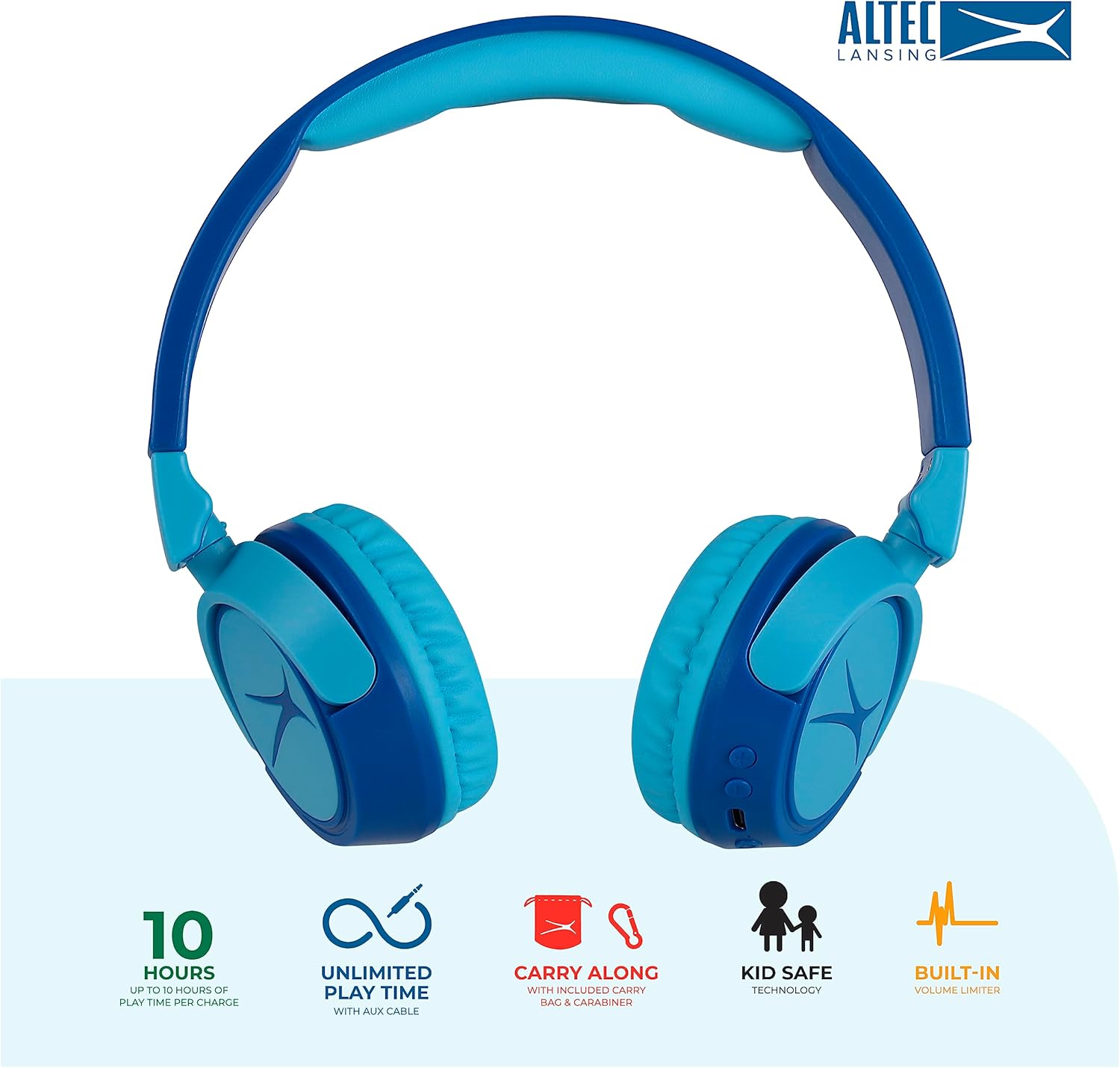
Image: Key features of the Altec Lansing Kid Safe Headphones, including battery life, wired option, portability, and safety features.

Image: Visual representation of the 85dB volume limiting technology for safe listening.
Arahan Persediaan
1. Mengecas Fon Kepala
- Cari port pengecasan USB-C pada cuping telinga fon kepala.
- Connect the provided USB-C charging cable to the port on the headphones.
- Plug the other end of the USB-C cable into a compatible USB power source (e.g., computer, wall adapter).
- Penunjuk LED akan menyala semasa pengecasan dan bertukar warna atau padam apabila dicas sepenuhnya.
- Cas penuh memberikan masa bermain selama kira-kira 10 jam.
2. Berpasangan Bluetooth
- Pastikan fon kepala dicas.
- Press and hold the Power button on the headphone earcup until the LED indicator flashes blue and red, indicating pairing mode.
- Pada peranti anda (telefon pintar, tablet, komputer), pergi ke tetapan Bluetooth dan dayakan Bluetooth.
- Select "Altec Lansing MZX4410" from the list of available devices.
- Sebaik sahaja disambungkan, penunjuk LED akan menunjukkan cahaya biru pekat.
- Fon kepala akan menyambung semula secara automatik ke peranti yang terakhir dipasangkan apabila dihidupkan, jika dalam julat.
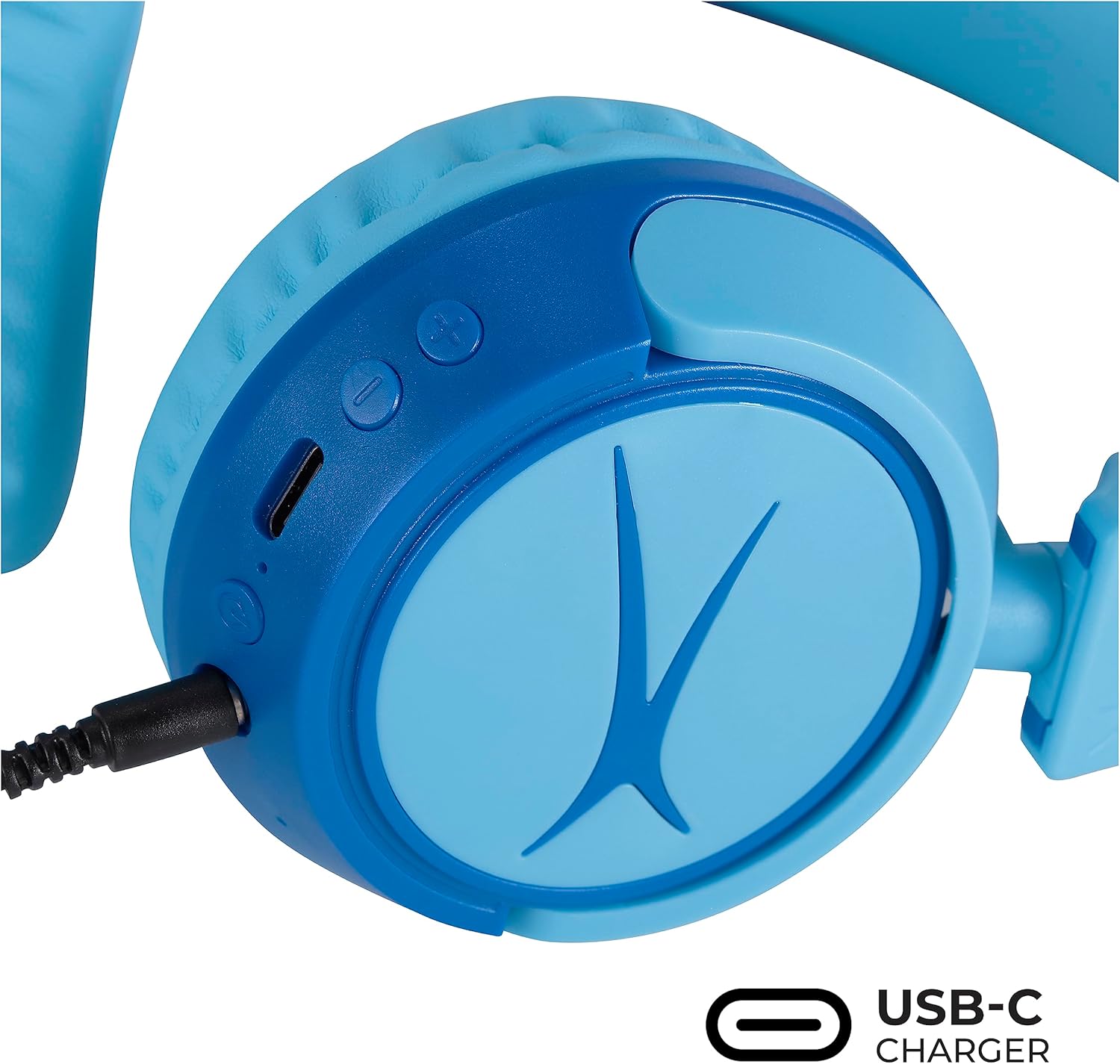
Image: Detail of the headphone controls and ports for charging and wired connection.
Arahan Operasi
Hidupkan/Mati Kuasa
- Untuk menghidupkan, tekan dan tahan butang Kuasa sehingga penunjuk LED menyala.
- Untuk mematikan kuasa, tekan dan tahan butang Kuasa sehingga penunjuk LED dimatikan.
Kawalan Kelantangan
- Use the '+' button to increase volume.
- Use the '-' button to decrease volume.
- The volume is limited to 85dB for hearing protection.
Kawalan Media
- Tekan butang Main/Jeda sekali untuk memainkan atau menjeda audio.
- Press and hold the '+' button to skip to the next track.
- Press and hold the '-' button to go to the previous track.
Sambungan Berwayar (Pilihan)
For unlimited playtime or when Bluetooth is not available, use the provided 3.5mm audio cable:
- Palamkan satu hujung kabel audio 3.5mm ke dalam bicu audio pada cuping telinga fon kepala.
- Palamkan hujung yang satu lagi ke dalam output audio 3.5mm peranti anda.
- Fon kepala akan bertukar secara automatik kepada mod berwayar.

Image: The headphones are compatible with multiple devices via Bluetooth or wired connection.
Video: An official product video demonstrating the Altec Lansing Kid Safe Bluetooth Headphones.
Penyelenggaraan
Pembersihan
- Lap fon kepala dengan kain lembut dan kering.
- Jangan gunakan bahan kimia yang keras atau bahan yang melelas.
- Ensure no moisture enters the ports.
Penyimpanan
- Fold the headphones for compact storage.
- Store them in the provided protective case when not in use to prevent damage.
- Simpan di tempat yang sejuk dan kering jauh dari suhu yang melampau.

Image: Features highlighting the adjustable and cushioned design for comfort.
Menyelesaikan masalah
- Tiada Kuasa: Pastikan fon kepala dicas sepenuhnya. Sambungkan ke sumber kuasa menggunakan kabel USB-C.
- Tidak Dapat Berpasangan melalui Bluetooth: Make sure the headphones are in pairing mode (flashing blue/red LED). Check that Bluetooth is enabled on your device and that the headphones are within the 30-foot range. Try restarting both the headphones and your device.
- Tiada Bunyi dalam Mod Tanpa Wayar: Verify that the headphones are successfully paired and connected to your device. Check the volume levels on both the headphones and your device.
- No Sound in Wired Mode: Ensure the 3.5mm audio cable is securely plugged into both the headphones and your device. Check the volume levels on your device.
- Sound is Too Low: The headphones feature a built-in volume limiter at 85dB for safety. This is a design feature and not a malfunction.
Spesifikasi
| Ciri | Perincian |
|---|---|
| Nama Model | MZX4410 |
| Teknologi Ketersambungan | Tanpa Wayar (Bluetooth), Berwayar (Bicu 3.5 mm) |
| Teknologi Komunikasi Tanpa Wayar | Bluetooth |
| Julat Bluetooth | 30 Kaki |
| Hayat Bateri | 10 Jam |
| Had Kuantiti | 85dB (Kid Safe) |
| Jenis Kawalan | Kawalan Media, Sentuh |
| Ciri Khas | Adjustable Headband, Detachable Cable, Foldable, Lightweight, Wireless |
| bahan | plastik |
| Berat Barang | 8.8 auns (0.25 Kilogram) |
| Pengeluar | Altec Lansing Technologies |
| UPC | 021331082107 |
Waranti dan Sokongan
For warranty information and customer support, please refer to the official Altec Lansing website or contact their customer service directly. Details can typically be found on the product packaging or the Altec Lansing support portal.


