Portronics POR-1888

Portronics Bubble Pro Wireless Keyboard Instruction Manual

Model: POR-1888

1. Produk Lebihview

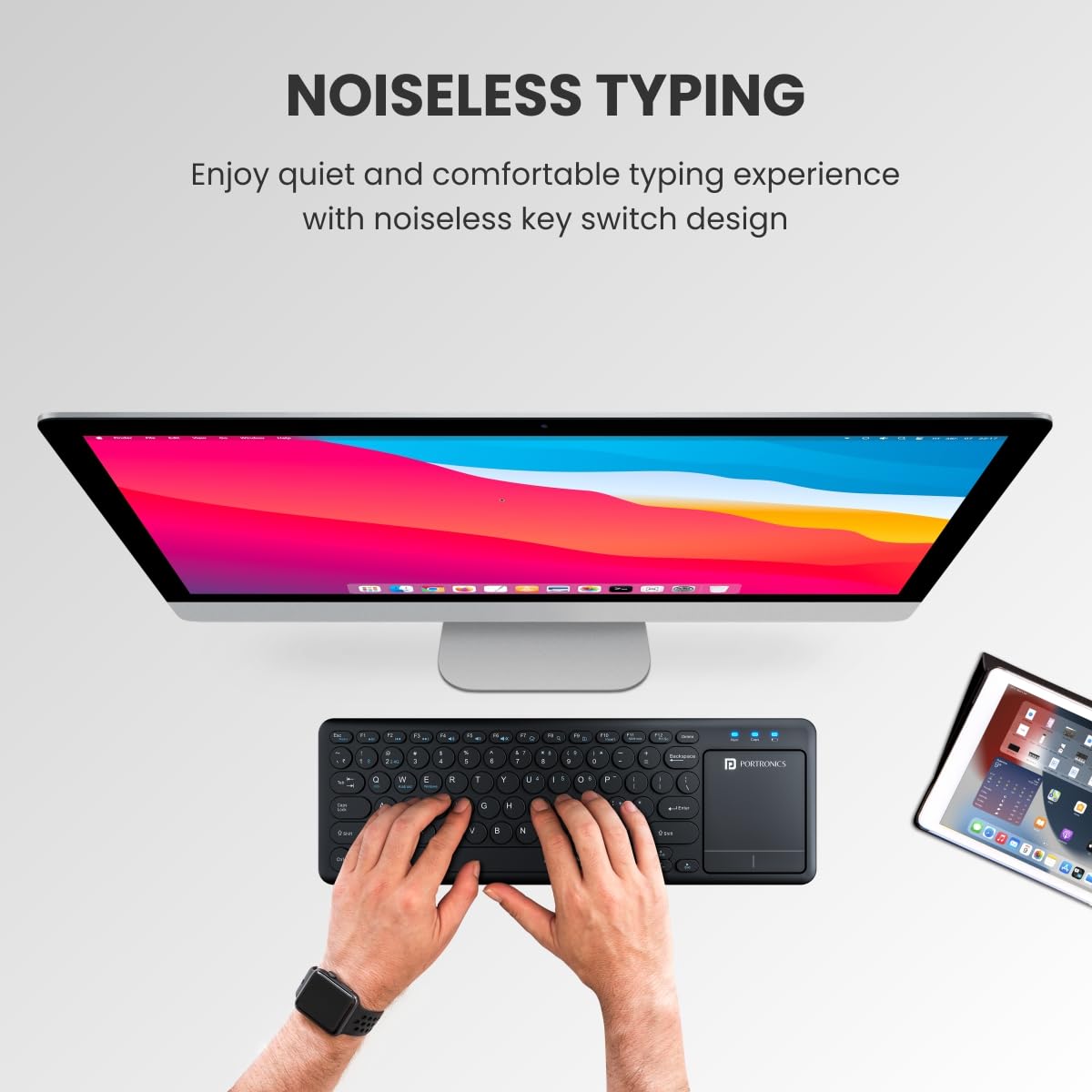
The Portronics Bubble Pro Wireless Keyboard with Touchpad offers versatile connectivity and an ergonomic design for comfortable use across multiple devices. It features dual wireless connectivity options, a built-in touchpad, and multimedia shortcut keys.

Portronics Bubble Pro Wireless Keyboard

Figure 1: Portronics Bubble Pro Wireless Keyboard with Touchpad.

Ciri-ciri Utama:

2. Panduan Persediaan

2.1. Kandungan Pakej

Pastikan semua item ada dalam pakej:

  • Portronics Bubble Pro Wireless Keyboard
  • USB Cable (for charging, if applicable, or for 2.4 GHz dongle)
  • 2.4 GHz Wireless USB Receiver (located in the battery compartment)

Note: Batteries are not included and must be purchased separately (2 x AAA batteries).

2.2. Pemasangan Bateri

  1. Cari petak bateri di bahagian bawah papan kekunci.
  2. Buka penutup petak bateri.
  3. Masukkan dua bateri AAA, pastikan kekutuban (+/-) betul.
  4. Close the battery compartment cover securely. The 2.4 GHz USB dongle is also stored here.
Battery compartment and USB dongle location

Figure 2: Location of battery compartment and 2.4 GHz USB dongle.

2.3. Menyambung ke Peranti

The keyboard supports dual connectivity: Bluetooth 5.0 and 2.4 GHz Wireless.

2.3.1. Sambungan Wayarles 2.4 GHz

  1. Remove the 2.4 GHz USB receiver from the battery compartment.
  2. Palamkan penerima USB ke dalam port USB yang tersedia pada komputer atau peranti anda.
  3. Papan kekunci harus disambungkan secara automatik.

2.3.2. Sambungan Bluetooth 5.0

  1. Hidupkan papan kekunci.
  2. Aktifkan Bluetooth pada peranti anda (cth, telefon pintar, tablet, komputer riba).
  3. On the keyboard, press the Bluetooth pairing key (refer to keyboard layout for specific key, often indicated by a Bluetooth icon or 'BT').
  4. On your device, search for new Bluetooth devices and select "Portronics Bubble Pro" from the list.
  5. Ikuti mana-mana gesaan pada skrin untuk melengkapkan proses berpasangan.
Keyboard connected to multiple devices via Bluetooth and 2.4 GHz wireless

Figure 3: Keyboard connected to a laptop via 2.4 GHz wireless and a smartphone via Bluetooth.

3. Arahan Operasi

3.1. Bertukar Antara Peranti Bersambung

The Portronics Bubble Pro keyboard allows connection to up to two devices simultaneously. Use the dedicated keys to switch between them:

  • Tekan ke 2.4G Wayarles key to switch to the device connected via the USB dongle.
  • Tekan ke Bluetooth key to switch to the device connected via Bluetooth.
Keyboard layout showing Bluetooth and 2.4 GHz wireless keys

Figure 4: Keyboard layout highlighting connectivity keys.

3.2. Fungsi pad sentuh

The integrated touchpad provides mouse-like functionality:

  • Menunjuk: Gerakkan jari anda melintasi pad sentuh untuk mengawal kursor.
  • Klik Kiri: Press the left-click button below the touchpad or tap once on the touchpad surface.
  • Klik kanan: Press the right-click button below the touchpad or tap with two fingers on the touchpad surface.
  • Menatal: Gunakan dua jari untuk menatal ke atas atau ke bawah pada pad sentuh.
  • Mengezum: Pinch in or out with two fingers to zoom.
Close-up of keyboard touchpad with point and scroll gestures

Figure 5: Touchpad area with indicators for point and scroll functions.

3.3. Kekunci Pintasan

The keyboard is equipped with multimedia hotkeys and a dedicated Rupee symbol key:

  • Kekunci Panas Multimedia: Access functions like mute, pause, play, volume up/down, etc., typically located on the F-keys (F1-F12) and activated by pressing the 'Fn' key simultaneously.
  • Indian Rupee Symbol (₹): A dedicated key is available for typing the Indian Rupee symbol.

3.4. Auto Power-Saving Mode

To conserve battery life, the keyboard automatically enters sleep mode after a period of inactivity. To wake it up, simply press any key or move the touchpad.
Keyboard in auto power-saving mode in a dimly lit room

Figure 6: Keyboard demonstrating auto power-saving feature.

4. Penyelenggaraan

4.1. Pembersihan

  • Gunakan yang lembut, damp kain untuk mengelap permukaan papan kekunci.
  • Untuk habuk dan serpihan di antara kunci, gunakan udara termampat.
  • The keyboard features a spill-resistant design, allowing easy cleanup of accidental water splashes. However, avoid submerging the device in liquid.
Spill-resistant keyboard with water droplets

Figure 7: Keyboard showcasing its spill-resistant design.

4.2. Penggantian Bateri

When the keyboard's performance degrades or it stops responding, it may be time to replace the AAA batteries. Follow the battery installation steps in Section 2.2.

5. Penyelesaian masalah

MasalahKemungkinan PuncaPenyelesaian
Papan kekunci tidak bertindak balasLow battery; Not connected; In sleep mode.Replace batteries; Re-establish connection (Bluetooth or 2.4 GHz); Press any key to wake up.
Connectivity issues (lag, disconnection)Gangguan; Peranti terlalu jauh; Bateri lemah.Move closer to the device; Ensure no strong interference sources; Replace batteries.
Pad sentuh tidak berfungsi dengan betulDriver issue; Dirty touchpad; Software conflict.Ensure correct drivers are installed (if applicable); Clean touchpad surface; Restart device.
Kunci tidak mendaftar atau menaip dua kaliLow battery; Debris under key; Software issue.Replace batteries; Clean under the affected key; Test on another device to rule out software issues.

6. Spesifikasi Produk

CiriPerincian
JenamaPortronics
Nombor ModelPOR-1888
Teknologi KetersambunganBluetooth 5.0 & 2.4 GHz Wireless
warnaHitam
Faktor BentukPapan Kekunci Tanpa Wayar dengan Pad Sentuh
Dimensi Produk38 x 13 x 2.5 cm
Berat Barang350 g
Sumber KuasaDikuasakan oleh Bateri (2 x AAA, tidak termasuk)
Julat Tanpa WayarSehingga 10 meter (33 kaki)
Peranti SerasiLaptop, Mac, PC, Smartphone (iOS, Android, Windows Tablets)
Komponen yang DisertakanUSB Cable (purpose not specified for this battery-powered model)

7. Waranti dan Sokongan

7.1. Maklumat Waranti

The Portronics Bubble Pro Wireless Keyboard comes with a Waranti 1 Tahun dari tarikh pembelian. Sila simpan resit pembelian anda untuk tuntutan waranti.

7.2. Sokongan Pelanggan

For any support, queries, or warranty claims, please contact Portronics customer service:

  • Pengeluar: Portronics Digital Pvt Ltd
  • Nombor Perhubungan: 9555-245-245
  • Alamat: Unit No. 1082-1090, 10th Floor, Block-B, Vegas, Dwarka, Sec-14, New Delhi-110075
  • Kedai atas talian: Visit the Portronics Store on Amazon.in

8. Video Produk

8.1. Portronics Bubble Pro Wireless Keyboard Overview

Video ini memberikan penerangan ringkasview of the Portronics Bubble Pro Wireless Keyboard, highlighting its dual connectivity, built-in touchpad, multi-device connection, shortcut keys, auto power-saving, 10-meter wireless range, and ergonomic design. It showcases the product's main features and benefits.

Dokumen Berkaitan - POR-1888

Praview Manual Pengguna Penyesuai Dinding USB Portronics Adapto 62 POR-1062
Manual pengguna untuk Portronics Adapto 62 POR-1062, penyesuai dinding USB tunggal pengecasan pantas 2.4A. Mempunyai perlindungan pintar, keserasian luas dan reka bentuk mudah alih untuk peranti iOS dan Android.
Praview Portronics Breeze Plus Portable Bluetooth Speaker User Manual
Comprehensive user manual for the Portronics Breeze Plus portable Bluetooth speaker, covering specifications, setup, usage, TWS pairing, safety instructions, and maintenance.
Praview Manual Pengguna Portronics POR-1360 Dash TWS Pembesar Suara Mudah Alih dengan Mikrofon Karaoke
Manual pengguna untuk pembesar suara mudah alih Portronics POR-1360 Dash TWS, yang memperincikan ciri, spesifikasi, operasi dan pilihan sambungannya untuk pengalaman audio yang dipertingkatkan dengan mikrofon karaoke.
Praview Portronics Dash POR-1360: Manual Pengguna Pembesar Suara Mudah Alih TWS dengan Mikrofon Karaoke
Manual pengguna yang komprehensif untuk pembesar suara mudah alih Portronics Dash POR-1360 TWS dengan mikrofon karaoke. Perincian ciri, spesifikasi, fungsi alat kawalan jauh, gambar rajah operasi dan pematuhan FCC.
Praview Portronics LUXCELL B Manual Pengguna Power Bank 20K 20000mAh
Manual pengguna untuk Portronics LUXCELL B 20K 20000mAh Power Bank. Ketahui tentang kandungan pakej, mengecas peranti anda, mengecas bank kuasa, penunjuk LED dan spesifikasi teknikal.
Praview Portronics Harmonics Z11 Wireless Stereo Headset: User Manual & Specifications
Comprehensive user manual for the Portronics Harmonics Z11 Wireless Stereo Headset. Learn about package contents, product features, Bluetooth connectivity, charging, specifications, and important cautions.