1. Pengenalan
The UNI-T UT343A is a digital coating thickness gauge designed for measuring the thickness of plated and coated sheets on both ferrous (Fe) and non-ferrous (NFe) metal substrates. It offers a wide measurement range up to 1750µm and is suitable for various applications in manufacturing, metal processing, chemical industries, and commodity inspection. This device is engineered for stable operation in both workshop and outdoor environments.
Key features include data storage for up to 199 groups, single/continuous measurement methods, Max/Min/Avg display, unit conversion (µm/mil), a rotatable screen for convenient viewing, LED/Buzzer alarms, and an auto power-off function to conserve battery life.
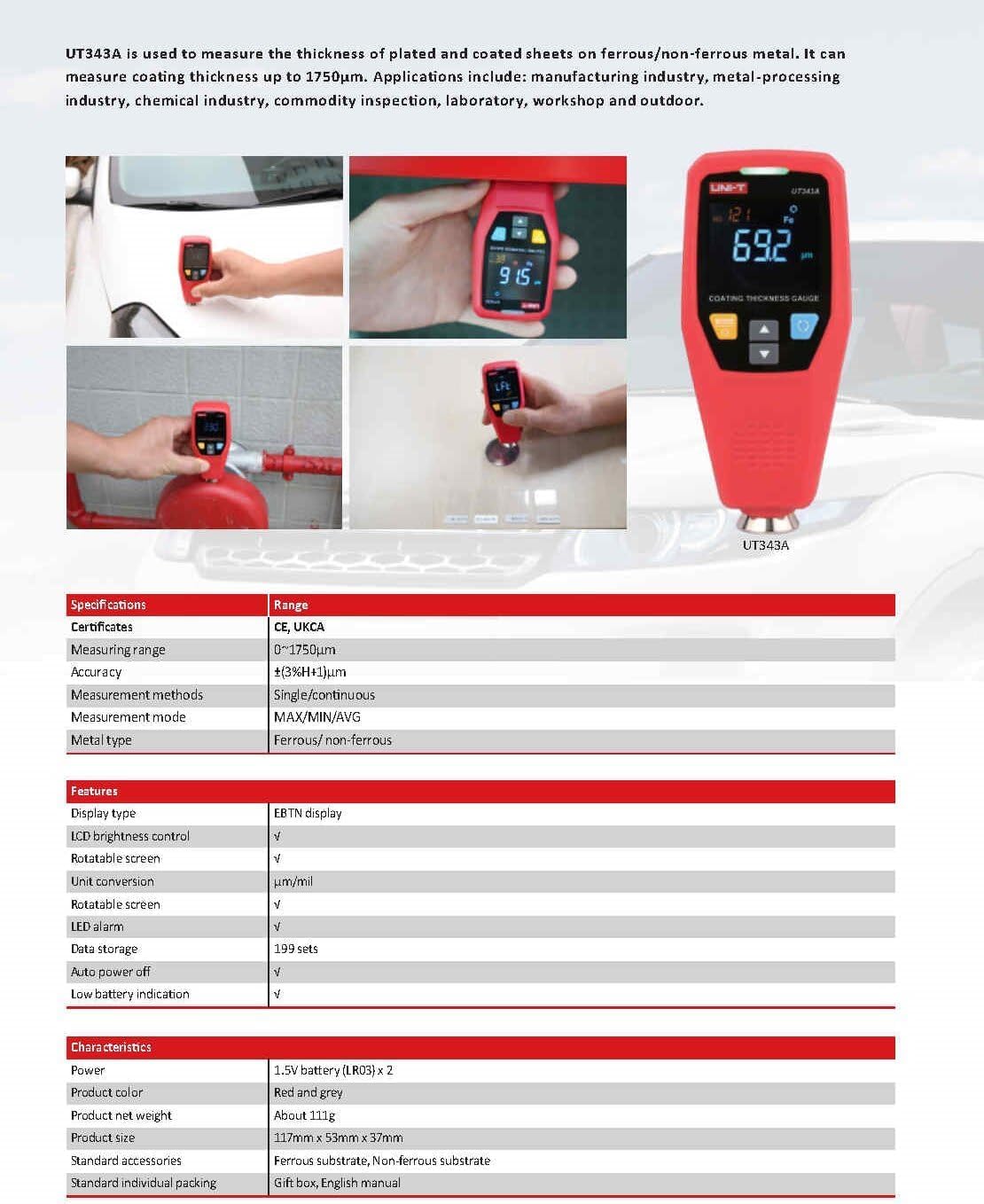
Image: The UNI-T UT343A coating thickness gauge in various application scenarios and a detailed specification table.
2. Apa yang ada di dalam Kotak
Selepas membongkar, sila pastikan semua item berikut ada:
- Tolok Ketebalan Salutan UNI-T UT343A
- Manual Pengguna
- Battery (1 Lithium Metal battery included)
- Pengecas
- Pemimpin Ujian
- Ferrous Substrate
- Non-ferrous Substrate
- Standard Individual Packing

Image: The UNI-T UT343A gauge alongside a storage bag, illustrating its compact dimensions.
3. Spesifikasi
| Spesifikasi | Nilai |
|---|---|
| Julat Pengukuran | 0 ~ 1750µm |
| Ketepatan | ±(3%H+1)µm |
| Kaedah Pengukuran | Tunggal/Berterusan |
| Mod Pengukuran | Maks/Min/Purata |
| Jenis Logam | Ferrous/Non-ferrous |
| Jenis Paparan | paparan EBTN |
| Kawalan Kecerahan LCD | ya |
| Rotatable Screen | ya |
| Penukaran Unit | µm/mil |
| Penggera Audio | ya |
| Penggera LED | ya |
| Penyimpanan Data | 199 kumpulan |
| Auto Matikan | ya |
| Petunjuk Bateri Rendah | ya |
| Sumber Kuasa | Dikuasakan Bateri (termasuk 1 bateri Lithium Metal) |
| Dimensi Produk | 11.81 x 3.94 x 7.87 inci |
| Berat Barang | 0.25 miligram |
4. Persediaan
4.1 Pemasangan Bateri
The UT343A gauge requires one Lithium Metal battery for operation. Ensure the battery is correctly inserted according to the polarity markings in the battery compartment. The device features a low battery indication to alert you when replacement is needed.
4.2 Hidupkan/Mati Kuasa
Press the power button to turn the device on. The EBTN display will illuminate. To turn off the device, press and hold the power button, or allow the auto power-off function to engage after a period of inactivity.
5. Arahan Operasi
The UT343A offers various modes and features to ensure accurate and convenient coating thickness measurements.
5.1 High Precision Sensor
The UT343A is equipped with a high-precision sensor, ensuring accurate, durable, and stable measurements across various applications.
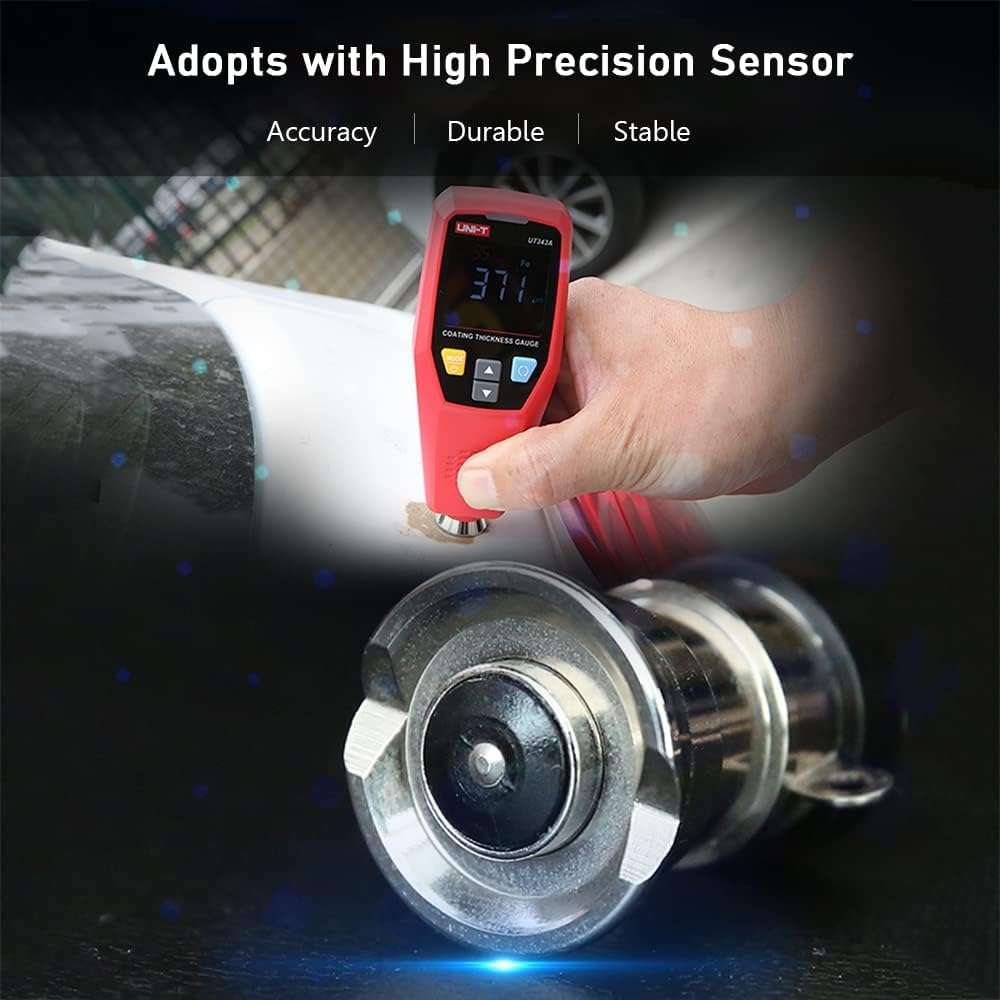
Image: The gauge highlighting its high precision sensor for accurate measurements.
5.2 Automatic Substrate Identification
The gauge automatically identifies whether the underlying substrate is ferrous (Fe) or non-ferrous (NFe), simplifying the measurement process. The display will indicate the detected material type.

Image: The gauge's display highlighting features such as screen flip, data storage, and magnetic/non-magnetic substrate identification.
5.3 Mod Pengukuran
- Pengukuran Tunggal: For individual readings at specific points.
- Pengukuran Berterusan: For scanning surfaces and obtaining real-time readings.
- Max/Min/Avg: Displays the maximum, minimum, and average values from a series of measurements, useful for assessing coating uniformity.

Image: The gauge being used for rapid testing on a car's painted surface.
5.4 Penukaran Unit
Easily switch between micrometers (µm) and mils (mil) units to suit your measurement requirements.
5.5 Skrin Boleh Putar
The display automatically rotates, allowing for convenient reading from various angles, enhancing usability in different working positions.

Image: The gauge demonstrating its rotatable LCD display for optimal viewing.
5.6 LED and Buzzer Alarms
The device features LED and buzzer alarms to provide immediate feedback on measurement results, especially when values fall outside predefined limits. A 3-color warning light indicates the current value attribute:
- hijau: Measurement is within the acceptable range.
- Kuning: Measurement is above the upper limit.
- merah: Measurement is below the lower limit.
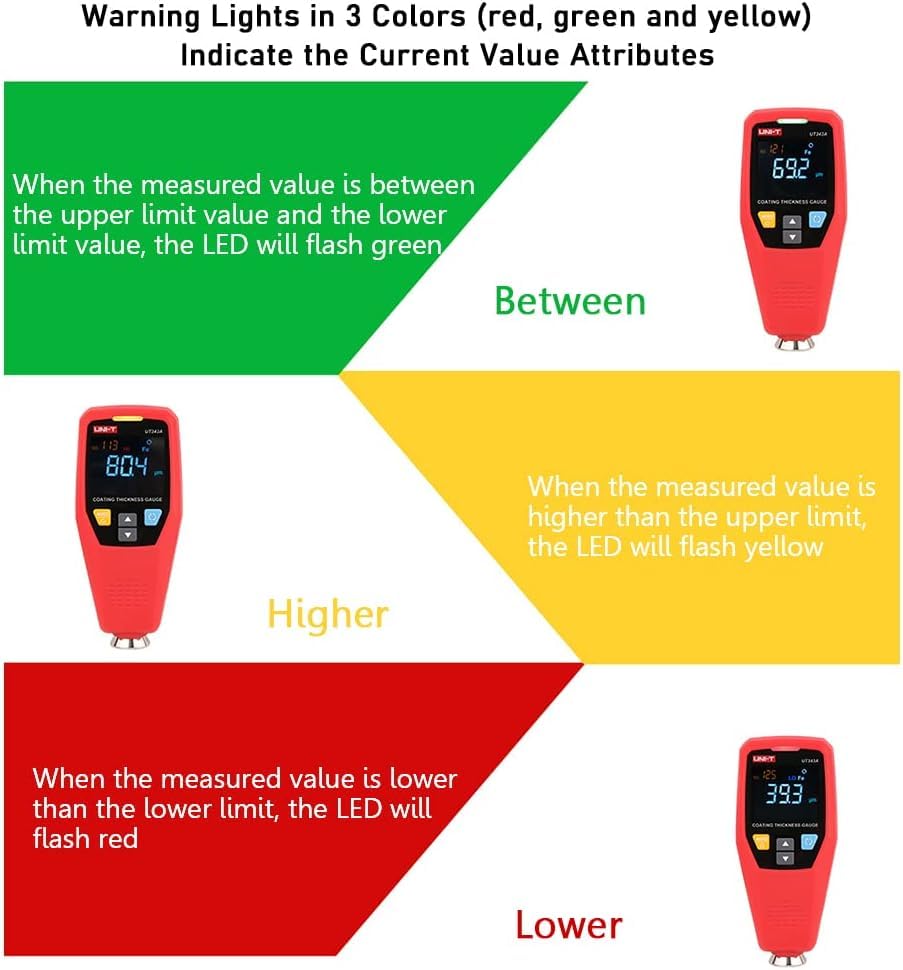
Image: Illustration of the 3-color warning lights (red, green, yellow) indicating measurement status relative to set limits.
5.7 Penentukuran
Calibration is crucial for ensuring measurement accuracy. The UT343A supports both zero calibration and two-point calibration.
- Penentukuran Sifar: Used to set the baseline measurement to zero on an uncoated substrate.
- Two-Point Calibration: Involves calibrating with two known thickness standards to improve accuracy across a range.
Always perform calibration before critical measurements to maintain precision.
5.8 Quick Test Mode
The quick test mode allows for rapid assessment of coating thickness, useful for identifying potential issues quickly.
- Single-point Judgement Mode: Quickly determines if a single measurement is qualified or not based on set tolerances.
- Multi-point Judgement Mode: A quick method to find cars with accident history by assessing multiple points and automatically calculating and displaying average values.

Image: The gauge's display showing its capability to store 199 sets of measurement data.
5.9 Data Storage and USB Communication
The UT343A can store up to 199 groups of measurement data. For advanced analysis and reporting, the device features a USB communication function. It can be connected to computer software via USB for data export, trend chart generation, real-time online measurement, and printing.
Video: Demonstrates the UNI-T UT343D (similar model) coating thickness gauge features, including measurement on various surfaces, automatic substrate identification, 3-color warning lights, auto-rotatable screen, calibration, quick test modes, and USB data communication.
6. Penyelenggaraan
- Pastikan peranti bersih dan bebas daripada habuk dan serpihan. Gunakan kain lembut dan kering untuk pembersihan.
- Avoid exposing the gauge to extreme temperatures, humidity, or direct sunlight.
- Store the device in its protective packaging when not in use.
- Replace the battery when the low battery indicator appears to ensure continuous operation and accurate readings.
- Regularly check the probe for any damage or wear that might affect measurement accuracy.
7. Penyelesaian masalah
| Masalah | Kemungkinan Punca | Penyelesaian |
|---|---|---|
| Peranti tidak dihidupkan | Low or dead battery; incorrectly installed battery. | Gantikan bateri; memastikan polariti yang betul. |
| Bacaan tidak tepat | Needs calibration; dirty probe; damaged probe; incorrect measurement mode. | Perform zero or two-point calibration; clean the probe; inspect for damage; select appropriate measurement mode. |
| Paparan tidak berputar | Feature might be disabled in settings (if applicable) or a software glitch. | Check user manual for display rotation settings; restart the device. |
| Isu sambungan USB | Incorrect cable; driver not installed; software issue. | Use the provided USB cable; install necessary drivers/software from UNI-T website; restart computer and device. |
8. Maklumat Keselamatan
- Jangan cuba membuka atau mengubah suai peranti.
- Jauhkan peranti daripada medan magnet yang kuat.
- Use the device only for its intended purpose as a coating thickness gauge.
- Buang bateri mengikut peraturan tempatan.