1. Pengenalan
This manual provides comprehensive instructions for the installation, operation, and maintenance of your Turing TP-MED4M28-1Y 4MP Turret IP Camera. Please read this manual thoroughly before using the product to ensure proper setup and functionality. Keep this manual for future reference.
2. Maklumat Keselamatan
Patuhi langkah keselamatan berikut untuk mengelakkan kecederaan atau kerosakan pada produk:
- Ensure the power supply meets the camera's specifications (DC 12V+/-25% or PoE IEEE 802.3af).
- Jangan dedahkan kamera kepada suhu, kelembapan atau persekitaran yang menghakis yang melampau.
- Elakkan pendedahan langsung kanta kepada sumber cahaya yang kuat, kerana ini boleh merosakkan sensor imej.
- Jangan cuba membuka atau mengubah suai kamera. Rujuk semua servis kepada kakitangan yang berkelayakan.
- Handle the camera with care to prevent physical shock or vibration.
- Pastikan pembumian yang betul untuk mengelakkan bahaya elektrik.
3. Kandungan Pakej
Sahkan bahawa semua item terdapat dalam pakej anda. Jika ada barang yang hilang atau rosak, hubungi peruncit anda.
- Turing TP-MED4M28-1Y 4MP Turret IP Camera
- Skru Pemasangan dan Palam Dinding
- Penyambung Kalis Air untuk Kabel Ethernet
- Templat Bor
- Panduan Mula Pantas
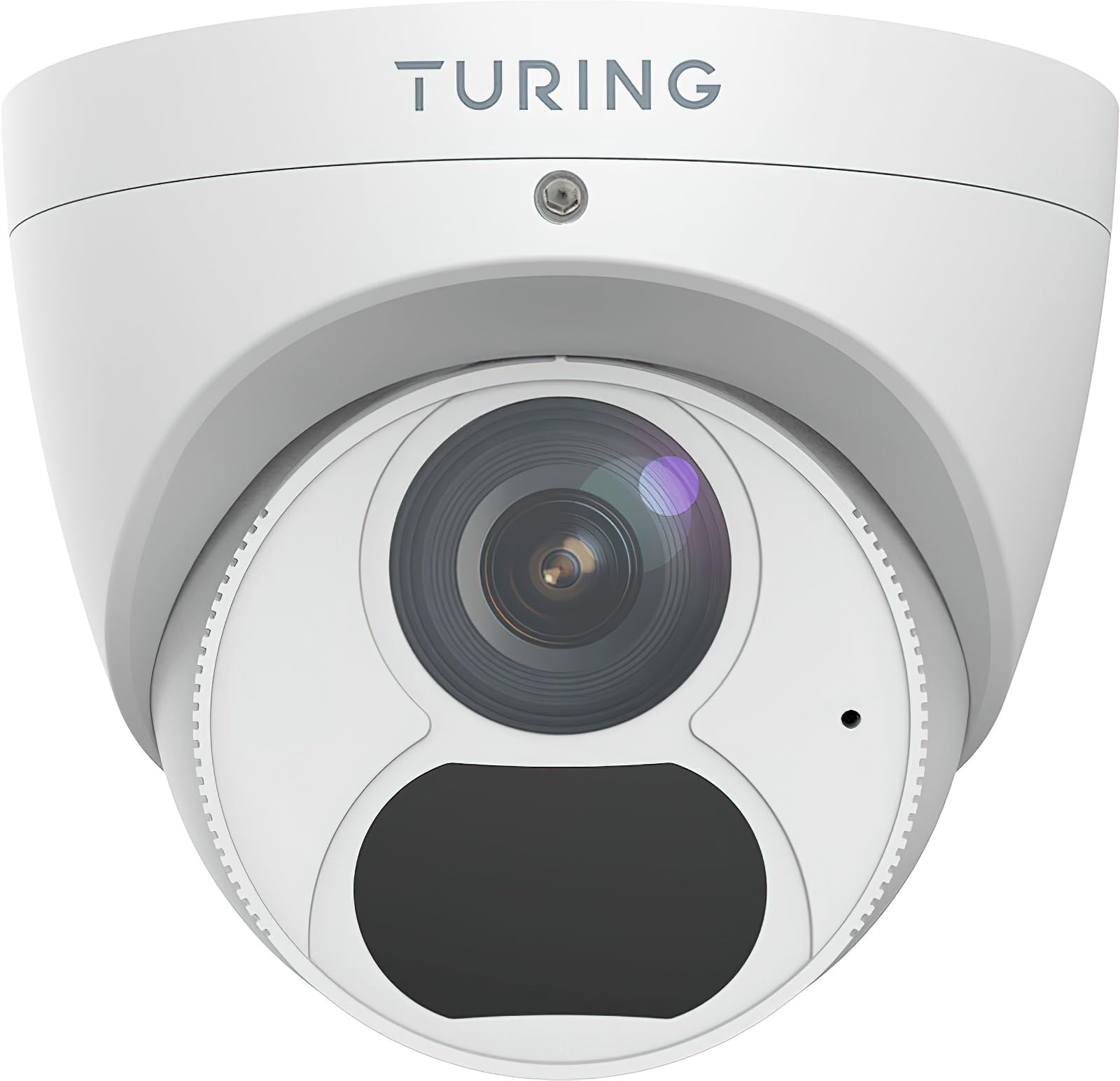
Figure 1: Turing TP-MED4M28-1Y 4MP Turret IP Camera and included accessories. The image shows the camera unit, mounting hardware, and a waterproof connector.
4. Produk Lebihview
The Turing TP-MED4M28-1Y is a 4MP low-light turret IP camera designed for surveillance applications. It features a 2.8mm fixed lens, TwilightVision for enhanced low-light performance, and Smart IR up to 30m (98ft). The camera supports a 256GB microSD card for local storage and integrates with the Turing Vision Core AI platform.
Ciri-ciri Utama:
- Max. 4MP (2688x1520) at 30fps resolution
- 2.8mm fixed lens with 101.1° horizontal view
- TwilightVision for optimal image clarity in low light (0.002 Lux)
- Smart IR illumination up to 30m (98ft)
- IP67 weather protection, WDR (Wide Dynamic Range), PoE (Power over Ethernet)
- Built-in microphone for audio monitoring
- Menyokong kad microSD sehingga 256GB (tidak disertakan)
- Integrated with Turing Vision Core AI for advanced analytics (1st year license included)
- Mematuhi NDAA
5. Persediaan dan Pemasangan
Follow these steps for proper installation of your IP camera.
5.1 Memasang Kamera
- Pilih Lokasi: Select a suitable mounting location, typically a ceiling or wall, ensuring a clear field of view and within range of your network connection. The camera is IP67 rated for outdoor use.
- Sediakan Permukaan: Use the provided drill template to mark the screw holes on the mounting surface. Drill pilot holes as needed.
- Selamatkan Pangkalan: Attach the camera's mounting base to the surface using the supplied screws and wall plugs. Ensure it is firmly secured.
- Pengurusan Kabel: Route the Ethernet cable through the designated cable entry point. Use the waterproof connector for outdoor installations to protect the Ethernet connection.
5.2 Network Connection and Power
- Sambungkan Ethernet: Connect an Ethernet cable from your network switch or router to the camera's RJ45 port.
- Bekalan Kuasa:
- PoE (Kuasa ke atas Ethernet): If your network switch supports PoE (IEEE 802.3af), the camera will receive power directly through the Ethernet cable. No separate power adapter is needed.
- DC 12V: If PoE is not available, connect a DC 12V power adapter (not included) to the camera's power input port.
- Boot-up awal: The camera will power on and initiate its boot sequence. This may take a few minutes.
5.3 Tatarajah Awal
Refer to the Turing Vision Quick Start Guide or the Turing Vision platform documentation for detailed instructions on adding and configuring your camera within the Turing Vision ecosystem.
- Access the camera via the Turing Vision platform or a web pelayar menggunakan alamat IPnya.
- Tukar kata laluan lalai untuk keselamatan.
- Configure network settings, video resolution, and recording schedules.
- Adjust image settings such as WDR, 2D/3D DNR, and defog for optimal video quality.
6. Mengendalikan Kamera
The Turing TP-MED4M28-1Y camera is primarily operated and managed through the Turing Vision cloud platform or a compatible NVR/VMS system.
6.1 Langsung View dan Rakaman
- Access the live video feed through the Turing Vision application or web antara muka.
- Configure continuous recording, motion-triggered recording, or scheduled recording via the platform settings.
- Review dirakam footage by navigating to the playback section within the Turing Vision platform.
6.2 AI Features (Turing Vision Core AI)
With the included Turing CORE AI License, the camera leverages advanced analytics:
- People and Vehicle Search: Utilize the Turing Vision platform to quickly search for specific events involving people or vehicles.
- Makluman Pintar: Receive real-time notifications for detected events based on configured rules.
- Pattern Detection: Analyze patterns across multiple locations for improved operational efficiency and safety.
6.3 Image Enhancement Features
- TwilightVision: Automatically enhances image clarity in extremely low-light conditions, providing color images where traditional cameras would switch to black and white.
- IR Pintar: Adjusts the intensity of the infrared LEDs to prevent overexposure of objects close to the camera, ensuring balanced night vision.
- WDR (Julat Dinamik Lebar): Balances areas of high contrast in the image, ensuring details are visible in both bright and dark regions simultaneously.
7. Penyelenggaraan
Penyelenggaraan tetap memastikan prestasi optimum dan jangka hayat kamera anda.
- Pembersihan Kanta: Gently clean the camera lens with a soft, dry cloth. For stubborn dirt, use a lens cleaning solution and a microfiber cloth. Avoid abrasive materials.
- Kemas kini Firmware: Periodically check for and install firmware updates through the Turing Vision platform or the camera's web interface. Firmware updates often include performance improvements and security enhancements.
- Pemeriksaan Fizikal: Regularly inspect the camera housing and mounting for any signs of damage, loose connections, or corrosion, especially for outdoor installations.
- Pengurusan Storan: If using a microSD card, periodically check its status and manage recorded data to prevent it from filling up. Format the card if necessary (this will erase all data).
8. Penyelesaian masalah
Jika anda menghadapi masalah dengan kamera anda, rujuk masalah dan penyelesaian biasa berikut:
| Masalah | Kemungkinan Punca | Penyelesaian |
|---|---|---|
| Tiada suapan imej/video | No power; Network connection issue; Incorrect IP address | Check power supply (PoE or DC 12V). Verify Ethernet cable connection. Ensure camera is on the same network subnet as your viewing device or NVR. |
| Kualiti imej yang lemah | Dirty lens; Incorrect focus (fixed lens, but check for obstructions); Insufficient lighting; Incorrect image settings | Clean the lens. Ensure adequate lighting or verify Smart IR/TwilightVision settings. Adjust WDR, brightness, contrast in camera settings. |
| Cannot connect to Turing Vision | Network issues; Incorrect camera registration; Firewall blocking connection | Verify internet connectivity. Ensure the camera is correctly added to your Turing Vision account. Check firewall settings on your network. |
| Kad MicroSD tidak merakam | Card full; Card not formatted; Faulty card; Recording schedule not set | Check card capacity. Format the microSD card via camera settings. Replace faulty card. Configure recording schedule. |
If the problem persists, contact Turing technical support for assistance.
9. Spesifikasi
Detailed technical specifications for the Turing TP-MED4M28-1Y camera:
| Ciri | Spesifikasi |
|---|---|
| Model | TP-MED4M28-1Y |
| Penderia Imej | 1/3-inch 4MP 16:9 Progressive Scan CMOS |
| Resolusi | Max. 4MP (2688x1520) at 30fps |
| Lensa | Kanta tetap 2.8 mm |
| Sudut dari View (H/V/D) | 101.1° / 55.3° / 111.1° |
| Pencahayaan Minimum | Color: 0.002 Lux (F1.6, AGC on); 0 Lux with IR on |
| Julat IR | Up to 30m (98ft) Smart IR |
| Pemampatan Video | Ultra 265, H.265, H.264, MJPEG |
| Pemprosesan Digital | 120 dB WDR, 2D/3D DNR, Defog |
| Audio | Built-in microphone, G.711, Noise suppression |
| Storan atas kapal | MicroSD card slot, up to 256 GB (card not included) |
| Bekalan Kuasa | DC 12V+/-25%, PoE (IEEE 802.3af) |
| Penggunaan Kuasa | Max 4.0W |
| Perlindungan | IP67, 4KV Surge Protection |
| Dimensi (Ø x H) | 4.4 x 3.7 inci (111.8 x 94 mm) |
| Berat badan | 0.93 paun (0.42 kg) |
| Suhu Operasi | -30°C hingga 60°C (-22°F hingga 140°F) |
10. Waranti dan Sokongan
Turing provides a limited warranty for its products. Please refer to the official Turing website or your purchase documentation for detailed warranty terms and conditions. The first year of Turing CORE AI License is included with this product.
For technical support, product inquiries, or warranty claims, please contact Turing customer service through their official webtapak atau maklumat hubungan yang diberikan bersama pembelian anda.
Sumber Dalam Talian: Visit the Turing support portal for FAQs, software downloads, and additional documentation.


