1. Pengenalan
Terima kasih kerana membeliasing the ZEBRONICS Juke BAR 9102 PRO 240W Dolby Soundbar. This manual provides essential information for the proper setup, operation, and maintenance of your soundbar system. Please read this manual thoroughly before use to ensure optimal performance and safety.
2. Arahan Keselamatan
- Sumber Kuasa: Gunakan hanya penyesuai kuasa yang ditentukan. Pastikan voltage serasi dengan bekalan kuasa tempatan anda.
- Pengudaraan: Jangan sekat sebarang bukaan pengudaraan. Kekalkan ruang yang mencukupi di sekeliling unit untuk aliran udara yang betul.
- Air dan Kelembapan: Do not expose the soundbar or subwoofer to water, rain, or moisture. Avoid placing objects filled with liquids, such as vases, on or near the unit.
- Sumber Haba: Jauhkan unit ini daripada sumber haba seperti radiator, daftar haba, dapur atau peralatan penghasil haba yang lain.
- Pembersihan: Putuskan sambungan kuasa sebelum membersihkan. Gunakan kain lembut dan kering. Jangan gunakan pembersih cecair atau pembersih aerosol.
- Servis: Jangan cuba servis produk ini sendiri. Rujuk semua perkhidmatan kepada pegawai perkhidmatan yang berkelayakan.
- penempatan: Place the soundbar on a stable, flat surface or mount it securely on a wall as instructed.
3. Kandungan Pakej
Sahkan bahawa semua item yang disenaraikan di bawah disertakan dalam pakej anda:
- Soundbar - 1 Unit
- Subwoofer - 1 Unit
- Remote Control - 1 Unit
- QR Code User Manual - 1 Unit (Digital access)
- Wall Mount Bracket and Fasteners
4. Produk Lebihview
The ZEBRONICS Juke BAR 9102 PRO is a 240W output Dolby soundbar system designed to enhance your audio experience. It features a soundbar with quad drivers and a powerful 6.5-inch wired subwoofer.




5. Persediaan
5.1 Penempatan Awal
- Letakkan bar bunyi di tengah-tengah di bawah televisyen anda.
- Position the subwoofer on the floor near the soundbar for optimal bass response.
5.2 Sambungan Kuasa
- Connect the power cable to the soundbar's power input.
- Connect the power cable to the subwoofer's power input.
- Plug both power cables into a suitable wall outlet.
5.3 Sambungan Subwufer
The subwoofer connects to the soundbar via a wired connection. Ensure the subwoofer cable is securely connected to both units.
6. Arahan Operasi
6.1 Hidupkan/Mati Kuasa
Press the power button on the soundbar or the remote control to turn the unit on or off. The LED display will indicate the power status.
6.2 Kawalan Kelantangan
Use the volume up (+) and volume down (-) buttons on the soundbar or remote control to adjust the audio level.
6.3 Pemilihan Mod
Press the 'Mode' button on the soundbar or remote control to cycle through available input modes (Bluetooth, HDMI ARC, Optical, AUX, USB). The LED display will show the current mode (e.g., 'BT' for Bluetooth, 'ARC' for HDMI ARC).
6.4 Mod Penyama (EQ)
The soundbar features 3D EQ alternatives. Use the EQ button on the remote to switch between modes. The LED display will show 'E1', 'E2', 'E3' for different sound profiles, and '3D' for the virtual 5.1 effect. Common EQ modes include:
- E1: Mod muzik
- E2: Mod filem
- E3: News/Voice mode
- 3D: Virtual Surround Sound mode
6.5 Lampu LED RGB
The soundbar includes RGB LED lights. These can be controlled and changed using the remote control to suit your preference.
7. Pilihan Kesambungan
The ZEBRONICS Juke BAR 9102 PRO offers multiple connectivity options for versatile use.
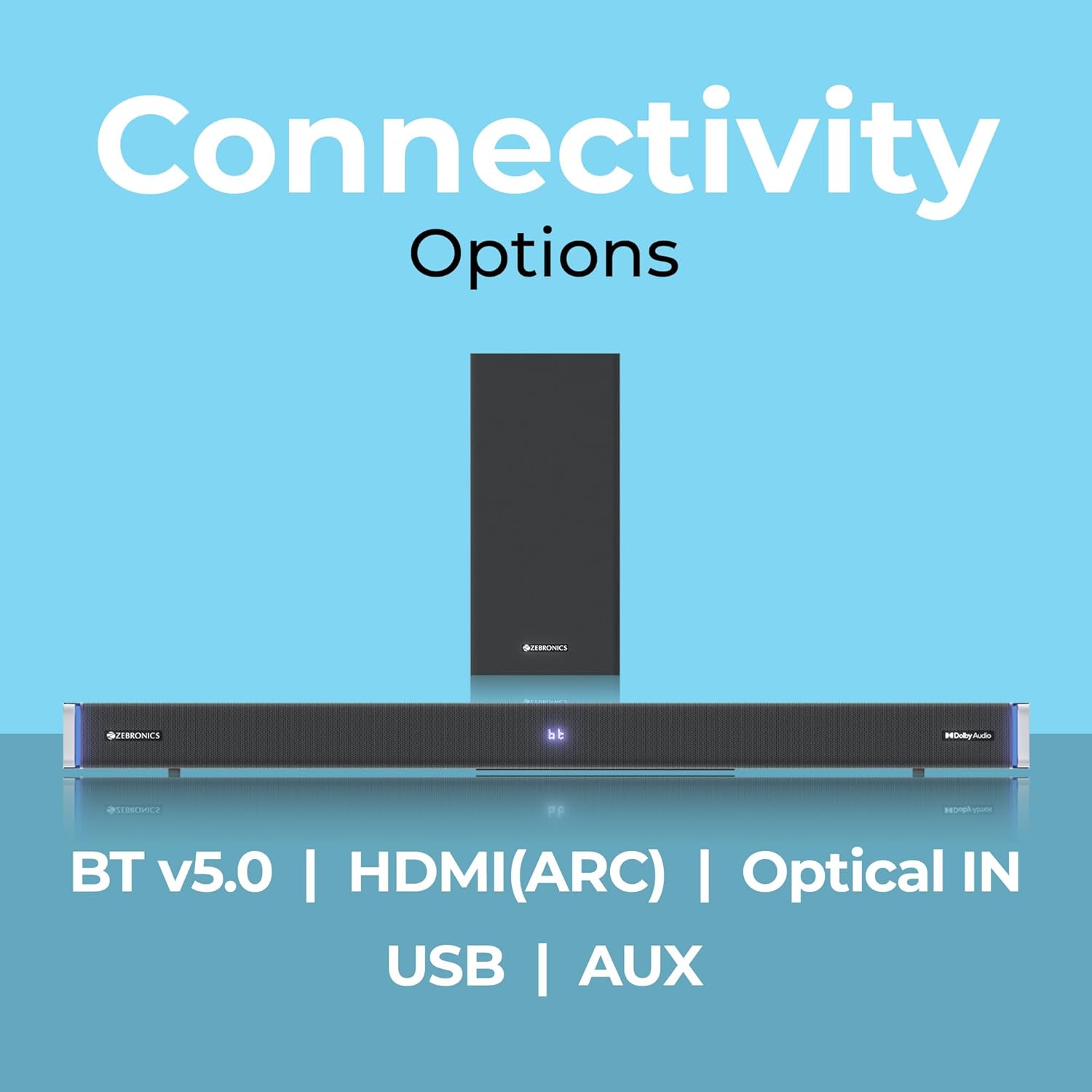
7.1 Bluetooth v5.0
- Press the 'Mode' button until 'BT' appears on the LED display.
- On your mobile device or computer, search for Bluetooth devices and select 'ZEB-JUKE BAR 9102 PRO'.
- Once paired, audio will stream wirelessly to the soundbar.
7.2 HDMI (ARC)
- Connect an HDMI cable (ARC compatible) from the HDMI ARC port on your television to the HDMI ARC port on the soundbar.
- Select 'ARC' mode on the soundbar.
- Ensure your TV's audio output is set to HDMI ARC.
7.3 Optical IN
- Connect an optical cable from your audio source (e.g., TV, DVD player) to the 'Optical IN' port on the soundbar.
- Select 'OPT' mode on the soundbar.
7.4 Kabel AUX 3.5mm
- Connect a 3.5mm AUX cable from your audio source to the 'AUX' port on the soundbar.
- Select 'AUX' mode on the soundbar.
7.5 Main Semula USB
- Insert a USB pen drive (up to 32GB, supporting MP3 audio format) into the USB port on the soundbar.
- Select 'USB' mode on the soundbar. The soundbar will automatically begin playing compatible audio files.
8. Pemasangan Dinding
The soundbar can be wall-mounted to save space. A wall mount bracket and fasteners are included in the package.
- Determine the desired mounting location on the wall, ensuring it is structurally sound and can support the weight of the soundbar.
- Mark the positions for drilling holes using the wall mount bracket as a template.
- Gerudi lubang pandu dan masukkan sauh dinding yang sesuai jika perlu.
- Secure the wall mount bracket to the wall using the provided fasteners.
- Carefully attach the soundbar to the mounted bracket. Ensure it is securely fastened before releasing.
Nota: Professional installation is recommended for wall mounting to prevent damage or injury.
9. Penyelenggaraan
9.1 Pembersihan
Wipe the surfaces of the soundbar and subwoofer with a soft, dry, lint-free cloth. Do not use abrasive cleaners, waxes, or solvents as they may damage the finish.
9.2 Penyimpanan
Jika menyimpan unit untuk tempoh yang lama, putuskan sambungannya daripada bekalan kuasa dan simpan di tempat yang sejuk dan kering, jauh daripada cahaya matahari langsung dan suhu yang melampau.
10. Penyelesaian masalah
| Masalah | Kemungkinan Punca | Penyelesaian |
|---|---|---|
| Tiada kuasa | Kabel kuasa tidak disambungkan; Salur keluar kuasa tidak aktif | Ensure power cables are securely connected and the outlet is functional. |
| Tiada bunyi | Mod input salah; Kelantangan terlalu rendah; Kabel tidak disambungkan dengan betul | Select the correct input mode. Increase volume. Check all audio cables for secure connection. |
| Isu berpasangan Bluetooth | Bar bunyi tidak dalam mod berpasangan; Peranti terlalu jauh; Gangguan | Ensure soundbar is in 'BT' mode. Move device closer. Restart both devices. |
| Alat kawalan jauh tidak berfungsi | Bateri berkurangan; Halangan antara alat kawalan jauh dan bar bunyi | Gantikan bateri alat kawalan jauh. Tanggalkan sebarang halangan. |
| Bunyi herot | Volume too high; Poor audio source quality; Incorrect EQ setting | Kurangkan kelantangan. Cuba sumber audio yang berbeza. Laraskan tetapan EQ. |
11. Spesifikasi
| Ciri | Perincian |
|---|---|
| Nama Model | ZEB-JUKE BAR 9102 PRO |
| Kuasa Keluaran | 240 Watt (RMS) |
| Diameter Subwoofer | 6.5 Inci |
| Saiz Pemacu Audio | 5.5 cm (Quad Drivers) |
| Ketersambungan | Bluetooth v5.0, HDMI (ARC), Optical IN, 3.5mm AUX, USB |
| Konfigurasi Bunyi Sekeliling | Maya 5.1 |
| Respons Kekerapan | 20 Hz - 20 KHz |
| Nisbah Isyarat-ke-Bunyi | 65 dB |
| Impedans | 15 ohm |
| Kaedah Kawalan | Alat Kawalan Jauh |
| Dimensi Produk (Bar Bunyi) | Lebih kurang 98.5W x 17.3D x 40.2T Sentimeter |
| Berat Barang | 5.8 kg |
| Sumber Kuasa | Elektrik Bertali |
| Ciri Khas | Dolby Audio, LED Display, RGB LED Lights, Wall Mountable |
12. Waranti dan Sokongan
12.1 Maklumat Waranti
This ZEBRONICS product comes with a Waranti 1 tahun from the date of purchase. The warranty covers manufacturing defects under normal use. Please retain your purchase receipt for warranty claims.
12.2 Sokongan Pelanggan
For technical assistance, troubleshooting, or warranty inquiries, please contact ZEBRONICS customer support. Refer to the official ZEBRONICS website or the QR Code User Manual for contact details.


