pengenalan
Welcome to the user manual for your new Lenovo IdeaPad 3 15ITL6 laptop. This guide provides essential information for setting up, operating, maintaining, and troubleshooting your device. Please read this manual thoroughly to ensure proper use and to maximize your laptop's performance and longevity.
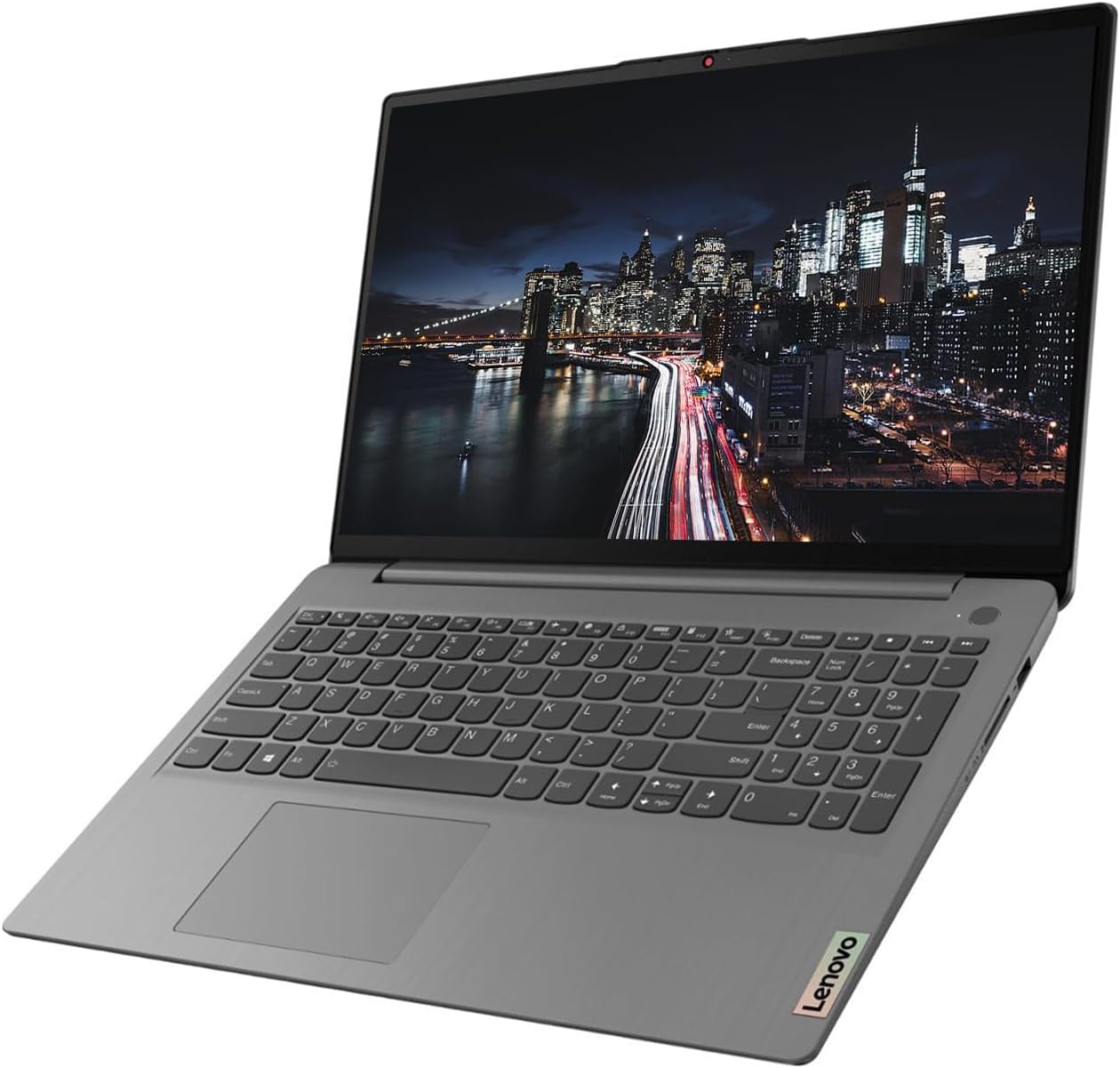
Image: The Lenovo IdeaPad 3 laptop, open and ready for use, displaying its 15.6-inch screen and full-size keyboard.
Panduan Persediaan
1. Penghidupan Awal dan Persediaan Windows
- Buka bungkusan Laptop: Keluarkan komputer riba dan semua aksesori dengan berhati-hati dari pembungkusan.
- Sambungkan Kuasa: Palamkan penyesuai kuasa ke dalam port kuasa komputer riba dan kemudian ke soket dinding.
- Hidupkan kuasa: Buka penutup komputer riba dan tekan butang kuasa, biasanya terletak di bahagian atas sebelah kanan papan kekunci.
- Persediaan Windows 11 Pro: Ikut arahan pada skrin untuk melengkapkan persediaan awal Windows 11 Pro. Ini termasuk memilih rantau, bahasa, menyambung ke rangkaian Wi-Fi dan membuat akaun pengguna.
2. Menyambung Peranti
Your Lenovo IdeaPad 3 offers various ports for connecting external devices.
- Peranti USB: Use the USB-A 3.2 Gen 1, USB-A 2.0, or USB-C 3.2 Gen 1 ports for connecting external drives, keyboards, mice, or other USB accessories.
- Paparan luaran: Connect an external monitor or TV using the HDMI port.
- Audio: Use the Headphone/Microphone Combo jack for headphones or external microphones.
- Kad SD: Insert SD memory cards into the built-in SD Media Card Reader for data transfer.
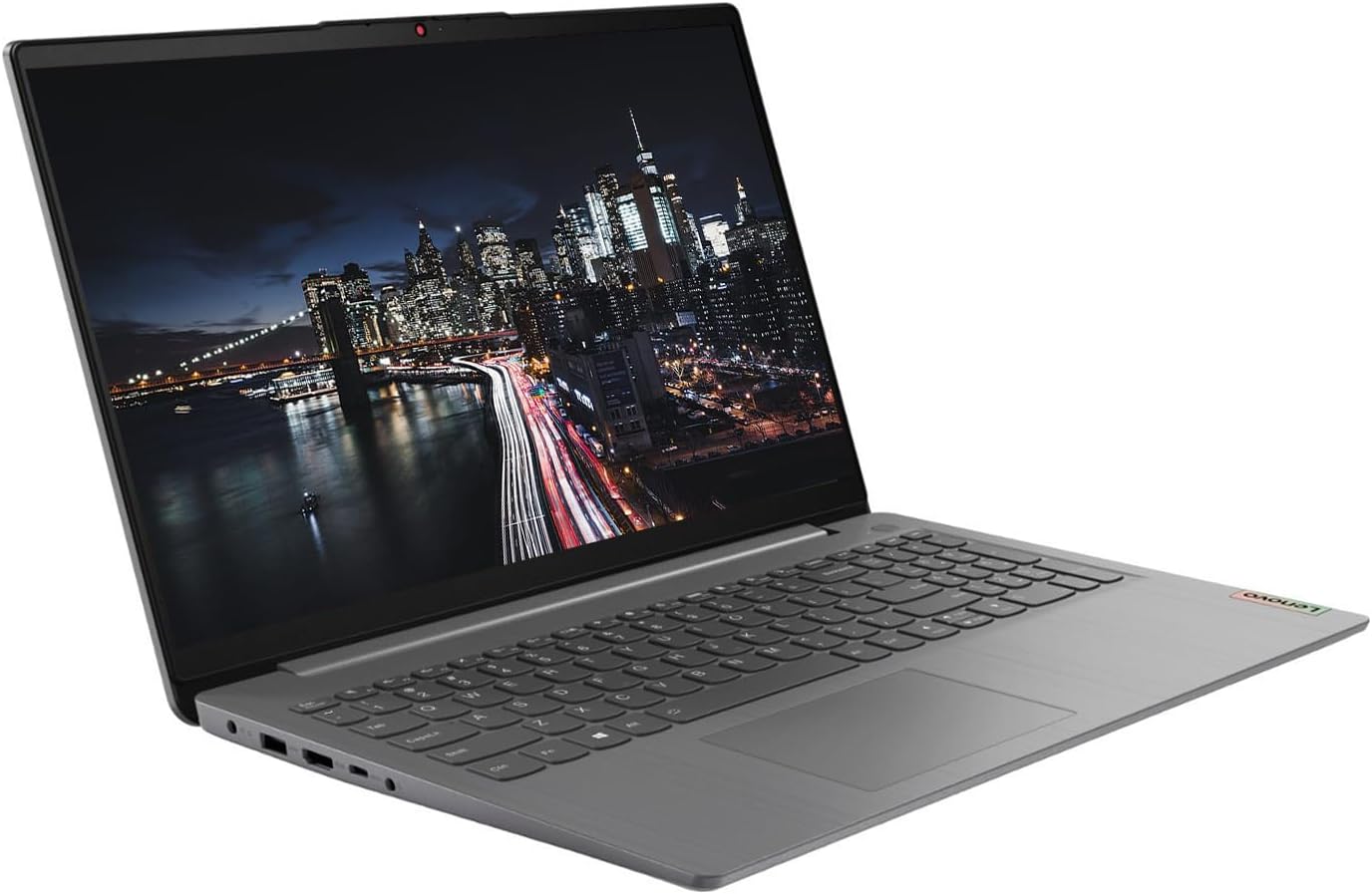
Imej: Sebelah view of the Lenovo IdeaPad 3 laptop, highlighting the various connectivity ports available for peripherals.
3. KKE Mousepad
Your laptop may come bundled with a KKE Mousepad. Place it on a flat surface next to your laptop for enhanced mouse control and comfort.

Image: The KKE Mousepad, a black rectangular pad with the KKE logo, designed for use with a computer mouse.
Mengendalikan Komputer Riba Anda
Paparan dan Interaksi
- 15.6" FHD Touchscreen: The laptop features a 15.6-inch Full HD (1920 x 1080) IPS anti-glare touchscreen display. This allows for direct interaction with the screen using touch gestures, in addition to traditional mouse and keyboard input.
- Papan Kekunci dan Pad Sentuh: Utilize the full-size keyboard with a numeric keypad for typing and the integrated touchpad for navigation.
- Webcam: The integrated 720p webcam with a built-in microphone is suitable for video calls and online meetings.

Imej: Atas ke bawah view of the Lenovo IdeaPad 3 laptop's keyboard, including the numeric pad, and the touchpad.
Prestasi dan Storan
- Pemproses: Powered by an 11th Generation Intel Core i5-1135G7 Processor, providing efficient performance for daily tasks.
- Memori (RAM): Equipped with 20GB DDR4 RAM, enabling smooth multitasking and application handling.
- Storage (SSD): Features a 1TB PCIe NVMe M.2 Solid State Drive for fast boot times, quick application loading, and ampkapasiti penyimpanan.
- Grafik: Integrated Intel Iris Xe Graphics handle visual tasks and light gaming.
Ketersambungan
- wayarles: Supports Wi-Fi 6 (802.11ax) for high-speed wireless internet and Bluetooth 5.1 for connecting wireless accessories.
- Pelabuhan:
- 1 x USB-A 3.2 Gen 1
- 1 x USB-A 2.0
- 1 x USB-C 3.2 Gen 1
- 1 x Headphone/Microphone Combo
- 1 x HDMI
- 1 x SD Media Card Reader
Penyelenggaraan dan Penjagaan
Penjagaan Am
- Pembersihan: Gunakan kain lembut dan tidak berbulu sedikit dampdiisi dengan air atau pembersih skrin untuk membersihkan paparan. Untuk papan kekunci dan casis, gunakan kain kering dan lembut. Elakkan bahan kimia yang keras.
- Pengendalian: Always handle the laptop with care. Avoid dropping it or placing heavy objects on it.
- Pengudaraan: Pastikan lubang angin komputer riba tidak terhalang untuk mengelakkan terlalu panas. Gunakan komputer riba pada permukaan yang keras dan rata.
Kemas Kini Perisian
- Kemas Kini Windows: Regularly check for and install Windows updates to ensure your operating system has the latest security patches and features. Go to Tetapan > Kemas Kini Windows.
- Kemas Kini Pemandu: Keep your device drivers updated for optimal performance. Lenovo provides driver updates through their official support weblaman web atau Lenovo Vantage perisian.
Penjagaan Bateri
- mengecas: Use only the original Lenovo power adapter. Avoid fully discharging the battery frequently.
- Storan: Jika menyimpan komputer riba untuk tempoh yang lama, pastikan bateri dicas kepada kira-kira 50-60%.
Menyelesaikan Masalah Isu Biasa
This section addresses some common issues you might encounter. For more detailed troubleshooting or issues not listed here, please refer to the official Lenovo support resources.
- Komputer Riba Tidak Dihidupkan:
- Pastikan penyesuai kuasa disambungkan dengan selamat pada kedua-dua komputer riba dan salur keluar kuasa yang berfungsi.
- Cuba salur keluar kuasa yang berbeza.
- If the battery is completely drained, it might take a few minutes of charging before the laptop can power on.
- Prestasi Perlahan:
- Close unnecessary applications and browser tabs.
- Semak dan pasang sebarang kemas kini Windows yang belum selesai.
- Run a disk cleanup and defragmentation (for HDD, though SSDs don't need defragging, cleanup is still useful).
- Pastikan pengudaraan yang mencukupi untuk mengelakkan pendikit terma.
- Isu Kesambungan Wi-Fi:
- Mulakan semula penghala dan modem anda.
- Disable and re-enable Wi-Fi on your laptop.
- Check if Wi-Fi drivers are up to date.
- Pastikan anda berada dalam julat rangkaian Wi-Fi anda.
- Skrin sentuh Tidak Menjawab:
- Mulakan semula komputer riba.
- Check for updated display drivers.
- Pastikan skrin bersih dan bebas daripada serpihan.
Spesifikasi Teknikal
| Ciri | Spesifikasi |
|---|---|
| Nama Model | 15ITL6 |
| Jenama | Lenovo |
| Pemproses | 11th Generation Intel Core i5-1135G7 (2.4 GHz up to 4.2 GHz, 4 Cores, 8 Threads) |
| RAM | 20 GB DDR4 |
| Penyimpanan | SSD M.2 PCIe NVMe 1 TB |
| Paparan | 15.6" FHD (1920 x 1080) IPS, Anti-Glare, Touchscreen, 45% NTSC, 300 nits, 60Hz |
| Grafik | Grafik Intel Iris Xe (Bersepadu) |
| Sistem Operasi | Windows 11 Pro |
| Kesambungan Wayarles | Wi-Fi 6 2x2 AX, Bluetooth 5.1 |
| Pelabuhan | 1x USB-A 3.2 Gen 1, 1x USB-A 2.0, 1x USB-C 3.2 Gen 1, 1x Headphone/Microphone Combo, 1x HDMI, 1x SD Media Card Reader |
| Webcam | 720p with Built-in microphone |
| papan kekunci | Traditional, Grey with Number Pad - English (US) |
| Dimensi (LxWxH) | 14.26" x 9.98" x 0.78" |
| Berat badan | 3.74 paun |
| warna | Kelabu Artik |
| Bateri | 1 Bateri Lithium Ion diperlukan |
Waranti dan Sokongan
Waranti Produk
Your Lenovo IdeaPad 3 laptop is covered by a manufacturer's warranty. For specific details regarding the warranty period and terms, please refer to the warranty information included with your product packaging or visit the official Lenovo support webtapak. Simpan bukti pembelian anda untuk tuntutan waranti.
Sokongan Teknikal
For technical assistance, driver downloads, or service inquiries, please contact Lenovo's official customer support.
- Sokongan Lenovo Webtapak: melawat sokongan.lenovo.com for comprehensive resources, FAQs, and contact options.
- Van Lenovotage: Utilize the pre-installed Lenovo Vantage software for system updates, diagnostics, and personalized support.
Pelan Perlindungan Pilihan
Extended protection plans may be available for your device, offering additional coverage beyond the standard manufacturer's warranty. These plans typically cover accidental damage or extended hardware failures. Inquire with your retailer or Lenovo for available options, such as 2-Year or 4-Year protection plans.


